1:12

supermemory - Introducing the supermemory company brain A super employee with all
Supermemory · Jul 2026
Rive · Dec 2024 · 0:36 · Full motion · AI-annotated
Rive’s 0:36 launch film runs 20 scenes, about 1.8 s each. The product is on screen from the first frame. There is no explicit call to action. The video opens on a cut-corner title card, then runs a rapid montage of short scroll references, each a different UI style, cut at a steady 134 bpm. Signature moves are lists and carousels scrolling inside locked frames, occasional reveals of the motion-tool editor, and a hard cut to the brand mark.
Is this your launch? to your site or press kit.
Supermemory · Jul 2026
Spline · Design · Mar 2023
Films whose music sounds like this one, voice left out
xAI · Chiptune / 8-bit video game music
Parallel · Electronic
SpAItial AI · Electronic dance
Three stacked rows of SCROLLING in white cut-corner sans scroll up inside a thin blue box on black, a scrollbar thumb slides down at right, and an orange starburst with NEW pops in beside the middle row. Blue dashed guides and small labels frame the box.
On-screen text: “SCROLLING”, “NEW”
Techniques: Kinetic type, Masking
Camera: Pan
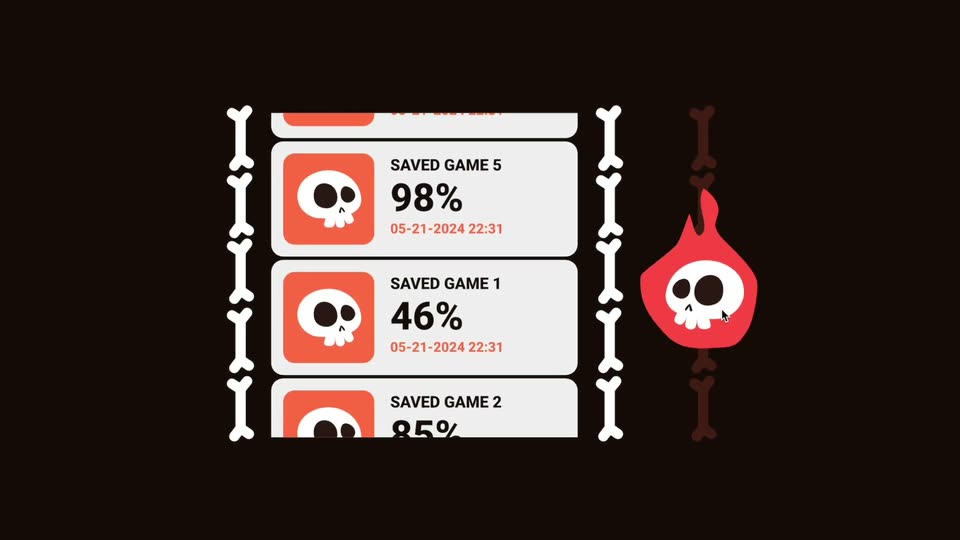
A list of saved-game rows with skull icons and orange tiles scrolls upward between two vertical columns of white bones. A red flame-shaped skull emblem on a bone stick bobs up and down on the right.
Camera: Static
A black square on a gray field holds the white word APERTURE in spaced caps at the top. Below, a large orange circle pulses at center, ringed by a dotted blue arc, while rows of white and blue dots and a line of vertical bars animate like a waveform.
On-screen text: “APERTURE”
Camera: Static
A dark design-tool canvas shows an hourglass of two triangles that shifts from red and yellow to flat gray, while a white letter S on the left scales up. Dotted vertical guides and a bar of white dashes flank the shape, and a cursor hovers near the top triangle.
On-screen text: “S”, “4”
Techniques: Kinetic type
Camera: Pull out
A dark motion-tool window frames a black canvas where a red hourglass, a dotted arc and a column of white bars animate; the hourglass turns into a yellow triangle while a small white S scales at left. A cursor moves over the canvas and a timeline node is selected, spawning a second node.
Techniques: Cursor demo, Morph
Camera: Pull out
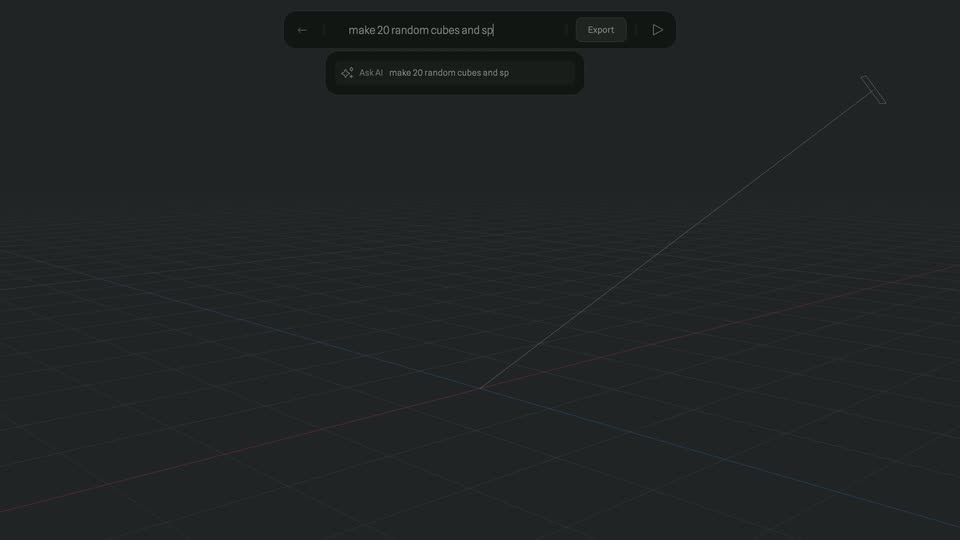
A dark design-tool workspace frames a flat phone mockup showing a street map of a Los Angeles neighborhood. The map slowly zooms in on the Cesar Chavez area while the surrounding tool panels and phone frame stay fixed.
Techniques: UI zoom
Camera: Static
A dark world map with grid lines pans across as 3D blue and purple spheres mark impact sites. A white pin and a purple-to-cyan progress bar sit on a year timeline at the bottom, while a cursor drifts over the map.
On-screen text: “METEORITE IMPACTS 1810 - 2024”
Techniques: Cursor demo
Camera: Pan
A dark gridded world map fills the screen, dotted with glossy blue and purple 3D spheres of varying sizes, a white pin on a purple-to-cyan timeline at the bottom, and a monospace title top-left. The view then cuts to a game menu: glitchy green TRACE DEATH heading, cyan SELECT YOUR PLANET, and a glass jar with a pink skull, above Select and Back buttons.
On-screen text: “METEORITE IMPACTS 1810 - 2024”
Techniques: 3D mockup
Camera: Pan
A dark vertical game menu titled SRACE DEATH shows a SELECT YOUR PLANET grid of four cards: a cracked teal planet, a ringed green planet, and a pink coffin with a skull. The cards settle into place as a paragraph of instructions fades in below.
Camera: Static
A dark music player shows a now-playing bar for Breathe (In the Air) over a scrolling song list, a cursor hovering a row. The panel then slides up and shrinks to reveal a horizontal carousel of character cards with a Select button beneath.
Techniques: Cursor demo, UI zoom
Camera: Static
Rounded cards with 3D character busts scroll left as a purple slider glides right under a cursor, serif names beneath each card. The view then cuts to a dark design-tool screen listing gem rows with coin values and a properties panel.
On-screen text: “Sledge Whiskers”, “Sir Whiskers Grimley”, “Professor Blum”, “Sir Arthur”
Techniques: Cursor demo
Camera: Static
Inside a dark design-tool canvas, a vertical list of colored gem rows scrolls upward, each row pairing a label with a number and coin icon. A tall purple 3D bar sits at the right edge of the list, the surrounding tool panels stay static.
Techniques: UI zoom
Camera: Pan
A 3x3 grid of flat cartoon avatars with blocky bodies and animal ears sits on a black field. The top row scrolls left, cycling colored heads, while the middle and bottom rows hold still. A small cursor arrow drifts over the grid.
Techniques: Cursor demo
Camera: Static
A parchment to-do list on a black phone screen scrolls upward past a hanging metal hook. A cursor taps the Polish hook checkbox, which fills with a red X while the task text dims to gray.
Techniques: Cursor demo
Camera: Static
A design tool canvas shows a dark mobile banking mockup. The purple balance card slides up and fades out while the transaction list scrolls upward, new rows entering from the bottom, an arrow cursor hovering over the list.
Techniques: Cursor demo
Camera: Static
A dark cyan-framed trade menu shows a vertical list of item rows with white square icons and level requirements. The list scrolls upward while a cursor hovers over the carbon armor row.
Techniques: Cursor demo
Camera: Static
A flat graphic panel scrolls left past a small blue character lying on a red wave, revealing a yellow panel with a red circle. It cuts to a purple web page with a black nav bar, an italic serif headline, and three black cards showing a meteorite and a glowing eye.
On-screen text: “-Weekly cosmic-”
Techniques: Parallax
Camera: Pan
A flat website view with a purple header reading '-Weekly cosmic-' above a row of dark grid cards, each holding a white 3D-rendered moon or meteor. The card row scrolls left, revealing a new panel on the right, while a cursor rests at the bottom.
Camera: Pan
A dark design-tool interface frames a centered canvas showing a flat solar-system illustration. A row of cartoon planet cards scrolls and resizes along the bottom while a cream progress bar advances, all inside a locked-off frame.
Camera: Static
A small white square bearing a black R mark sits centered on a black field, holding still before fading to black.
Camera: Static