0:40
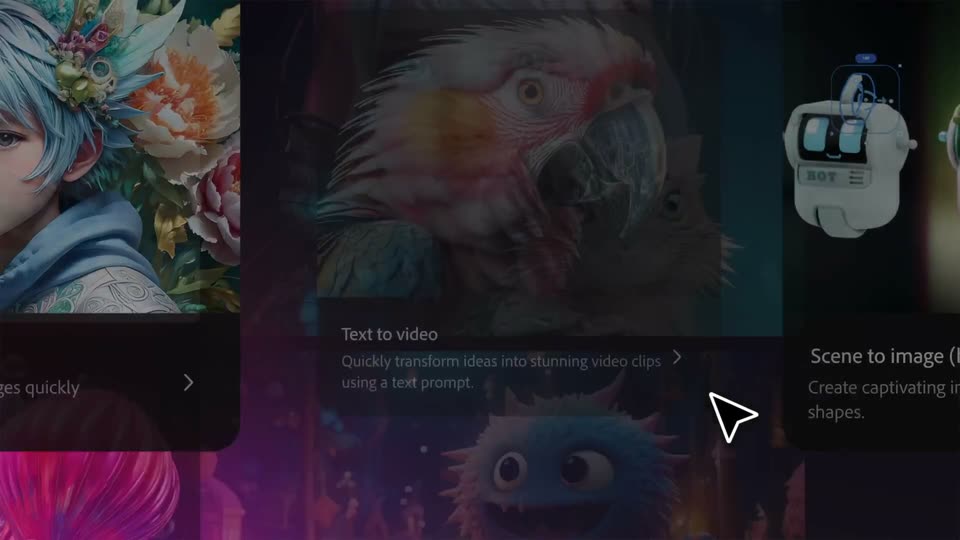

Adobe Firefly: The next evolution of creative AI is here
Adobe · Apr 2025
Supermemory · Jul 2026 · 1:12 · AI-annotated
Supermemory’s 1:12 launch film runs 30 scenes, about 2.4 s each. The product is on screen from the first frame. There is no explicit call to action; a voiceover carries the film. The video is built as one continuous story: a wordmark and a founder on a video call open, a single Slack incident is worked end to end with the googly-eyed asterisk mascot hopping between chat, memory cards and permission dialogs, and a logo ring with the tagline closes. Pacing is moderate at about seven cuts per minute, with signature moves of 3D icon pops, motion-blur streaks and slow camera pushes into flat UI.
Is this your launch? to your site or press kit.
Adobe · Apr 2025
Google · AI · Oct 2026
Loom · Productivity · Aug 2023
The supermemory wordmark on a dark starfield, framed by app icons, cuts to a macOS desktop where a Photo Booth window holds a man in a blue hoodie and glasses speaking in a bedroom.
Camera: Pull out
A macOS desktop with a blue wave wallpaper shows a Photo Booth window in the center, displaying a man in a blue hoodie on a video call. The window shrinks and shifts down over the clip while the dock and menu bar stay fixed.
Camera: Pull out
On a macOS desktop with a blue gradient wallpaper, a video call window showing a man in a blue hoodie sits left of a dark chat app window that rotates from a 3D angle into a flat front view, then the camera zooms into the sidebar and defocuses.
Techniques: 3D mockup, UI zoom
Camera: Push in
A dark sidebar listing contacts and apps (supermemory, Google Drive, Notion) sharpens on the right as the camera pans right. A blurred video panel with an Effects button slides out of frame on the left, and the scene dims.
Techniques: UI zoom
Camera: Push in
A dark sidebar lists contacts and apps. The blue Supermemory icon pops out of the list, growing and tilting in 3D with a soft glow as the rest of the interface dims to black.
Techniques: 3D mockup
Camera: Push in
A small blue rounded-square badge with a white asterisk-like glyph sits on a black field, scales up, then drifts toward the lower left while blurring and fading to black.
On-screen text: “米”
Techniques: Kinetic type
Camera: Static
A tilted blue app icon with a white cross sits on a black grid. The cross arms stretch outward into long pale tubes that reach the frame edges, then small partner app icons pop at their tips before the whole mark contracts back to a compact centered logo.
Techniques: 3D mockup, Morph
Camera: Pull out
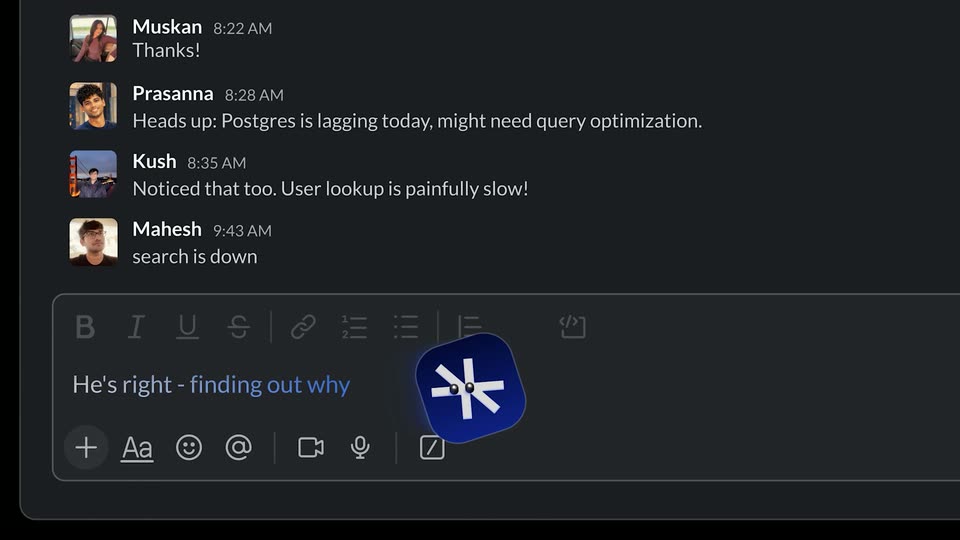
A dark Slack-style chat lists engineer messages. A blue rounded-square logo with a white asterisk mark flies out of the message box, streaking right with a motion-blur trail, as a new supermemory bot message appears in the thread.
Camera: Pull out
Two blue app icons with a white asterisk slide right across a dark dot grid, wiping in the headline “Analysing Company Brain” over a thin underline. The icon settles at the bottom as three document cards, Note, Notion and Google Docs, pop in.
On-screen text: “Analysing Company Brain”
Techniques: Kinetic type, Masking
Camera: Static
The view reframes from three document cards to a full dark grid of Notion and Google Docs notes. Blue rounded-square mascots with a white spark hop between cards, highlighting each one they land on.
Techniques: UI zoom
Camera: Pull out
A dark grid of note cards sits in 3D perspective as the camera pushes in, the wall blurring with depth. Three blue rounded-square icons bearing a white star mark float forward at staggered depths, growing larger as they pass the lens.
Techniques: 3D mockup, Parallax
Camera: Static
A light interface scrolls down: four note cards beneath the Relevant memories heading rise off the top while a dark blue asterisk badge drifts down the right side, and a row of tool icons appears under And the relevant tools at the bottom.
Techniques: Parallax, UI zoom
Camera: Pan
A product UI with two article cards and a row of tool icons under a gray heading. A dark blue rounded-square cursor icon slides in from the right with a motion blur, settling onto a vertical timeline at left, then a small face appears on it.
Camera: Static
A white timeline list scrolls up, moving past a row of app icons to settle on a blue hexagon icon. The label supermemory appears beside it with a 9:45 AM time, and a blue @Prasanna tag fades in below.
Camera: Static
A light chat screen shows a single message from supermemory at 9:45 AM. The line reads '@Prasanna auth PR broke prod: @Cursor here's the context', with the two mentions highlighted in teal boxes. The frame is locked-off and static.
Camera: Static
A chat message from supermemory at 9:45 AM slides in on a white background, with @Prasanna and @Cursor highlighted in blue. Below it, a Context.pdf card with a blue gradient and incident brief text fades from blur into sharp focus.
Camera: Static
A white chat thread scrolls upward on a locked-off frame. A supermemory message with a PDF attachment slides out the top as two Cursor messages enter from below, ending on the resolved line.
Camera: Static
A Slack-style chat lists two Cursor messages with @supermemory highlighted in blue. The panel slides up out of frame, and a blue rounded-square icon with a white asterisk rises from the bottom left, its supermemory wordmark fading in beside it.
Camera: Static
A blue rounded-square app icon with a white asterisk mark sits left of the lowercase wordmark supermemory on white. The wordmark eases in, a small caption slides in, then the lockup blurs out of focus.
On-screen text: “@supermemoryIssue resolved.”
Camera: Static
A white chat thread scrolls upward past a GitHub permission card and an Approved reply, then zooms in on the supermemory message as four emoji reaction chips with counts line up beneath it.
Techniques: UI zoom
Camera: Pan
A dark blue rounded-square mascot with a white asterisk and two dot eyes rises to center, glows with a soft halo, and small dots drift around it. Bold text slides in on either side, then the icon slides left to reveal a flat support ticket card.
On-screen text: “Now i'll”, “check if”, “users faced”, “any issues”
Techniques: Kinetic type, Particles
Camera: Push in
A tilted dark blue app icon with a white abstract mark hovers at left on a pale gray field as a column of white support-ticket cards scrolls upward at right, fading in and out at the edges. The icon holds its angle while the list moves steadily.
Techniques: 3D mockup
Camera: Static
A blue app icon with a white asterisk glides from the left to the top center over a fading list of user tickets. The headline builds in two lines, black then blue, and five contact cards with headshots and titles pop in, tilting around the text.
On-screen text: “I'll find the relevant”, “person to inform”
Techniques: Kinetic type, Particles
Camera: Static
Tilted profile cards with photos, names and social icons are scattered on a light grid background. A blue app icon slides from the center to the Dhnavya card, drawing a blue outline, then to the Shardul card, outlining it as it is pinged.
On-screen text: “I'll find the relevant”
Techniques: Cursor demo
Camera: Static
A dark chat thread shows messages from Shardul and supermemory. A blue app icon with googly eyes bounces down the right side of the screen, then the view zooms into the Permission card requesting temporary email access.
Techniques: UI zoom
Camera: Push in
A dark rounded panel of white body copy sits on a light gray field. A soft gray gradient climbs from the bottom edge, dimming the text line by line, and the panel fades out until only the plain background remains.
Techniques: Masking
Camera: Static
A dark-mode chat view scrolls downward through a thread. The bot's 'Email automation set.' line sits above a user message that types in, then a second bot reply confirming the report appears below.
Camera: Push in
A tilted 3D chat window fills the frame. The view shifts down, the message list scrolls, and the input field with its toolbar rises into center, ending on a small blue rounded logo at the bottom edge.
Techniques: 3D mockup
Camera: Pan
A dark blue rounded-square icon with a white cross and two center dots sits tilted at the frame's center. It scales up steadily against a plain white background, shedding a soft blue glow and a few scattered dots as it grows.
Camera: Static
A ring of third-party app icons assembles around the central Supermemory asterisk logo on a dark dotted grid, then dissolves away as the wordmark slides up into place and the tagline 'Your company brain' fades in below.
On-screen text: “Supermemory”, “Your company brain”
Techniques: Kinetic type
Camera: Pull out