0:57
OpenEvidence - Introducing Learn, a free, personalized medical education platform fr
OpenEvidence · Nov 2026
Microsoft · Nov 2026 · 1:03 · Full motion · AI-annotated
Microsoft’s 1:03 launch film runs 21 scenes, about 3.0 s each. The product is on screen from the first frame and 3 features are revealed. There is no explicit call to action. Opens on the animated mark and a typed product line, then runs three benefit blocks, each led by a word-by-word headline card and followed by a smooth zoom into the live interface, and closes on a tagline and the Microsoft logo. The style is a clean cream canvas, neutral sans paired with italic serif accents, soft camera pushes into the UI, and a recurring checkmark step list, all cut at a steady 120 bpm.
Is this your launch? to your site or press kit.
OpenEvidence · Nov 2026
Anthropic · AI · Oct 2026
Cursor · Developer tools · Mar 2026
Films whose music sounds like this one, voice left out
Uniswap · Electronic dance music (deep house / tech house)
Nothing · Modern electronic
Pitch · Modern electronic dance music with global, tropical, and synth-pop influences
A blue, three-dimensional 'A' logo with a dot sits in the center of a light blue gradient background.
On-screen text: “A”
Camera: Static
A small blue lowercase 'a' logo with a rounded dot sits centered on a soft light-blue gradient background. The frame is locked off and the mark holds still while the gradient shifts gently.
Camera: Static
A cream field holds a headline typed word by word with a dot-topped caret and colored selection highlights in lavender, green and blue. The highlights clear, the line shrinks, and a second line, with Microsoft Agent 365, fades in on the same line.
On-screen text: “Make Al work for your entire organization”, “with Microsoft Agent 365”
Techniques: Kinetic type
Camera: Static
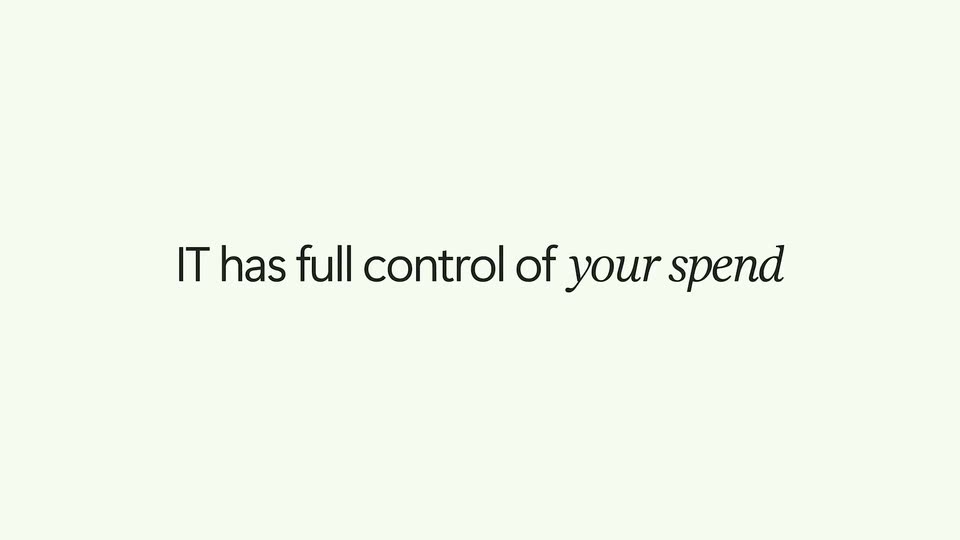
A plain cream background holds a centered headline that builds word by word. The first clause is set in a black sans-serif, while the closing words 'your spend' switch to an italic serif, completing the line by the second frame.
On-screen text: “IT has full control of your spend”
Techniques: Kinetic type
Camera: Static
A Microsoft 365 admin screen zooms from the full policy page down to the limits section. The Limit monthly spending option is selected, revealing a field where a value is typed as USD 80000.
On-screen text: “IT has full control of your spend”
Techniques: UI zoom, Cursor demo
Camera: Static
A white settings panel scrolls up, the selected radio option changes, and the view settles on a Monthly limit field where a number is typed with a blinking caret.
Techniques: Cursor demo
Camera: Pan
A vertical step list on a cream background advances one row at a time. Each finished row's circle fills with a dark check while the next row's label turns dark gray, marking it active.
Camera: Static
A Microsoft 365 admin page scrolls down to the Platforms and models section, then the provider list expands row by row and checkboxes tick on for Sonnet and Terra.
Techniques: UI zoom
Camera: Pan
A vertical four-step progress list with dark checkmark circles sits on a light beige background. The list scales up and recenters as the final step's empty circle fills with a solid dot.
Techniques: Kinetic type
Camera: Static
On a cream background, a dark dot becomes a black checkmark badge while the headline 'New limits applied' slides in. Five colored avatar circles with initials pop in to the right, and a gray subline with the team credit limit fades in below, then the frame clears.
On-screen text: “New limits applied”, “Your team's limit: 30,000 credits / month”
Techniques: Kinetic type
Camera: Static
A headline fades in on a cream background, 'clear limits' in italic serif, then fades out and is replaced by 'and no AI spend overruns.' The Copilot interface fades in beneath the text, showing a greeting and a credit-usage card.
On-screen text: “Employees get access with clear limits”, “and no AI spend overruns”
Techniques: Kinetic type
Camera: Static
The Copilot home screen dissolves away as the view zooms onto the Credit usage for Cowork card, now centered on a cream background. The large greeting text scales up in the lower left corner.
Techniques: UI zoom
Camera: Static
A white rounded input bar on a pale green background types a prompt character by character, the view panning right to follow the cursor until a microphone icon and a black circular send button appear.
Camera: Static
A wide white input bar with typed text, a mic icon and a black round send button sits over a pale green field; the bar disappears, leaving a centered two-line checklist showing a checked 'Data analyzed' and an open 'Building spreadsheet'.
Camera: Static
A locked-off product UI on a cream background: a centered vertical progress list with Data analyzed checked and Building spreadsheet pending sits above a white rounded banner flagging a monthly credit limit, with a Request more button at right.
Camera: Static
A white notification card with a gear icon, credit limit message, and Request more button sits on a cream background; a cursor hovers the button, then the frame cuts to the headline Business realizes the value fading in word by word.
On-screen text: “Business realizes the value”
Techniques: Cursor demo, Kinetic type
Camera: Static
A dashboard interface opens zoomed on its header, then pulls back to the full analytics view. The camera dives into a highlighted Domain card and follows a curved blue line across the Category, Subcategory and Use case columns as each card expands to reveal session and cost metrics.
Techniques: UI zoom
Camera: Push in
A white rounded card on a cream field lists Product Launch Strategy metrics: AI cost $23K, AI value $46K, ROI 200%. The card gives way to a plain white frame where the headline Turn AI investment scales up from the left.
On-screen text: “Product Launch Strategy”, “AI cost: $23K”, “AI value: $46K”, “ROI: 200%”, “Turn AI investment”
Techniques: Kinetic type
Camera: Static
On a cream field, “Turn AI investment” scales in at center, “Turn AI” in black sans, “investment” in serif italic. The line gives way to “into business outcomes,” where “outcomes” sits on a green highlight bar with a thin vertical line and dot at its right edge.
On-screen text: “Turn AI investment”, “into business outcomes”
Techniques: Kinetic type
Camera: Static
A centered black line reading “with Microsoft Agent 365” holds on a soft blue-to-white gradient background. The text stays locked in place for the full shot, with no movement or reveal.
On-screen text: “with Microsoft Agent 365”
Camera: Static
The Microsoft logo, a four-square mark in red, green, blue and yellow beside a gray wordmark, sits centered on a plain cream background. The frame is locked off and still throughout.
Camera: Static