1:20
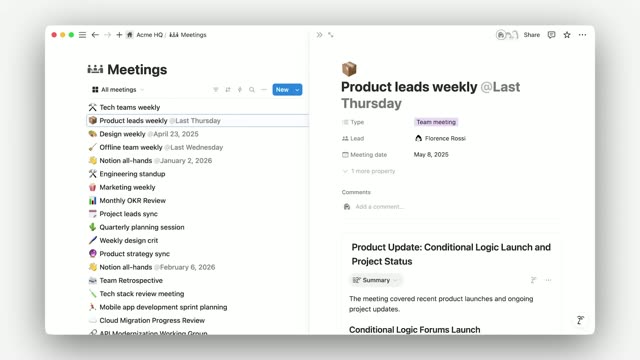
Introducing AI Meeting Notes
Notion · Productivity · May 2025
Amplitude · Sep 2026 · 3:27 · AI-annotated
Amplitude’s 3:27 launch film runs 19 scenes, about 11 s each. The product shows up at 0:16 and 5 features are revealed. The call to action lands at 3:13 (93% in), over a voiceover. Built as a host-led walkthrough, the video alternates studio shots of two presenters with rapid zooms through the Amplitude dashboard, moving feature by feature from conversation replay to signals, cohorts, topics, evaluators, and funnels. Its signature moves are smooth zoom-ins on UI details and crossfades between the desk and the interface, all held to a steady ~112 bpm pulse.
Is this your launch? to your site or press kit.
Notion · Productivity · May 2025
Eccasion · Nov 2026
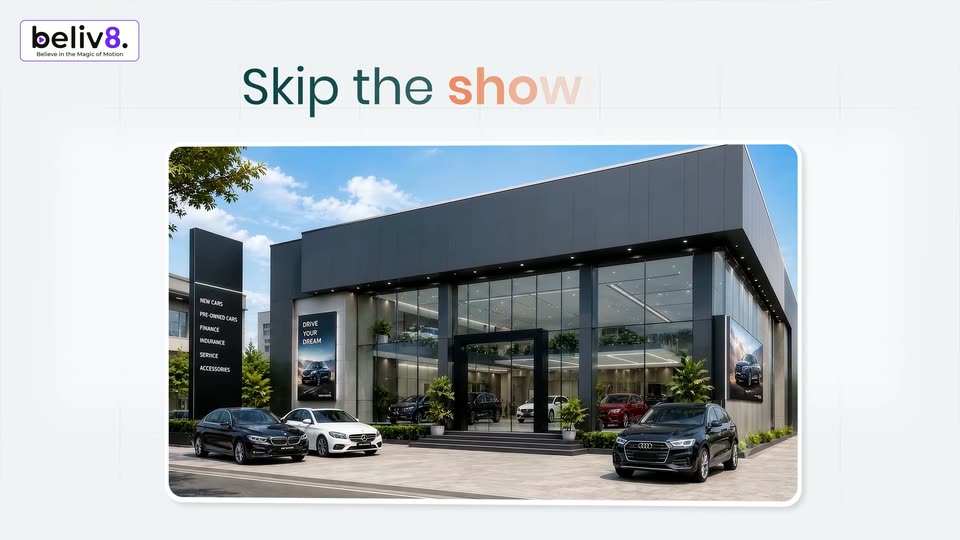
Two men sit at a table with open laptops in a studio set, a blue-lit shelf of vases and books behind them; the man on the left talks to camera. Near the end a car-dealer website interface fades in over the frame.
Camera: Static
A dark car-listing page with a grid of vehicle cards sits beside a “SF Bay Concierge” chat panel. A cursor taps suggestion chips, red user bubbles pop in, and the assistant’s reply bubbles appear as the message thread scrolls upward.
Techniques: Cursor demo
Camera: Push in
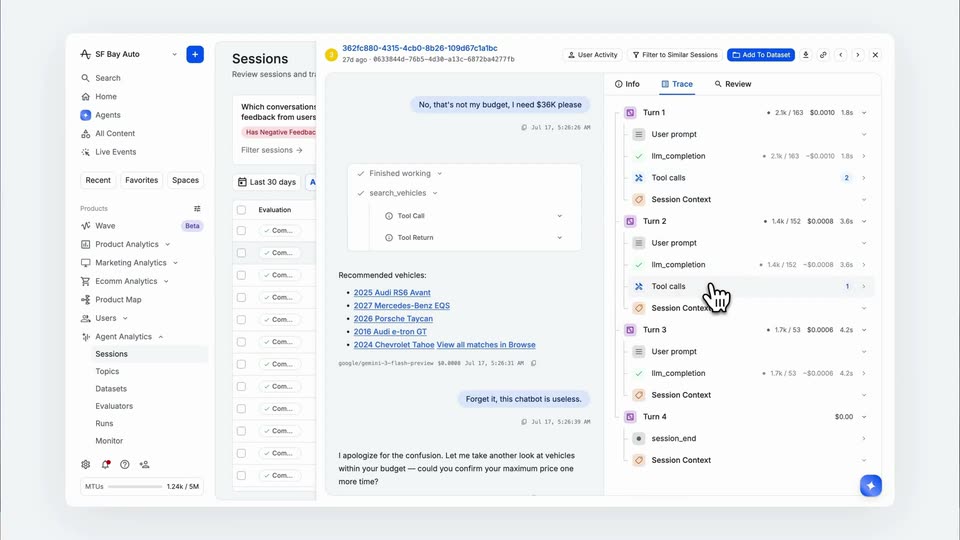
Light dashboard with a session chat and a metadata panel. The transcript scrolls down, the view zooms into the chat, the cursor expands a finished-working block to reveal tool call rows, then pans right to hover over cost, duration and model rows.
Techniques: UI zoom, Cursor demo
Camera: Push in
A dashboard showing a car-recommendation chat zooms into the signals column as a cursor clicks a 'Response Was Helpful: False' chip, opening a popover. The cursor then opens the Trace tab and a filter menu, applying a negative-feedback filter.
Techniques: UI zoom, Cursor demo
Camera: Pull out
A cohort builder screen stays static while a cursor glides down and clicks the 'did not' toggle in the rule row. A small dropdown with 'did' and 'did not' opens, and the cursor picks 'did not' before the menu closes.
Techniques: Cursor demo
Camera: Static
A product dashboard shows a sessions table with a left sidebar and four filter cards. A cursor clicks a funnel icon, a dropdown menu opens, the cursor picks a cohort option, and the table rows refresh with new entries.
Techniques: Cursor demo
Camera: Static
Two presenters sit at a desk behind open laptops. The man on the right in a blue and yellow polo talks and gestures, the man on the left in a teal shirt holds still. A shelving unit with vases, books and a lamp glows blue behind them.
Camera: Static
A product dashboard shows a topic-cluster scatter plot above a metrics table. The view zooms into the chart as a cursor hovers legend labels, isolating the green cluster and its description, then zooms out and the cursor scans the table rows and percentage badges.
Techniques: UI zoom, Cursor demo
Camera: Push in
Two hosts sit at a light table with laptops, speaking to camera in a studio set with blue-lit shelves and framed art. The man on the right gestures as he talks. Near the end, a product interface with an Evaluators panel dissolves in as a translucent overlay across the frame.
Camera: Static
A cursor clicks the blue New Evaluator button, opening a right-side dropdown of templates and detectors, then moves down to highlight the Binary option in the list.
Techniques: Cursor demo
Camera: Static
A centered Create Evaluator modal sits over a dimmed dashboard. The Title field, outlined in blue, fills in letter by letter to Budget Adherence. while the character count ticks up, then the dialog closes to reveal the evaluator list behind.
Camera: Static
A light-themed dashboard displays an Evaluators table with columns for status, version, tags, and 30-day trend. A hand-shaped cursor hovers over the Budget Adherence row near the center of the list.
Techniques: Cursor demo
Camera: Static
A white hand cursor scrolls a centered “Budget Adherence” settings modal over a dimmed dashboard, revealing bar charts and a calibration section with an 86% agreement ring.
Techniques: Cursor demo
Camera: Static
A light blue panel switches to a white interface with a left column of gray squares. A blue circular icon in the center animates from a loading letter A into a checkmark, while a hand cursor hovers at the upper right.
Techniques: Cursor demo, Morph
Camera: Static
A static analytics dashboard shows a funnel bar chart comparing conversion for two budget segments. Near the end the view crossfades into an AI Insights panel with a loading spinner.
Camera: Static
A two-panel analytics dashboard finishes loading, the left event list and top toolbar populating while the conversion bar chart resolves from a spinner. A cursor then hovers a blue bar to open a drop-off tooltip, then drifts down to the legend and the action cards.
Techniques: Cursor demo
Camera: Static
A product dashboard dissolves out to reveal two men at a desk with open laptops. The man on the left, in a teal shirt and glasses, speaks to camera while the man on the right, in a green patterned polo, gestures. A shelving unit and framed art fill the background.
Camera: Static
A thin blue waveform on white expands into a blue circle, then morphs into a full rounded square. A white circle opens at the center, revealing the blue stylized A, a sine wave, and the white wordmark Amplitude.
On-screen text: “Amplitude”
Techniques: Morph, Masking
Camera: Pull out
A white circular mark with a blue waveform letter sits left of the white Amplitude wordmark, centered on a solid blue field. The lockup holds still in a locked-off frame.
Camera: Static