0:45
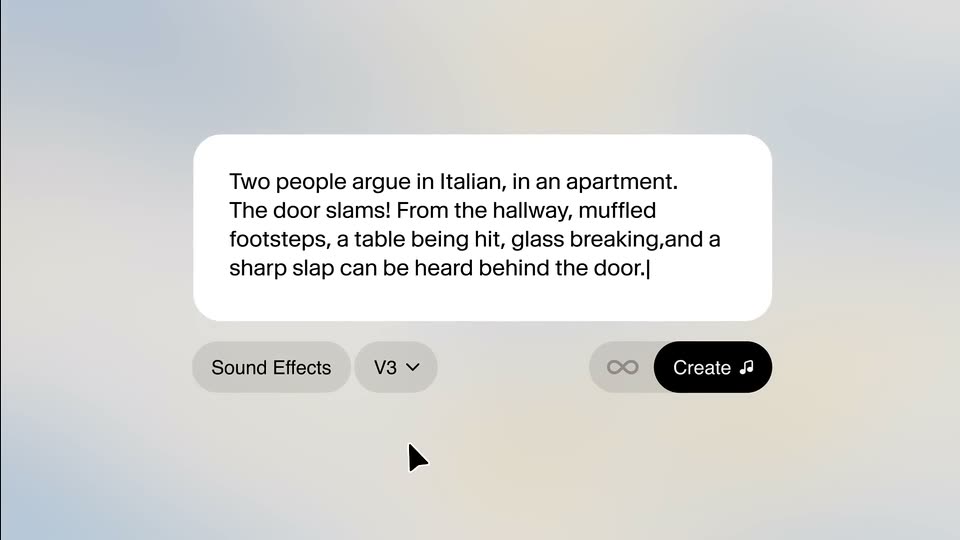

Introducing SFX v3
ElevenLabs · AI · Oct 2026
Microsoft · Jun 2021 · 1:33 · Full motion · AI-annotated
Microsoft’s 1:33 launch film runs 24 scenes, about 3.9 s each. The product is on screen from the first frame and 4 features are revealed. The call to action lands at 1:22 (88% in), over a voiceover. The film opens with a title card, then runs four feature blocks (morning grounding, mindfulness in Teams, focus mode, end-of-day wrap-up), each opened by a large left-aligned tagline and demonstrated inside a 3D-tilted device mockup that slowly pushes in. Flat circles, rings and diagonal bands in green, purple and orange drift behind every scene, and windows collapse, slide and recenter between states to keep the pace relaxed.
Is this your launch? to your site or press kit.
ElevenLabs · AI · Oct 2026
Nothing · Hardware · Oct 2025
Films whose music sounds like this one, voice left out
Soniox · Electronic, Lo-fi Hip-Hop
/dev/fast · Corporate Tech / Electronic
Quippy · Narrative-driven electronic pop
A dark gray headline, “Introducing headspace in Microsoft Viva Insights”, fades in on the left of a light gray background, an orange dot between the first two words. Purple and blue circles and a cyan diagonal band on the right fade from faint to full color.
On-screen text: “Introducing”, “headspace”, “in Microsoft Viva Insights”
Techniques: Masking
Camera: Pan
Flat geometric shapes on a light gray field: a purple ring, a cyan diagonal band, and navy, blue and purple discs. A green disc and a small ring pop in at left and top right while the purple ring scales down. The frame stays locked off.
On-screen text: “O”
Techniques: Kinetic type
Camera: Static
Two overlapping email inbox mockups, tilted in 3D perspective, slide left and settle over a white field with drifting green leaf shapes, while the gray headline Start your day grounded fades in on the right.
On-screen text: “Start your day grounded”
Techniques: 3D mockup
Camera: Pan
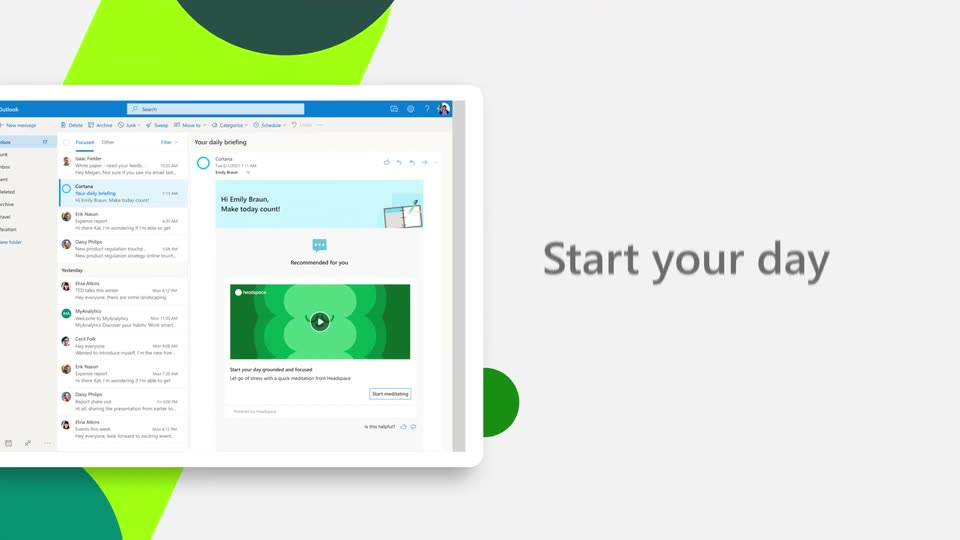
A tilted Outlook inbox mockup sits on the left over abstract green shapes, showing a Cortana daily briefing email. The headline Start your day grounded holds static on the right. A cursor moves to the Start meditation button and clicks it near the end.
On-screen text: “Start your day grounded”
Techniques: 3D mockup, Cursor demo
Camera: Static
An Outlook window with an open daily-briefing panel sits on a white field with green geometric shapes, a large gray headline reading Start your day at right. The window scales down and shifts left as a headspace player bar slides in beneath it.
On-screen text: “Start your day”
Camera: Push in
A white tablet in 3D perspective sits on green and teal shapes, its screen showing a Viva Insights window with a headspace meditation video and a play button; stacked windows collapse into one as the headline Your daily briefing slides in.
On-screen text: “Your daily briefing”
Techniques: 3D mockup, Kinetic type
Camera: Static
A white tablet mockup holding the Viva Insights app sits angled on a pale background with green shapes. The camera pushes into the open Body scan player, where a green meditating face pulses and the timer runs, then pulls back as the player darkens with a Was this helpful? prompt.
Techniques: 3D mockup, UI zoom
Camera: Pan
A black three-line headline holds left of a flat Teams window showing a grid of meditation cards. One card expands into a headspace video modal, the window recenters, and the frame slowly pushes in as the video plays.
On-screen text: “Tap into moments of mindfulness in Microsoft Teams”
Techniques: Morph
Camera: Push in
Two overlapping browser windows settle into a single centered Viva Insights home page over a light backdrop with orange and yellow shapes, headline Find your focus below. A toast slides in, then the view switches to a focus-mode screen with a 25:00 timer.
On-screen text: “Find your focus”
Camera: Pan
The full Viva Insights window is shown, then the view zooms into the focus music panel where a cursor clicks play. The Headspace card updates to a playing state with a progress bar, and the camera pulls back to the full window.
Techniques: UI zoom, Cursor demo
Camera: Push in
A flat Viva Insights window sits on a light background with orange and yellow shapes. A cursor clicks the Launch timer button, the countdown starts from 25:00, the heading swaps to Your focus session has started, and a music player on the right advances its progress bar.
Techniques: Cursor demo
Camera: Pan
Two overlapping app windows collapse into a single window that slides left, revealing a three-line gray headline on the right over abstract orange shapes.
On-screen text: “Work on important tasks uninterrupted”
Techniques: Kinetic type
Camera: Pull out
A flat product window of a focus session sits left of a large headline. A To Do panel slides open over the circular timer, lists tasks, then collapses into a single task row. The frame then pulls back to show a second, wider window of the same app behind it.
On-screen text: “Work on important tasks uninterrupted”
Techniques: Kinetic type
Camera: Push in
A Viva Insights focus-session screen floats in 3D perspective over a light backdrop with orange shapes. The camera zooms into the card as the ring timer counts down from 16:27 to 04:26, the heading flips to “5 minute break coming up,” and a music player sits at right.
Techniques: 3D mockup, UI zoom
Camera: Push in
A green focus-mode panel shows a circular timer ticking down from 04:26 to 00:03 while the completed task line clears and an Add a task button pops in above the ring. The flat view then pulls back into a 3D perspective of the whole browser window.
Techniques: 3D mockup
Camera: Pull out
A 3D-tilted browser mockup of the Viva Insights app shows a 00:00 break countdown, then rotates to a flat front view showing the next focus session with a 04:59 timer. On the left, the headline fades in line by line over orange and yellow abstract shapes.
On-screen text: “Take short breaks between focus sessions”
Techniques: 3D mockup, Kinetic type
Camera: Pull out
A desktop app window floats over orange and yellow circles, then slides out to the right as a phone showing a lock screen slides in from the left, the background circles drifting slower behind.
Techniques: 3D mockup, Parallax
Camera: Static
A front-facing iPhone lock screen mockup sits on the left over a light background of green and teal circles and a lime diagonal stripe. The two-line headline fades in on the right as a Teams notification slides onto the lock screen.
On-screen text: “Mindfully wrap up your workday”
Camera: Static
A front-facing iPhone mockup of the Viva Insights app sits left of a lime diagonal band and green circles. On screen, the 'Wrap up your day' prompt crossfades into place. The phone then slides left while the right-side headline fades out.
On-screen text: “Mindfully wrap up your weekday”
Techniques: 3D mockup
Camera: Static
A flat iPhone mockup on a light background with lime diagonal stripes and teal circles shows the Viva Insights app with a Headspace meditation video card. The camera zooms into the interface as the video progress bar advances, then a white circle wipes in from the right.
Techniques: UI zoom, Masking
Camera: Push in
Soft gray curved panels slide across the frame, parting to reveal a white field holding the headspace wordmark and a gray URL at the bottom. The logo and text hold still once revealed, closing the sequence.
On-screen text: “headspace”, “aka.ms/VivalInsights”
Techniques: Masking
Camera: Static
The Headspace logo, an orange dot beside a dark wordmark, sits centered on a white background above a small gray URL. A curved shape slides off the left edge, then the logo dissolves into the gray line Microsoft Teams + Microsoft Viva Insights.
On-screen text: “aka.ms/VivaInsights”, “Microsoft Teams + Microsoft Viva Insights”
Techniques: Masking
Camera: Static
A white end card holds the centered headline “Microsoft Teams + Microsoft Viva Insights” with the URL “aka.ms/Vivalnsights” below it. At 3.2 s the headline disappears, leaving only the URL on the empty background.
On-screen text: “Microsoft Teams + Microsoft Viva Insights”, “aka.ms/Vivalnsights”
Camera: Static
On a plain white background, the Microsoft 365 logo holds center with the URL aka.ms/Vivalnsights set below it. The 365 letters fade out, leaving the four-square Microsoft mark in place.
On-screen text: “aka.ms/Vivalnsights”
Camera: Static