1:03
Plants Need Some Space - Official Trailer
Overbaked Studio · Nov 2026
Micro1 · Nov 2023 · 1:12 · AI-annotated
studio What a Story · director Ruchi · director Vikas T · director Kalpajit · director Shivam · director Yogendra · producer Ali Ansari · producer Ritik Jain · producer Philip Snyder · director Mukesh · director Hritul · director VO Artist & Music Team
Micro1’s 1:12 launch film runs 26 scenes, about 2.8 s each. The product shows up at 0:07 and 3 features are revealed. The call to action lands at 1:05 (90% in), over a voiceover. The video is built as a gag-to-tour structure: a 3D Where's Waldo hook, a product title card, an overview of scale and speed, then a zoom-through of the interface from invite modal to voice test, code editor and AI report, ending on a benefit recap and a free sign-up button. Its signature moves are depth pulls over floating avatar tiles, snap zooms into UI panels, and the recurring glowing chip and candidate globe motifs on a near-black blue field.
Is this your launch? to your site or press kit.
Overbaked Studio · Nov 2026
Runway · AI · Oct 2026
Films whose music sounds like this one, voice left out
Open Swarm · Upbeat electronic and rock
PromptQL · Modern electronic
Weathermind · Modern electronic corporate
Video call windows drift in a 3D field around centered text “You ❤ Playing Where's Waldo?”. A white ring circles a participant, then a blue pointer taps another as the camera pulls back to show more tiles.
On-screen text: “You ❤ Playing”, “Where's Waldo?”
Techniques: Kinetic type, 3D mockup, Parallax
Camera: Pull out
Video-call tiles float in a 3D grid on a black background with a blue glow, near tiles sharp and far ones blurred. The centered white caption with a red heart scales up and blurs as the tile field drifts.
On-screen text: “You ❤ Playing Where's Waldo?”
Techniques: 3D mockup, Kinetic type
Camera: Pull out
A white magnifying-glass ring with a blue handle holds a glossy red 3D heart on a black field. The heart cracks down the middle and the blurred video-app background fades to black as the glass tilts.
Techniques: Morph
Camera: Static
A 3D magnifying glass with a white rim and blue handle holds a red heart that cracks and shatters into falling fragments. The glass slides down out of frame as a thin blue ring lingers on a black background with a soft blue glow.
Techniques: Particles
Camera: Static
A blue chip icon sits in a circle on a black field. A rounded pill expands rightward from the circle, revealing the title gpt-vetting. The lockup drifts left as by micro1. scales in beneath it.
On-screen text: “gpt-vetting”, “by micro1.”
Techniques: Masking, Kinetic type
Camera: Static
A glowing blue globe fills the bottom of a dark stage, a circular chip icon above it. Profile cards with avatars, titles and cities pop into 3D rows around the globe. A white focus frame and light beam track one card at a time as the camera pulls back.
Techniques: 3D mockup, Parallax
Camera: Pull out
On black, a glowing blue ring assembles into a segmented speedometer meter with a white needle, settling above a dark pill label. The gauge builds and rotates into place while the label pops in.
On-screen text: “Hiring Speed”
Camera: Static
A blue speedometer gauge sits on black. Its needle sweeps from left to right as the arc segments fill with bright blue and a dotted outer ring rotates. A dark pill label below reads Hiring Speed in white bold sans, scaling up slightly.
On-screen text: “Hiring Speed”
Camera: Push in
A dark blue gradient background frames an app window that slides up from the bottom and brightens into place, revealing a candidate reports table under the gpt-vetting header. A bold headline, Hiring Speed, scales in over the dark top area.
On-screen text: “Hiring Speed”
Techniques: Kinetic type
Camera: Pan
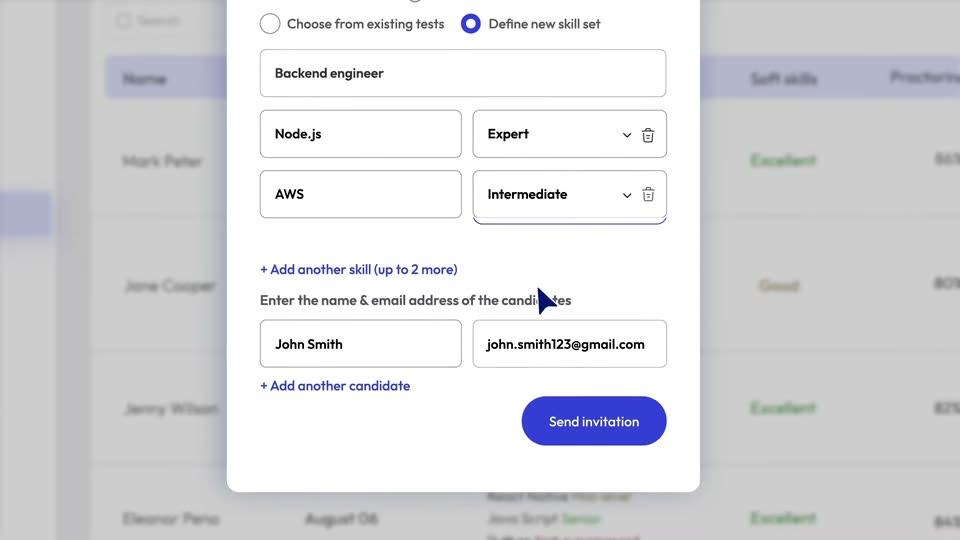
A candidate table dashboard sits behind a white invite modal that pops up, and the camera zooms into it. A cursor types skill names, opens difficulty dropdowns to set levels, and clicks the send button.
Techniques: UI zoom, Cursor demo
Camera: Push in
A white interface displays a list of skills and a blue start button. A blue cursor moves down and clicks the button, followed by a slight upward scroll of the page.
Techniques: Cursor demo, UI zoom
Camera: Static
A browser window with the micro1 interview interface fades in on black. A cursor clicks the microphone, which turns blue and shows an animated waveform as a candidate's webcam circle appears bottom-left. The cursor rests on the submit button as the window fades out.
Techniques: Cursor demo
Camera: Static
A white coding-exercise window fills the frame, then the view zooms into the dark code editor where lines of React code type in one by one while the timer counts up.
Techniques: UI zoom
Camera: Push in
A light UI shows a dark code editor with syntax-highlighted code typing in line by line. Below it sit an empty output box, a custom input field, and a status panel reading Accepted in green. Partial body text runs down the left edge.
Camera: Static
A light code-editor screen scrolls down past a dark React Native code block, revealing an Output panel, a Custom Input box, and a blue Submit button at the bottom. A Status: Accepted readout with Memory and Time values sits to the right.
Camera: Push in
A close-up of a code runner panel shows a custom input box beside a status readout marked Accepted. A cursor glides from the Compile and execute button to the blue Submit button, and the frame tightens slightly on the button.
Techniques: Cursor demo, UI zoom
Camera: Static
A white interface card with the micro1 logo scales up from a tight view of a green checkmark badge to a full browser window. The badge pops in with a check, the line gpt-vetting is done! appears beneath it, and a blue cursor idles at the bottom right.
Techniques: UI zoom
Camera: Static
A white report card on a dark background scrolls down through the results summary and AI assessment sections, from React to the coding exercise. A static caption “gpt-vetting is done!” holds the final locked frame.
On-screen text: “gpt-vetting is done!”
Camera: Pan
A white report card on a gray background scrolls vertically, revealing the soft skills rating, a blue transcript banner, and a cheating trust score of 78%.
Camera: Pan
A white product card showing an AI rating and trust score slides left off a black backdrop. As it exits, large white words slide in from the right to read the line.
On-screen text: “That just got”
Techniques: Kinetic type
Camera: Pan
On a black background, large white text slides left while a circular mask pops open to reveal a surprised woman pointing up, with a white cloud and three blue dots floating above her head.
On-screen text: “That just got crazy”
Techniques: Kinetic type, Masking
Camera: Pull out
A surprised woman in a gray t-shirt points both index fingers up inside a white circle on a dark navy background, a cartoon rain cloud with white splashes pops above her head. A huge blue line of text slides left across the frame, stretching the word into “AAAAAAAZY!” with an exclamation mark.
On-screen text: “raaAAAAAAAZY!”
Techniques: Kinetic type, Masking, Particles
Camera: Push in
On a black background with a faint blue glow at the top, a rounded pill card fades in at center. It holds a circular photo of a woman wearing a headset on the left and the bold white label Technical Recruiter on the right.
On-screen text: “Technical Recruiter”
Camera: Static
A Technical Recruiter headshot pill shrinks upward over a glowing circle holding an m. chip icon. Dotted lines fan out to a curved dome of candidate avatars, corner brackets flagging a few. The chip morphs into a clock and the avatars thin out.
On-screen text: “Technical Recruiter”
Techniques: Morph
Camera: Pull out
A man in a dark suit smiles and pumps his fist while holding a laptop, framed in a circular mask on a black background. Blue cycle and interview icons with white X badges pop in at left and right, heart emojis drift, and two benefit captions slide in.
On-screen text: “No more long recruiting cycles”, “No more tedious interviews”, “Technical Recruiter”
Techniques: Masking, Kinetic type
Camera: Pull out
A blue chip logo in a glowing ring sits on a black field. The title gpt-vetting slides in below it, the byline by microl decodes from scrambled letters, then a blue Sign up for free button pops in as a cursor hovers over it.
On-screen text: “gpt-vetting”, “by microl”, “Sign up for free”
Techniques: Kinetic type, Cursor demo
Camera: Static