0:58

Introducing App Studio | Runway
Runway · AI · Oct 2026
Runway App Studio · Oct 2026 · 0:56 · AI-annotated
Runway App Studio’s 0:56 launch film runs 35 scenes, about 1.6 s each. The product shows up at 0:07 and 6 features are revealed. The call to action lands at 0:54 (95% in), over a voiceover. The video alternates deadpan live-action gags with clean dark UI panels, each feature introduced by a typed caption or a white button that pops over the shot before the interface zooms in. Its signature move is the wireframe-to-solid text reveal and the blue node-handle morph that scatters UI blocks apart and reassembles them, all cut at a steady 120 bpm with monospace type on near-black and a flat off-white end card.
Is this your launch? to your site or press kit.
Runway · AI · Oct 2026
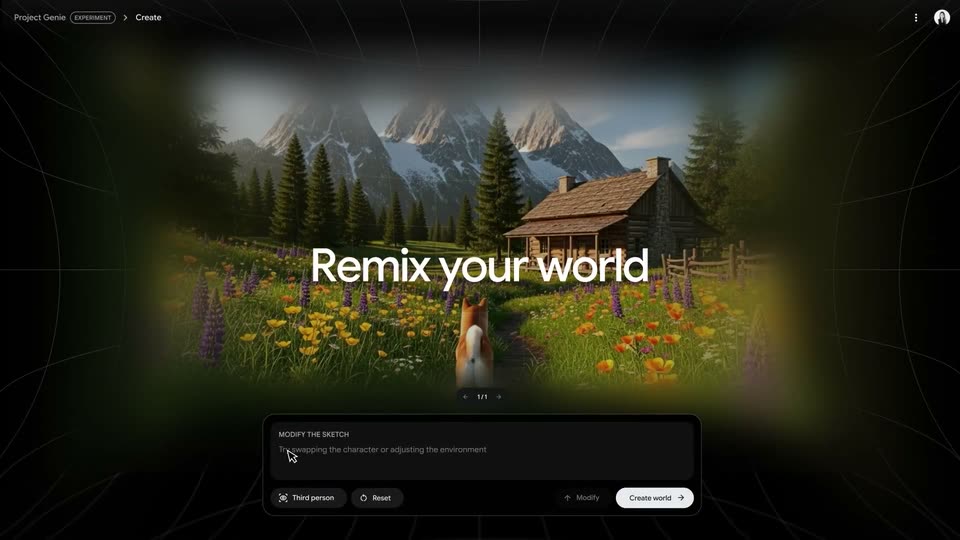
Project Genie · Jan 2026
A close-up of a woman in a yellow beret looks up at blurred store shelves in a locked-off frame. The word Nowadays sits centered, then a smaller line types out word by word with a blinking caret.
On-screen text: “Nowadays”, “it seems like there's a tool for”
Techniques: Kinetic type
Camera: Static
Over the shoulder of a person in a yellow beanie, an elderly woman in a green shirt and purple scarf stands in a grocery aisle holding a large power tool aimed at the cereal shelf, a coffee cup in her other hand. Two shoppers stand by a cart.
On-screen text: “it seems like there's a tool for”, “runway”
Camera: Static
An elderly woman in a green jersey and purple headscarf reaches up with a long mechanical arm to pull a red cereal box from a high shelf, holding a drink in her other hand. Shoppers stand in the blurred background of the grocery aisle. The frame is locked off.
On-screen text: “runway”
Camera: Static
A person in a mustard beanie and green shirt stands in a supermarket aisle, glancing sideways, while the word almost. sits large and white across their face. Shelves of chips and packaged goods blur in the background.
On-screen text: “runway”, “almost.”
Camera: Static
On a black field, App Studio is sketched as a blue wireframe with node handles over horizontal guide lines, then fills solid white. The guides drop away, a four-square grid icon joins the wordmark, and faint Tool and Workflows labels ghost in behind on a dark grid.
On-screen text: “App Studio”, “runway”
Techniques: Kinetic type
Camera: Static
A dark vertical menu lists Agent, Tool, App Studio, Workflows and Plugins, each with a thin line icon. A white cursor slides onto App Studio, and that label scales up as it is hovered.
Techniques: Cursor demo
Camera: Static
A dark rounded prompt card sits on black. Its placeholder line is replaced by a sentence typed word by word, “Build an app that lets my customers try on new haircuts,” while a large “App Studio” headline scales in over the card.
On-screen text: “App Studio”
Techniques: Kinetic type
Camera: Static
A close-up of a dark interface panel holds a white rounded button with a black right arrow. A cursor rests at the button's lower corner and nudges it slightly. The runway wordmark sits in the bottom right.
On-screen text: “runway”
Techniques: Cursor demo
Camera: Static
A thin white arrow holds center on a near-black field, then a code file tree draws in: App files and Components unfold, PhotoCapture appears, and a highlighted new row slides in at the bottom.
Camera: Static
A dark app screen fades in, showing a customer's photo on the left and three generated haircut previews labeled Low taper, Textured crop and Buzz cut on the right. A cursor hovers over the Preview 3 cuts button.
Techniques: Cursor demo
Camera: Static
On a black background, white monospace text types out the line character by character with a blinking cursor, while a small white runway logo holds steady in the bottom right corner.
On-screen text: “No coding required.”, “runway”
Techniques: Kinetic type
Camera: Static
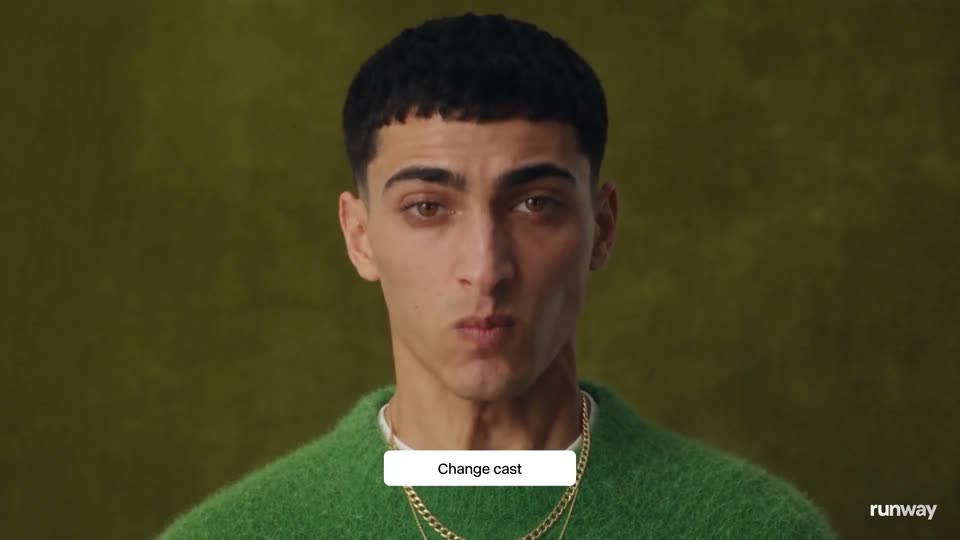
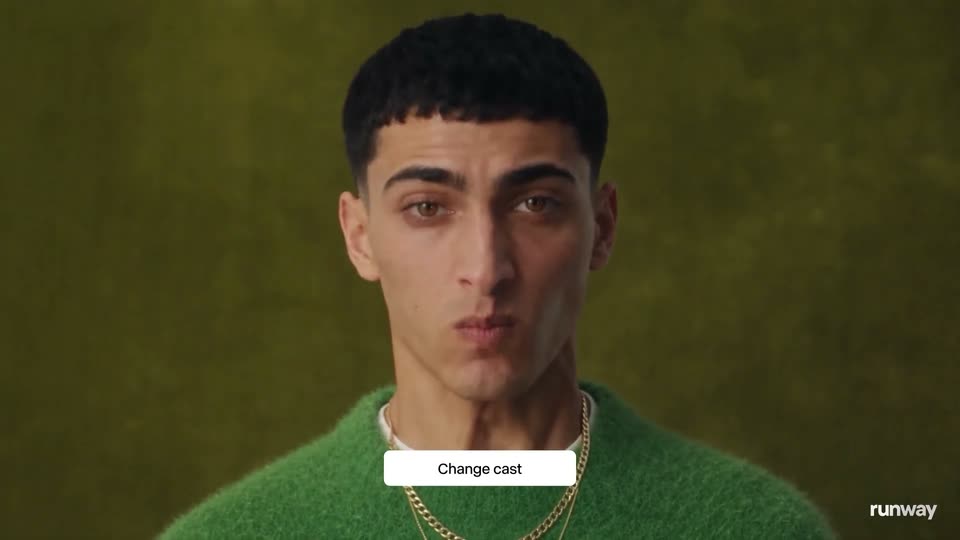
A man in a green sweater faces the camera against an olive backdrop, his expression shifting as a white rounded button labeled Change cast with a cursor icon pops in at the bottom. A large white headline scales in over the locked-off shot.
On-screen text: “Change cast”, “No coding required.”
Techniques: Kinetic type, Cursor demo
Camera: Static
A filmed man in a green sweater squints, then throws his head back as a white “Change cast” chip with a cursor sits over him. The frame zooms out to reveal the Casting room UI: his shot becomes the scene preview, and a shortlist card shows a different woman.
Techniques: Cursor demo, UI zoom
Camera: Pull out
A dark casting-room interface fills the frame: a large preview of a woman in white sunglasses on the left, a three-card shortlist on the right. A white cursor glides to the Generate audition button and clicks it.
Techniques: Cursor demo
Camera: Pull out
A dark interface labeled Casting room shows a woman's preview and three actor cards, then quickly breaks into separate blocks with blue selection handles as the header switches to Language Studio, a cursor hovering over the Generate audition button.
Techniques: Cursor demo
Camera: Static
A dark 'Language Studio' panel holds three side-by-side video cards. A cursor clicks the white 'Generate versions' button, then the Spanish and French cards wipe in, each showing the same woman in white sunglasses with a caption. The runway logo sits bottom right.
Techniques: Cursor demo, Masking
Camera: Static
Point-of-view shot of a person seated on a couch, holding a tablet across their lap that displays five colorful 3D creature figures on a white canvas, while the other hand grips a white stylus.
On-screen text: “runway”
Camera: Static
A low-angle close-up from the desk shows a woman with glasses holding a stylus behind a white fuzzy ball on thin orange legs. The ball snaps into focus and reveals a round blue furry character with a pink nose and open mouth, standing upright as her arm lifts.
Techniques: Morph
Camera: Static
A low angle on a patterned rug follows a blue bird hopping past a person's feet, then pulls back to a wide blue-walled living room where a woman in a colorful shirt stands with arms out, surrounded by cartoon bird and ghost figures near a lit fireplace.
Camera: Pull out
A night desert scene with a standing figure pushes in to a face close-up as camera-control panels appear. The view then pulls back to the Virtual Studio window, where a cursor drags the top-view camera node and clicks Orbit and Push in, updating the framing.
Techniques: UI zoom, Cursor demo
Camera: Pull out
A dark Virtual Studio interface shows a desert video of a person while a cursor types a prompt into a side card. The preview then switches to a green screen version with the person keyed out, and a Green screen toggle appears at the bottom.
On-screen text: “Add a green screen keying feature.”
Techniques: Cursor demo
Camera: Static
A golf cart carrying two people drives left to right across a sunlit office floor, trailing scattered white papers behind it, while workers sit at desks in the background. The white caption sits centered and static.
On-screen text: “turns the way you work”
Camera: Static
A woman steers a small cart through a sunlit open office while a man beside her works on a laptop, then lifts a vintage camera with a surprised ooh. A third person stands behind them. The caption types out word by word at center frame.
On-screen text: “into a tool your whole team can use.”, “runway”
Techniques: Kinetic type
Camera: Static
A man kneels in a bright office, photographing a miniature golf diorama with oversized figures under a blue sky. Dark brand-kit panels for typography, print and colourways fade in over the frame as the camera holds still.
On-screen text: “into a tool your whole team can use.”
Camera: Push in
A photographer crouches in the foreground, shooting two models on a miniature golf set with rolling hills and a blue sky. Overlaid brand-kit cards label the typography, print pattern and colourway, with small swatch dots pinned to the models' checkered outfits.
Camera: Static
On a black field, the white phrase 'Go make' sits centered while the word 'the' appears as a tilted 3D wireframe box with corner handles. The wireframe flattens and drops onto the baseline, completing the clean white line 'Go make the'.
On-screen text: “Go make the”
Techniques: Kinetic type, Morph
Camera: Static
The sentence reveals word by word at center frame on a plain off-white background, the last word fading in to complete the line. A small gray runway logo sits in the lower right corner throughout.
On-screen text: “Go make the thing that makes the thing.”
Techniques: Kinetic type
Camera: Static
A field of colorful app icons floats in dark 3D space over a faint dot grid, the center icon sharp while the rest blur with depth. The view racks from a fully blurred field to a sharp center as the icons drift.
On-screen text: “Go make the thing that makes the thing.”
Techniques: Parallax
Camera: Pull out
A scattered field of colorful app icons floats in 3D perspective on a black background, then aligns into a tidy grid. A small runway logo sits in the lower right corner.
Techniques: 3D mockup, Parallax
Camera: Pull out
A dark 3D modeling interface resolves from a blurred, dimmed frame to full sharpness. A white wireframe bottle on a grid floor appears in the center viewport, flanked by an objects panel on the left and a properties panel on the right.
Camera: Push in
A dark Product Stage editor shows a sledding shot split by a before/after divider that slides right, swapping a Rubik's cube for a red can. A cursor appears at the Swap product button on the right panel.
On-screen text: “Swap the product.”
Techniques: Cursor demo
Camera: Static
A dark model list shows a white selection box appearing over Gen-4.5 with a text cursor, then cuts to a Market Studio panel where a source ad thumbnail sits beside a grid of country checkboxes and a Generate button.
On-screen text: “Swap the product”
Techniques: Cursor demo
Camera: Static
A dimmed Material Kitchen dashboard shows a green and purple 3D sculpture. A front-facing smartphone mockup labeled Mood Weather fades in at the center, and the surrounding panels brighten while their headings and sliders swap to a team forecast view.
On-screen text: “runway”
Camera: Static
A white rounded button reading Publish is centered on a black background in a locked-off frame. A white cursor arrow slides in from the lower right and presses the button, which gains a dark outline as it is clicked.
Techniques: Cursor demo
Camera: Static
A plain off-white frame holds two static text elements on the same horizontal line: 'get started' in gray at left and the URL 'app.runway.com' in black at right. The frame is locked off with no motion.
On-screen text: “get started”, “app.runway.com”
Camera: Static