1:37
Mathias Heide - Introducing Summer Engine (YC F26). Summer makes it easy for everyone
Summer Engine · Nov 2026
Mem · Oct 2025 · 1:18 · Full motion · AI-annotated
Mem’s 1:18 launch film runs 48 scenes, about 1.6 s each. The product shows up at 0:04 and 5 features are revealed. There is no explicit call to action; a voiceover carries the film. Built as a sequence of centered typographic title cards, each introducing one feature and cutting to a 3D phone or UI mockup that demos it, over a flat cream or white field. Pacing is brisk at roughly 12 cuts per minute, driven by letter-by-letter text builds, gradient color cycles on the word 'mem', hand-drawn navy lines that link blue doodle icons, and slow 3D device rotations, with a red-and-navy palette and a clean geometric sans throughout.
Is this your launch? to your site or press kit.
Summer Engine · Nov 2026
MiniMax Design · Oct 2026
On a plain white background, the phrase 'Remembering is so' builds up letter by letter, the 'mem' in red. The line is then replaced by the word 'yesterday', which scales up large, fading from red to dark navy.
On-screen text: “Remembering is so”, “yesterday”
Techniques: Kinetic type
Camera: Pull out
On a cream background, the word Meet sits centered, then new and your slide and scale in around it, followed by notes app beside a blue doodle note. A hand-drawn dark line sweeps in, loops across the frame and links the note to a blue head doodle labeled second.
On-screen text: “Meet”, “new”, “your”, “notes app”, “second”
Techniques: Kinetic type
Camera: Pan
A wide hand-drawn composition pans right on a cream background: a dark navy scribble loop, two blue outline heads with a scribble inside, and the words second brain, then notes app sliding in from the right edge.
On-screen text: “second brain”, “le”, “notes app”
Camera: Pan
On a cream field, a hand-drawn blue head outline labeled second brain and a pair of blue hands labeled thought partner sit on a dark wavy line. The whole strip slides left across the frame while the second brain label scales.
On-screen text: “second brain”, “thought partner”
Camera: Pan
On a cream background, the thought partner logo sits center-left: a blue line-art pair of stacked hands above the dark navy lowercase wordmark. A hand-drawn wavy line sweeps in from the left along the bottom, its end dot and a short vertical tick growing as the line draws.
Camera: Static
A blue line drawing of hands scales up and exits the frame. The text “thought partner” scales up and shifts to the bottom left. A dark curved line with a dot sits on the right side.
On-screen text: “thought”, “partner”
Techniques: Kinetic type
Camera: Push in
A dark navy curved stroke on a cream background gives way to a horizontal gradient bar that wipes across the frame, then a red home icon and a faint search icon fade in along the left of the bar.
Camera: Static
A cream navigation bar with a red home icon, a search glass, a plus button, an arrow icon and a small avatar drifts down-right and scales up on a beige background, while the plus button's highlight grows into a pill.
Techniques: UI zoom, Morph
Camera: Static
A black smartphone mockup floats at a slight angle over a cream backdrop, its screen showing a Notes Collections list. The device eases into a more upright tilt, bringing the bottom tab bar into view, while a soft shadow grounds it.
Techniques: 3D mockup
Camera: Static
A tight close-up of a cream interface toolbar shows a search icon, a plus button in a rounded rectangle, and a zigzag arrow. The bar slides down the frame with vertical motion blur as the rounded button fades out.
Techniques: UI zoom
Camera: Static
A beige backdrop frames a smartphone mockup in 3D perspective, angled to the left. The screen shows a note with a title, tags and a formatting hint. The device rotates gently toward the camera over the short clip.
Techniques: 3D mockup
Camera: Static
A smartphone mockup angled in 3D perspective on a cream background shows a note editor with a title bar and shortcut hints. The camera pans right, sliding the device across frame and revealing the edge of a second phone on the left.
Techniques: 3D mockup
Camera: Static
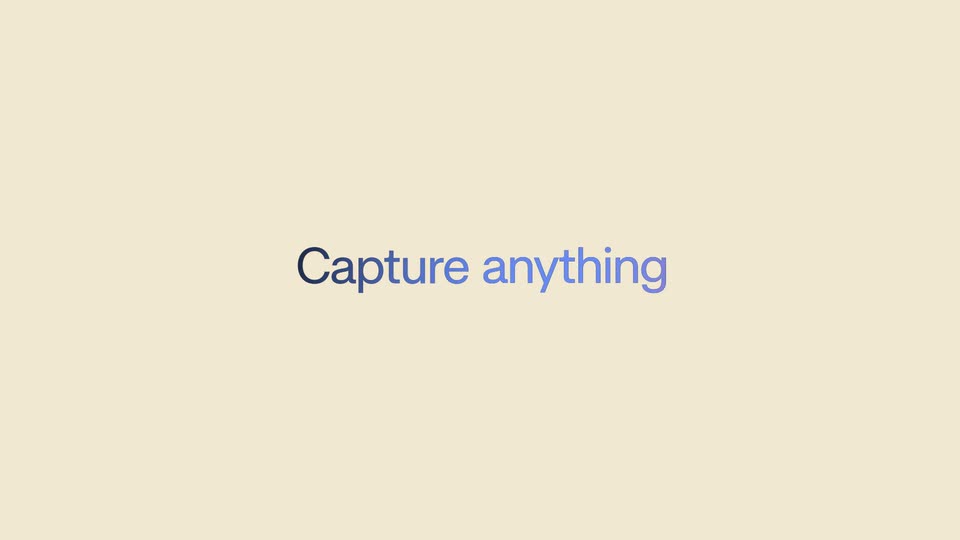
A dark device edge slides out of the left side of a cream background. The centered headline stays locked in place while its color cycles from a blue-to-red gradient through solid black and back.
On-screen text: “Capture anything”
Camera: Static
A white rounded card with a gray microphone icon and the title Voice recording slides right across a light gray field, carrying a dotted audio timeline, a vertical playhead and the timecode 0:32. As it moves, the caption What if there was WeWork for dogs? slides in beneath it while the headline Capture anything stays fixed.
On-screen text: “Capture anything”, “Voice recording”, “0:32”, “What if there was WeWork for dogs?”
Camera: Static
A white card slides in from the right onto a light background. It holds a microphone icon, a Voice recording label, a red and gray waveform with a playhead, a timestamp ticking from 0:32 to 0:33, and a one-line transcript.
Camera: Pan
A blue line-drawing of a brain and a pencil assembles stroke by stroke at the center of a pale background, above a two-line headline. Near the end the illustration and text blur and sweep out of frame.
On-screen text: “Turn brain dumps”, “into beautiful notes”
Camera: Pull out
A notes app window, framed by a soft pink border, begins blurred and tilted, then racks into focus as the camera slowly pushes in. The view settles on a meeting note with bulleted sections, the sidebar list of projects staying visible at left.
Techniques: UI zoom
Camera: Pull out
A tilted 3D view of a meeting-notes interface fades to white as the centered headline animates in, the word take shifting to takes and meeting sliding in from the right.
On-screen text: “Let Mem takes meeting”
Techniques: 3D mockup, Kinetic type
Camera: Static
On a plain off-white background, the centered navy phrase “notes for” sits still while the word “you” fades in beside it, shifting from pale gray to navy. The frame stays locked and the line holds at the end.
On-screen text: “Let Mem take meeting”, “notes for you”
Techniques: Kinetic type
Camera: Static
A soft gradient pill button labeled Voice mode with a microphone icon floats on a white field. A hand cursor glides up and presses it, the button scaling up as it is clicked, locked-off frame.
On-screen text: “notes for you”
Techniques: Cursor demo
Camera: Static
A white chat card floats tilted on a gray backdrop, then straightens as the first message bubble scales in. The view reframes downward, revealing more bubbles and a red voice waveform with a ticking timer and a black Done button.
Techniques: 3D mockup, UI zoom
Camera: Push in
On a plain off-white field, the wordmark TellMem builds left to right, black letters giving way to a blue-to-red gradient, while a thin gradient bar tracks the newest letters like a cursor.
On-screen text: “TellMem wh”
Techniques: Kinetic type
Camera: Static
Large gradient text with a vertical cursor scales up, then cuts to a smaller black line of text with a cursor on a plain white background.
On-screen text: “hate to rembe”, “o remember|”, “I need to ask Sarah ab|”
Techniques: Kinetic type
Camera: Pull out
On a plain off-white background, a single line of black text types itself out character by character behind a blinking caret, completing the sentence, then holds still for the rest of the clip.
On-screen text: “I need to ask Sarah about the domain name”
Techniques: Kinetic type
Camera: Static
A red M mark sits centered on a light gray field, then shifts left as a gray sentence scales in beside it. A white notification card with a document icon and a name line fades in below, and the whole group shrinks and fades out.
On-screen text: “I need to ask Sarah about the domain name”, “I've added it to your 2pm meeting agenda with Sarah”, “Added Sarah / Kevin 1:1”
Camera: Static
A small white line-art lightbulb icon sits centered on a cream background. It scales up and brightens as short rays pop out around the bulb.
Camera: Static
The navy word Mem on white turns red and grows into remember, then for you fades in. The card cuts to a 3D phone mockup that scales in, showing a note screen with tags and a typing prompt.
On-screen text: “Mem”, “remember”, “for you”
Techniques: Kinetic type, 3D mockup
Camera: Pull out
A black smartphone mockup in 3D perspective, tilted right, fills the frame on a white background. The note app screen shows a title, tags and placeholder text. The view scales up, zooming into the interface.
Techniques: 3D mockup, UI zoom
Camera: Pull out
A black smartphone tilted in 3D perspective fills the frame against a white background. Its screen shows a note app header and a list of past meetings that scrolls upward, revealing dated entries with topic summaries and small document tags.
Techniques: 3D mockup
Camera: Pull out
A tilted tablet in 3D perspective shows a list of dated task entries on a white screen; a red dot and a blue dot pop in on the left while a dark navy circle carrying the word Find rises over the lower half of the list.
On-screen text: “Find”
Techniques: 3D mockup
Camera: Static
On a cream background, the dark word Find scales in at center while red, blue and black dots drift around it, then anything slides in to complete the line.
On-screen text: “Find anything”
Techniques: Kinetic type
Camera: Static
On a cream field, red, blue and navy circles drift and swell across the frame while the words Find, with and Deep scale in and out in turn, overlapping the moving shapes.
On-screen text: “Find”, “with”, “Deep”, “with”
Techniques: Kinetic type
Camera: Static
A dark blue disc with concentric light streaks fills the frame around the centered white text Deep Search. The disc blurs and a white card with a lock icon and the label Current Time Sep 10 emerges behind it.
On-screen text: “Deep Search”
Techniques: Masking
Camera: Static
A 3D node graph of white and beige cards hovers over a dark blue streaked field. The camera flies forward through the depth, the Customer journey map card scaling up as it nears, while a circular portrait and a search bar drift out at the edges.
Techniques: 3D mockup, Parallax
Camera: Push in
The word “and” fades in small and light gray at center, scales up to bold dark navy, then slides left with motion blur and exits the frame. The background stays plain white and the camera is locked off.
On-screen text: “and”
Techniques: Kinetic type
Camera: Static
On a white field, a 2x2 grid of circles at center swaps positions, mixing a circular photo of a woman, solid blue and beige discs, and red discs with white arrows that turn to point in new directions. Lowercase words enter on the left and right in turn.
On-screen text: “and”, “recall”, “everything”, “with”
Techniques: Kinetic type
Camera: Static
On a flat cream background, the wordmark Mem Chat scales into the center. Its left letters carry a red-to-blue gradient that quickly fades, leaving the whole word in solid dark navy.
On-screen text: “everything”, “with”, “Mem Chat”
Techniques: Kinetic type
Camera: Static
A front-facing phone shows a notes list of hashtag entries that scrolls up, then the camera zooms in on the bottom tab bar, settling on a tight close-up of the plus button and icons.
Techniques: UI zoom
Camera: Push in
A light gray interface holds a yellow search bar with the query about the dog coworking launch. The view scrolls down, revealing a red logo mark and a bulleted list of missing items in dark and red text.
Camera: Pan
A white rounded task card with a blue heading and bulleted list settles into sharp focus on a light gray background, drifting down as a previous list item scrolls off the top. A faint ghost of the title lingers above the card while a gray caption fades in at the bottom.
On-screen text: “I've created a to-do list”
Techniques: 3D mockup
Camera: Pan
A single black sentence on a flat light-gray background scales up from a soft blur to sharp focus. The letters carry a faint blue-and-red color fringing on their edges. The frame stays locked throughout.
On-screen text: “I've created a to-do list for you”
Techniques: Kinetic type
Camera: Static
A flat cream field holds a single lowercase line, “and of course,” in dark navy. The text enters oversized and blurred, then scales down to settle sharp and centered.
On-screen text: “I've created a to-do list for you”, “and of course”
Techniques: Kinetic type
Camera: Static
A lavender rounded badge reading Offline Mode scales in over faint beige map lines on white, then crossfades to a pink Team Sharing badge that slides in. The badge blurs and fades out as a small and of course caption scales in.
On-screen text: “and of course”, “Offline Mode”, “Team Sharing”
Techniques: Kinetic type
Camera: Static
A centered black label cycles on a plain white field, then the background fills with pale peach and cream squiggle lines while the label sits inside a rounded pill that recolors from green to gray.
On-screen text: “Team Sharing”, “Templates”, “Version History”, “Dark Mode”
Techniques: Kinetic type
Camera: Static
On a plain white background, the line “Not another notes app” fades in centered in dark indigo sans-serif. A thin red hand-drawn arrow arcs in from the top right and ends with a downward arrowhead pointing at the end of the line.
On-screen text: “Not another notes app”
Techniques: Kinetic type
Camera: Pull out
On a beige field, a white line-drawn light bulb with a hand and gear sits behind centered text. “Your” scales up, “go-to” joins it, and “thought partner” fades in below; the doodle then fades out, leaving the tagline alone.
On-screen text: “Not another notes app”, “Your go-to”, “thought partner”
Techniques: Kinetic type
Camera: Static
A red rounded-square logo with a white arrow mark eases and settles into the center of a cream field, a diagonal wipe clearing its top corner. Two short lines of dark text then appear beneath it as a tagline.
On-screen text: “Your go-to”, “thought partner”
Techniques: Masking, Kinetic type
Camera: Static
On a plain white background, the mem logo, a red angular mark beside dark navy lowercase letters, begins blurred and enlarged, then sharpens and settles to a smaller centered lockup.
Camera: Static