1:01
Explore
Mercury - The wait is over. Mercury Desktop is here. All of Mercury in one app
Mercury Agent · Nov 2026 · 1:06 · AI-annotated
- Length
- 1:06
- Scenes
- 48 · 1.4 s avg
- Product on screen
- 0:05
- Features shown
- 8
- Call to action
- 0:58 · 89%
- Voiceover
- Yes
00:00:00 / 01:06:01
Mercury Agent’s 1:06 launch film runs 48 scenes, about 1.4 s each. The product shows up at 0:05 and 8 features are revealed. The call to action lands at 0:58 (89% in), over a voiceover. The video is built as a rapid montage of bold one-line tagline cards on alternating cream and black fields, each cut on a fast beat and punctuated by short UI or phone mockup demos that prove the claim. Its signature moves are type that snaps from blur to sharp, hard color-inversion cuts between cream and black, and a recurring green accent word that lands the punchline.
No filming indicatedEstimated needs: 5 capture groups — your screens or recordings · 1 official logo — reused across the film · 1 graphic passage — draw or supply · 1 3D passage — build or supply
Is this your launch? to your site or press kit.
More like this
0:50
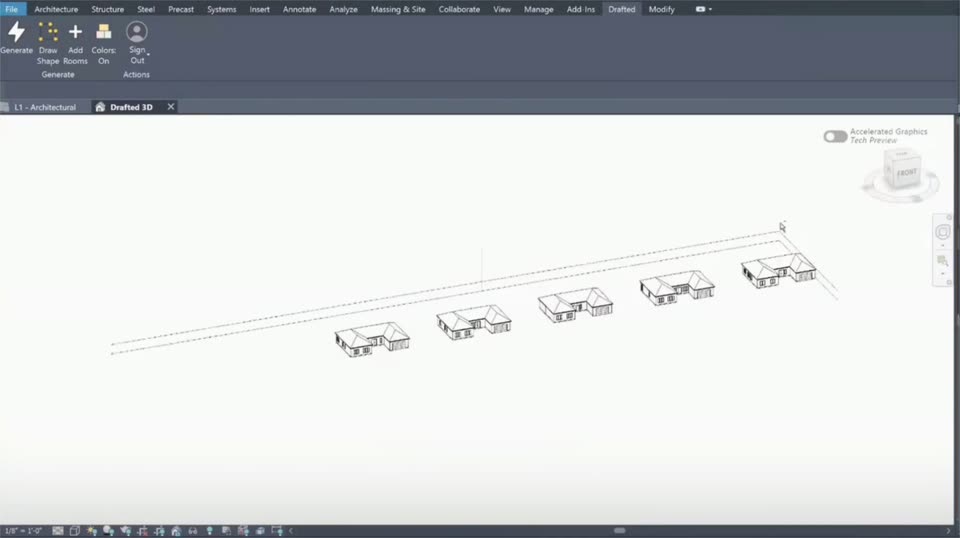

Drafted - Introducing Drafted in Revit. Draw a footprint, add your room list,
Drafted · Consumer · Sep 2026
3:55


Primitive - we 💌 email
primitive · B2B · Oct 2026
Mercury - The wait is over. Mercury Desktop is here. All of Mercury in one app, scene by scene
· 48 scenes as text
01 · Hook · 0:00–0:01
A locked-off title card holds the phrase “You asked.” in two stacked lines on a pale cream background. The heavy black lettering sits left of center and remains completely still for the full second.
On-screen text: “You”, “asked.”
Camera: Static
02 · Hook · 0:01–0:01
A plain off-white card holds two lines of large bold black sans-serif text reading “for an app.”, left-aligned and locked in place for the full duration.
On-screen text: “for an app.”
Camera: Static
03 · Hook · 0:01–0:03
A cream background holds two lines of bold sans-serif type. The gray line 'Not a' stays fixed while the black line below swaps from 'tab.' to 'terminal.' mid-scene, a hard cut that resets the tagline.
On-screen text: “Not a”, “tab.”, “terminal.”
Techniques: Kinetic type
Camera: Pull out
04 · Hook · 0:03–0:04
Bold black sans-serif text reading “A real one.” on a cream background. The two-line block slides in from the right with a brief motion blur, then locks into a centered static hold.
On-screen text: “A real one.”
Techniques: Kinetic type
Camera: Static
05 · Hook · 0:04–0:05
A locked-off card holds two lines of bold text on a pale off-white field. The top line reads in black, the bottom line in green, both sitting static with no motion or entrance.
On-screen text: “On your”, “desktop.”
Camera: Static
06 · Product intro · 0:05–0:09
A Spotlight search bar fades in on a light gray desktop and types Mercury, revealing a Top Hit card with a green cat icon that then fills with a green highlight. A large caption reads On your desktop.
On-screen text: “On your desktop.”
Camera: Static
07 · Product intro · 0:09–0:11
On a black background, the white bold headline “THE WAIT” sits centered, then a second line “IS OVER.” appears beneath it. The frame stays locked off while the two lines build the statement.
On-screen text: “THE WAIT”, “IS OVER.”
Techniques: Kinetic type
Camera: Static
08 · Product intro · 0:11–0:13
A light gray frame holds a line-drawn cat face with rounded ears and a small tail. The icon and the Mercury Desktop wordmark start soft and out of focus, then snap sharp as Desktop fills in green to the right of black Mercury.
On-screen text: “Mercury Desktop”
Camera: Static
09 · Demo · 0:13–0:16
A flat mockup of the Mercury app sits on a light gray background, showing the chat sidebar and an empty Mercury Agent screen. The view zooms in on the agent area, then pulls back as the caption All of Mercury. One app. settles at the bottom.
On-screen text: “All of Mercury. One app.”
Techniques: UI zoom
Camera: Push in
10 · Feature reveal · 0:16–0:17
A 3D-tilted window of the Mercury chat app floats on a light gray field above the line “All of Mercury. One app.” The mockup disappears and the line swaps to “Every desktop.”
On-screen text: “All of Mercury. One app.”, “Every desktop.”
Techniques: 3D mockup
Camera: Static
11 · Feature reveal · 0:17–0:19
On a light gray field, a macOS window icon and a Linux terminal icon overlap a Windows grid icon, then the three icons slide apart into a row. The large platform names shrink to small labels under each icon as the headline One app. Every desktop. fades in.
On-screen text: “macOS”, “Windows”, “Linux”, “macOS”, “Windows”, “Linux”, “One app.”, “Every desktop.”
Techniques: Kinetic type
Camera: Static
12 · Feature reveal · 0:19–0:20
Three white line icons, a macOS window, a Windows grid and a Linux terminal, sit in a row above their labels on a black field. Below, the bold headline reads One app. Every desktop., with Every in green. The type settles into place at the start.
On-screen text: “macOS”, “Windows”, “Linux”, “One app.”, “Every desktop.”
Camera: Static
13 · Feature reveal · 0:20–0:23
On a black field, the word LIGHT. sits locked at the top. Below it, lines of text fade in one after another: a large 5.2 MB, then the Mac download, 7.9 MB installed, and a smaller line giving the Windows and Linux sizes.
On-screen text: “LIGHT.”, “5.2 MB”, “the Mac download”, “7.9 MB installed”, “4.2 MB on Windows · 5.6 MB on Linux”
Techniques: Kinetic type
Camera: Static
14 · Feature reveal · 0:23–0:24
On a black field, the green Native wordmark sits centered above the white tagline “Not a browser in a box.”, which eases in from a soft horizontal blur until it reads sharp.
On-screen text: “Not a browser in a box.”
Techniques: Kinetic type
Camera: Static
15 · Feature reveal · 0:24–0:28
A bold black title builds line by line, then shrinks to a heading as a gray list of requests appears. White pills with green checkmarks slide in over struck-through lines, and the whole stack blurs as large green text sweeps across the frame.
On-screen text: “It learns”, “how you work.”, “Detailed answers”, “Short answers, please”, “Deploy when it's ready”, “Ask before you deploy”, “Give me five options”, “One recommendation, not five”, “Email me anytime”, “Not a browser in a box.”
Camera: Static
16 · Feature reveal · 0:28–0:30
On a plain off-white background, the line 'It remembers.' settles in with a quick horizontal slide and echo, 'It' in black and 'remembers.' in green. The text then holds steady on a locked-off frame.
On-screen text: “It remembers.”
Techniques: Kinetic type
Camera: Static
17 · Feature reveal · 0:30–0:31
The bold black headline “Your second” holds center on a plain off-white field, then a colorful mind-map interface fades in behind it as the green word “brain.” appears below to complete the tagline, a cursor resting at the right edge.
On-screen text: “Your second”, “brain.”, “It remembers.”
Techniques: Kinetic type
Camera: Static
18 · Feature reveal · 0:31–0:33
A light mind map of colored nodes and connecting lines fills the screen, with a hover tooltip card over a pink node. The view pans left and zooms to 264%, revealing a right-hand detail panel listing confidence, evidence and dates for the selected node.
Techniques: Cursor demo, UI zoom
Camera: Push in
19 · Feature reveal · 0:33–0:33
The black headline “The knowledge” sits left of center on a cream background. A second line, “is always yours,” appears beneath it, with “yours.” set in green. The frame stays locked off throughout.
On-screen text: “The knowledge”, “is always yours.”
Techniques: Kinetic type
Camera: Static
20 · Feature reveal · 0:33–0:34
A mind-map interface on a cream background: a green center node branches into colored topic pills linked by thin curved lines to small dots. A top control bar and a bottom hint line frame the view, which zooms in slowly on the network.
Techniques: UI zoom
Camera: Static
21 · Feature reveal · 0:34–0:35
A pale network graph fills the frame, a green You node at the center linking to labeled people nodes via thin colored lines. The view zooms in, pushing the topic nodes off screen and spreading the people nodes outward.
Techniques: UI zoom
Camera: Static
22 · Feature reveal · 0:35–0:36
A memory graph of colored nodes and thin relationship lines fills the frame, then fades to plain cream as the bold tagline 'It grows with you.' locks in, 'you.' in green.
On-screen text: “It grows”, “with you.”
Techniques: Kinetic type
Camera: Static
23 · Feature reveal · 0:36–0:37
A mind-map view of colored linked nodes reframes from a tight crop to a complete floating window card on a light gray field. A large two-line headline overlays the interface, the first line scaling up while the second holds still.
On-screen text: “It grows”, “with you.”
Techniques: UI zoom, Kinetic type
Camera: Pull out
24 · Feature reveal · 0:37–0:41
A black frame holds a small Listening status bar with a green waveform at the top. Large bold text fades in line by line, reading Optimus, book the installer for Thursday, the last word shifting from dim to bright green.
On-screen text: “Optimus, book the installer for Thursday.”
Techniques: Kinetic type
Camera: Static
25 · Feature reveal · 0:41–0:45
A green cursor fills a Book a home visit form, types name and address, picks Thursday, and clicks Request visit, which turns green reading Request sent. A thin green line traces the path. A dark Optimus bar above updates from Filling the installer's form to Send the form?.
Techniques: Cursor demo
Camera: Static
26 · Feature reveal · 0:45–0:46
A light gray background holds a three-line headline that builds in: “It sees.” in black, “It clicks.” darkening from gray, then “It asks first.” with “first” in green, above a static Optimus settings panel showing a microphone toggle and level meter.
On-screen text: “It sees.”, “It clicks.”, “It asks first.”
Techniques: Kinetic type
Camera: Static
27 · Feature reveal · 0:46–0:48
A black phone mockup appears centered on black, showing an incoming WhatsApp audio call from Mercury with a cat avatar, Decline and Accept buttons. Overlay captions It sees., It clicks., Itasksfirst. hold still while the Mercury name slides in.
On-screen text: “It sees.”, “It clicks.”, “Itasksfirst.”
Camera: Static
28 · Feature reveal · 0:48–0:50
A flat phone mockup on black shows a WhatsApp call from Mercury. The incoming screen with Decline and Accept buttons gives way to an active call: a timer ticks, a green waveform pulses, and the caption Done. The installer is booked for Thursday. appears, Thursday in green.
Camera: Static
29 · Feature reveal · 0:50–0:52
A plain light background holds the black text “It calls you” while the green word “back.” appears below it.
On-screen text: “It calls you”, “back.”, “Mercury”
Techniques: Kinetic type
Camera: Static
30 · Feature reveal · 0:52–0:52
The word Research. in white bold sans fades up from black on a plain black background, sharpening into full contrast by the end of the clip.
On-screen text: “Research.”
Techniques: Kinetic type
Camera: Static
31 · Feature reveal · 0:52–0:53
The word “Reports.” in bold black type sits on a plain off-white field. It opens blurred and slightly offset, then snaps into a sharp, centered position.
On-screen text: “Reports.”
Camera: Static
32 · Feature reveal · 0:53–0:53
A solid green field fills the frame. The white word PDF. sits centered, starting as a soft glowing blur and resolving into crisp focus within the short clip.
On-screen text: “PDF.”
Camera: Static
33 · Feature reveal · 0:53–0:53
On a black field, the white Word. wordmark eases toward center as a soft white glow blooms around the letters.
Camera: Static
34 · Feature reveal · 0:53–0:53
The word Bots. sits centered on a plain off-white field, soft and out of focus, then snaps into sharp focus within a fraction of a second.
On-screen text: “Bots.”
Camera: Static
35 · Feature reveal · 0:53–0:53
The word Inbox. sits centered in white bold sans on a flat green field. A soft white glow surrounds the letters, which sharpen from a slight blur to a crisp edge over the short hold.
On-screen text: “Inbox.”
Camera: Static
36 · Feature reveal · 0:53–0:54
The white wordmark Fleets. holds centered on a black field, then dissolves into a soft motion blur.
On-screen text: “Fleets.”
Camera: Static
37 · Feature reveal · 0:54–0:54
A bold black word “Code.” is centered on a plain off-white field. It begins soft and out of focus, then snaps into sharp focus in a quick pull, holding steady.
On-screen text: “Code.”
Camera: Static
38 · Feature reveal · 0:54–0:54
On a flat green field, the word Memory. sits centered in white. It opens heavily blurred and pulls into sharp focus over the short clip.
On-screen text: “Memory.”
Camera: Static
39 · Feature reveal · 0:54–0:54
The word “Voice.” in white bold sans sits centered on a black field. It holds sharp for a beat, then jolts with a horizontal shake that smears the letters in motion blur.
On-screen text: “Voice.”
Techniques: Kinetic type
Camera: Static
40 · Feature reveal · 0:54–0:55
The word Calls. in bold black type sits centered on a plain off-white field. It opens soft and out of focus, then snaps into sharp clarity within a tenth of a second.
On-screen text: “Calls.”
Camera: Static
41 · Feature reveal · 0:55–0:55
On a flat green field, the word “Remote.” in white bold type sits low-center, opening as a horizontal blur that snaps into a crisp, softly glowing letterform.
On-screen text: “Remote.”
Techniques: Kinetic type
Camera: Static
42 · Feature reveal · 0:55–0:55
The word Servers. in white bold sans sits centered on a black field. A blurred gray echo of the same word trails to its left as the type slides into place.
On-screen text: “Servers.”
Techniques: Kinetic type
Camera: Static
43 · Feature reveal · 0:55–0:55
The word “Updates.” sits centered in heavy black type on a pale off-white field. It resolves from a soft horizontal blur into crisp focus over the short beat.
On-screen text: “Updates.”
Camera: Static
44 · Feature reveal · 0:55–0:56
A flat green background holds the white word Approvals. centered. The type starts with a horizontal motion blur and snaps into sharp focus within the clip.
On-screen text: “Approvals.”
Techniques: Kinetic type
Camera: Static
45 · Feature reveal · 0:56–0:56
White bold text reading Plugins. holds centered on a black field while a soft glow around the letters fades out to a crisp edge.
On-screen text: “Plugins.”
Camera: Static
46 · Feature reveal · 0:56–0:58
A plain cream background holds two centered lines of bold type: All in in black above 5.2 MB. in green. The frame is locked off and the text stays perfectly still for the whole clip.
On-screen text: “All in”, “5.2 MB.”
Camera: Static
47 · Feature reveal · 0:58–0:58
A plain off-white background holds a small gray rectangle in the center. The words Allin and 5.2 MB sit statically in the middle of the frame, locked off with no motion.
On-screen text: “Allin”, “5.2 MB”
Camera: Static
48 · CTA · 0:58–1:06
A white line-art cat-face logo slides from center to the upper left on black as the wordmark Mercury Desktop fades in beside it. A tagline, a green Download now button, a URL, and a Mac install command in a dark rounded box then fade in and hold.
On-screen text: “Mercury Desktop”, “Free for macOS, Windows and Linux”, “Download now”, “mercuryagent.sh/download”, “On a Mac”, “curl -fsSL https://mercuryagent.sh/install-desktop.sh | sh”
Camera: Static