
0:25
Explore
Introducing Cloud Computer for Manus | Build Bots, Databases & 24/7 Automations Without Code
Manus · Apr 2026 · 0:48 · Full motion · AI-annotated
- Length
- 0:48
- Scenes
- 27 · 1.8 s avg
- Product on screen
- 0:00
- Features shown
- 4
- Voiceover
- Yes
- Views
- 189K on YouTube
as of November 22, 2026
00:00:00 / 00:48:01
- Length
- 0:48
- Scenes
- 27 · 1.8 s avg
- Product on screen
- 0:00
- Features shown
- 4
- Voiceover
- Yes
- Views
- 189K on YouTube
as of November 22, 2026
Manus’s 0:48 launch film runs 27 scenes, about 1.8 s each. The product is on screen from the first frame and 4 features are revealed. There is no explicit call to action; a voiceover carries the film. The video alternates locked-off typographic title cards with fast UI demos: each feature is announced by a two-line headline, then shown through a typed prompt and a scrolling product screen. Signature moves are the drifting white 3D clouds, word-by-word text builds, and a consistent pale dot-grid canvas with a single black card near the end.
No filming indicatedEstimated needs: 4 capture groups — your screens or recordings · 1 official logo — reused across the film · 4 graphic passages — draw or supply
Is this your launch? to your site or press kit.
More like this

0:55
Irvin Zhan - Today we’re launching Design Canvas for AI agents. AI can build a fe
Design Canvas · Feb 2026
0:29

Similar soundtrack
Films whose music sounds like this one, voice left out
2:46
Manus - Introducing Manus 2.0
Manus AI · Electronic dance music
0:43
MiniMax Design (H3) - Hailuo Workspace Just ...Leveled Up! One Flow. Infinite Creations. 💡
Hailuo · Modern funk and nu-disco
0:38

Sketch - We’ve got a biiiig update for you. A complete redesign of Sketch. May
Sketch · Electronic dance music
Introducing Cloud Computer for Manus | Build Bots, Databases & 24/7 Automations Without Code, scene by scene
· 27 scenes as text
01 · Feature reveal · 0:00–0:02
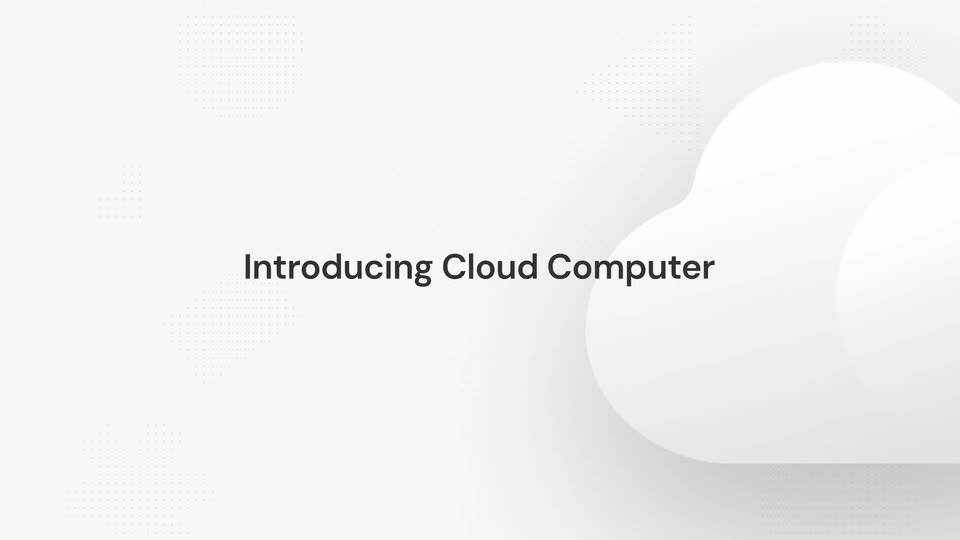
On a pale gray field with a faint dot grid, soft white 3D cloud shapes drift in from the left and right edges. Centered black sans-serif text builds from “Introducing” to “Introducing Cloud Computer”, then swaps to the larger “Your Agent's”.
On-screen text: “Introducing”, “Introducing Cloud Computer”, “Your Agent's”
Techniques: Kinetic type
Camera: Static
02 · Feature reveal · 0:02–0:04
A soft white 3D cloud drifts across a light dotted background while the dark headline Your Agent's Own Computer builds word by word. The cloud then shrinks into a small icon holding the word What.
On-screen text: “Your Agent's Own Computer”, “What”
Techniques: Kinetic type
Camera: Static
03 · Feature reveal · 0:04–0:05
A puffy white 3D cloud sits center on a light dotted background, holding the word That. The cloud bursts into several smaller puffs that scatter, and the headline swaps to Works 24/7.
On-screen text: “That”, “Works 24/7”
Techniques: Morph
Camera: Static
04 · Feature reveal · 0:05–0:08
White 3D clouds drift around the large title “Works 24/7” on a dotted gray background, then the frame cuts to the app's prompt bar, where a hand cursor clicks the computer icon and a “Cloud computer” popover opens with a black Create button.
On-screen text: “Works 24/7”
Techniques: Cursor demo
Camera: Static
05 · Feature reveal · 0:08–0:09
A flat product screen on a light gray background. The serif headline and task bar recede as the Cloud computer card, with its Create button, scales up and settles in the center.
Techniques: UI zoom
Camera: Static
06 · Feature reveal · 0:09–0:10
A white Cloud computer card with a hand cursor on the black Create button hovers over a dotted light background, then fades out to reveal the cloud computer dashboard with CPU, memory and storage metrics.
Techniques: Cursor demo
Camera: Static
07 · Feature reveal · 0:10–0:12
A cloud computer dashboard scrolls up past CPU, memory and storage metrics, then the interface fades to light gray as the headline Build And Host Bots reveals word by word in the center.
On-screen text: “Build And Host Bots”
Techniques: Kinetic type
Camera: Pan
08 · Feature reveal · 0:12–0:13
Two lines of text reveal sequentially on a pale background with a faint dot grid, shifting from light grey to bold black.
On-screen text: “Build And Host Bots”, “That Never Shut Down”
Techniques: Kinetic type
Camera: Static
09 · Feature reveal · 0:13–0:14
Two centered lines of dark gray sans-serif text hold still on a pale off-white field, with faint dot grids tucked into the corners. The frame stays locked-off for the full duration.
On-screen text: “Build And Host Bots”, “That Never Shut Down”
Camera: Static
10 · Feature reveal · 0:14–0:17
A white prompt field floats centered on a pale dotted background. A Slack bot prompt types out word by word, and the card grows taller as the lines fill, with a My Cloud Computer chip and a black send button along the bottom row.
Techniques: Kinetic type
Camera: Static
11 · Feature reveal · 0:17–0:19
A light gray chat view shows the Manus logo and a Thinking indicator with pulsing dots; a reply message slides in, then the screen cuts to a document with a title, body copy, a component table and file cards, ending on a green Task completed check.
Camera: Static
12 · Feature reveal · 0:19–0:20
A light document interface scrolls slowly upward, the Manus header and a titled article with paragraphs, a component table and file cards drifting down the frame.
Camera: Static
13 · Feature reveal · 0:20–0:23
A purple chat interface with a left sidebar, message list and right thread panel sits centered on a light background. A translucent duplicate of the window dissolves away in the first second, then the view slowly zooms in on the layout.
Techniques: UI zoom
Camera: Static
14 · Feature reveal · 0:23–0:25
On a pale gray background with faint dot grids in the corners, the word Run appears centered, then the line scales into Run Scrapers as While You Sleep appears beneath it. The two-line headline then holds still.
On-screen text: “Run Scrapers”, “While You Sleep”
Techniques: Kinetic type
Camera: Static
15 · Feature reveal · 0:25–0:27
A white rounded chat input card floats on a pale dotted background. A prompt types out line by line inside it, ending on a numbered list of three features, while small icons and a dark round send button stay fixed along the bottom.
Techniques: Kinetic type
Camera: Static
16 · Feature reveal · 0:27–0:31
A cream-colored AI news dashboard scrolls up through numbered story cards as a refresh countdown ticks; a subscriber desk panel on the right updates with a subscribe button. A tagline, “Run and Deploy Any,” slides across the frame.
On-screen text: “Run and Deploy Any”
Camera: Static
17 · Feature reveal · 0:31–0:31
On a pale gray background, white cloud-shaped pills carrying app logos (WordPress, Postman, Dify, Odoo) drift around the frame edges while a dark sans-serif headline, “Run and Deploy Any Open-Source,” fades in line by line at the center.
On-screen text: “Run and Deploy Any”, “Open-Source”
Techniques: Kinetic type
Camera: Pull out
18 · Feature reveal · 0:31–0:33
A ring of white cloud badges carrying open-source tool logos spins in 3D around a centered headline, with near badges enlarging and far ones shrinking. The dark headline fades to near invisible as the ring keeps turning.
On-screen text: “Run and Deploy Any”, “Open-Source Tool”
Camera: Static
19 · Feature reveal · 0:33–0:35
A small white cloud button with a blue dot logo expands into a wide rounded search bar on a pale gray field, after a hand cursor taps it. The prompt text appears and types out, a My Cloud Computer chip slides in, and a faint dot grid fills the background.
Techniques: Cursor demo, Morph
Camera: Static
20 · Feature reveal · 0:35–0:38
A prompt bar on a dotted light background types a request to deploy a Metabase website, then the view cuts to the Manus agent screen showing task step chips, a status paragraph, and a Thinking indicator.
Techniques: Kinetic type
Camera: Static
21 · Feature reveal · 0:38–0:39
A white Manus agent interface fills the frame as its transcript scrolls upward, revealing a checklist, three command pills and a new status line. The blue status dot at the bottom cycles between Thinking and Using terminal.
Camera: Pan
22 · Feature reveal · 0:39–0:40
A close-up of a results table with Item and Details columns zooms out to reveal a full dashboard interface, a left sidebar of menu items and a line-art landscape illustration along the bottom.
Techniques: UI zoom
Camera: Static
23 · Feature reveal · 0:40–0:42
A light dashboard home screen lists sample cards under a greeting; a hand cursor hovers over the first card. The view then cuts to an empty pane showing a spinning loader and the word Loading.
Techniques: Cursor demo
Camera: Static
24 · Feature reveal · 0:42–0:43
A flat analytics dashboard fills the frame: three stat cards and a line chart on the left, a right sidebar listing zoom-in field buttons. The view holds static for the duration, with no cursor or motion.
Camera: Static
25 · Outro · 0:43–0:44
A single line of dark text sits centered on a pale off-white field, framed by faint dotted clusters in the corners. The frame is locked off and the text holds still for the full duration.
On-screen text: “Manus Cloud Computer”
Camera: Static
26 · Outro · 0:44–0:45
A black field with faint dotted clusters holds the white centered headline “Keep Your Ideas Always On” static in a locked-off frame; the dot pattern dissolves to plain black over the clip.
On-screen text: “Manus Cloud Computer”, “Keep Your Ideas Always On”
Camera: Static
27 · Outro · 0:45–0:48
On a pale background with a faint dot grid, a dark gray megaphone icon pops in at center, small sound lines flick above it, then the icon slides left and the lowercase serif wordmark manus fades in beside it.
On-screen text: “Keep Your Ideas Always On”
Camera: Static