0:19

Cursor - Cloud agents now start 3x faster so you can hand them ambitious, long
Cursor · Developer tools · Aug 2026
Design Canvas · Feb 2026 · 0:55 · Full motion · AI-annotated
Design Canvas’s 0:55 launch film runs 16 scenes, about 3.4 s each. The product shows up at 0:03 and 5 features are revealed. There is no explicit call to action; a voiceover carries the film. The video is a feature walkthrough that opens on a terminal command, then pairs each bold headline card with a short demo in the terminal or the design canvas, and closes on the wordmark. Its signature moves are the unchanging soft-focus floral backdrop, headline cards that fade in over it, and smooth zooms and crossfades between the dark terminal and the light canvas.
Is this your launch? to your site or press kit.
Cursor · Developer tools · Aug 2026
GodHands · B2B · Nov 2026
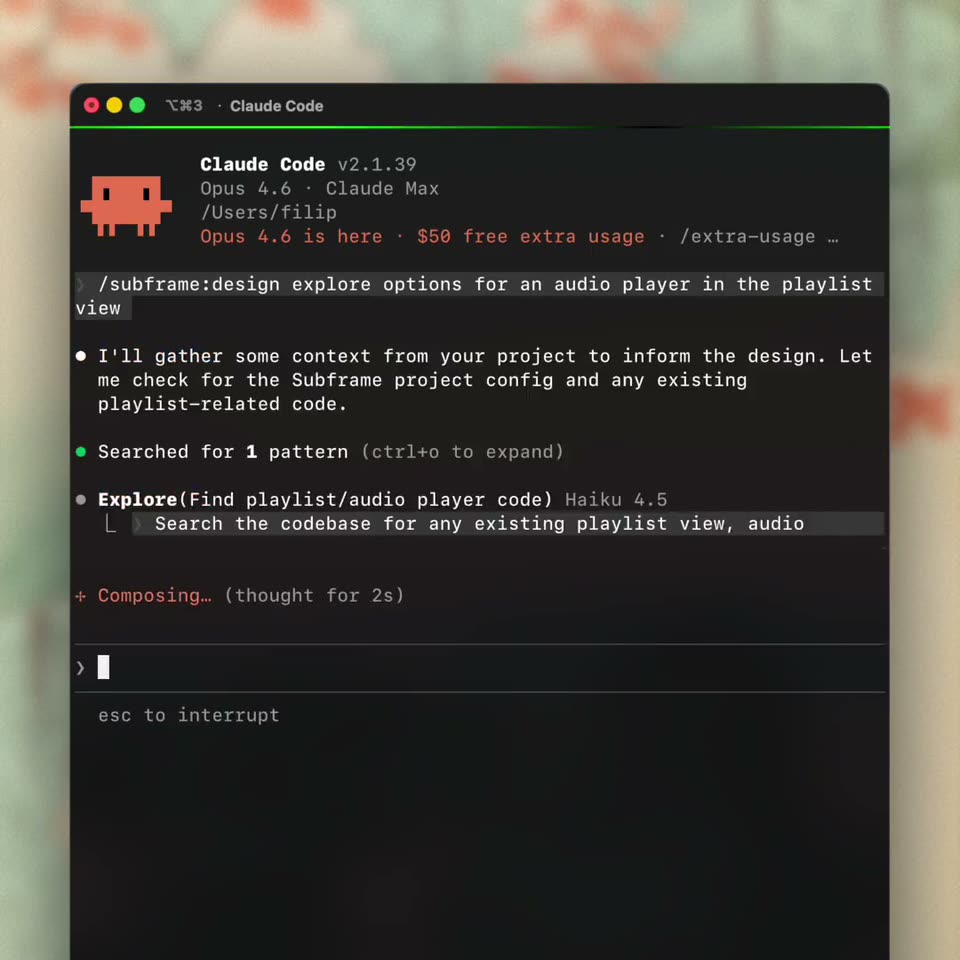
A dark Claude Code terminal window sits on a soft, out-of-focus green and red backdrop. A slash command is typed letter by letter, a list of subcommands pops in, then the line highlights and a composing status appears.
Techniques: Kinetic type
Camera: Static
A flat dark terminal window for Claude Code sits centered over a soft blurred background, locked off. Inside, the AI conversation streams: a command line types out, then the Explore block updates its search lines while a block cursor blinks.
Techniques: Kinetic type
Camera: Static
A dark Claude Code terminal with CLI output sits over a blurred floral background, then morphs into a white playlist card titled Filip's Thursday Mix. The bold black headline Get context from code stays fixed across the center throughout.
On-screen text: “Get context from code”
Techniques: Morph
Camera: Push in
A light-themed playlist screen fills the frame as a centered card scales up through a brief crossfade. The settled view shows a search field, a song list with square album thumbnails and titles, and a row of artist pills along the bottom.
Techniques: UI zoom
Camera: Push in
Centered black bold text 'Generate variations' on two lines holds still over a heavily blurred, multicolored illustration backdrop. The text appears once and stays locked on a static frame.
On-screen text: “Generate variations”
Camera: Static
A dark terminal over a blurred colorful background streams white monospace text listing four audio player design variations. A mouse pointer clicks the review URL, and the frame zooms in on the highlighted link.
Techniques: Cursor demo, UI zoom
Camera: Push in
Black sans-serif text reading 'Explore on a canvas' fades in at the center over a blurred hand-drawn illustration in green and pink on cream, then holds on a locked-off frame.
On-screen text: “Explore on”, “a canvas”
Camera: Static
A white preview panel on a blurred pastel backdrop displays four small interface cards in a row. The view zooms in twice, first to two cards, then to a single card showing a music player and a red figure illustration.
Techniques: UI zoom
Camera: Push in
A white preview panel floats over a blurred pastel background. Four phone mockups labeled Variation 1 to 4 slide left in a row, each showing a music app with a now-playing card for “Different.” The panel then zooms out, revealing the full set and two small action buttons.
Techniques: UI zoom
Camera: Push in
A blurred pastel floral pattern fills the frame. A large two-line charcoal headline fades in over it, then a Figma interface window fades in behind the text and sharpens into focus as the headline fades out.
On-screen text: “Real drag & drop editing”
Camera: Pan
A Figma canvas over a blurred color background shows a music player design. The view zooms into the song title and the bottom control row; a cursor selects elements, swaps a button for a slider via a component menu, then clicks the Code tab.
Techniques: UI zoom, Cursor demo
Camera: Pan
A design tool window shows a music player mockup beside a code panel; the view zooms into the code as a cursor hovers over it, then the panel dissolves into a blurred gradient.
Techniques: UI zoom, Cursor demo
Camera: Push in
A centered headline reads over a blurred peach and cream abstract background. A dark code editor panel slides down from the top, covering the upper half of the frame and the first line of the headline.
On-screen text: “Ship it”, “in code”
Camera: Static
A dark terminal panel on a soft peach gradient shows an AI assistant reply in monospace text. The list of audio-player design variations scrolls upward as new lines stream in, ending on a running plugin call and a blinking cursor.
Techniques: Kinetic type
Camera: Static
A dark terminal window sits on a warm, blurred beige background. Its text, first a jumbled overlap of two line sets, dissolves into a clean numbered list of interface variations and a plugin response, then the whole window fades out.
Camera: Push in
A blurred pastel botanical print with paper grain fills the frame. Dark sans-serif headline lines fade in one by one, reading Design canvas for Claude Code Cursor Codex & more. Then the Subframe wordmark and a small black logo mark fade in at the bottom corners.
On-screen text: “Design canvas for”, “Claude Code”, “Cursor”, “Codex”, “& more.”, “Subframe”
Techniques: Kinetic type
Camera: Static