1:55


Asakana: Automating sales and the entire back office for food distributors
Asakana · B2B · Oct 2026
Ramp · Jul 2026 · 1:15 · AI-annotated
Ramp’s 1:15 launch film runs 16 scenes, about 4.7 s each. The product is on screen from the first frame and 1 feature is revealed. The call to action lands at 1:05 (87% in), over a voiceover. A presenter-led launch built around one long agent demo: a bright talking-head intro, a cream headline card, then a dark terminal that streams setup instructions while the presenter reacts, closing on a 3D and flat dashboard reveal plus a URL card. Signature moves are white line icons popping in beside the speaker, a lime-yellow accent, and terminal text streaming in line by line at a steady pace of about seven cuts per minute.
Is this your launch? to your site or press kit.
Asakana · B2B · Oct 2026
Ramp · Finance · Oct 2026
ElevenLabs · AI · Sep 2026
A man in a white sweater talks to camera behind a laptop. A yellow Ramp for Agents badge appears, its arrow chip morphing into the Ramp logo; a lower-third names him. White phrases fade in on the left in sync with his speech, ending on a white title card.
On-screen text: “Ramp for Agents”, “Teddy Riker”, “Product Manager, Ramp”, “Open a company”, “Get cards”, “Pay invoices”, “Close the books”, “Ramp for Agents”
Techniques: Morph, Kinetic type
Camera: Static
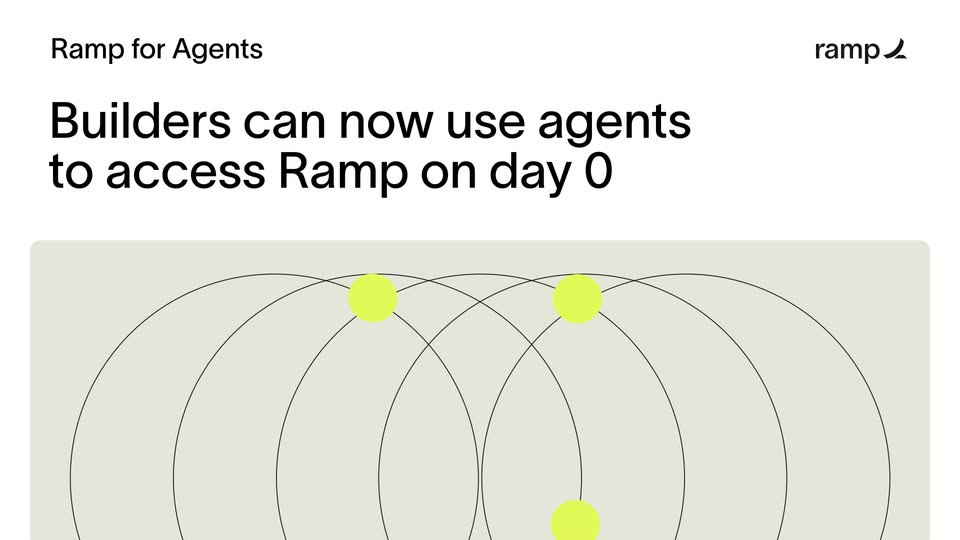
A white card holds a small black label top left and the ramp logo top right. A large black headline fades in from gray above a beige panel, where lime dots travel along overlapping thin black arcs and thin out by the end.
On-screen text: “Ramp for Agents”, “Builders can now use agents”, “to access Ramp on day 0”
Techniques: Particles
Camera: Static
A man in a white sweater sits at a desk with a laptop, talking to the camera and gesturing in a bright room. White labels with small icons appear one after another on the left: Finance members, Engineering, Design, Marketing.
On-screen text: “Finance members”, “Engineering”, “Design”, “Marketing”
Camera: Static
A bearded man in a white waffle sweater sits by a window, talking and gesturing. On the left, five white line icons (starburst, cube, robot head, loop, diamond dot) pop in one by one, hold, then fade out as he keeps speaking.
Camera: Static
A dark grid panel holds the word AGENTS in mixed letter styles while small agent status chips sit at the edges with dotted connectors; the yellow button flips to Copied. Paste in your agent, then the frame cuts to a Claude Code terminal.
On-screen text: “AGENTS”, “Give your agents cards, transfers, bank accounts and more. Built-in controls govern every dollar they move.”
Camera: Static
A dark terminal window slides in from the left on a cream backdrop, then agent output lines stream in one by one. At 7s the window scales up to reveal the full app chrome, a search bar on top and a token counter along the bottom.
Techniques: UI zoom
Camera: Pull out
A bearded man in a white sweater sits by a bright window, talking and gesturing toward a laptop. Two white line icons, an envelope and a list, pop in on the left and fade out.
Camera: Static
A dark code editor window fills the frame, showing a JSON object with incorporation and officer fields. The bottom status line updates from a token count to a sentence about assembling the application, while the code shifts up and the token total climbs.
Camera: Static
A beige split layout: left, a dark terminal window scrolls up through JSON code to reveal a data table and a confirm prompt; right, a man in a white sweater at a laptop gestures while talking.
Techniques: Split screen
Camera: Pan
A man in a white sweater sits at a light desk, speaking to camera and gesturing with his right hand. A closed silver laptop with an Apple logo sits in front of him, while a window and a potted plant fill the bright background.
Camera: Static
A Ramp dashboard window floats in 3D perspective over a pale yellow-green backdrop. The view pushes in on the welcome screen, then pans left to reveal a secondary panel with a map and the Ramp mark.
Techniques: 3D mockup, UI zoom
Camera: Push in
A flat browser window of the Ramp app pans left across a wide dashboard. It opens on a welcome panel with an open navigation menu, then slides to a Reporting view showing a card-transaction list, a spending line chart and a dotted world map.
Camera: Pan
A flat Ramp reporting dashboard fills the frame. The card transactions table on the left reveals row by row, the spending line chart on the right draws in, and the Total Spent figure rolls up to $44,567.12.
Techniques: Masking
Camera: Static
A man in a white sweater sits behind a closed MacBook on a light desk, speaking to camera and gesturing in a bright room. A URL caption appears over the locked-off frame near the end.
On-screen text: “Find out more at”, “agents.ramp.com”
Camera: Static
Centered black text reads 'Find out more at agents.ramp.com' on a plain off-white background, held static for three seconds, then a hard cut to the black ramp wordmark with a curved swoosh, centered on the same background.
On-screen text: “Find out more at”, “agents.ramp.com”
Camera: Static
The black Ramp wordmark, paired with a thick curved swoosh, sits centered on a plain white field. The frame stays locked-off and static for the full duration, serving as the brand sign-off.
On-screen text: “agents.ramp.com”
Camera: Static