1:26
Explore
Manus - Introducing Cloud Computer for Manus. Your always on machine in the
Manus · Apr 2026 · 0:47 · AI-annotated
- Length
- 0:47
- Scenes
- 34 · 1.4 s avg
- Product on screen
- 0:00
- Features shown
- 3
- Voiceover
- Yes
00:00:00 / 00:48:00
Manus’s 0:47 launch film runs 34 scenes, about 1.4 s each. The product is on screen from the first frame and 3 features are revealed. There is no explicit call to action; a voiceover carries the film. The video alternates short kinetic type cards with locked-off UI demos, each feature announced by a centered headline that blurs or scales into a product screen on the same dotted off-white stage. Signature moves are the soft 3D clouds that carry headlines and logos, word-by-word headline assembly, and slow vertical scrolls through the interface.
No filming indicatedEstimated needs: 4 capture groups — your screens or recordings · 6 graphic passages — draw or supply · 2 3D passages — build or supply
Is this your launch? to your site or press kit.
More like this
1:03

The new Apple HomeView: Keep the whole home connected, entertained, and in the know.
Apple · Hardware · Oct 2026
1:00
Meet Notion Mail
Notion · Productivity · Apr 2025
Manus - Introducing Cloud Computer for Manus. Your always on machine in the, scene by scene
· 34 scenes as text
01 · Product intro · 0:00–0:00
A static light dotted frame shows a black two-line title at left and a white 3D cloud at right. The cloud contains a task input bar with a Cloud Computer chip and a dark send button.
On-screen text: “Introducing Cloud Computer”
Techniques: 3D mockup
Camera: Static
02 · Product intro · 0:00–0:02
On a light dotted background, two soft white cloud shapes slide in from the left and right edges. Centered text first reads Introducing Cloud Computer, then switches to the larger line Your Agent's Own Computer, with words entering in sequence.
On-screen text: “Introducing Cloud Computer”, “Your Agent's Own Computer”
Techniques: Kinetic type
Camera: Static
03 · Product intro · 0:02–0:04
A dark sans-serif headline, Your Agent's Own Computer, scales up on a light dotted background until its edges run off the frame. It cuts to the word That, which scales in over a soft white cloud shape.
On-screen text: “Your Agent's Own Computer”, “That”
Techniques: Kinetic type
Camera: Static
04 · Product intro · 0:04–0:05
A white cloud shape with a soft drop shadow sits centered on a light dotted background, holding the black word That. The cloud and word scale up gently while the frame stays locked.
On-screen text: “That”
Techniques: Kinetic type
Camera: Static
05 · Product intro · 0:05–0:05
A light off-white background with a faint dot grid in the corners holds the centered headline “Works 24/7” in bold black type. Small glossy white 3D blobs drift and settle around the letters, one above, one left, one right, while the text stays locked in place.
On-screen text: “Works 24/7”
Camera: Static
06 · Demo · 0:05–0:07
A product home screen with a serif heading and an input bar sits under a large “Works 24/7” headline and floating white 3D clouds. The headline and clouds fade out, then a cursor hovers the monitor icon, raising a “My Computer” tooltip.
On-screen text: “Works 24/7”
Techniques: Cursor demo
Camera: Static
07 · Demo · 0:07–0:07
A cursor taps a small monitor icon in the input bar, and a white popover drops down below it, revealing a Cloud computer card with a short description and a Create button.
Techniques: Cursor demo
Camera: Static
08 · Demo · 0:07–0:08
A flat product home screen on light gray shows a serif greeting above a rounded task input bar. A hand cursor hovers the computer icon, and a popover card with a Cloud computer option and a black Create button scales in beneath the bar.
Techniques: Cursor demo
Camera: Static
09 · Demo · 0:08–0:09
A chat interface with a small Cloud computer card zooms in until the card fills the frame, the background shifting from light gray to light blue. The card title and body text scale up as the card grows.
Techniques: UI zoom
Camera: Static
10 · Demo · 0:09–0:10
A white card with a Cloud computer label and a black Create button sits on a dotted background; a cursor clicks Create, then the view reframes to a full dashboard titled My Cloud Computer showing CPU, Memory, Storage and traffic metrics.
Techniques: Cursor demo, UI zoom
Camera: Static
11 · Demo · 0:10–0:12
A cloud computer dashboard scrolls vertically, moving from the CPU and Memory usage graphs down past the Storage and Outbound traffic rows to the Public IP and SSH credentials block, where a dark Web terminal button sits on the right.
Camera: Pan
12 · Feature reveal · 0:12–0:13
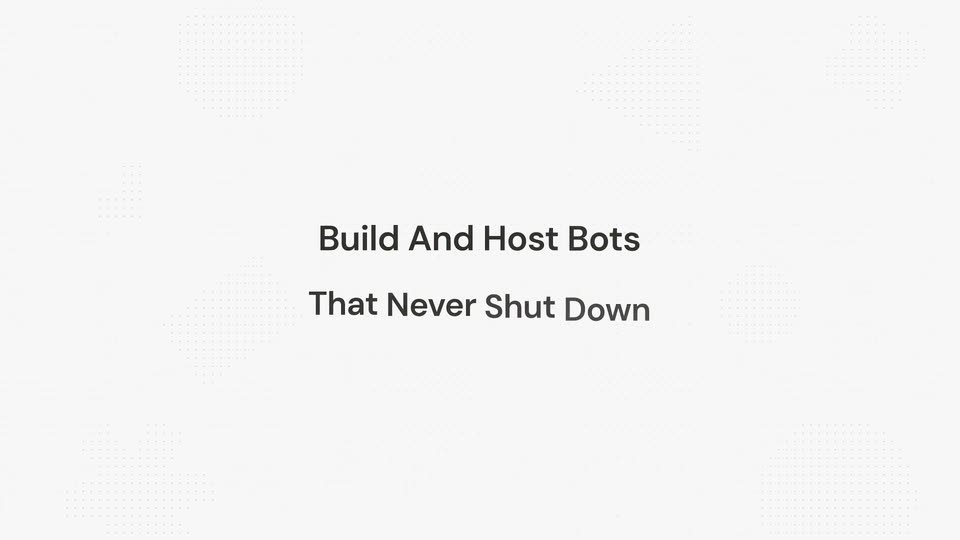
On a pale background with faint dot grids in the corners, the headline “Build And Host Bots” assembles word by word, each word fading from light gray to dark, then the subline “That Never Shut Down” fills in below. Locked-off, centered, fast.
On-screen text: “Build And Host Bots”, “That Never Shut Down”
Techniques: Kinetic type
Camera: Static
13 · Feature reveal · 0:13–0:14
A two-line headline sits centered on a pale off-white field with a faint dot grid. The dark gray text is crisp at the start, then picks up a horizontal blur and slight drift as the clip ends.
On-screen text: “Build And Host Bots”, “That Never Shut Down”
Techniques: Kinetic type
Camera: Static
14 · Feature reveal · 0:14–0:15
A white rounded input box sits on a light gray background with a faint dotted grid. The text 'Create a' types out a multi-line prompt about a Slack bot, causing the box to expand vertically. A row of icons and a black circular send button anchor the bottom.
Techniques: Kinetic type
Camera: Static
15 · Feature reveal · 0:15–0:17
A white chat input card sits centered on a dotted off-white background, filled with a typed prompt about building a Slack bot. The card fades out, leaving the Manus logo and a thinking status line on the left.
Camera: Static
16 · Feature reveal · 0:17–0:19
On a light-gray dotted background, a chat panel shows the Manus logo and Max badge above a pulsing Thinking indicator. A bold reply appears, then the view cuts to a completed task document with an Architecture table, file cards, and a green Task completed tag.
Camera: Static
17 · Feature reveal · 0:19–0:20
A light documentation page about deploying a Slack Bot scrolls slowly upward, revealing an architecture section, a component table, and file cards, ending on a green Task completed check.
Camera: Static
18 · Feature reveal · 0:20–0:23
A Slack-style app window sits in 3D perspective, tilted to the right, with a purple sidebar and a white message thread panel. The window rotates and zooms forward until it lies flat facing the camera, then holds as a static front view.
Techniques: 3D mockup
Camera: Static
19 · Feature reveal · 0:23–0:23
On a pale cream field with a faint dotted grid, two centered lines of dark text settle into place. Run Scrapers holds the top line while While You Sleep slides in beneath it, both easing to a locked position.
On-screen text: “Run Scrapers”, “While You Sleep”
Techniques: Kinetic type
Camera: Static
20 · Feature reveal · 0:23–0:25
A centered black headline reads Run Scrapers While You Sleep on a light dotted background, then a white rounded input bar with small icons fades in from below as the text dims.
On-screen text: “Run Scrapers”, “While You Sleep”
Camera: Static
21 · Feature reveal · 0:25–0:27
A white rounded prompt card on a dotted off-white background. Dark sans text is typed word by word into the field, describing a minute-by-minute AI news subscription site with three key features. The card grows taller as lines fill, above a row of icons and a black send button.
Techniques: Kinetic type
Camera: Static
22 · Feature reveal · 0:27–0:31
A cream news-gazette interface fills the frame. A two-column grid of serif article cards scrolls upward, swapping in fresh headlines, while a top countdown timer ticks and a fixed subscriber panel with tags and a subscribe button holds the right edge.
Camera: Static
23 · Feature reveal · 0:31–0:31
White cloud-shaped pills carrying app logos drift in around the edges of a light gray field. In the center, a gray sans-serif headline builds word by word from “Run and” to “Run and Deploy Any”, the last word in a lighter shade.
On-screen text: “Run and Deploy Any”
Techniques: Kinetic type
Camera: Pull out
24 · Feature reveal · 0:31–0:33
A ring of white cloud badges, each holding an open-source tool logo, rotates slowly around a centered headline. The dark sans-serif headline stays fixed on a light gray background while the badges orbit it.
On-screen text: “Run and Deploy Any Open-Source Tool”
Camera: Static
25 · Feature reveal · 0:33–0:33
A centered dark gray headline reads Run and Deploy Any Open-Source Tool, ringed by white pill cards each holding a third-party app logo. The logo ring then tilts and collapses into a diagonal line on the right as the headline fades out.
On-screen text: “Run and Deploy Any Open-Source Tool”
Techniques: Kinetic type
Camera: Static
26 · Feature reveal · 0:33–0:35
A white pill holding a blue dot grid and a hand cursor sits centered on a light gray background. The cursor clicks and the pill expands into a rounded command bar showing a typed query, a device chip, and action icons.
Techniques: Cursor demo, Morph
Camera: Static
27 · Feature reveal · 0:35–0:38
A white chat input on a dotted grid types out the prompt “Deploy a Metabase website for my team on my cloud computer.” with a blinking caret. The field then blurs and lifts as the full task interface fades in behind it.
Techniques: Kinetic type, UI zoom
Camera: Static
28 · Feature reveal · 0:38–0:39
A light agent chat view scrolls upward past a status paragraph and an expanded checklist item. Terminal command chips and a new paragraph appear, ending with a blue dot typing a status line at the bottom.
Camera: Pan
29 · Feature reveal · 0:39–0:40
A light report screen shows a two-column table of deployment details, followed by a paragraph and a green Task completed line. The view drifts slowly upward, clipping the table header at the top edge.
Camera: Static
30 · Feature reveal · 0:40–0:42
A cursor glides to the A look at Accounts card on a Metabase home screen and presses it, clearing the content area to a centered loading spinner. The frame stays locked-off over a blue line-art landscape of mountains and a lighthouse.
Techniques: Cursor demo
Camera: Static
31 · Feature reveal · 0:42–0:43
A full analytics dashboard is held in a locked-off frame. The view shows an overview header, three stat cards, a monthly line chart, and a right sidebar listing zoom-in fields and related links.
Camera: Static
32 · Outro · 0:43–0:44
A pale gray field with a faint dot grid holds the centered title, which eases from a soft blur into sharp focus and then holds still.
On-screen text: “Manus Cloud Computer”
Camera: Static
33 · Outro · 0:44–0:45
A black card with a faint dot grid holds the centered white tagline “Keep Your Ideas Always On” on a locked-off frame; the larger white line “Manus Cloud Computer” appears on the same card. The scene is a static title card with no camera move.
On-screen text: “Keep Your Ideas Always On”, “Manus Cloud Computer”
Camera: Static
34 · Outro · 0:45–0:47
A small gray line icon of a pinching hand with three accent dashes wobbles at the center of a pale dotted-grid field. The static headline holds its position throughout the clip.
On-screen text: “Keep Your Ideas Always On”
Camera: Static