
1:39
Explore
00:00:00 / 01:15:13
- Length
- 1:15
- Scenes
- 24 · 3.1 s avg
- Product on screen
- 0:15
- Features shown
- 5
- Call to action
- 1:06 · 88%
- Voiceover
- Yes
- Views
- 196 on YouTube
as of November 23, 2026
Manufact’s 1:15 launch film runs 24 scenes, about 3.1 s each. The product shows up at 0:15 and 5 features are revealed. The call to action lands at 1:06 (88% in), over a voiceover. Built as a problem to payoff arc: a clean white question, a spoken pain point, the Manufact name, then five feature beats (scaffold, in chat UI, deploy, checklist, listing) and a logo end card with the npx command and URL. Style is defined by a grainy blue paper gradient, flat white interface cards that slide and zoom, a fixed bottom caption line that crossfades with the voiceover, and a recurring four dot logo plus green check badge as the only repeated motifs.
Footage neededEstimated needs: 7 capture groups — your screens or recordings · 1 official logo — reused across the film · 1 filmed passage — shoot, supply or replace · 1 graphic passage — draw or supply · 1 3D passage — build or supply
Is this your launch? to your site or press kit.
More like this
0:47
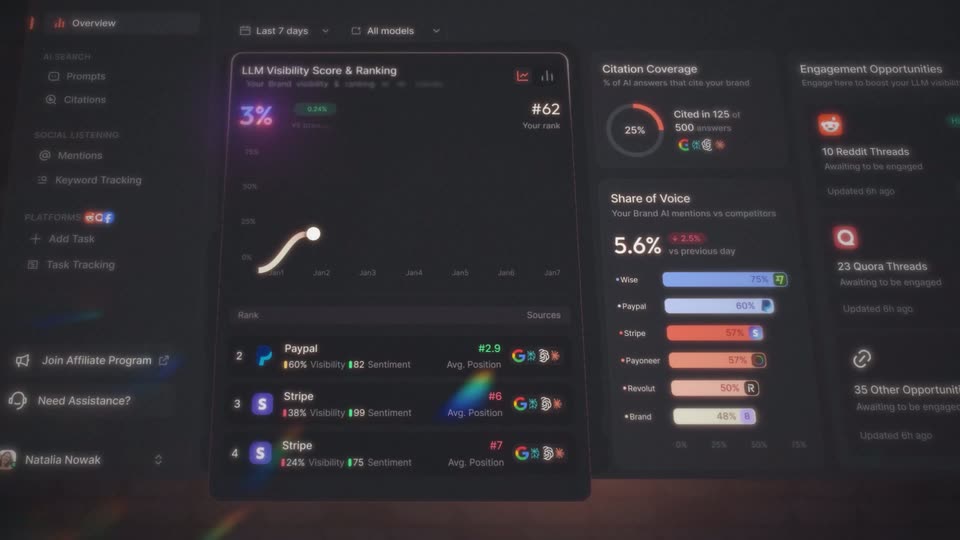

CrowdReply - Introducing Searchmaxxing. The new discipline for being visible ever
CrowdReply · Jun 2026
1:24
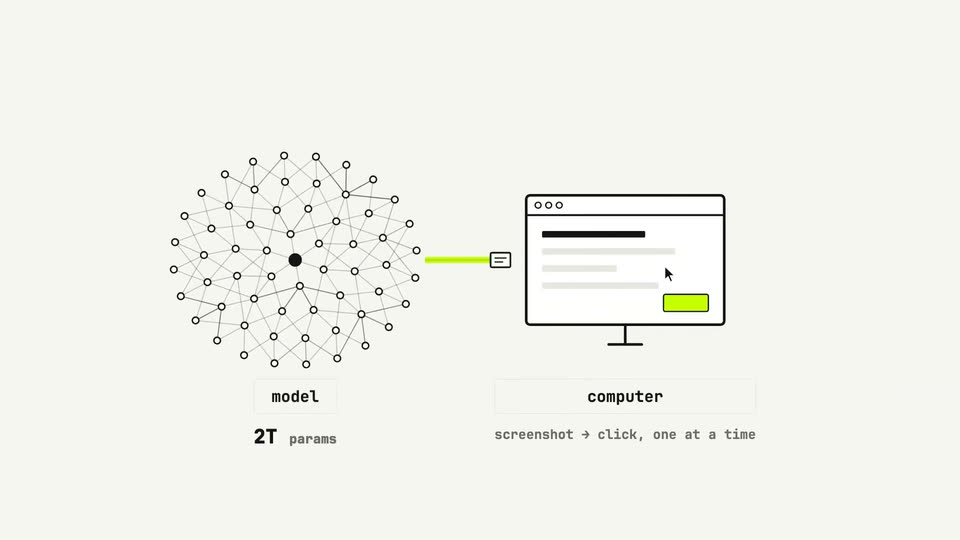
box by Simular - Give your AI a computer.
Simular AI · Nov 2026
Similar soundtrack
Films whose music sounds like this one, voice left out
1:27
Maywood Launch Video
Maywood · Modern corporate electronic
1:30

Aspect: AI platform for enterprise media content | YC F25
Aspect · Modern electronic
1:15

Maria Gorskikh - Everyone is building sandboxes. But a sandbox is only 10% of the inf
Maritime · Upbeat electronic
Manufact: MCP Cloud for your Claude Connector & ChatGPT Plugin, scene by scene
· 24 scenes as text
01 · Hook · 0:00–0:03
A centered search bar on a white background sits under the headline “Ready when you are.”; a question types itself into the field character by character while three pill buttons rest below.
On-screen text: “Ready when you are.”
Techniques: Kinetic type
Camera: Static
02 · Problem · 0:03–0:05
A white ChatGPT chat window. A user question bubble on the right fades in, then the assistant header Getting started appears on the left above a faint placeholder line. The sidebar and input box stay static.
Camera: Static
03 · Problem · 0:05–0:06
A ChatGPT chat view shows a video card under a Getting started label. The video zooms in on a man in a black t-shirt speaking in a bright living room, and a white caption appears word by word at the lower left.
On-screen text: “But if now everyone works in chat,”
Techniques: UI zoom, Kinetic type
Camera: Push in
04 · Problem · 0:06–0:09
A man in a black t-shirt speaks to camera from a bright attic room, framed as a social post with a Getting started label and reaction icons. White subtitles build at the bottom, then the shot cuts to a blue screen with two white product panels.
On-screen text: “Getting started”, “But if now everyone works in chat,”, “why isn't your product?”
Camera: Pull out
05 · Problem · 0:09–0:15
Two white UI cards, a dashboard and a ChatGPT window, float at the edges of a blue textured background as a white headline fades in at the center. The cards slide into a full side-by-side layout divided by a thin white line, with a blue phrase appearing across them.
On-screen text: “Your users moved into AI chats.”, “stayed outside.”, “Your product”
Techniques: Kinetic type, Split screen
Camera: Pull out
06 · Product intro · 0:15–0:18
The white Manufact mark and wordmark fade in centered on a grainy blue gradient, then a translucent pill reading MCP Cloud types and scales in beneath the wordmark. A soft light band drifts diagonally across the background while a small dark caption stays locked at the bottom.
On-screen text: “Manufact is the MCP cloud platform”, “MCP Cloud”
Techniques: Light sweep
Camera: Static
07 · Product intro · 0:18–0:22
A frosted glass pill sits centered on a soft blue gradient. The MCP wordmark types in on the left, then a divider and the Claude Connectors mark fade in, crossfading to the ChatGPT Plugins mark. A small caption at the bottom swaps to name both directories.
On-screen text: “to get your product ready for”, “Claude Connectors and the ChatGPT plugin directory”
Camera: Static
08 · Feature reveal · 0:22–0:24
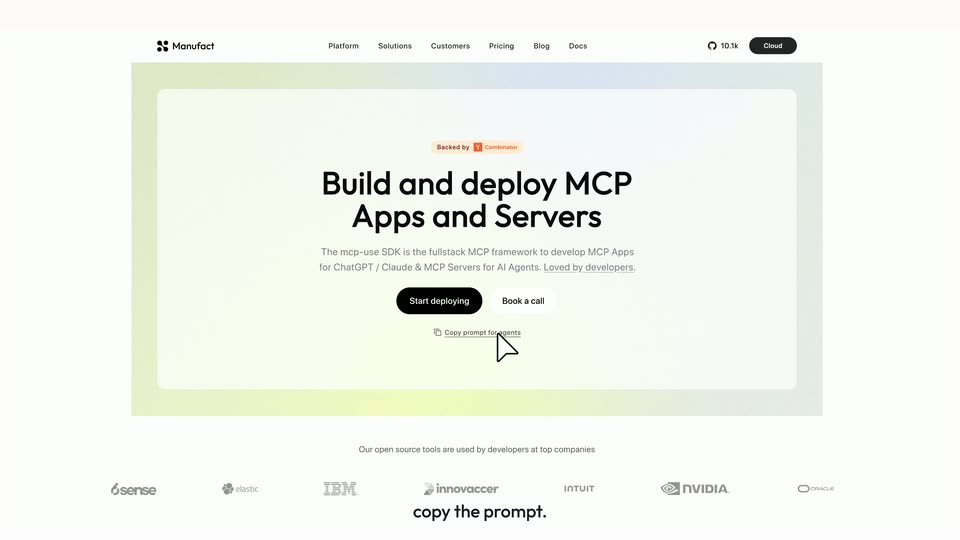
A product website hero fills the frame, headline reading Build and deploy MCP Apps and Servers, while the view slowly pulls back. A large black caption builds phrase by phrase at the bottom: To get started, copy the prompt. give it to your agent.
On-screen text: “To get started,”, “copy the prompt.”, “give it to your agent.”
Techniques: Kinetic type
Camera: Push in
09 · Feature reveal · 0:24–0:32
On a dark textured background, a centered terminal field types the command npx create-mcp-use-app character by character, then an output panel appears below and three status lines type in sequence. The bottom caption crossfades between short phrases.
On-screen text: “give it to your agent.”, “It builds your MCP app.”, “A plain MCP server lets the agent”, “read and write your data.”
Techniques: Kinetic type
Camera: Static
10 · Feature reveal · 0:32–0:33
On a blue textured backdrop, an Acme dashboard window and a ChatGPT chat window slide and settle into place side by side, a cursor glides over the dashboard. The caption 'An MCP app goes further.' holds at the bottom.
On-screen text: “An MCP app goes further.”
Camera: Push in
11 · Feature reveal · 0:33–0:35
Two flat interface cards sit side by side on a blue background. The left Acme dashboard card slides out to the left while the right ChatGPT chat card slides into the center, ending on a user prompt and a connecting response box. A black cursor arrow hovers over the dashboard.
On-screen text: “An MCP app goes further.”, “It returns a UI from a tool call.”
Camera: Pan
12 · Feature reveal · 0:35–0:41
A white chat window on a blue background scrolls up to reveal an embedded Acme chart card, then the view pulls back to place the full Acme dashboard beside the chat, its projects table card sliding in over the list.
On-screen text: “It returns a UI from a tool call.”, “Your actual product renders right inside”, “Claude or ChatGPT.”, “Users see your chart, your form, your product”
Techniques: UI zoom, Split screen
Camera: Pan
13 · Feature reveal · 0:41–0:44
Three angled ChatGPT panels are stacked in 3D space, the front one showing a users line chart and a projects table. The rear panels drift left and fade as the front panel zooms in to fill the screen. A black caption line sits at the bottom.
On-screen text: “Users see your chart, your form, your product”, “without leaving the chat.”
Techniques: 3D mockup, Parallax, UI zoom
Camera: Push in
14 · Feature reveal · 0:44–0:47
A white card titled 'What are you trying to do?' presents three columns, Deploy, Connect and Create, each with icons and a black button. The view steadily zooms into the interface, magnifying the columns, while a cursor rests at the right edge and a caption anchors the bottom.
On-screen text: “Connect the GitHub app once,”
Techniques: UI zoom
Camera: Push in
15 · Feature reveal · 0:47–0:49
A white deployment log panel sits on a textured blue-grey field, listing build steps with the Analyzing row expanded into monospace log lines. The view slowly pushes in on the panel while a bottom caption swaps from one sentence to the next.
On-screen text: “and every commit ships a new version.”, “We automatically check if your MCP server”
Techniques: UI zoom
Camera: Push in
16 · Feature reveal · 0:49–0:57
A flat product interface opens on the Checklist page, then zooms into a score card and an expanded error row that lifts off as a floating card. A copy-fix-prompt modal closes the shot. Bold black captions run along the bottom.
On-screen text: “We automatically check if your MCP server”, “is compliant with marketplace requirements.”, “We tell you if something needs to be fixed.”, “So your MCP isn't stuck in review for weeks.”
Techniques: UI zoom
Camera: Push in
17 · Feature reveal · 0:57–0:58
A white 'Copy fix prompt' dialog with monospace code and a dark Fix Now button sits on a pale blue background, then fades out as a green check badge and the words 'MCP server fixed' appear in the center. A black caption stays locked at the bottom.
On-screen text: “So your MCP isn't stuck in review for weeks.”, “MCP server fixed”
Camera: Static
18 · Feature reveal · 0:58–1:00
A green checkmark badge with the words MCP server fixed sits on a grainy pastel gradient, ringed by small floating green shapes. The badge drifts right and shrinks as the soft yellow glow behind it shifts. A black caption at the bottom swaps from one line to the next.
On-screen text: “MCP server fixed”, “So your MCP isn't stuck in review for weeks.”, “Confidently ship your MCP and every update to”
Techniques: Particles
Camera: Static
19 · Feature reveal · 1:00–1:01
A grainy blue gradient holds a white node logo and the line 'Ready to be published...' centered, both scaling in, while a black caption sits along the bottom edge.
On-screen text: “MCP server fixed”, “Ready to be published...”, “Confidently ship your MCP and every update to”
Techniques: Kinetic type
Camera: Static
20 · Feature reveal · 1:01–1:02
On a soft blue grainy backdrop, a white three-dot logo and the phrase Ready to be published... slide to the right and fade out. A black caption line stays fixed at the bottom throughout the shot.
On-screen text: “Ready to be published...”, “Confidently ship your MCP and every update to”
Techniques: Kinetic type
Camera: Static
21 · Feature reveal · 1:02–1:04
A coral panel on the left carries a white headline while the right side fades in the Claude Connectors list. A small serif caption at the bottom follows the voiceover, swapping phrases as the interface resolves into focus.
On-screen text: “Confidently ship your MCP and every update to”, “Your MCP App has been listed on”, “ChatGPT plugin Directory.”
Techniques: Split screen, Kinetic type
Camera: Static
22 · Feature reveal · 1:04–1:06
A split layout holds a blue panel on the left carrying the white headline, while the right shows the ChatGPT Plugins directory interface fading from translucent to full opacity. The left background brightens from gray-blue to solid blue.
On-screen text: “Your MCP App has been listed on”, “ChatGPT Plugin Directory.”
Techniques: Split screen
Camera: Static
23 · CTA · 1:06–1:06
A four-dot white logo and the wordmark Manufact sit centered on a soft blue paper-textured field. A pale yellow panel with a curved white shape wipes away from the right, masking the wordmark into full view.
Techniques: Masking
Camera: Static
24 · CTA · 1:06–1:15
A white Manufact logo and wordmark hold center on a grainy blue gradient. Below, the tagline and a code box type out the command, then the URL manufact.com fades in at the bottom.
On-screen text: “Get your product on Claude and ChatGPT via MCP”, “npx create-mcp-use-app”, “manufact.com”
Camera: Static