0:54
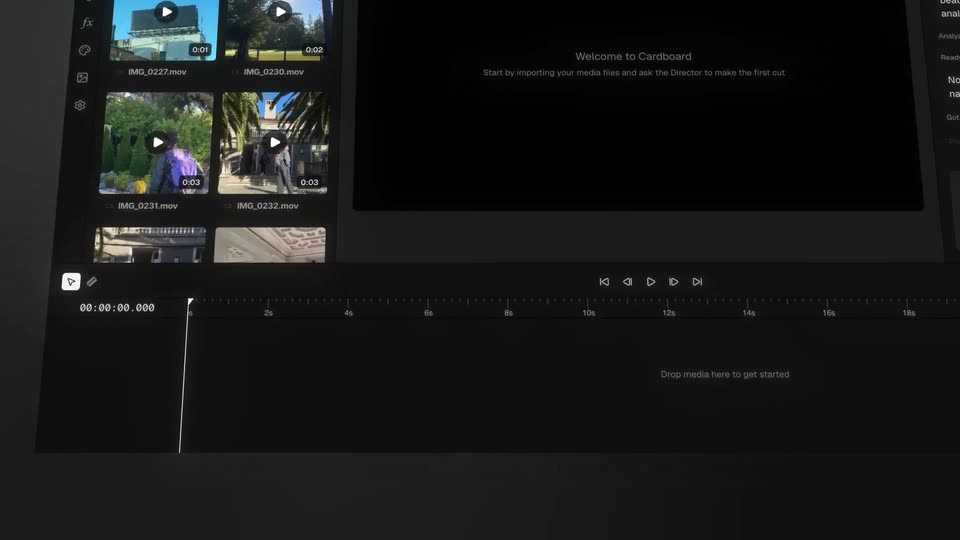

Y Combinator - .@usecardboard is an agentic video editor where you upload raw footag
Cardboard · B2B · Feb 2026
Maywood’s 1:27 launch film runs 38 scenes, about 2.3 s each. The product shows up at 0:18 and 4 features are revealed. The call to action lands at 1:22 (94% in), over a voiceover. A presenter-led launch built as a big-number hook, a pain montage, a logo reveal, then a run of short UI feature demos and a closing value statement before the URL card. Signature moves are oversized serif type cards, the assembling three-bar logo, and fast cursor-driven screen recordings over a pale off-white palette.
Is this your launch? to your site or press kit.
Cardboard · B2B · Feb 2026
Orior AI · AI · Oct 2026
Films whose music sounds like this one, voice left out
ArzuleAI · Upbeat electronic
Manufact · Upbeat electronic
Lamina Labs · Electronic
A man in a navy suit stands on a hilltop over a hazy bay, speaking to camera and gesturing. Oversized dark-blue serif '$5 Trillion' and 'M&A' appear behind him, then fade; '20' appears at left near the end. A lower third names him.
On-screen text: “Drake Goodman”, “CEO & Cofounder | Maywood”, “$5 Trillion”, “M&A”, “20”
Techniques: Kinetic type
Camera: Push in
A solid dark blue background holds the white serif italic text 20 Years, centered and locked off for the full duration. No motion, no camera move, no other elements enter.
On-screen text: “20 Years”
Camera: Static
A wide trading floor with rows of monitors and workers, a man in a brown suit reviewing papers at his desk. The shot cuts to a close-up of a hand laying a 'Project Catalyst' document with a blue network graphic onto a wooden table.
On-screen text: “20”, “Years”
Camera: Static
A close-up of a man's hands typing on a black keyboard, wearing a brown tweed jacket and a wristwatch. The shot opens dark and brightens, with a blurred office background and a second person out of focus.
Camera: Push in
A dense Excel tracker with colored status cells starts flat on screen, then tilts into a 3D monitor resting on a desk with a keyboard, the rows and column headers receding in perspective.
Techniques: 3D mockup
Camera: Pull out
A duplicated, ghosted Outlook inbox list resolves into a two-pane view: the focused list of “RE: CIM deck review” threads on the left, the opened conversation with PDF attachments on the right.
Camera: Pan
A wide tracking shot moves forward through a crowded open-plan office, rows of desks holding dual monitors showing spreadsheets and dashboards. Workers in the foreground and background blur into fast motion, giving the scene a time-lapse pace.
Techniques: Speed ramp
Camera: Static
In a dim office at night, a man in a blazer sits at a paper-strewn desk with two monitors showing charts. A sheet blurs through the air, then he slumps back, hand on his head.
Camera: Static
A man in a navy suit and white shirt stands at a glass-railed terrace, speaking to camera. The background is a soft-focus view of water, hills, and trees. He opens his hands in a gesture, then clasps them in front of him.
Camera: Static
A man in a dark suit and white shirt, lavalier mic clipped to his collar, stands before a bay and hazy hills, speaking to the camera in a locked-off medium shot.
On-screen text: “A”
Camera: Static
A man in a navy suit and open-collar white shirt stands on a balcony, turned slightly off camera and speaking, a lavalier mic clipped to his lapel. A white railing sits in the foreground against a soft-focus green hillside.
Camera: Static
On a plain off-white background, three navy and gray vertical bars assemble into the mark while the serif wordmark Maywood reveals from left to right. The lockup settles centered as the tagline fades in below, then holds with a slight scale.
On-screen text: “Maywood”, “The first platform to run an entire deal.”
Techniques: Kinetic type
Camera: Static
A large wordmark scales in on a pale background as a grid of white dashboard cards fades in, donut and bar charts filling and totals counting up, then the view pans right across the layout to reveal more cards.
On-screen text: “MaywoodII”, “The first platform to run an entire deal.”
Techniques: Kinetic type
Camera: Pan
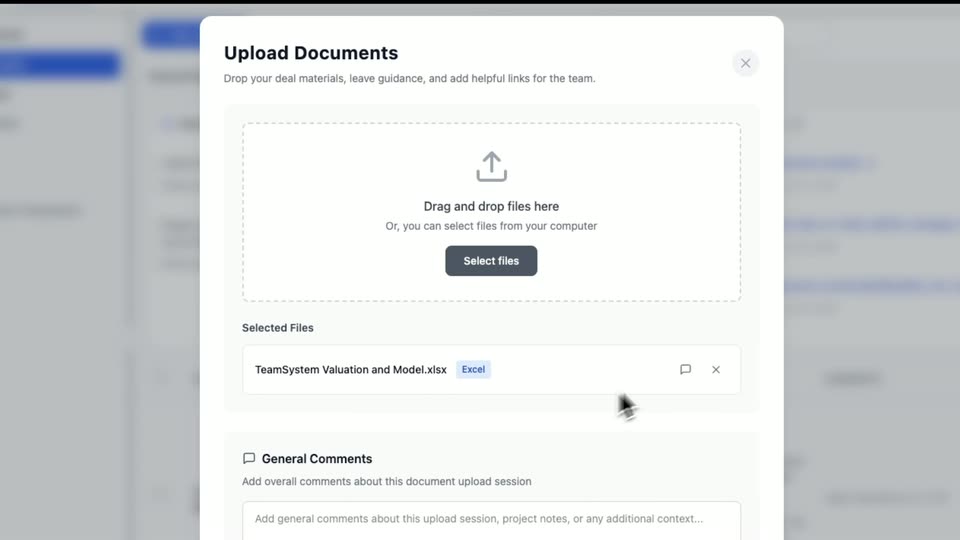
A dark file picker dialog dissolves away to reveal a white Upload Documents modal with a dashed drop zone. A cursor glides down from the selected file row to the General Comments field.
Techniques: Cursor demo
Camera: Static
A white Generate CIM dialog sits over a blurred app. A cursor ticks two PowerPoint files, selects a slide master, and types a guidance note, then clicks Create Materials as the button flips to Generating. The view pulls back to reveal the full browser window.
Techniques: Cursor demo
Camera: Pull out
A browser window shows the Maywood platform. A loading spinner labeled “Materials Are Being Generated” resolves into a blue slide titled “TeamSystem Confidential Information Memorandum”. A cursor moves across the interface, and the view shifts to an “Executive Summary” slide with a photo of three people at a laptop.
Techniques: Cursor demo
Camera: Push in
A PowerPoint window on a Mac desktop scales up, tightening the frame on a slide where three colleagues gather around a monitor beside a blue panel titled Executive Summary.
On-screen text: “Analysis”
Techniques: UI zoom
Camera: Static
A full-screen PowerPoint window holds still on a slide titled TeamSystem Overview. Three white panels with blue headers list capabilities, module checklists, and key areas, with a small Maywood logo at the lower right.
Camera: Static
A macOS desktop shows a PowerPoint window open to a business slide. The slide carries a bold headline, three text columns, a small bar chart and a blue sidebar, while a left panel lists ten slide thumbnails with slide four highlighted. The frame holds still.
Camera: Static
A PowerPoint window sits on a Mac desktop, showing a slide titled Significant Company Investments to Accelerate Growth with a three-column text layout and a blue bar chart of revenue figures. The view is static with no motion.
Camera: Static
A static full-screen view of the PowerPoint app on a Mac, showing a dense business slide with a bar chart, a six-row lever table and a pyramid diagram. The left thumbnail panel marks slide 6 as active. No motion occurs.
Camera: Static
A locked-off browser window shows a slide creator interface with a TeamSystem Overview slide and a column of slide thumbnails. A white hand cursor glides to a dashed empty placeholder and clicks.
Techniques: Cursor demo
Camera: Static
A white hand cursor works inside the centered Add New Slide dialog: it expands Maywood Secondary Recommendations, picks Slide 1, and the button turns into Applying template with a spinner. The dialog then fades out over the slide grid.
Techniques: Cursor demo
Camera: Push in
A browser window displays the Maywood slide creator. The main TeamSystem Overview slide swaps from a white two-column layout to a dark blue statistics layout, and the matching thumbnail in the left column updates. A hand cursor rests beside a dashed plus box on the right.
Camera: Static
On a plain off-white background, the italic serif line “We solved that.” fades in at the center, the words emerging left to right until the full phrase holds.
On-screen text: “We solved that.”
Techniques: Kinetic type
Camera: Static
A product dashboard with a document sidebar, a Source/Audit modal over the file list, and a TeamSystem Overview slide on the right. A cursor hovers the view document button with a tooltip while the frame stays locked.
On-screen text: “We solved that.”
Techniques: Cursor demo
Camera: Static
A presentation slide fills the frame beside a chat box holding a typed query. The view pulls back to reveal the full app window: a thumbnail rail on the left, a top toolbar, and the agent panel on the right answering the request.
Techniques: UI zoom
Camera: Pan
A wide corporate page scrolls horizontally at high speed with heavy motion blur, the blue band titled TeamSystem By the Numbers and its circular stat icons streaking across the center while rows of gray icons blur past above and below.
Camera: Static
Three step labels, Pitching, Marketing, Diligence, slide left across a white screen while the blue underlined highlight shifts from Marketing to Diligence. A project screen with a title and a row of counts then fades in below.
On-screen text: “Pitching”, “Marketing”, “Diligence”
Techniques: Kinetic type
Camera: Static
A white dashboard view centers the header “Due Diligence Q&A” over a stats bar whose numbers roll upward. A question card with a check icon and progress dots slides in from the bottom edge.
Techniques: UI zoom
Camera: Static
A white due-diligence Q&A screen scrolls down through a list of question cards. Each card shows a status icon, a requester tag, a category chip, and progress dots, with the answer body revealed beneath as the view moves past the header and stats bar.
Camera: Pan
A flat two-column interface: a Team Revenue card flashes green as $512M ticks to $545M with a +$33M badge; a six-card document grid sits under the Maywood logo. A green arrow draws between them, then each card gains a green outline and Updated badge as its figures count up.
Camera: Static
On a white background, the line “Unlike chatbots,” fades in word by word in light gray and darkens, then “Maywood produces the” appears below in pale blue-gray and gray. The frame stays locked off and centered.
On-screen text: “Unlike chatbots,”, “Maywood produces the”
Techniques: Kinetic type
Camera: Static
A white card holds a three-line headline that builds in place. A gray strikethrough draws across the word chatbots, then the bold blue line real work. drops in and a blue underline sweeps in beneath it.
On-screen text: “Unlike chatbots,”, “Maywood produces the”, “real work.”
Techniques: Kinetic type
Camera: Static
A suited presenter speaks on a terrace above a lake. Two white product cards, Decks and Models, scale in beside him, each expanding to show a short file list with status tags.
On-screen text: “Unlike chatbots,”, “Maywood produces the”, “real work.”
Camera: Static
A man in a dark suit stands before a bay backdrop with the Golden Gate Bridge. Three white product cards, Decks, Models, and Diligence Responses, float behind him, then slide out of frame, leaving him alone as he gestures and speaks.
Camera: Push in
A man in a dark suit and open white shirt stands on the right of frame, speaking to camera against a soft-focus backdrop of water, hills, and a distant bridge. The medium shot holds still while he talks, a small lavalier mic clipped to his chest.
Camera: Static
On a plain off-white field, the dark navy serif wordmark Maywood types in letter by letter from the left while three vertical bars in navy, mid-blue, and gray grow beside it. The tagline fades in below, and the frame holds on the full logo.
On-screen text: “Maywood”, “Book a demo call at maywoodai.com”
Techniques: Kinetic type
Camera: Static