
0:29
Explore
00:00:00 / 03:42:20
- Length
- 3:42
- Scenes
- 13 · 17.1 s avg
- Product on screen
- 0:00
- Features shown
- 4
- Call to action
- 3:13 · 87%
- Voiceover
- Yes
- Views
- 34K on YouTube
as of November 28, 2026
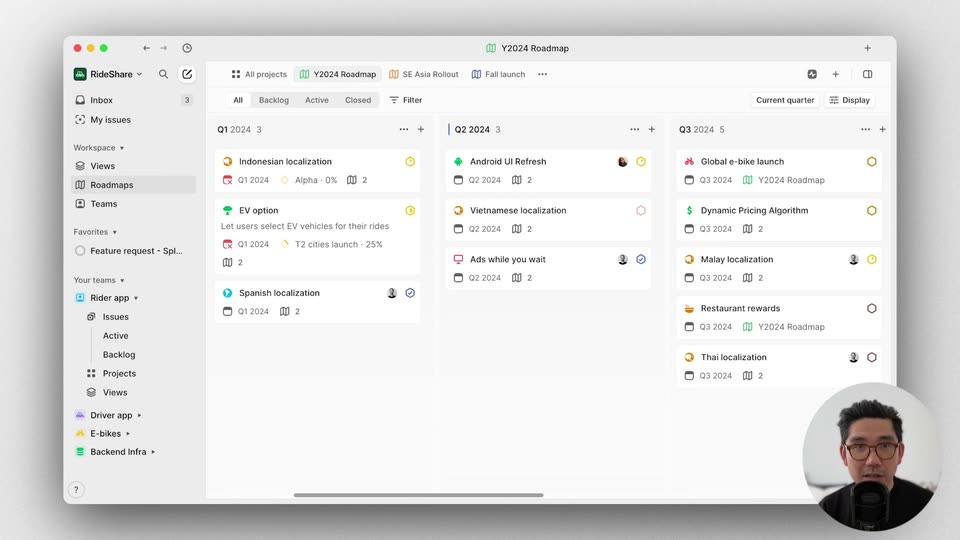
Linear’s 3:42 launch film runs 13 scenes, about 17 s each. The product is on screen from the first frame and 4 features are revealed. The call to action lands at 3:13 (87% in), over a voiceover. A screen-capture walkthrough staged on a pale gray backdrop, with the presenter's circular webcam locked to the bottom right corner throughout. Pacing follows the voiceover: slow cursor-driven UI changes, sliding side panels, and text morphing into document chips carry each beat.
Footage neededEstimated needs: 5 capture groups — your screens or recordings · 1 filmed passage — shoot, supply or replace · 1 3D passage — build or supply
Is this your launch? to your site or press kit.
More like this

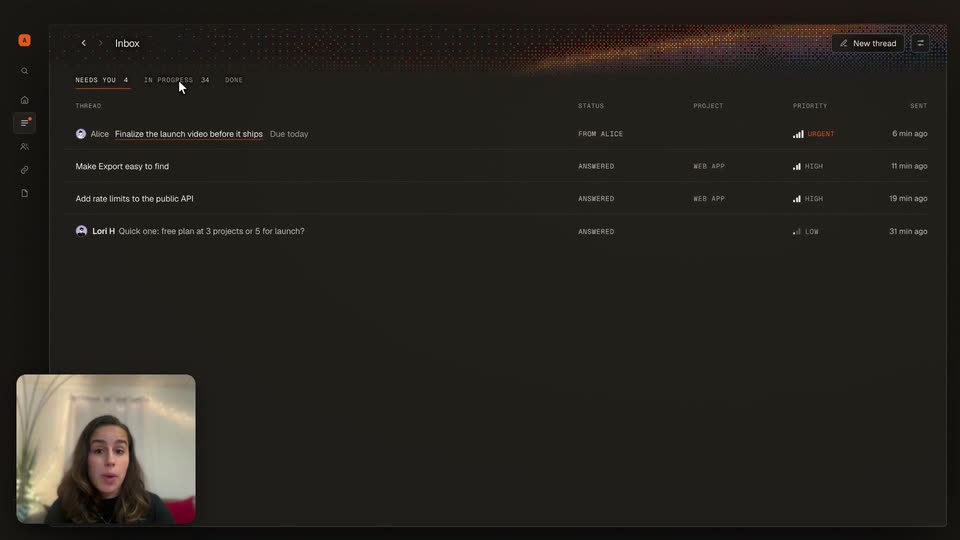

The next generation of Linear Projects, scene by scene
· 13 scenes as text
01 · Product intro · 0:00–0:36
A Linear project window on a pale gray backdrop shows the UI Refresh overview page. A circular video of a man speaking into a mic floats bottom right. The view cuts to the Issues list, then an Updates panel slides in from the right.
Camera: Static
02 · Product intro · 0:36–0:36
A flat front-on view of the Linear issue tracker fills the frame, showing a grouped issue list on the left and a measure chart with a status table on the right. A circular webcam of a bespectacled presenter with a microphone sits in the bottom right corner. The shot holds steady.
Camera: Static
03 · Product intro · 0:36–0:51
A flat Linear app window on a light gray backdrop, with a round webcam feed of the presenter in the lower right. A cursor clicks the Overview tab, and the issue list switches to the project overview page showing properties, links and a brief.
Techniques: Cursor demo
Camera: Static
04 · Demo · 0:51–1:04
A light project-management board titled Y2024 Roadmap sits centered on a gray gradient, its three quarterly columns filled with task cards. A circular webcam inset in the lower right shows a man with glasses speaking into a microphone, his mouth the only moving element.
Camera: Static
05 · Demo · 1:04–1:12
A browser window shows a Linear issue titled Feature request - Split fares. The list of Slack messages and tweets scrolls down the page, ending at the Activity section. A circular webcam inset of a man with glasses and a microphone stays in the bottom right corner.
Camera: Pan
06 · Feature reveal · 1:12–1:15
A Kanban board with three quarter columns sits in a browser window. The New project button is pressed, a centered modal form opens over the dimmed board, then closes. A circular webcam feed of a bespectacled man with a microphone stays in the bottom-right corner.
Camera: Static
07 · Feature reveal · 1:15–1:53
A new-project dialog fills in on a board as the name, summary and bulleted brief are typed. A date, status and lead menu each open and pick a value, then the dialog closes to reveal the new card. A webcam circle sits bottom right.
Techniques: Cursor demo
Camera: Static
08 · Feature reveal · 1:53–1:55
A static screen capture of a kanban board interface with a left sidebar. A circular webcam inset of a man speaking into a microphone is positioned in the bottom right corner.
Camera: Static
09 · Feature reveal · 1:55–2:20
A light project overview screen scrolls as a heading and four bullet notes are typed in, then the selected text morphs into a document chip and issue references. The view zooms onto the Docs & Links row, opening a popup menu, while a presenter speaks from a circular inset.
Techniques: Morph, UI zoom
Camera: Static
10 · Feature reveal · 2:20–2:23
A white document editor shows the title New document with a blinking caret and the placeholder Start writing. A small Project spec 1 chip fades in beside the title. A circular live video of a man speaking into a microphone stays in the bottom right corner.
Camera: Static
11 · Feature reveal · 2:23–2:24
A project spec document fills the frame with Summary and Implementation sections of dashed placeholder text. A circular video call bubble of a man with glasses and a microphone holds in the lower right corner as the Template tag fades out.
Camera: Static
12 · Feature reveal · 2:24–3:13
A tilted 3D mockup of a project-planning app sits on a gray backdrop while a presenter's webcam floats in the corner. The brief scrolls down, an Australia beta milestone is typed in, a user is mentioned, issue checkboxes flip to colored states, and an inline comment thread pops open.
Techniques: 3D mockup
Camera: Static
13 · CTA · 3:13–3:42
A man in a black shirt and brown glasses speaks into a studio microphone, centered in frame and looking at the camera. The bright room behind him shows a blurred bed and a white door. The camera stays locked off while he talks, with only small head movements.
Camera: Static