0:58
Introducing Anything Max
Anything · Sep 2025
Lemlist’s 0:55 launch film runs 31 scenes, about 1.8 s each. The product shows up at 0:19 and 6 features are revealed. The call to action lands at 0:48 (87% in), over a voiceover. The video opens with a comedic SDR call skit, pivots on a typewriter question card, then alternates flat green question cards with blue iPhone chat demos before closing on a paid add-on call to action and logo. Its signature moves are the letter-by-letter typing cursor on solid color fields, rack-focus and zooming 3D phone and UI mockups, and hand-drawn circles and arrows that point out the WhatsApp node.
Is this your launch? to your site or press kit.
Anything · Sep 2025
Google · AI · May 2016
Films whose music sounds like this one, voice left out
Wispr Flow · Upbeat funk and electronic pop
The Browser Company · Jazz, Funk, Electronic
Zoho · Upbeat electronic and funk
On a solid blue background, white text types out letter by letter in the center, finishing with a blinking vertical cursor. The phrase reads Aaaaahhhh.
On-screen text: “Aaaaahhhh”
Techniques: Kinetic type
Camera: Static
A two-tile video call screen shows a man in a tan jacket gesturing on the left and a man in a green fleece smiling on the right, above a blue control bar; a caption scales in over the frame.
On-screen text: “Aaaaahhhhl”
Techniques: Kinetic type
Camera: Static
A two-person video call fills the frame in side-by-side tiles: a bespectacled man in a tan jacket gesturing on the left, a woman in black on the right. A blue control bar with four round buttons sits at the bottom center.
Techniques: Split screen
Camera: Static
A video call window shows two participants in rounded side-by-side tiles: a bearded man with glasses on the left and a woman with a patterned scarf in front of a neon sign on the right. A blue control bar with effects, mute, camera and end buttons sits at the bottom.
Camera: Static
A video call screen splits into two side-by-side feeds of bearded men in tan jackets, the right one talking and gesturing. A blue control pill with effects, mute, camera and end buttons sits centered below, and a name label reads Marc at the lower left.
On-screen text: “No Babysltting”
Techniques: Split screen
Camera: Static
A two-pane video call window. The left tile shows a blonde woman resting her chin on her hand, then lifting a blue phone into frame. The right tile stays dark with a waiting message. A blue control bar with four round icons sits centered at the bottom.
Camera: Static
A video call window fills the frame, split into two panels: Lucy on the left, a dark waiting screen on the right. A blue control bar with four round buttons sits at the bottom. The frame stays locked and still.
Camera: Static
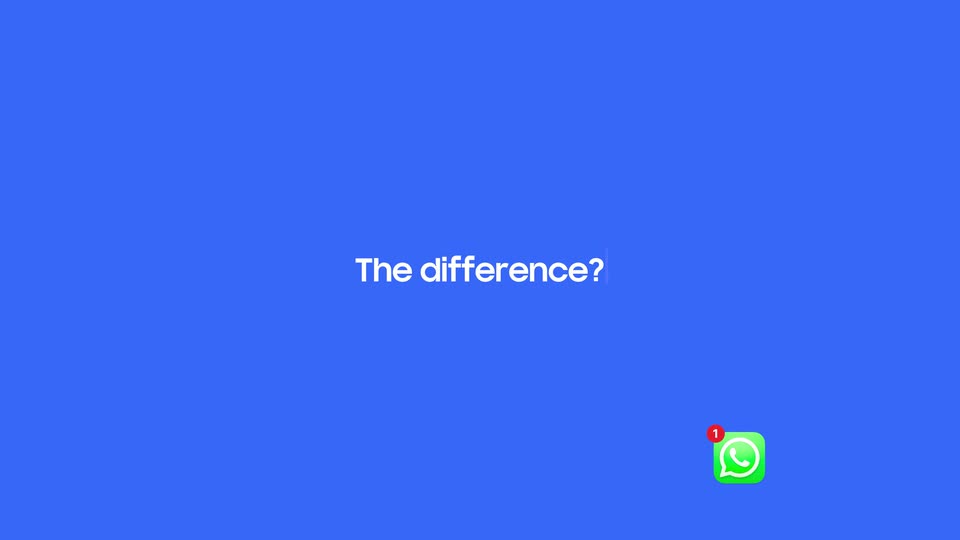
On a solid blue field, the white headline “The difference?” scales up at center behind a thin typing cursor. A WhatsApp icon with a red “1” badge then pops in at the bottom right corner.
On-screen text: “The difference?”
Techniques: Kinetic type
Camera: Static
Two glowing blue-framed workflow canvases sit side by side on a blue field, a small white headline scaling between them, with circular black-and-white video feeds of a man and a woman below; blue and orange arrows circle the two wait nodes.
On-screen text: “The difference?”
Techniques: Split screen, Kinetic type, Speed ramp
Camera: Pan
Two workflow canvases sit side by side on blue, each in a glowing cyan frame. A blue hand-drawn circle and arrow mark a WhatsApp node left; an orange oval and arrow mark an Email node right. Black-and-white insets of a man and a woman sit at the bottom.
Techniques: Split screen
Camera: Static
A glowing blue rounded frame flashes on a white screen, then clears to reveal an automation canvas on a dotted grid. A Sequence start card sits above a blue condition node with Yes and No branches; a cursor hovers and a hand icon clicks the left branch.
Techniques: Cursor demo
Camera: Static
A flat top-down view of a sequence builder interface fades in. A vertical flowchart of step cards, two outlined in red, sits center, with a cursor moving across it. A bottom panel labeled Message slides up, revealing a message input field.
Techniques: Cursor demo
Camera: Pull out
A workflow builder UI shows a WhatsApp message panel on the right. The message field fills with a reminder text, then a hand-drawn blue annotation with an orange arrow appears at the right edge.
On-screen text: “reduced no-shows by 30%”
Camera: Static
A tilted 3D mockup of the Lemlist landing page, with a headline and a WhatsApp outreach card, smoothly zooms into the workflow builder, gliding past automation nodes for voice message, email and a WhatsApp account check.
Techniques: 3D mockup, UI zoom
Camera: Static
A workflow editor screen shows a step picker listing email, WhatsApp, SMS and other actions. A hand cursor selects WhatsApp, and the view reframes to a message panel where the cursor opens the sender dropdown.
Techniques: Cursor demo, UI zoom
Camera: Static
A dotted workflow canvas with nodes sits left of a WhatsApp message form. The view pans to center the form as the message text highlights line by line.
Techniques: UI zoom
Camera: Pan
A white sentence types out character by character in the center of a flat green field, a thin cursor blinks at the end as the line completes.
On-screen text: “No-show? No problem.”
Techniques: Kinetic type
Camera: Static
A plain blue field holds a white headline on the left beside a 3D iPhone mockup on the right. The shot starts soft and racks into focus, then a second iMessage bubble drops in under the first in the chat with Ben Klein.
On-screen text: “Re-book meetings.”
Techniques: 3D mockup
Camera: Static
A flat green field holds a single line of white text that types itself out letter by letter, a thin cursor trailing behind each character until it settles after the question mark.
On-screen text: “Post-demo silence?”
Techniques: Kinetic type
Camera: Static
A blue backdrop holds a white headline on the left and an angled iPhone on the right showing an iMessage thread. The headline fades in as a reply bubble appears in the conversation.
On-screen text: “Cut post-demo silence.”
Techniques: 3D mockup
Camera: Static
A centered white sentence types out on a flat green background, letters fading in from left to right, with a thin cursor at the end.
On-screen text: “Past lead changes companies?”
Techniques: Kinetic type
Camera: Static
A flat iPhone mockup on the right shows a chat thread on a blue field; a green sent message sits above a white reply that fades in below. On the left, the white headline “Rebuild the connection.” slides in letter by letter and holds.
On-screen text: “Rebuild the connection.”
Techniques: Kinetic type
Camera: Static
A solid green background holds a centered line of white text that types out letter by letter, building the phrase word by word until it reads fully. The frame stays locked and flat with no other elements.
On-screen text: “Have an interesting update”
Techniques: Kinetic type
Camera: Static
A front-facing iPhone on the right shows a chat thread: a green sent message sits above a white reply bubble that appears. On the left, the white headline 'Re-engage past leads.' settles from a wavy distortion, then a small green 'Personalized at scale' tag pops in below.
On-screen text: “Re-engage past leads.”, “Personalized at scale”
Techniques: Kinetic type
Camera: Static
A blue field of thin line icons fills the frame. A 3D phone mockup showing a chat app slides off to the right. A green label with white text reads “Personalized at scale”, then swaps to “Built-in warm-up”.
On-screen text: “Personalized at scale”, “Built-in warm-up”
Techniques: 3D mockup, Kinetic type
Camera: Static
On a blue background tiled with faint line icons, green highlighter bars with white text stack on the left and drift upward as a third bar slides in.
On-screen text: “Personalized at scale”, “Built-in warm-up”, “Unified multichannel inbox”
Techniques: Kinetic type
Camera: Static
On a blue icon-patterned background, three green chat-bubble chips slide in from the left, each holding a white headline, while a tilted 3D inbox mockup sits at right with a cursor on the WhatsApp channel. An orange arrow links the last chip to the interface.
On-screen text: “Personalized at scale”, “Built-in warm-up”, “Unified multichannel inbox”
Techniques: Kinetic type, 3D mockup, Cursor demo
Camera: Static
A locked-off video call window shows a blonde woman in a black top gesturing in the left panel; the right panel is black with a small white recipient failed to connect line. A blue bar with four round buttons, effects, mute, flip and try again, anchors the bottom.
Camera: Static
A person in headphones sits at a window table, filmed through glass. The green WhatsApp and blue Lemlist icons glide to the center with an x between them, while white text announces the paid add-on and a URL fades in below.
On-screen text: “Available as a paid add-on on”, “Multichannel Pro & Enterprise plans.”, “lemlist.com/whatsapp-prospecting”
Camera: Static
A bearded man in a headset sits at a desk behind a glass wall, typing on a laptop, then touches his beard and points. Centered white text and a blue pill sit above WhatsApp and Lemlist icons with an X between them. A URL runs along the bottom.
On-screen text: “Available as a paid add-on on”, “Multichannel Pro & Enterprise plans.”, “lemlist.com/whatsapp-prospecting”
Camera: Push in
A green rounded pill holding the white lemlist wordmark and a small 10:43 timestamp sits centered on a blue field of faint white line-art tech icons. The pill eases in with a slight scale-up while the icon pattern stays static.
On-screen text: “Available as a paid add-on on”, “Multichannel Pro & Enterprise plans.”, “lemlist.com/whatsapp-prospecting”
Camera: Static