1:04
Explore
Loukman - Excited to launch Kite today The design canvas for agents and humans
Kite.new · Nov 2026 · 1:03 · Full motion · AI-reviewed
- Length
- 1:03
- Scenes
- 31 · 2.0 s avg
- Product on screen
- 0:04
- Voiceover
- No
- Views
- 31K on X
as of November 22, 2026
00:00:00 / 01:03:06
- Length
- 1:03
- Scenes
- 31 · 2.0 s avg
- Product on screen
- 0:04
- Voiceover
- No
- Views
- 31K on X
as of November 22, 2026
Kite.new’s 1:03 launch film runs 31 scenes, about 2.0 s each. The product shows up at 0:04. There is no explicit call to action. Kite opens with a word-by-word challenge to design tools built only for humans, then follows an agent building a Graza design system and campaign inside a dark canvas. Asset folders, collaborator cursors, typed requests and a three-way headline-size comparison turn the interface tour into distinct visual beats. Lime artwork contrasts with black backgrounds before the positioning line and assembled kite.new logo close the film.
No filming indicatedEstimated needs: 4 capture groups — your screens or recordings · 1 official logo — reused across the film · 8 graphic passages — draw or supply
Is this your launch? to your site or press kit.
More like this

Similar soundtrack
Films whose music sounds like this one, voice left out
0:29

Introducing Figma’s new glass effect
Figma · Melodic techno / Tech house
0:57

Introducing Spline V2 - AI Agents, WebGPU and MCP
Spline · Tech house / Deep tech
1:03

Perplexity - Computer now connects with Plaid to link bank accounts, credit cards,
Perplexity · Minimal techno / Deep tech house
Loukman - Excited to launch Kite today The design canvas for agents and humans, scene by scene
· 31 scenes as text
01 · Hook · 0:00–0:04
A centered white sentence on black is revealed word by word, with small colorful app icons popping in inline as the line extends. At the end the words clear out and a new short phrase begins to appear.
On-screen text: “For decades, every design tool has been made for humans. Until now.”
Techniques: Kinetic type
Camera: Static
02 · Product intro · 0:04–0:06
Centered white monospace text reads “Kite is made for agents.” on a black field, settling from a brief horizontal blur, with the Kite logo mark placed to its right.
On-screen text: “Kite is made for agents.”
Techniques: Kinetic type
Camera: Static
03 · Product intro · 0:06–0:06
The white agents tagline enlarges with motion blur and passes out of frame; the salmon Claude symbol remains, then settles into the left side of a dark prompt bar.
Techniques: UI zoom
Camera: Push in
04 · Demo · 0:06–0:11
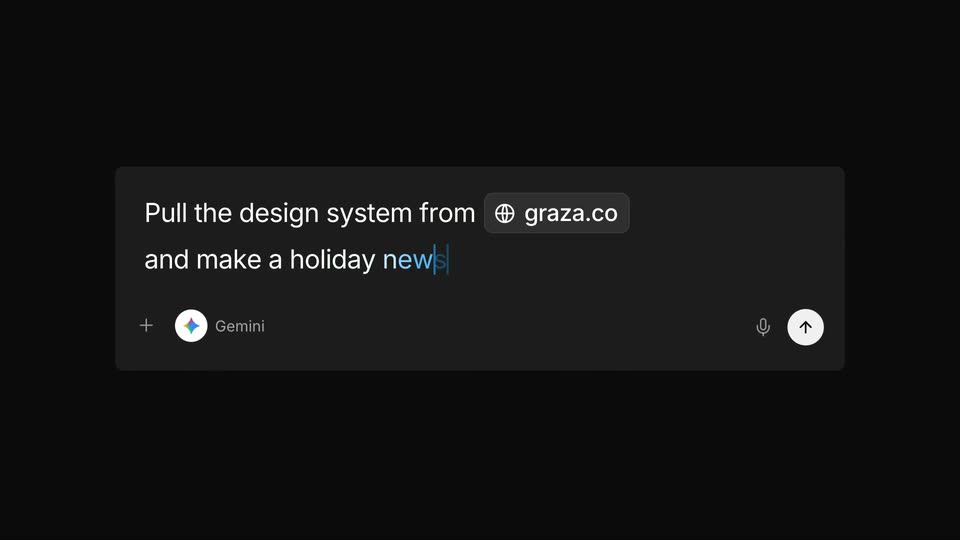
A dark prompt bar on black types out “Pull the design system from graza.co and make a holiday newsletter flow on Kite” while the model tag cycles Claude, Cursor, ChatGPT, Gemini. The frame zooms in, the bar glows blue, and a cursor clicks send.
On-screen text: “Pull the design system from graza.co and make a holiday newsletter flow on Kite”
Techniques: Kinetic type, UI zoom, Cursor demo
Camera: Push in
05 · Demo · 0:11–0:12
The prompt expands into a dark editor. A blue selection frame and salmon Claude pointer appear as a lime Graza layout begins filling the central canvas.
Techniques: UI zoom
Camera: Pull out
06 · Demo · 0:12–0:16
A dark design-tool screen shows the Graza design system page: colour swatches, a GRAZA logo tile, a 'Pass the oil.' headline and a token table appear on the canvas as an orange cursor moves and a 'Claude' badge hovers. The view zooms out to reveal the full layout.
On-screen text: “Graza design system”
Techniques: Cursor demo, UI zoom
Camera: Pull out
07 · Demo · 0:16–0:16
Flat Graza brand tiles separate from the editor and move toward white asset folders on black; the palette drops into Colors as further folders enter.
Techniques: Masking
Camera: Static
08 · Demo · 0:16–0:19
Five white folders fly in from scattered spots and settle into a row, each popping a card: color swatches, an olive photo, a button, a code card and a /voice card. White labels appear below, then confetti squares fill the folders.
On-screen text: “Colors”, “Imagery”, “Components”, “Variables”, “Skills”
Techniques: Particles
Camera: Static
09 · Demo · 0:19–0:21
A white folder holding sample brand assets sits centered on black. Clouds of green and white particles on either side tighten into the words Your brand and in one folder. The folder straightens as the text resolves into solid white.
On-screen text: “Your brand”, “in one folder.”
Techniques: Particles
Camera: Static
10 · Demo · 0:21–0:22
The central asset folder shrinks and travels upward; the dark agent request and progress chat fades into its place.
Camera: Static
11 · Demo · 0:22–0:23
A dark chat interface shows a command box reading 'Pull the design system from graza.co and make a holiday newsletter flow on Kite' above a log where three status lines fade in one after another, each with an icon and a right-aligned code label.
On-screen text: “On it. The system’s ready, now the newsletter.”, “Reading the Graza system”, “Finding the bottles and photos”, “Making the holiday file”
Camera: Static
12 · Demo · 0:23–0:23
A dark task list scrolls up; an orange spark icon and a typed status line appear, then three blue-outlined date cards slide up from the bottom edge.
On-screen text: “Drawing Tuesday, Friday and Sunday”
Camera: Pan
13 · Demo · 0:23–0:24
A dark file card holds three tall empty panels labeled Tuesday, Friday and Sunday, with a white button at the lower right. A blue cursor drifts in from the bottom right toward the button as the card settles.
On-screen text: “Your file’s ready. Drawing the three emails now.”, “Graza, holiday flow”, “Open in Kite”
Techniques: Cursor demo
Camera: Static
14 · Demo · 0:24–0:28
On a dark canvas, three outlined email frames sit under a status headline. The frames fill with bright email layouts as a Claude cursor moves, then named collaborator cursors pop in around the frames while the view zooms into the canvas.
On-screen text: “Your file's ready. Drawing the three emails now.”, “Graza, holiday flow”, “kite.new/p/holiday”, “Open in Kite”, “Claude”
Techniques: Cursor demo, UI zoom
Camera: Pull out
15 · Demo · 0:28–0:28
Colored collaborator cursor labels remain as the editor slides away. A white headline starts typing Now your whole... with a blue caret.
On-screen text: “Now your whole...”
Techniques: Kinetic type
Camera: Static
16 · Demo · 0:28–0:30
On a black background, a large white headline types out behind a blue cursor: “Now your whole team can design.”, then a second line, “And stay on brand.” Six small colored name tags with arrow cursors drift slowly around the text.
On-screen text: “Now your whole team can design.”, “And stay on brand.”
Techniques: Kinetic type
Camera: Static
17 · Demo · 0:30–0:31
On a black canvas, small colored name tags drift and fade while a chat box at lower left types out a message letter by letter. A cyan wireframe phone outline slides in from the right, and a green founder tag drifts toward it.
On-screen text: “A spin-to-win wheel for our mobile promo!”
Techniques: Kinetic type
Camera: Static
18 · Demo · 0:31–0:33
A phone outline glows on a dark background as a chat prompt types out, then the wheel interface fills the screen. The view reframes left to reveal a second phone outline titled Thank-you post.
On-screen text: “Spin to win”, “Claude”, “Alex Founder”, “Thank-you post”, “Mia Marketing”
Techniques: UI zoom
Camera: Push in
19 · Demo · 0:33–0:35
A dark design workspace pans right across social post canvases. A green GRAZA thank-you post wipes into view, then a yellow lineup post and an empty hosting-season frame appear, while a 3D phone on the left shows a spin-to-win wheel and chat prompts type out below.
On-screen text: “1,000,000”, “A post thanking our 1 million followers!”
Techniques: Masking
Camera: Pan
20 · Demo · 0:35–0:39
A purple collaborator cursor hovers over a dark canvas of Graza design frames as Sam's chat bubble reads 'A slide for our sales deck.' The view zooms out to reveal the full workspace with side panels and six frames, then the interface dims and the frames stand out.
On-screen text: “A slide for our sales deck!”
Techniques: UI zoom
Camera: Pull out
21 · Demo · 0:39–0:40
The surrounding editor and other layouts fade away while the lime pizza newsletter is isolated on black and scales toward the viewer. A small Newsletter label sits above.
On-screen text: “Newsletter”
Techniques: UI zoom
Camera: Push in
22 · Demo · 0:40–0:41
A blue You cursor selects the Pass the oil headline in the lime newsletter. A dark mention composer opens beside the selected artwork.
On-screen text: “Pass the oil.”
Techniques: Cursor demo
Camera: Static
23 · Demo · 0:41–0:45
A dark chat composer sits beside a green pizza newsletter. An @ menu lists Claude Code, Cursor, Codex, then closes as the prompt types out and the view reframes left, a blue cursor and You tag hovering below.
On-screen text: “Claude Code”, “Cursor”, “Codex”, “@Claude Code how would a bigger headline look? show me a few options!”
Techniques: Cursor demo, UI zoom
Camera: Push in
24 · Demo · 0:45–0:46
A dark chat screen shows a typed prompt asking Claude Code for a bigger headline. The view reframes left onto a lime recipe card, where a new outlined headline 'Pass the oil' sits inside blue selection handles above a pizza photo.
Techniques: UI zoom
Camera: Pan
25 · Demo · 0:46–0:49
The selected Pass the oil headline grows inside the lime newsletter; the view scales back as a Bigger variant appears. A salmon Claude Code pointer marks the editing agent.
On-screen text: “Newsletter”, “Claude Code”, “Bigger”
Camera: Pull out
26 · Demo · 0:49–0:52
Three side-by-side previews of a lime GRAZA page, the headline “Pass the oil.” growing larger each time, tagged “Bigger”, “Way bigger”, “Ok, too far”. The right panel fills from black, a “Claude Code” button marks its corner, the camera pulls back to frame all three.
On-screen text: “Bigger”, “Way bigger”, “Ok, too far”, “Pass the oil.”
Techniques: Split screen
Camera: Pull out
27 · Demo · 0:52–0:52
The three lime headline variants shrink into a Graza folder as a grid of other brand folders and a dashed Your brand slot comes into view.
Techniques: UI zoom
Camera: Pull out
28 · Demo · 0:52–0:55
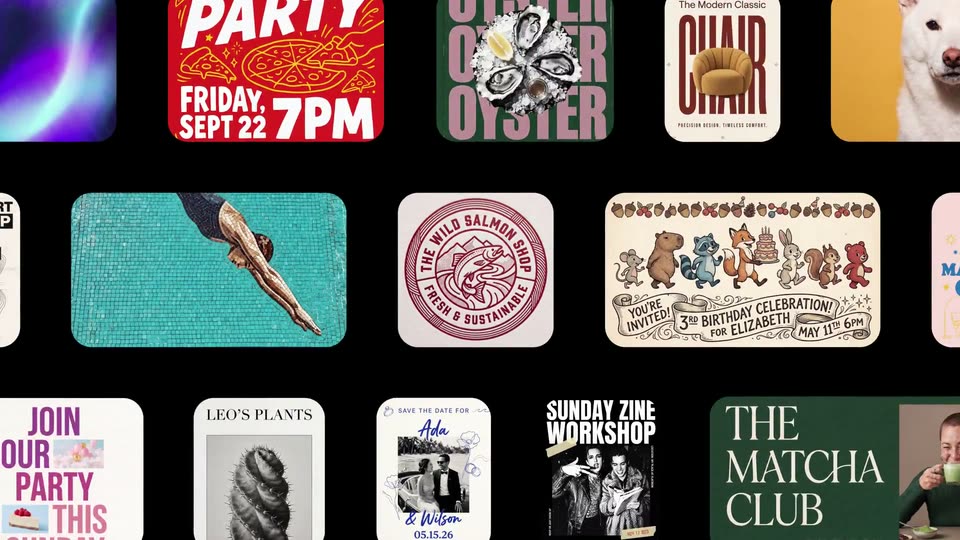
A grid of folder icons on a black background, each labeled with a brand name and a colored Aa tab. The view pulls back from a close-up to reveal the full library, with a dashed placeholder folder marked Your brand and a plus sign at the center.
Techniques: UI zoom
Camera: Pull out
29 · Outro · 0:55–0:56
The brand library zooms into the dashed Your brand folder, then gives way to the centered white positioning line The design canvas on black.
On-screen text: “The design canvas”
Techniques: UI zoom, Kinetic type
Camera: Push in
30 · Outro · 0:56–1:00
On a black field, the white headline “The design canvas” sits above a second line that builds word by word: “for”, a square app icon, “agents”, a circular face, “and”, another face, “humans.” The icon and faces swap to different agent and human images.
On-screen text: “The design canvas”, “for agents and humans.”
Techniques: Kinetic type
Camera: Static
31 · Outro · 1:00–1:03
Four curved white triangular pieces rotate and move together into the kite symbol on black. The kite.new wordmark fades in below and the completed lockup holds.
On-screen text: “kite.new”
Camera: Static