1:00


Shielded Live Demo
Shielded · B2B · Jul 2026
Perplexity · Apr 2026 · 1:03 · AI-annotated
Perplexity’s 1:03 launch film runs 22 scenes, about 2.9 s each. The product is on screen from the first frame and 4 features are revealed. There is no explicit call to action. The video is built as a chain of centered title cards and flat UI mockups that animate in place, leaning on slow zooms, line by line typing, and charts that draw in rather than on hard cuts. A flat cream field, a recurring starburst mark, and a serif plus sans type pairing give it a calm, precise product demo feel.
Is this your launch? to your site or press kit.
Shielded · B2B · Jul 2026
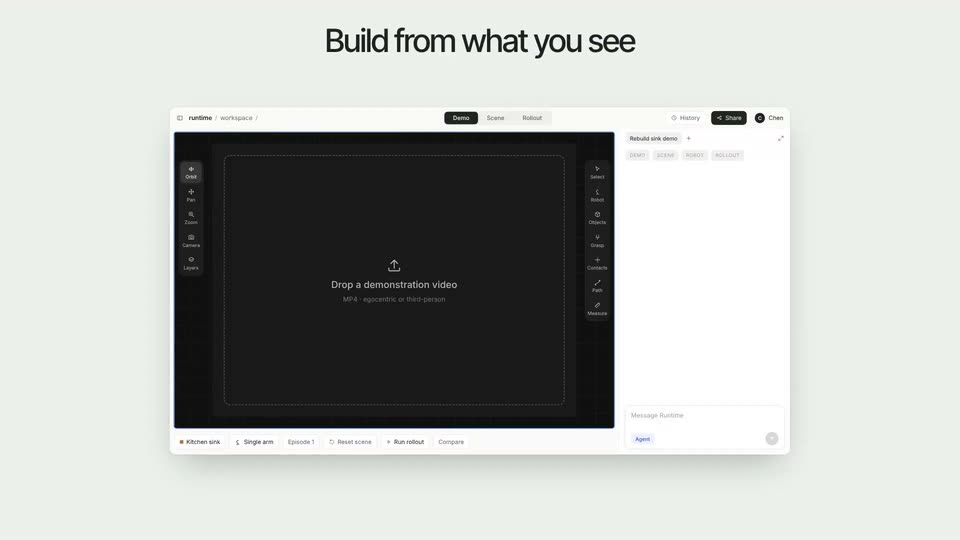
Runtime.si · Industrials · Nov 2026
Apple · Hardware · Oct 2026
On a plain off-white background, the word Introducing fades in centered, then the larger Personal Finance fades in beneath it, followed by a gray pill reading on Computer with a computer icon. The frame stays locked off.
On-screen text: “Introducing”, “Personal Finance”, “on”, “Computer”
Techniques: Kinetic type
Camera: Static
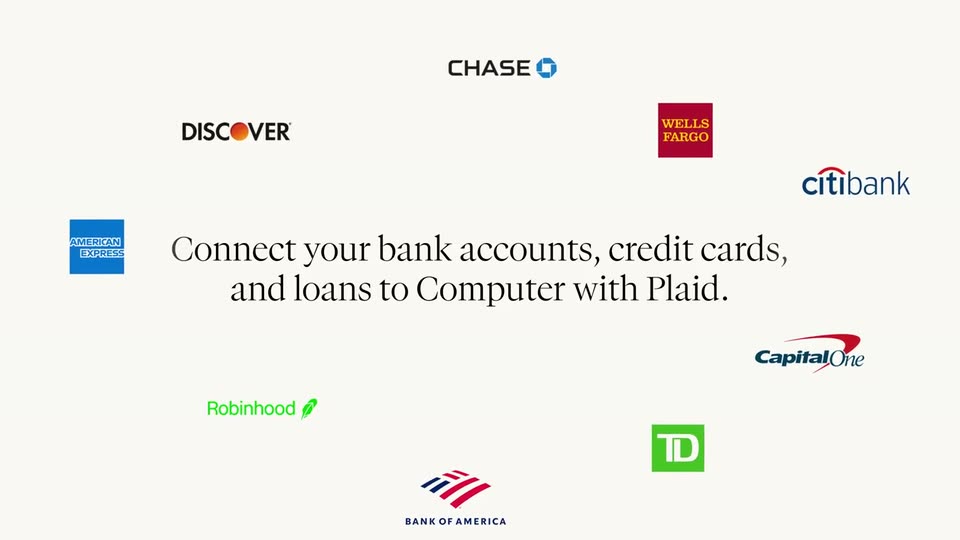
A cream field holds a centered black serif headline that builds line by line while nine bank and fintech logos fade in around the borders, then the frame holds.
On-screen text: “Connect your bank accounts, credit cards, and loans to Computer with Plaid.”
Techniques: Kinetic type
Camera: Pull out
Bank logos float scattered on a white field around a serif headline, then blur and converge to the center as the word Connect Accounts scales in, resolving into a dark pill button above a small Secured by PLAID line.
On-screen text: “Connect your bank accounts, credit cards and loans to Computer with Plaid.”, “Connect Accounts”, “Secured by PLAID”
Techniques: Kinetic type
Camera: Pull out
A black pill button with a plug icon and the words Connect Accounts scales up at center on a cream field, Secured by PLAID set below. A white cursor arrow moves in and clicks, and the button gives way to a gray rounded square with a white starburst mark.
Techniques: Cursor demo
Camera: Static
A gray app icon turns black at center, then a blue icon slides in from the right to sit beside it. A flat cursor drifts between the two as the headline scales up and a small badge holds still.
On-screen text: “Secured by PLAID”, “Connect Accounts”
Techniques: Kinetic type
Camera: Static
Two flat icons sit on a cream field, a black square with a white starburst left and a blue gradient square with a white mesh right, joined by gray dots. The right icon slides off to the right with motion blur.
Camera: Static
A single dark analytics dashboard sits centered on a light gray field, then the view pulls back in a fast blurred zoom to reveal a grid of many dashboard screens, each filled with green charts and data tables, drifting in place.
Techniques: UI zoom, Speed ramp
Camera: Static
A wall of dark trading dashboard screens on a pale background gives way to a plain light field. Two thin line icons, a search glyph and a monitor, anchor the words Search and Computer, which slide in beside them.
On-screen text: “Search”, “Computer”
Techniques: Kinetic type
Camera: Static
A rounded macOS search panel sits on a pale gray background, listing a Search row and a Computer row with a laptop icon and shortcut. The rows ease apart as a black-outlined cursor glides in from the lower right and stops beside the Computer entry.
Techniques: Cursor demo
Camera: Static
A white rounded prompt box sits on a cream field as text types out a budgeting request line by line. A black arrow cursor slides in, presses the round send button, and the box fades to white.
Techniques: Cursor demo
Camera: Static
A chat interface on a cream field fades in: a prompt box with the budgeting request and a Claude Opus 4.6 tag sits above an assistant reply and a tool step with three search rows. The column then scrolls upward, pushing the prompt box off the top.
Camera: Pan
A light chat feed scrolls: a three-item search list at the top fades out as an assistant message about the Plaid connector fades in, and a teal terminal icon drops in below it.
Camera: Static
A light cream chat interface scrolls upward on a locked-off frame. An agent message about the Plaid connector and a checked task list give way to a second message describing a heatmap test, with a terminal snippet and a bulleted results list sliding into view.
Camera: Pan
A documentation page lists feature bullets above an embedded spending-heatmap mockup showing KPI cards and a contribution grid, held in a locked-off frame. A caption line scales in, then a second line slides in, narrating the heatmap render.
On-screen text: “Looking good. The heatmap is rendering with the data properly. I can see the Jan-Apr activity and”, “future months are faded. Let me test the interactive selection and verify the tooltip works, then”
Camera: Static
A spending dashboard card sits on a white background. The view zooms into the blue heatmap grid as a cursor hovers over cells, popping dark tooltips with daily totals, then reframes to a category bar chart and a top-transaction list.
On-screen text: “Your top-line stats: $11,505.74 total across 64 transactions, with Rent & Utilities as the largest category (driven by Managego rent payments).”
Techniques: UI zoom, Cursor demo
Camera: Push in
A flat finance dashboard fills the frame, showing a spend heatmap, three stat cards, and a category bar chart beside a transactions list. A white cursor drifts across the bars and cards, then the view zooms in on the stat cards.
Techniques: Cursor demo, UI zoom
Camera: Pan
A chat input on a cream background types out a prompt letter by letter, then a cursor clicks the black send button. The input shrinks and drops to the bottom as a budget dashboard with charts and stat cards fades in behind it.
Techniques: Kinetic type, Cursor demo
Camera: Pan
A flat LoanTrack budget dashboard with donut and bar charts fills the frame, settling from a brief crossfade of two offset layouts. A cursor hovers over the panels as a chat prompt types in the bottom-right box.
Techniques: Cursor demo
Camera: Static
A light LoanTrack repayment dashboard assembles on a cream background, its donut, line and bar charts and tables drawing in, with an AI chat prompt pinned at the lower right. The view then cuts to a dark budget dashboard showing colored category bars and a transactions list.
Camera: Pan
A tilted 3D mockup of a dark budget dashboard on a light gray background. A cursor clicks month tabs, and totals, category bars, and budget values update per month. A white prompt card with a user request and a Claude Opus 4.6 chip sits bottom right.
On-screen text: “Using my transactions, build me a monthly budget tracker with categories for rent, groceries, dining, and entertainment.”, “Claude Opus 4.6”
Techniques: 3D mockup, Cursor demo
Camera: Pan
A flat browser window mockup of the Perplexity Finance dashboard sits on a plain off-white background while a serif headline fades in above it. Inside the window the view scrolls from a portfolio list to a line chart, then to an ETF table and a news panel.
On-screen text: “All your finances in one place”
Camera: Pan
On a cream background, a faint light-gray serif line fades out at the top as the black perplexity logo and lowercase wordmark settle into the center, the letters sliding slightly left to lock in place.
On-screen text: “perplexity”
Camera: Static