0:43
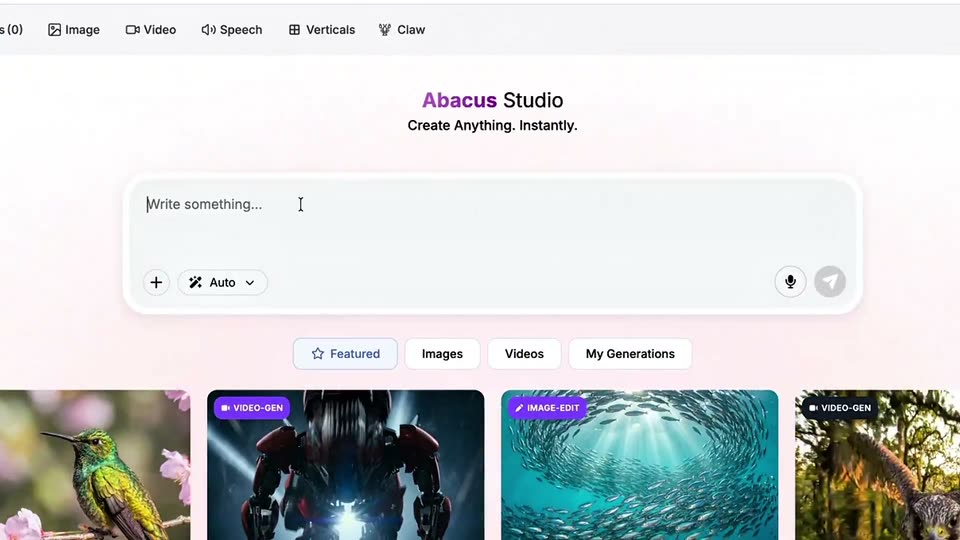
Abacus.AI - 🚨 Excited To Launch Abacus AI Studio Use 100+ Top AI Video And Image
Abacus AI · Apr 2026
Builder.io · Sep 2026 · 0:58 · AI-annotated
Builder.io’s 0:58 launch film runs 19 scenes, about 3.1 s each. The product shows up at 0:02 and 4 features are revealed. The call to action lands at 0:55 (94% in). The video runs as a problem-to-pipeline story: a terminal log of tiny prompts, a product line, then four feature beats, each opened by a two-line black card with one cyan keyword and closed by a live UI demo. Pacing is brisk with word-by-word headline builds, a zoom-out from a single artboard to the full screen grid, and real-time cursor edits (color picker, collaborator cursors, code diffs) as the signature moves.
Is this your launch? to your site or press kit.
Abacus AI · Apr 2026
HillStar · B2B · Oct 2026
Iron Grid · Industrials · Sep 2025
A dark terminal chat log fills with instruction lines and file-update entries that scroll upward, while a block caret types new commands into the input line at the bottom.
Techniques: Kinetic type
Camera: Pull out
A dark terminal log scrolls up through pairs of plain-language edit commands and their file updates, each showing a one-line diff, settling on a blinking cursor above an orange status line.
Camera: Pull out
A blurred dark interface sits behind large white text that enters word by word. “Still nudging pixels one prompt at a time?” builds up with “prompt” in cyan, then the line swaps to “Just /visual-edit it.”, the command in cyan.
On-screen text: “Still nudging pixels one prompt at a time?”, “Just /visual-edit it.”
Techniques: Kinetic type
Camera: Static
A dark macOS terminal window titled ~/lumen fills the frame. A command types out letter by letter, then status lines stack up one after another, ending on a green check and a URL. At the close, a large white serif word 'Your' slides in from the bottom left.
On-screen text: “Your”
Techniques: Kinetic type
Camera: Static
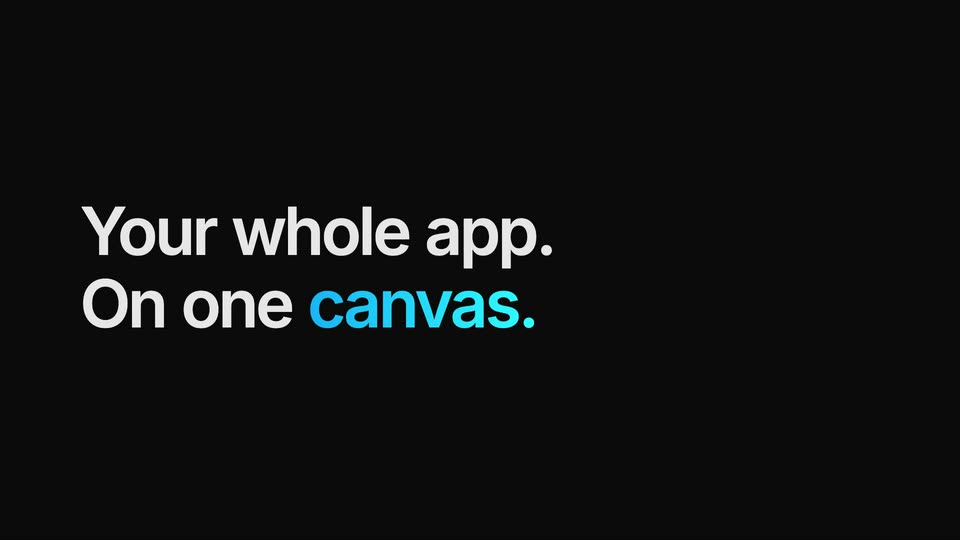
Two lines of white text slide up into view on a black background, the word canvas highlighted in blue.
On-screen text: “Your whole app.”, “On one canvas.”
Techniques: Kinetic type
Camera: Static
A dark design-tool interface holds a large centered headline over an empty canvas. The headline clears and a white mobile-screen card slides in from the left edge, revealing an onboarding mockup with a button.
On-screen text: “Your whole app.”, “On one canvas.”
Camera: Static
A dark design-tool canvas zooms out from a close crop of overlapping mobile screens to reveal the full set of onboarding artboards, four phone frames on top and three wider home screens below. The left sidebar and right properties panel stay fixed.
Techniques: UI zoom
Camera: Pull out
On a black background, a left-aligned headline builds in. The word Edit appears in white, followed by it, then the second line like a designer. with designer in bright blue. The type stays locked in place as it brightens into view.
On-screen text: “Edit it”, “like a designer.”
Techniques: Kinetic type
Camera: Static
In a dark design-tool workspace, a cursor selects the Get started button on a mobile screen, opens a color picker and drags it to blue, updating the button fill live. The canvas then zooms out to a grid of artboards under an Apply design update button.
On-screen text: “Edit it”, “like a designer.”
Techniques: Cursor demo, UI zoom
Camera: Pan
A black frame holds the left-aligned headline, “Design it” in white over “together.” in blue, as the blue line settles into full color and the text stays locked in place.
On-screen text: “Design it”, “together.”
Camera: Static
A cursor clicks Share in a dark design tool and copies the live canvas link as two collaborators join. The view zooms into the mobile screens, where a pink Maya cursor edits the heading to “Bring it together” while a blue Diego cursor hovers.
Techniques: Cursor demo, UI zoom
Camera: Push in
White text reading “Then ship it” is left-aligned on a black background. The line “straight to code.” appears below it, with “code.” in blue.
On-screen text: “Then ship it”, “straight to code.”
Techniques: Kinetic type
Camera: Static
A centered white headline, “Then ship it straight to code,” with the word “code.” in blue, sits on a black background and holds still before the frame fades to black.
On-screen text: “Then ship it”, “straight to code.”
Camera: Push in
A dark canvas holds a grid of Lumen app screens: four mobile views (welcome, sign up, workspace, invite) on top and three home views (desktop, tablet, mobile) below, each tagged APP. A blue Applying... dropdown with a cursor sits at the top center. The shot holds still.
On-screen text: “Welcome — Mobile APP”, “Sign up — Mobile APP”, “Workspace — Mobile APP”, “Invite — Mobile APP”, “Home — Desktop APP”, “Home — Tablet APP”, “Home — Mobile APP”
Techniques: Cursor demo
Camera: Static
A macOS-style terminal window fills the frame on black. A caret types the command, then output lines appear sequentially: a pending-edits list, two red and green code diffs, and a green checkmark line confirming applied edits.
Techniques: Kinetic type
Camera: Static
On a black field, the headline 'Works with any agent.' builds word by word, the second line in cyan. A row of rounded gray tags pops in left to right, ending with a dashed '...any other'. A gray subline fades in, then everything dims out.
On-screen text: “Works with any agent.”, “Claude Code”, “Codex”, “Cursor”, “OpenCode”, “Pi”, “...any other”, “Any model. Any provider.”
Techniques: Kinetic type
Camera: Static
A black screen holds a white line-art cat logo top left. Below it, the headline “Free and open source.” rises into place, the word “open” in a blue gradient, then holds still on a locked-off frame.
On-screen text: “Free and”, “open source.”
Techniques: Kinetic type, Masking
Camera: Static
A white GitHub outline sits above the headline Free and open source, with open in cyan, on a black background. The card cuts to a second headline, Edit your app visually, set in white and grey.
On-screen text: “Free and open source.”, “Edit your app visually”
Camera: Static
A black card holds a left-aligned headline, 'Edit your app visually' in white and 'with /visual-edit' in cyan, with a gray monospace install command below fading in. The frame stays locked off for the full duration.
On-screen text: “Edit your app visually”, “with /visual-edit”, “npx @agent-native/core skills add visual-edit”
Camera: Static