1:42
Explore
HeyGen - The next generation of HyperFrames skills is here 9 workflows your a
HeyGen · Jun 2026 · 1:23 · Full motion · AI-annotated
- Length
- 1:23
- Scenes
- 36 · 2.3 s avg
- Product on screen
- 0:00
- Features shown
- 1
- Call to action
- 1:10 · 85%
- Voiceover
- No
- Views
- 1.6M on X
as of November 14, 2026
00:00:00 / 01:23:27
- Length
- 1:23
- Scenes
- 36 · 2.3 s avg
- Product on screen
- 0:00
- Features shown
- 1
- Call to action
- 1:10 · 85%
- Voiceover
- No
- Views
- 1.6M on X
as of November 14, 2026
HeyGen’s 1:23 launch film runs 36 scenes, about 2.3 s each. The product is on screen from the first frame and 1 feature is revealed, with social proof. The call to action lands at 1:10 (85% in). The video plays as a short story arc: a candid recap of a flawed first launch, a pivot to the skills system, then a step-by-step agent demo that ends on one install command. Its signature moves are blur-to-focus text cards, typed-out prompts and file trees, 3D-tilted mockups that flatten to face the viewer, and a single cyan accent word per line.
No filming indicatedEstimated needs: 4 capture groups — your screens or recordings · 1 official logo — reused across the film · 6 graphic passages — draw or supply · 2 3D passages — build or supply
Is this your launch? to your site or press kit.
More like this



HeyGen - The next generation of HyperFrames skills is here 9 workflows your a, scene by scene
· 36 scenes as text
01 · Product intro · 0:00–0:03
Bold dark text on a flat pale yellow background scales in, holds, and fades out, then a second line with a blue word scales in. A 3D mockup of a tablet and laptop showing the editor scales up from the center.
On-screen text: “When we first launched HyperFrames...”, “it let anyone make a video.”
Techniques: Kinetic type, 3D mockup
Camera: Static
02 · Product intro · 0:03–0:04
On a flat yellow field, a cluster of app-screen mockups (audio waveform, contact grid, video player, terminal, Studio card) drifts and rotates in 3D perspective around the centered headline. The black line “it let anyone make a video.” scales behind the cards, then swaps to a white “Because to the Studio” at the bottom as the cards keep orbiting.
On-screen text: “it let anyone make a video.”, “Because”, “to the Studio”
Techniques: 3D mockup, Kinetic type, Parallax
Camera: Static
03 · Problem · 0:04–0:06
A two-line headline blurs into sharp focus at center on a pale yellow field, the word 'pictured.' in cyan. The text holds, then dissolves as a dark rounded search bar with a caret and a return icon fades in.
On-screen text: “It just wasn't always”, “the one they pictured.”
Techniques: Kinetic type
Camera: Static
04 · Problem · 0:06–0:10
A dark rounded chat input bar sits on a flat pale yellow background. White text types out a prompt line by line with a red caret, then the bar blurs and a file tree list fades in behind it.
On-screen text: “Make me a $10,000 product launch video for heygen.com.”, “Don't mess it up.”
Techniques: Kinetic type
Camera: Static
05 · Problem · 0:10–0:14
On a pale yellow background, a monospace file tree lists animation libraries under a skills/ header, with a teal status line above. A green highlight bar steps down the rows, then a red note appears at the bottom.
Camera: Static
06 · Problem · 0:14–0:19
On a flat pale yellow background, centered monospace text types out a sequence of phrases: “no skill? fine.”, then “improvising...”, “winging it...”, “vibe editing...”, each finished with a small teal ellipsis.
On-screen text: “no skill? fine.”, “improvising...”, “winging it...”, “vibe editing...”
Techniques: Kinetic type
Camera: Static
07 · Problem · 0:19–0:22
A white video player mockup sits tilted in 3D on a yellow background. A cursor clicks the play button, the card rotates flat to face the viewer, the playback controls fade out, and a cyan underline draws in beneath the title.
On-screen text: “Product Launch Video”
Techniques: 3D mockup, Cursor demo
Camera: Push in
08 · Problem · 0:22–0:23
A cream title card centers the bold black headline “Product Launch Video” over a short blue underline. The HeyGen logo scales in at top left, a monospace “est. value” badge reveals at top right, and a thin progress bar fills left to right along the bottom edge.
On-screen text: “Product Launch Video”, “est. value: $10,000”
Camera: Static
09 · Problem · 0:23–0:24
A flat webpage mockup on a pale background: a bold Introducing heygen.com headline sits left of a gray image placeholder card, with skeleton text bars below. A cyan progress bar fills left to right along the bottom, and a small est. value: $10,000 badge appears top right.
On-screen text: “Introducing heygen.com”, “est. value: $10,000”
Camera: Static
10 · Feature reveal · 0:24–0:28
A flat pale-yellow background holds centered captions in a chunky rounded sans. The line But it shouldn't be that way. sits alone, then gives way to a two-line caption whose lower line is set in cyan.
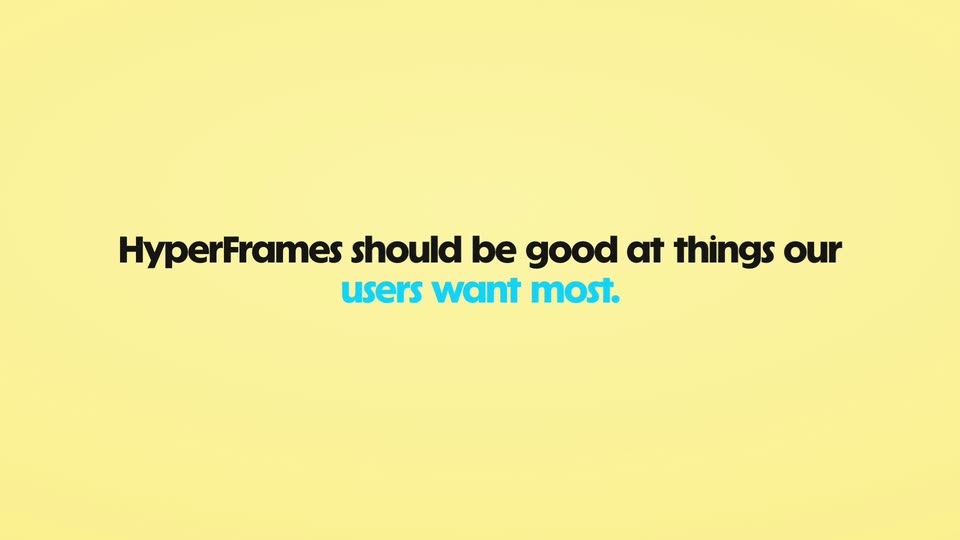
On-screen text: “But it shouldn't be that way.”, “HyperFrames should be good at things our users want most.”
Camera: Static
11 · Feature reveal · 0:28–0:32
On a pale yellow background, centered text swaps through three phrases: “HyperFrames should be good at things our users want most,” “So we turned to our skills,” and “and rebuilt from the ground up,” the last sliding in with a blur trail.
On-screen text: “HyperFrames should be good at things our users want most.”, “So we turned to our skills.”, “and rebuilt from the ground up.”
Techniques: Kinetic type
Camera: Static
12 · Feature reveal · 0:32–0:33
A blue folder icon labeled skills sits centered on a pale yellow field with a white arrow cursor. The cursor moves onto the folder and clicks, the icon scales up, and a translucent Finder window with a sidebar fades in behind it.
On-screen text: “skills”, “and rebuilt from the ground up.”
Techniques: Cursor demo
Camera: Push in
13 · Feature reveal · 0:33–0:35
A dark Finder window sits on a flat yellow background, listing folders under the title skills. A white cursor glides down the list, highlights the product-launch-video row, then the window fades to black.
Techniques: Cursor demo
Camera: Static
14 · Feature reveal · 0:35–0:37
A monospace directory tree for product-launch-video sits centered on a pale yellow field. A cream card grows in behind the lines while the text sharpens from a soft blur into crisp black type, the lower branches fading in last.
On-screen text: “product-launch-video/”, “SKILL.md”, “agents/”, “design / story / visual”, “finalize · scene”, “assets/sfx/”, “scripts/”, “phases/”, “design-system/”, “story-design/visual-design/audio/captions/capture”
Camera: Static
15 · Feature reveal · 0:37–0:37
A white card listing a monospace file tree on a yellow field shrinks and tilts into a small folded-corner document icon, then fades out, leaving the caption SKILL.md centered below.
On-screen text: “SKILL.md”
Techniques: Morph
Camera: Static
16 · Feature reveal · 0:37–0:38
A white markdown document mockup with a folded corner sits centered on a yellow background, its code text in colored syntax. The label SKILL.md sits below in black monospace.
On-screen text: “SKILL.md”
Camera: Static
17 · Feature reveal · 0:38–0:41
Dark text on a pale yellow background sharpens from a blur into focus, holds, then blurs out as a dark rounded input bar with a red caret and small send icon blurs in at center. Locked-off frame, flat 2D.
On-screen text: “So now, when you ask your agent for a video like...”
Techniques: Kinetic type
Camera: Static
18 · Feature reveal · 0:41–0:44
A dark rounded input bar floats centered on a flat pale yellow background. A prompt types out letter by letter, 'Please make a launch video for heygen.com.', with a red cursor, then the bar clears to leave the empty yellow field.
On-screen text: “Please make a launch video for heygen.com.”
Techniques: Kinetic type
Camera: Static
19 · Feature reveal · 0:44–0:46
A short prompt line sits on a flat yellow field, then black status words swap in place: thinking, understanding, routing, each with cyan dots. A monospace file tree fades in beneath a small cyan ROUTED TO label.
On-screen text: “Please make a launch video for heygen.com.]”, “thinking...”, “understanding...”, “routing...”
Techniques: Kinetic type
Camera: Static
20 · Feature reveal · 0:46–0:48
A monospace file tree sits on a flat yellow field under a small cyan dot and the caption ROUTED TO. The directory lines settle in from the top, and the cyan matched tag fades in beside SKILL.md.
On-screen text: “ROUTED TO”, “matched”
Camera: Static
21 · Feature reveal · 0:48–0:50
On a flat yellow field, a white spec card pulls from blur into sharp focus at center, revealing a bold two-tone headline, a grid of labeled color swatches, and type samples. To the right, a small cyan caption sits above large green text and a check mark.
On-screen text: “AGENT TASK”, “reading frame.md”
Camera: Static
22 · Feature reveal · 0:50–0:53
A STORYBOARD.md document card sits centered on a yellow background and scrolls down through its frame plan, audio meta, and visual pass sections. On the right, the AGENT TASK caption crossfades from drafting storyboard to mapping audio cues, gaining a green check.
On-screen text: “AGENT TASK”, “drafting storyboard”, “mapping audio cues”
Camera: Pan
23 · Feature reveal · 0:53–0:55
A dark storyboard card drifts down to center on a flat yellow field, its inner frame tiles and body copy settling as it locks off. To the right, a small green label and a bold dark heading fade in and hold.
On-screen text: “AGENT TASK”, “planning visuals”
Camera: Static
24 · Feature reveal · 0:55–0:55
A black tablet mockup sits centered on a yellow field, enclosed by a thin rounded frame with teal dots at top and bottom. A glowing white ANIMATING tag hovers above a browser window that fades in, while small teal AGENT TASK caps and bold black animating frames hold static on the right.
On-screen text: “AGENT TASK”, “animating frames”
Camera: Static
25 · Feature reveal · 0:55–0:58
A dark tablet on yellow shows the interface: a glowing ANIMATING pill above a browser window where a prompt card loads and a cyan progress bar fills. The caption AGENT TASK animating frames turns green with a checkmark, then the tablet exits and a white card slides up.
On-screen text: “AGENT TASK”, “animating frames”
Camera: Static
26 · Social proof · 0:58–1:01
A light gray player card slides in from the left on a yellow background, showing a talking-head video ringed by language bubbles and a large cyan 175+ headline. A cursor clicks the play button, switching it to pause as the timeline advances.
On-screen text: “175+ languages from one original video.”
Techniques: Cursor demo
Camera: Push in
27 · Social proof · 1:01–1:02
A pale gray screen holds a small TRANSLATE tag and a counting timer in the top corners. The tag fades out as a HEYGEN · REAL RENDER · MUTED pill fades in, and a video card begins to slide in from the left edge.
On-screen text: “TRANSLATE”, “HEYGEN · REAL RENDER · MUTED”
Camera: Push in
28 · Social proof · 1:02–1:05
A bold headline, Create, edit, localize, publish., anchors the left of a pale green panel with body copy below. Three white cards with colored-bar sketches slide in from the right in a staggered row, then the frame pulls back to reveal its white border.
On-screen text: “AI STUDIO”, “00:19”, “HEYGEN · REAL RENDER · MUTED”, “Create, edit, localize, publish.”, “An end-to-end studio for marketing, sales, learning, and support teams that need more video without more production drag.”
Camera: Pull out
29 · Social proof · 1:05–1:06
A grid of monospace category labels sits around a central gray video placeholder on white. The whole layout scales down to bring every label into frame while a faint HeyGen headline fades in inside the placeholder.
On-screen text: “faceless-explainer”, “talking-head-recut”, “pr-to-video”, “website-to-video”, “embedded-captions”, “motion-graphics”, “general-video”, “music-to-video”
Techniques: Kinetic type
Camera: Pull out
30 · Social proof · 1:06–1:10
Eight monospace category labels sit on white beside a stats card; the labels transform into a 3x3 mosaic of video clips and UI screens, then the grid collapses so an orange iPhone close-up fills the left as the background turns yellow.
On-screen text: “faceless-explainer”, “talking-head-recut”, “pr-to-video”, “website-to-video”, “embedded-captions”, “motion-graphics”, “general-video”, “music-to-video”, “100,000+ teams create with HeyGen.”
Techniques: Morph, UI zoom
Camera: Static
31 · CTA · 1:10–1:12
A faded 3D render of a yellow device and two UI panels dissolves out to a flat pale-yellow field. The black headline sits centered and scales in, with a brief teal glow flickering behind the word time.
On-screen text: “It was about time for an upgrade.”
Techniques: Kinetic type
Camera: Static
32 · CTA · 1:12–1:13
A pale yellow field holds the centered lockup, a cyan numeral nine beside the black lowercase wordmark workflows. The mark stays still while a small tagline scales in beneath it as the sign-off closes.
On-screen text: “It was about time for an upgrade.”
Camera: Static
33 · CTA · 1:13–1:15
A flat pale yellow background holds the black bold line “But all you have to remember is” centered, snapping into place with a quick tracking settle, then the much larger “9 workflows” takes over the frame.
On-screen text: “But all you have to remember is”, “9 workflows”
Techniques: Kinetic type
Camera: Static
34 · CTA · 1:15–1:17
A dark rounded command bar sits centered on a pale yellow field, holding the monospace line $ npx hyperframes@latest skills in white, cyan and green. The bar eases in with a brief motion blur, then holds still and locked off.
Camera: Static
35 · Outro · 1:17–1:22
On a pale yellow field, a black two-part play mark with a small white cursor sits center. The mark shifts to a green-cyan gradient while the bold black wordmark appears to its left, then the lockup holds still.
On-screen text: “HeyGen”, “HyperFrames”, “$ npx hyperframes@latest skills”
Techniques: Morph
Camera: Static
36 · Outro · 1:22–1:23
A plain black frame holds two static lines of text on a locked-off shot: the larger “HyperFrames” title and the smaller “HeyGen” logo, both held still with no motion.
On-screen text: “HyperFrames”, “HeyGen”
Camera: Static