0:39
Lightspark - Introducing Agent Accounts: money accounts built for AI agents. Any
Lightspark · Nov 2026
HyperFrames · Jul 2026 · 1:04 · Full motion · AI-annotated
HyperFrames’s 1:04 launch film runs 35 scenes, about 1.8 s each. The product shows up at 0:14 and 2 features are revealed. The call to action lands at 0:52 (81% in), over a voiceover. The video is built as a meta launch: a 'great but' tease, a stack of complaint tweets, an 'Until now' pivot, then back-to-back demos of the /figma command and the generator, ending on a npx line and a starred logo card. Signature moves: word-by-word headline builds on black, glassmorphic cards tilting over felt-like 3D leaves, and a cyan smiley cursor driving every UI demo.
Is this your launch? to your site or press kit.
Lightspark · Nov 2026
OpenArt Worlds · Mar 2026
Sperm Racing · Dec 2025
A black screen holds, then a small white lowercase letter h fades in at the right of center, the first character of a word or logo beginning to appear.
On-screen text: “h”
Techniques: Kinetic type
Camera: Static
White text builds word by word on a black field, reading “hyperframes is genuinely great but”, each phrase scaling into place. At the end a dark green leaf photograph fades in behind the line.
On-screen text: “hyperframes is genuinely great but”
Techniques: Kinetic type
Camera: Static
A white headline scales in over dark 3D leaves. A glassmorphic X post card tilts in, a green highlight bar wipes across the phrase about actual designs, stats fade in, then the card exits, leaving the leaves.
On-screen text: “hyperframes is genuinely great but”, “Frustrated Founder @frustrated_founder”, “hyperframes is genuinely great but it can't use my actual designs. why would I ship a launch video that doesn't look like my product?”
Techniques: Kinetic type, 3D mockup
Camera: Static
A glassmorphic tweet card labeled Design Perfectionist fades to full opacity over dark green 3D leaf shapes, settling center frame as a duplicate card on the right disappears. The card shows a complaint about matching Figma builds, with engagement counts along the bottom.
On-screen text: “hyperframes is genuinely great but”
Techniques: Kinetic type
Camera: Static
A glassy X post card floats over a grainy dark-green 3D leaf shape. The card resizes and the body text reflows while green highlight boxes track across the phrases, clipping words at the card edges.
Techniques: Masking
Camera: Static
Frosted-glass social post cards slide horizontally across an abstract field of green leaf shapes, each card carrying a handle, a short post and engagement icons. Cards cross-fade in opacity as the row pans, the background shapes drifting at a slower pace.
Techniques: Parallax
Camera: Static
A flat X post card rests over a dark backdrop of green and teal 3D organic shapes. A green highlight wipes left to right across the line 'inventing a UI we don't have.' while the rest of the card stays still.
On-screen text: “love the motion. hate that it keeps inventing a UI we don't have.”
Techniques: Masking
Camera: Static
A tweet card from Screenshot Sender eases into frame over a blurred teal-green background, zooming out to reveal the full post. A green highlight bar marks the line about not capturing the screens, with the handle, timestamp and engagement counts below.
Techniques: UI zoom
Camera: Pull out
A glassmorphic social post card from UI Stickler fills the frame over a blurred teal and purple gradient. A green-to-blue gradient highlight bar sits behind the middle line of the post, and the whole card drifts slowly upward.
On-screen text: “Couldn't capture our actual UI.”
Camera: Static
Close-up of a social post card on a blurred teal and green gradient. The card shows a profile header, a line of body copy, and a phrase set inside a green-to-blue gradient highlight bar. The frame slowly pushes in on the text.
Techniques: UI zoom
Camera: Static
Close-up of a social post on a green-blue gradient. A tweet from Screenshot Sender reads 'what was even the point. Couldn't capture the scr', then cuts to UI Stickler's post reading 'the layout was close- even our buttons lol'. A green highlight bar crosses the middle line of each post.
Camera: Static
A locked-off close-up of a social media post crossfades through three variants, each with a green highlight bar over the phrase “Couldn't capture the scr”. The username, body line, and timestamp dissolve in sequence while the highlighted bar holds center.
Camera: Static
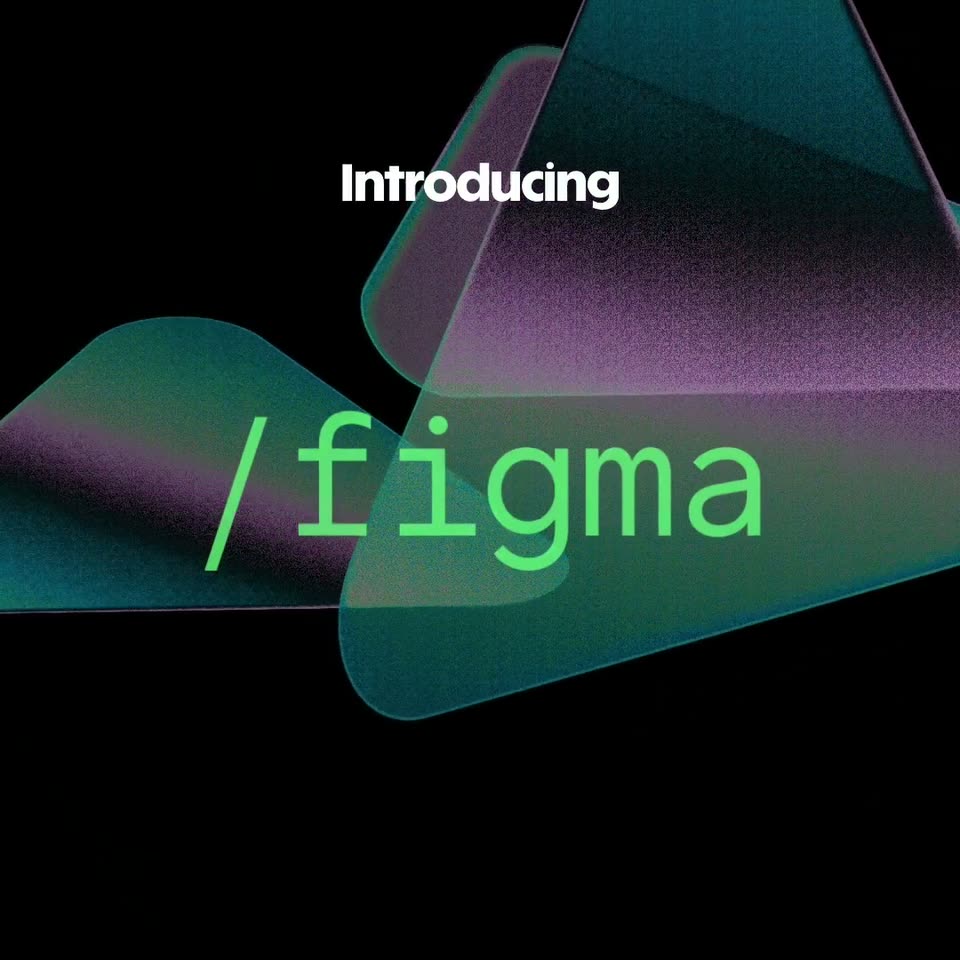
Grainy teal and purple 3D shapes drift on black while bold white text “Until now” holds center. It is replaced by “Introducing”, which shrinks to the top left as the large green monospace word “figma” appears in the middle.
On-screen text: “Until now”, “Introducing”, “figma”
Techniques: Kinetic type
Camera: Static
A dark chat screen holds a single input field where a prompt types itself out letter by letter, a red caret tracking the end. A Local tab and CC tab sit above; an Auto chip, mic icon, and model name with a spinning loader sit below.
Camera: Static
A dark command input box fills with white text as a prompt types out line by line. A large white arrow cursor rests at the lower right, with small pill buttons and a model label above and below the field.
Techniques: Kinetic type
Camera: Static
A dark chat input shows a typed prompt with a red caret and a large mouse pointer. The camera zooms out to reveal the full app window with traffic-light dots as the message lifts into the conversation area.
Techniques: Cursor demo, UI zoom
Camera: Static
A dark chat window with traffic-light dots sits over a black backdrop with green and purple abstract shapes. A white prompt line holds at the top while monospace status lines type in one after another, listing frames, brand tokens and type.
Techniques: Kinetic type
Camera: Static
A dark terminal window with red, yellow and green dots sits flat on a black background edged by grainy purple and green shapes. Status lines list Figma tokens and type, then a final line reading Done fades in beneath them.
Camera: Static
A dim terminal prompt dissolves away to reveal a bright white AI Video Generator panel, centered over soft gradient blobs on black. The panel holds a heading, a prompt box and a row of option chips, all static in a locked-off frame.
Camera: Static
A flat AI video generator interface sits over a dark backdrop of purple and teal rounded shapes. A cyan cursor with a smiley face glides from the model dropdown to the prompt box, where a falcon scene prompt is typed in.
Techniques: Cursor demo
Camera: Static
A white app window sits over dark abstract shapes. A cursor types a falcon prompt, opens a mode dropdown, then clicks the send button, and the view switches to a generated falcon video card.
Techniques: Cursor demo
Camera: Static
A white interface card hovers over a black field of soft gradient shapes. A cyan play badge glides from the right-hand panel to the center of a falcon video, where a progress bar and controls fade in. The background shapes drift at a slower pace.
Techniques: Morph, Parallax
Camera: Static
A product interface card floats over drifting gradient blobs on black; a cyan cursor glides from the video player to the right menu as the falcon clip plays and the card drifts with the background.
Techniques: Cursor demo, Parallax
Camera: Static
A dark design-tool canvas shows four app screen mockups in a row, labeled Home, Describe, Generate, Result, with a layers panel on the left. A cursor moves across the canvas, hovering over the first card.
Techniques: Cursor demo
Camera: Pull out
In a dark design tool, a cursor moves to the Share button and clicks it, opening a dropdown with Copy link and Publish to Community. The cursor clicks Copy link, the canvas scrolls, and a Link copied toast appears below the selected frame of four screens.
Techniques: Cursor demo, UI zoom
Camera: Static
Dark green leaf-like shapes float on black while a bold white headline builds line by line, 'never been easier' in green. The block then swaps to 'And yes, figma motion works,' sliding in from the right.
On-screen text: “Making videos”, “from your designs”, “has never been easier.”, “And yes,”, “figma motion works”
Techniques: Kinetic type
Camera: Static
A dark app window with traffic-light dots floats over a green felt background. A gray header line sits at the top while the input field at the bottom types out a Figma command character by character, a mouse arrow appearing at the lower right at the end.
Techniques: Kinetic type
Camera: Pan
A dark chat window floats over green 3D shapes. A white cursor sits at the input bar as the typed /figma prompt lifts from the field into the conversation. A confirmation line appears below, then the window fades out to reveal the green background.
Techniques: Cursor demo
Camera: Static
A white app interface card floats over a green 3D background, slightly tilted, showing a falcon video player and a right-hand menu panel. A small blue triangle character with a face sits at the lower right corner of the card.
On-screen text: “Done. Every hex, every radius — straight from your file.”, “Use /figma to grab the Motion animation on our outro frame”, “figma.com/xK9...?node-id=12-4 and add it to the end of the video”
Techniques: 3D mockup
Camera: Push in
A white rounded card floats over dark green leaf shapes, holding an iridescent 3D cube that rotates and reshapes. The bold words Hey Gen appear over the cube, then the card slides out left as Try slides in from the right.
On-screen text: “Hey”, “Gen”, “Try”
Techniques: Kinetic type
Camera: Pan
A dark abstract background of overlapping green and teal organic shapes drifts slowly. Centered white bold text reads “Try it yourself” above a green monospace command line. At the end the text is replaced by a white two-triangle logo mark.
On-screen text: “Try it yourself”, “npx hyperframes@latest skills”
Camera: Static
A white two-part logo, two rounded triangles split by a thin gap, sits centered over dark green leaf-like shapes on a black background. A cursor glides upward and taps the right half, which tilts slightly on contact.
Techniques: Cursor demo
Camera: Static
A white and green two-shape logo sits over dark green 3D leaf panels, then slides right and shrinks to a small green mark as the white words HeyGen and HyperFrames appear on the left. A thin white cursor drifts down and the logo exits, leaving the text over the abstract shapes.
On-screen text: “HeyGen”, “HyperFrames”
Camera: Static
Over a dark green abstract 3D background, the white HeyGen HyperFrames title and gradient logo hold still while a cursor slides up and clicks a star button; it flips to Starred 34.2k with a yellow star, then the cursor fades out.
On-screen text: “HeyGen”, “HyperFrames”
Techniques: Cursor demo
Camera: Static
A plain black card holds a locked-off frame: the large HyperFrames headline, the HeyGen logo below it, and a small Starred 34.2k label. Everything stays static for the full duration with no motion or camera move.
On-screen text: “HyperFrames”, “HeyGen”, “Starred”, “34.2k”
Camera: Static