2:30
Explore
HeyGen - We built our launch video in Claude Code using HyperFrames. Now it's
HyperFrames · Apr 2026 · 0:49 · AI-annotated
- Length
- 0:49
- Scenes
- 27 · 1.8 s avg
- Product on screen
- 0:05
- Features shown
- 3
- Call to action
- 0:46 · 92%
- Voiceover
- Yes
00:00:00 / 00:49:25
HyperFrames’s 0:49 launch film runs 27 scenes, about 1.8 s each. The product shows up at 0:05 and 3 features are revealed. The call to action lands at 0:46 (92% in), over a voiceover. The video alternates locked-off kinetic type cards, UI mockups, and live-action desk shots, cutting at about 20 cuts per minute to a steady 123 BPM pulse. Signature moves include word-by-word serif reveals, dot-matrix text, and rounded video cards that wipe or tilt between cream, black, and liquid-texture backgrounds.
Footage neededEstimated needs: 2 capture groups — your screens or recordings · 1 official logo — reused across the film · 5 filmed passages — shoot, supply or replace · 8 graphic passages — draw or supply · 2 3D passages — build or supply
Is this your launch? to your site or press kit.
More like this
1:26
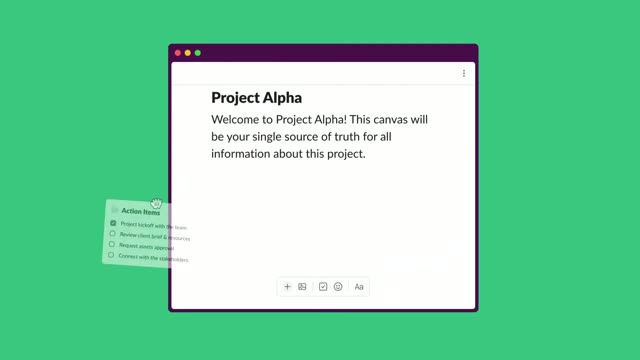
Introducing canvas | A new surface to share and organize knowledge | Slack
Slack · Productivity · Nov 2023
1:13
HyperFrames - script based editing is live in HyperFrames Studio edit long-form an
HyperFrames · Oct 2026
HeyGen - We built our launch video in Claude Code using HyperFrames. Now it's, scene by scene
· 27 scenes as text
01 · Hook · 0:00–0:02
A plain cream background holds one centered line of dark serif text that builds word by word from left to right, reading “Imagine you could make videos like this.” The frame stays locked off while each word fades in in sequence.
On-screen text: “Imagine you could make videos like this”
Techniques: Kinetic type
Camera: Static
02 · Hook · 0:02–0:02
A dark rounded screen mockup rests on a grainy purple field. A white panel wipes open from the top-left to fill the display, exposing a video player view with a bottom progress bar set at 1:00 / 1:00.
On-screen text: “Imagine you could make videos like this”
Techniques: Masking
Camera: Pull out
03 · Hook · 0:02–0:03
A tablet mockup glows on a grainy purple field, its screen showing a white canvas with the headline Design without limits and a green button. Small colored shapes pop in across the canvas as the device scales up slightly.
Camera: Static
04 · Hook · 0:03–0:05
A dark video-player card, tilted in 3D, floats over a swirling chromatic liquid background. Inside, a grid of album and playlist covers pans left beneath the green title while the progress bar ticks to 0:01 / 0:02.
On-screen text: “Design without limits”
Techniques: 3D mockup, Kinetic type
Camera: Pull out
05 · Product intro · 0:05–0:09
A man at a desk under a neon sign appears in a blurred rounded card on a grid background, pulls into focus, then the card frame drops away to full screen. A caption pill appears at the bottom and a frosted HTML code panel slides in from the right.
On-screen text: “HeyGen”, “HyperFrames”, “HyperFrames by HeyGen.”
Techniques: Masking
Camera: Static
06 · Product intro · 0:09–0:13
A man in glasses and a gray sweater sits at a desk before a neon HyperFrames sign, gesturing as he speaks. A code panel holds on the right; a frosted card slides in on the left, its wordmark scaling and shifting color.
On-screen text: “Agents can now write HTML and render MP4s.”, “Claude Code made this launch video.”
Camera: Static
07 · Product intro · 0:13–0:16
A man in a gray sweater sits at a desk before a neon HyperFrames sign, hands clasped. A translucent agent input box fades in over his torso and types a prompt character by character. A cream panel then wipes in from the right, covering most of the frame as a transition.
On-screen text: “Claude Code made this launch video.”, “Your agent can too.”
Techniques: Masking
Camera: Static
08 · Feature reveal · 0:16–0:17
A cream field wipes in from the right over a desk shot with a plant, and centered black monospace text types out character by character with a blinking cursor.
On-screen text: “Ask your agent to add”
Techniques: Masking, Kinetic type
Camera: Static
09 · Feature reveal · 0:17–0:19
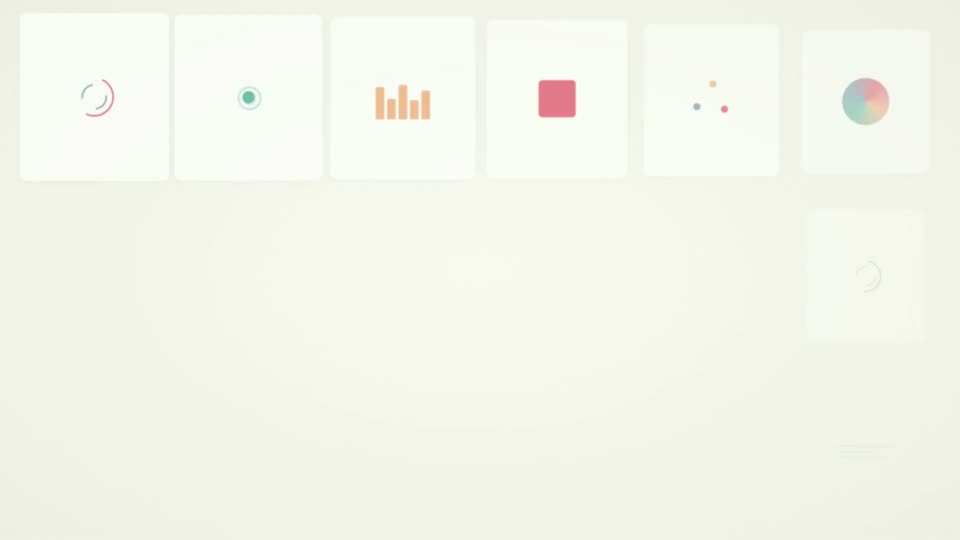
A locked-off grid of white cards, each holding a looping animated icon such as bars, dots, circles, lines and gradient orbs. A black center card reads CSS ANIMATIONS. A gray caption pill with CSS animations scales in at the bottom.
On-screen text: “CSS”, “ANIMATIONS”, “CSS animations”
Camera: Static
10 · Feature reveal · 0:19–0:19
A grid of cream dots on black ripples column by column in a vertical wave. A small white caption at the bottom center scales in, reading “CSS animations”, then swaps to “GSAP”.
On-screen text: “CSS animations”, “GSAP”
Techniques: Particles
Camera: Static
11 · Feature reveal · 0:19–0:20
A teal rounded-square Lottie icon with a white curved stroke sits centered on a pale mint background, the wordmark Lottie held still beneath it. A dark gray pill badge below swaps its label from GSAP to Shaders with a quick scale pulse around the 0.7s mark.
On-screen text: “Lottie”, “GSAP”, “Shaders”
Camera: Static
12 · Feature reveal · 0:20–0:22
A full-frame animated fluid shader background churns with swirling red, orange, green, and blue colors. A small dark pill label sits at the bottom center, reading “Lottie” before “Shaders” scales in and then clears.
On-screen text: “Lottie”, “Shaders”
Camera: Static
13 · Feature reveal · 0:22–0:23
A ring of pastel rounded slabs in green, red and purple rotates in 3D around a thin vertical axis on a cream background, casting a soft shadow. The word Anything appears at left while Three.js stays as a caption below.
On-screen text: “Three.js”, “Anything”
Camera: Static
14 · Feature reveal · 0:23–0:27
On a cream background, a black serif sentence builds word by word across two lines, then the letters shift into a multicolor gradient. A hard cut lands on a dark navy field where gray “DROP IN” appears centered.
On-screen text: “Anything a browser can render”, “can be a frame in your video.”, “DROP IN”
Techniques: Kinetic type
Camera: Static
15 · Feature reveal · 0:27–0:27
A dark navy card holds the white title DROP IN centered on a locked-off frame. A thin horizontal line draws in from the center beneath the title as the clip runs.
On-screen text: “DROP IN”
Camera: Static
16 · Feature reveal · 0:27–0:28
A flat black vinyl record with a tonearm and a small yellow center label sits centered on a yellow background as the word MUSIC fades in below it.
On-screen text: “MUSIC”
Camera: Static
17 · Feature reveal · 0:28–0:28
A radial burst of thin gold lines pulses outward from a dark central disc on a near-black background, the rays lengthening and contracting in a tight loop. The white all-caps text SOUND EFFECTS stays locked across the center, overlapping the burst.
On-screen text: “SOUND EFFECTS”
Camera: Static
18 · Feature reveal · 0:28–0:29
A three-panel split screen cycles through clips: a desert sunset, two men in jackets, a red action shot; the side panels swap to a walking man and a leaping figure. The word footage scales over the center panel as composes together appears below.
On-screen text: “SOUND EFFECTS”, “footage”, “composes together”
Techniques: Split screen, Kinetic type
Camera: Static
19 · Feature reveal · 0:29–0:30
A centered word in a bold sans-serif scales and recolors against a smooth gradient that shifts from dark green to warm orange. The mint glyph gives way to the white word all, while a small dark pill caption holds at the bottom.
On-screen text: “footage”, “composes together”, “all”
Techniques: Kinetic type, Morph
Camera: Static
20 · Feature reveal · 0:30–0:32
A rounded video card on cream shows a woman in magenta speaking at a desk with a boom mic and bookshelves. A name tag and caption bar sit over her. Below, a gray pill composes together fades as the card border glows orange.
On-screen text: “composes together”, “Sarah Chen”, “Product Designer”, “building something people actually want to use”
Camera: Static
21 · Feature reveal · 0:32–0:37
A vertical flow diagram scrolls up on a cream background, revealing three circular nodes: an agent, a target, and a play icon, each with a serif title and monospace subtitle. A dark caption pill at the bottom holds the voiceover line, and a flat dark UI card appears last.
On-screen text: “Agent”, “writes HTML”, “Your agent writes code to compose”, “Hyperframes renders every frame to MP4.”, “Renderer”, “captures every frame”, “MP4”, “ready to ship”
Techniques: Kinetic type
Camera: Static
22 · Feature reveal · 0:37–0:41
A flat dark UI card on a cream background splits into two identical cards tilted in 3D perspective. The serif headline Deterministic. sits below as a green checkmark pill, Identical output, every time., fades in, while bottom captions cycle with the voiceover.
On-screen text: “Deterministic.”, “Hyperframes renders every frame to MP4.”, “It's deterministic pixel-perfect every time”, “Identical output, every time.”, “Give your agent the skill.”
Techniques: Morph, 3D mockup
Camera: Static
23 · Demo · 0:41–0:45
A flat macOS terminal window sits on a cream background. The left pane types an init command, lists generated files, then types a second prompt. A gray caption box at the bottom swaps between short lines while a preview pane fades in on the right.
On-screen text: “Give your agent the skill.”, “Tell it what to make,”, “watch it build”
Camera: Static
24 · Demo · 0:45–0:46
A flat app window is split into a left terminal, where an init command and a typed prompt sit with a blinking block cursor, and a right preview pane. In the preview a serif title and red, green, blue shapes plus a yellow ring fade in, while a dark code panel scrolls beneath.
Techniques: Split screen
Camera: Static
25 · CTA · 0:46–0:47
On a black background, a dense rectangular field of tiny dots brightens into view from the top while a single line of small monospaced text fades in at the center. The frame stays locked off as the dot grid fills in.
On-screen text: “npx hyperframes init”, “neta.json”, “a product intro with kinetic typography”, “Kinetic”, “Typography”
Techniques: Particles
Camera: Static
26 · CTA · 0:47–0:48
A black field holds the word MAKING in dotted amber pixels, centered. A moment later IT appears beneath it in the same dot-matrix style, completing the phrase.
On-screen text: “MAKING”, “IT”
Techniques: Kinetic type
Camera: Static
27 · Outro · 0:48–0:49
A black background holds the orange dot-matrix wordmark ARC INTELLIGENCE on the top line and SYSTEMS below it, both centered and static.
On-screen text: “ARC INTELLIGENCE”, “SYSTEMS”
Camera: Static