1:06
Veeza AI (YC F26) - AI Tourist Visa Agent for People with Weak Passports.
Veeza AI · Consumer · Oct 2026
Flowith · Oct 2025 · 2:30 · AI-annotated
Flowith’s 2:30 launch film runs 74 scenes, about 2.0 s each. The product shows up at 0:07 and 3 features are revealed, with social proof. The call to action lands at 2:23 (95% in), over a voiceover. A launch film for FlowithOS, an OS for AI agents, built as a fast montage of UI captures, live action and 3D renders. It opens with a poker cold open, introduces the product through a presenter and title card, then stacks feature demos (web tasks, Neo, browser flow, YouTube takeover, reflective agent, reinforcement learning) and closes with benchmark charts and a public beta call to action. The style is defined by a purple-to-cream gradient brand system, glitch and liquid distortion title cards,
Is this your launch? to your site or press kit.
Veeza AI · Consumer · Oct 2026
HeyReach · Oct 2026
A plain warm cream background fills the frame, then a dark, heavily motion-blurred shape streaks diagonally across it, reading as a fast abstract transition between shots.
Camera: Static
A macro close-up of a King of Spades card on a cream surface sharpens from blur, then the card slides out of frame to the left, leaving the small caption on the empty background.
On-screen text: “intelligence”
Camera: Pan
A man in a black suit and dark sunglasses sits at a table of white poker chips, lifting his glasses with one hand. Two vertical light beams cross a gray wall behind him. The words intelligence, planning and memory fade in across the frame in white lowercase text.
On-screen text: “intelligence”, “planning”, “memory”
Camera: Static
A hand deals a card over stacks of poker chips on a green felt table, the chips in sharp focus against a dark red background. White captions reading intelligence, planning, memory, and speed sit static across the mid-frame.
On-screen text: “intelligence”, “planning”, “memory”, “&”, “speed”
Camera: Static
A green poker table interface tilts in 3D perspective and straightens as the pot climbs from $455 to $605, opponents show Fold, and a Raise $150 bubble pops in under the player's 10 of spades and queen of clubs.
On-screen text: “intelligence”, “planning”, “memory”, “&”, “speed”
Techniques: 3D mockup
Camera: Static
A 3D-tilted poker app mockup holds on a win message and a dealt hand of cards, then a hard cut lands on a presenter in a black top, seated among office plants, talking and gesturing to camera.
Techniques: 3D mockup
Camera: Static
A man in a black long-sleeve top sits centered on a chair in a sunlit office lined with potted plants, talking to the camera. He moves his hands from clasped to open gestures. The medium shot stays locked off.
Camera: Static
On a purple-to-cream gradient card, 'Introducing' fades in at the top, then the white title 'FlowithOS' scales up. The tagline appears word by word beneath it, a shaded 3D ring logo settles in the center, and a white rounded search field slides up from the bottom edge.
On-screen text: “Introducing”, “FlowithOS”, “The Smartest OS for AI Agents”
Techniques: Kinetic type
Camera: Static
A plain light-gray desktop with a macOS dock along the bottom edge. The cursor glides down to the dark FlowithOS app icon, which magnifies among its neighbors, and a small 'flowithOS Beta' tooltip fades in above it.
On-screen text: “Introducing”, “FlowithOS”, “Navigate, search, or let OS take over...”, “The Smartest OS for AI Agents”
Techniques: Cursor demo
Camera: Static
A gray desktop window fills the frame, a row of app icons in the bottom dock, a cursor resting on a gray fl. icon with a flowithOS Beta tooltip. The camera pulls back to show the full window, a top menu bar, and a purple abstract wallpaper.
Camera: Pull out
The flowOS window on a macOS desktop fades in from a pale lavender wash to a dark purple dashboard. A greeting line sits above a search field and a row of task preset cards. A dock of app icons lines the bottom, the cursor resting on the flowOS icon.
Camera: Static
The compose box of a Twitter/X home view types a post about AWS's status page, character by character, in a locked-off screen capture. Below it a feed shows a DeepSeek-OCR tweet, and a right sidebar holds a Premium card and a news list. A cursor appears over the feed.
On-screen text: “OS is awake”
Techniques: Cursor demo
Camera: Static
A Twitter home feed, with a compose box and two posts, fills the frame as a cursor hovers over a post. The scene then switches to a YouTube live stream, where a chat column of viewer messages scrolls past the pointing cursor.
Techniques: Cursor demo
Camera: Static
A live-stream screen splits the frame: a MOBA match with scoreboard and a streamer webcam on the left, a chat feed scrolling on the right. A column of emoji reactions climbs the right edge while the like multiplier resets.
Techniques: Particles
Camera: Static
A product workspace shows the Genshin Impact daily check-in page on the left, a grid of reward tiles labeled by day, beside an AI task panel on the right listing numbered steps. The page and step list scroll down slightly while a cursor rests near the Click step.
Camera: Push in
Left side holds the Genshin Impact daily check-in page with a centered congratulations modal over the reward grid; right side is a white panel listing the agent's steps, which scrolls down a few lines.
Techniques: Split screen
Camera: Static
A static three-panel desktop interface: a left chat sidebar, a center Bumble profile card with an anime figure on a street, the name and a SuperSwipe note, and a right panel listing assistant steps.
Camera: Static
In the Bumble interface, a profile card shows an anime man, Michael, 27, with a He SuperSwiped you! tag and three action buttons. A yellow Boom! burst pops at the center as the next card slides in from the right.
Camera: Static
A three-panel interface holds still: a chat list on the left, a yellow Bumble match screen in the center with two circular avatars beneath the word Boom!, and a task steps panel on the right.
Camera: Static
A chat interface with a match's profile and dog photo on the right. A cursor types a reply in the input bar and clicks send, then the frame zooms in on the two sent message bubbles next to the dog photo.
Techniques: Cursor demo, UI zoom
Camera: Push in
Three photo panels fade in one after another on a white background, each under a serif caption: a mouse on a green mat under Click, a keyboard on yellow cloth under Type, a hand on a laptop trackpad under Drag.
On-screen text: “Click”, “Type”, “Drag”
Techniques: Split screen
Camera: Static
Three square photos sit side by side on white: a silver mouse on green and pink paper, a keyboard on yellow paper, a hand on a laptop trackpad. The serif labels Click, Type, Drag above them fade out as the centered headline FlowithOS does it for you fades in.
On-screen text: “Click”, “Type”, “Drag”, “FlowithOS does it for you”
Camera: Static
A near-black frame holds a faint 3D panel at the right edge, its base glowing purple, while the static headline stays locked in place.
On-screen text: “FlowithOS does it for you”
Techniques: 3D mockup
Camera: Static
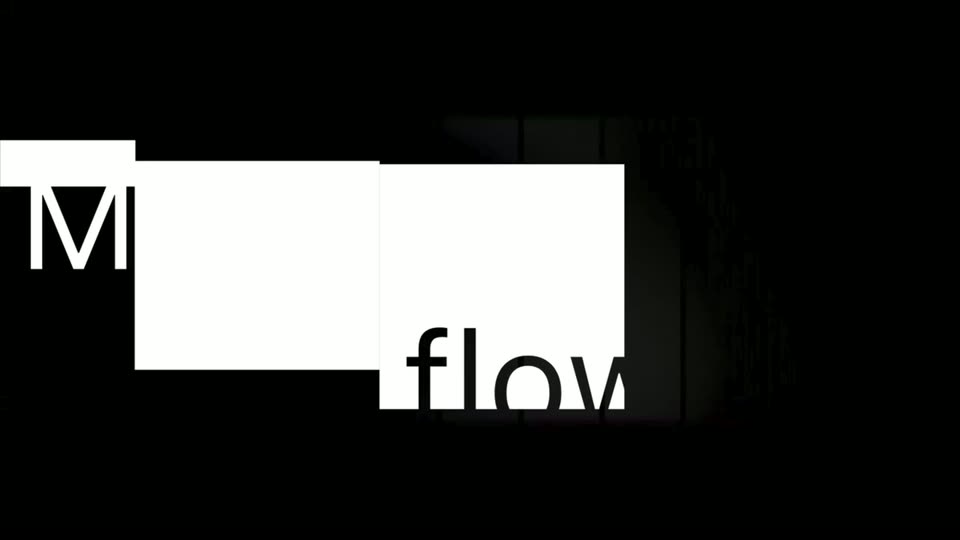
On a black background, two lines of sans-serif text are revealed as solid white rectangles slide horizontally across the frame, inverting the letters they cover. The motion is quick and settles on a left-aligned composition.
On-screen text: “Meet flow with INFI”, “e World Fir”
Techniques: Masking
Camera: Static
A black title card: the word NEO in huge white letters slides in from the right across vertical glitch bars and a green-purple swirl, while NFINIT and AGENT sit at the left inside sliding white highlight boxes.
On-screen text: “NFINIT”, “AGENT”, “NEO”
Techniques: Kinetic type
Camera: Pan
A horizontal band of vertical iridescent liquid stripes on black scrolls as the word NEO, in huge white geometric sans, slides left across the frame, with the smaller word INFINITE partly cut off at the left edge.
On-screen text: “INFINITE NEO”
Techniques: Kinetic type
Camera: Static
The word NEO in large white bold type slides left across the frame, set over vertical strips of a wavy, iridescent green-and-purple distortion on a black field.
On-screen text: “NEO”
Techniques: Kinetic type
Camera: Static
The word NEO in oversized white type slides left across a horizontal band of rippling, rainbow-colored liquid distortion, cut by thin vertical black bars, all framed in black.
On-screen text: “NEO”
Techniques: Kinetic type
Camera: Push in
A giant white word fills the frame over a dark grid of cards glowing with a rainbow wavy pattern. The word cuts away to reveal the full product interface, a masonry grid of research cards, with a cursor hovering over one card and task chips stacking in the bottom-left corner.
On-screen text: “IEO”
Techniques: Masking
Camera: Push in
Dark product screen with a row of task cards above a vertical flow, flowith logo top-left. A cursor hovers on a purple-outlined card, then the view shifts to a new card set with image thumbnails while the cursor rests on the next highlighted card.
Techniques: Cursor demo
Camera: Static
A dark web canvas shows four fantasy illustration tiles linked by colored lines beneath a THE HUNGER GAMES header and nav menu. A hand cursor hovers each tile in turn, popping up a small label on hover.
Techniques: Cursor demo
Camera: Static
A silhouetted man in a dark coat walks away from the camera across a reflective slatted platform toward a bright white rectangular portal, while the camera slowly pushes in. Swirling clouds fill the sides and horizontal glitch lines flicker across the image.
On-screen text: “Society”, “THE HUNGER GAMES”
Camera: Push in
A man in a long dark coat walks away from the camera through a rectangular stone portal. Around the frame, a dark misty water surface reflects clouds; inside, a bright green meadow sits under a blue sky. His reflection shimmers on the wet ground as he steps into the field.
Camera: Push in
A man in a dark coat stands on a path in a wildflower field, facing rolling hills under a blue sky. Blurred glass panels at the frame edges clear away, then he walks slowly forward. The shot carries a vintage film border with grain and scratches.
Camera: Push in
A man in a dark suit stands with his back to the camera in a sunlit wildflower field under a blue sky. A warm orange tint fades out as glowing gold cursive text draws itself in above his head, spelling the brand name.
On-screen text: “flowith”, “OS”
Techniques: Kinetic type, Particles
Camera: Static
A product home screen on a purple-to-white gradient: crescent logo and “is awake” headline sit above a tagline, a white search bar, and two rows of preset chips, with a thin icon sidebar on the left. A cursor streaks diagonally across the frame.
On-screen text: “is awake”, “When thoughts take roots, OS awakens — weaving fragments of mind into living impact.”
Camera: Static
A blurred browser home page sharpens and zooms in, centering the 'is awake' greeting, a white search field, and rows of preset chips on a purple gradient. The left icon rail stays fixed as the cursor hovers a tool icon, popping a small link tooltip.
Techniques: UI zoom, Cursor demo
Camera: Push in
A white interface sidebar lists projects and pinned flows. A hand cursor clicks a small icon, and a compact browser window pops out showing a Product Hunt tab with its URL. The main canvas holds an 'Afternoon muse' heading and an empty prompt box.
Techniques: Cursor demo
Camera: Static
A browser window lists Product Hunt launches; a hand cursor taps a sidebar icon and the main panel swaps to a GitHub Copilot chat with code, as a GitHub tooltip pops out beside the dock and the backdrop turns to a purple gradient.
Techniques: Cursor demo
Camera: Static
A hand cursor moves down a sidebar in a code editor, then the screen cuts to a terminal and an AI agent panel running commands, with the text NEO OS AGENT IN OPERATION at the bottom.
On-screen text: “NEO OS AGENT IN OPERATION”
Techniques: Cursor demo
Camera: Push in
A dark interface shows a terminal on the left typing git clone and pip install lines while a right panel lists agent steps with checkmarks. A green pixel banner across the bottom holds the caption, all in a locked-off frame.
On-screen text: “NEO OS AGENT IN OPERATION”
Camera: Static
A dark interface frames a terminal window on the left where git clone and pip install lines scroll into view, beside a right panel that lists the agent's working steps. A green pixelated banner along the bottom holds the static tagline.
On-screen text: “NEO OS AGENT IN OPERATION”
Camera: Static
Light split-screen: a grid of app icons (Figma, Photoshop, Illustrator, Notion, Office) fades from blur to sharp on the left under the caption Conventional Productivity Tools; on the right a Flowith interface window scales in beside a short user prompt, under Flowith Agentic Flow.
On-screen text: “Conventional Productivity Tools”, “Flowith Agentic Flow”, “Hey Flowith, I need launch materials, including a campaign message, poster, website assets, and videos.”
Techniques: Split screen
Camera: Static
A split graphic pairs a grid of app icons, labeled Conventional Productivity Tools, with a Flowith task window on the right. The camera zooms into that window, framing a bulleted three-step list and a URL field.
On-screen text: “Conventional Productivity Tools”, “Flowith Agentic Flow”
Techniques: UI zoom
Camera: Static
A sentence builds up word by word on a plain white background, each new word fading in in gray while the earlier words stay darker.
On-screen text: “We asked FlowithOS to take over a YouTube account”
Techniques: Kinetic type
Camera: Static
A single line of text on a plain white background reveals from left to right, the words shifting from light gray to black as they appear. The frame stays locked off.
On-screen text: “We asked FlowithOS to take over a YouTube account”
Techniques: Kinetic type
Camera: Static
A laptop screen at an angle shows the Flowith interface on a warm peach background. A prompt box under the heading Afternoon muse fills in word by word with a 4K camera shot description while the right panel lists agent steps.
Techniques: 3D mockup
Camera: Static
A light app feed with a slim icon rail on the left. A text post card sits above a video card that first shows a loading spinner, then resolves into a close-up clip of a knife slicing a purple foam cube on a wooden board.
Camera: Static
A hand guides a chef's knife through a purple, porous block on a wooden cutting board, slicing thin rectangular pieces that pile in front of the loaf. The blade rocks down in steady cuts, and the final frame blurs into a transition.
Camera: Static
A YouTube Studio upload dialog with a drag-and-drop zone and a Select files button sits over the dashboard, a step-list panel on the right. The dialog's contents fade out to an empty white box as the voiceover says uploaded it.
Camera: Static
A YouTube Studio upload dialog hovers over the dashboard. The title reads 'ASMR memory foam cube slicing' while a video link and filename auto-fill into the form and the header flips to 'Saved as private'; a steps panel on the right highlights one line.
Camera: Push in
A close-up of a YouTube Studio upload dialog fills automatically: the title and description type themselves, the video preview loads, and the panel scrolls to thumbnail and audience settings.
Techniques: Kinetic type
Camera: Static
On a blue gradient with drifting abstract curves inside a thin rounded border, the title Reflective Agent fades in at center, then three labels, Real-time Assessment, Continuous Optimization and Infinite Evolution, fade in one by one across the lower third.
On-screen text: “Reflective Agent”, “Real-time Assessment”, “Continuous Optimization”, “Infinite Evolution”
Techniques: Kinetic type
Camera: Static
A YouTube Studio visibility dialog fills the center of the screen over the channel dashboard. The Public radio button fills in and the Publish button turns dark, while a script panel on the right lists the automation steps.
Camera: Static
A YouTube Studio dashboard is shown with a centered 'Video published' dialog over a dimmed background. The dialog lists social share icons and a video link. A step-by-step instruction panel runs down the right edge. The frame holds still.
Camera: Static
A browser window shows a ChatGPT chat, locked off. A blue user bubble asks to use Sora to make a video and upload it to YouTube. The assistant's gray reply updates from a loading dot to the line Starting to access sora.chatgpt.com and input the video prompt.
Camera: Static
A browser window with an AI sidebar zooms into a blocked page, where the OpenAI logo, the message sora.chatgpt.com is blocked and a Planning video creation and upload status pill sit on a pale blue background. A cursor arrow rests beside the pill.
Techniques: UI zoom
Camera: Push in
A locked-off view of a comment section. A reply field under a comment about a yam cream cake types out a line of text, while a column of video thumbnails sits along the right edge.
Camera: Static
A YouTube comments feed shows the account @flowithos typing replies to several user comments, each filling in character by character in the reply box. The view then pulls back to reveal the full page layout with the video title and a step-by-step panel on the right.
Techniques: Kinetic type, UI zoom
Camera: Pull out
A YouTube page fills the frame with a comments thread on the left and a video list in the center. On the right, an automation steps panel scrolls down line by line, a typing field flashes a cursor as the bot works through each step.
Camera: Static
A product window tilted in 3D on a blue gradient backdrop. A “Plan mode: To-dos” modal in the center fills with a growing list of task rows, each with a checkbox and a trash icon, while a white cursor rests at the modal's right edge.
Techniques: 3D mockup, Cursor demo
Camera: Static
A ghosted interface card with a cursor fades out over a cream background. The headline then holds in the upper left, bold black words followed by gray ones, beneath the small corner logo.
On-screen text: “Periodic Online Reinforcement Learning”
Camera: Static
A black headline holds on a white field, then a white card fades in on the left showing a four-by-four grid of colored dots linked by thin lines, with a small legend row beneath.
On-screen text: “Periodic Online Reinforcement Learning”
Camera: Static
A two-panel diagram assembles beneath a bold headline. The left panel holds a grid of colored agent nodes, the right a globe marked Environment. Solid arrows for State, Reward and Action fade in between them, then dashed next-step arrows appear to close the learning loop.
On-screen text: “Periodic Online Reinforcement Learning”
Camera: Static
A light interface opens on an 'is awake' home view with a search field and a row of four content cards. The frame then slides left to reveal an 'Intelligence' panel titled Agent memory and skills, with Skill, Memory and Knowledge Base tabs.
Techniques: UI zoom
Camera: Push in
A product interface fills the frame. In the left Intelligence panel, a skill list populates line by line, then the view scrolls down to a highlighted Google spreadsheet row with three sub-actions. The right pane holds a green ring icon, an is awake heading, and a row of cards.
Techniques: UI zoom
Camera: Pan
A dark benchmark chart titled Online-Mind2Web Benchmark fades in, then gray horizontal bars grow across four difficulty rows, each tagged with a percentage and a small gear or diamond marker.
On-screen text: “Online-Mind2Web Benchmark”, “Flowith NeoOS Agent sweeps the board, dominating with near-perfect performance.”
Camera: Static
A dark horizontal bar chart shows the Online-Mind2Web Benchmark. Four purple bars extend from left to right across the Average, Easy, Medium and Hard rows, each ending in a white percentage, while gray comparison bars stay fixed.
On-screen text: “Online-Mind2Web Benchmark”, “Flowith NeoOS Agent sweeps the board, dominating with near-perfect performance.”
Camera: Static
A dark horizontal bar chart titled FlowithOS VS ChatGPT Atlas in Online-Mind2Web opens on an empty grid, then gray and purple bars extend left to right across the difficulty rows, each ending in a percentage and a small icon, with a three-item legend at top right.
On-screen text: “FlowithOS VS ChatGPT Atlas in Online-Mind2Web”, “Flowith outperforms Atlas on Online-Mind2Web's hardest tasks, the industry benchmark for real-world web agent performance.”
Camera: Static
A dark bar chart titled FlowithOS VS ChatGPT Atlas in Online-Mind2Web shows two horizontal bars. The purple Flowith bar grows from left to right to 92.8%, while the gray Atlas bar holds at 75.7%, each ending in a small logo icon.
On-screen text: “FlowithOS VS ChatGPT Atlas in Online-Mind2Web”, “Flowith outperforms Atlas on Online-Mind2Web's hardest tasks, the industry benchmark for real-world web agent performance.”, “OpenAI ChatGPT Atlas”, “Flowith NeoOS Agent”, “75.7%”, “92.8%”
Camera: Static
A green 3D grass field with fine flowing strands fills the frame, dark at the bottom and pale at the top, drifting slowly. A white headline is centered over it, with the small flowith logo at the bottom.
On-screen text: “The world's first AgentOS”
Camera: Static
A soft-focus field of green strands, like hair or grass, drifts and shifts slowly across the frame. Centered white text reads 'The world's first AgentOS', then swaps to 'Your last browser', with the small flowith logo fixed at the bottom.
On-screen text: “The world's first AgentOS”, “Your last browser”
Camera: Static
A soft-focus green meadow with a dog moving at left. Centered white text reads “Your last browser,” then switches to “Join public beta at try.flowith.io.” The flowith logo stays bottom center.
On-screen text: “Your last browser”, “Join public beta at”, “try.flowith.io”
Camera: Static
A black background holds the Flowith wordmark above two static lines, “Join public beta at” and “try.flowith.io”, in a locked-off sign-off frame with no motion.
On-screen text: “Join public beta at”, “try.flowith.io”
Camera: Static