
3:02
Explore
introducing graphify profiles! Go claim for yourself graphify.com/@safishamsi | Graphify Labs (YC S26)
Graphify Labs · 0:30 · Code only · AI-annotated
- Length
- 0:30
- Scenes
- 9 · 3.4 s avg
- Product on screen
- 0:00
- Features shown
- 1
- Call to action
- 0:28 · 95%
- Voiceover
- No
00:00:00 / 00:30:08
- Length
- 0:30
- Scenes
- 9 · 3.4 s avg
- Product on screen
- 0:00
- Features shown
- 1
- Call to action
- 0:28 · 95%
- Voiceover
- No
Graphify Labs’s 0:30 launch film runs 9 scenes, about 3.4 s each. The product is on screen from the first frame and 1 feature is revealed. The call to action lands at 0:28 (95% in). The video is built as a guided tour: a 3D tilt-in of the profile page, two achievement modals that blur the page and pop into focus, then one long vertical scroll past every dashboard section with monospace lower-thirds naming each stop, ending on a static logo card. Signature moves are the blur-to-focus modal, the steady 96 BPM scroll, and the dark caption pill that tracks the lower left.
No filming indicatedEstimated needs: 3 capture groups — your screens or recordings · 1 official logo — reused across the film
Is this your launch? to your site or press kit.
More like this
1:01
0:50
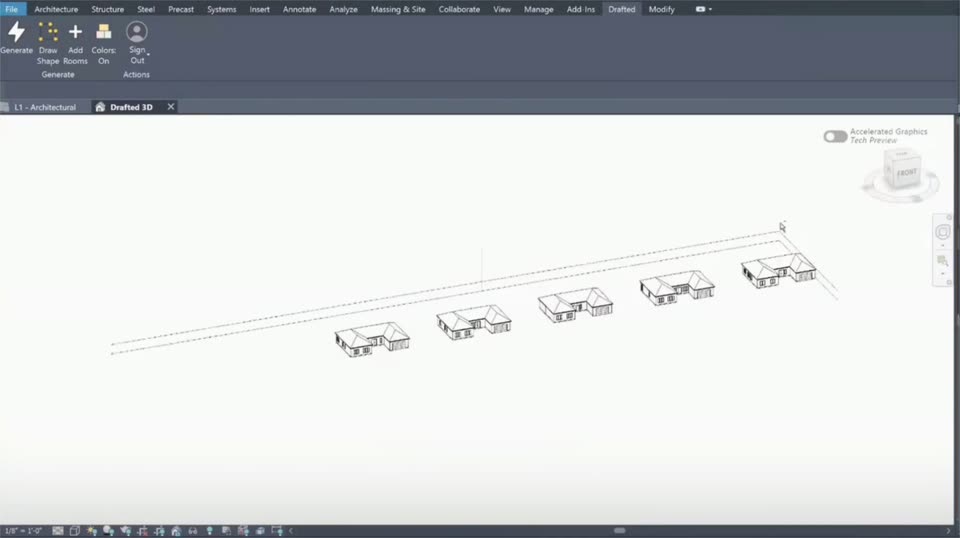

Drafted - Introducing Drafted in Revit. Draw a footprint, add your room list,
Drafted · Consumer · Sep 2026
introducing graphify profiles! Go claim for yourself graphify.com/@safishamsi | Graphify Labs (YC S26), scene by scene
· 9 scenes as text
01 · Product intro · 0:00–0:03
A close-up of a Graphify user profile zooms out, the page tilting into a 3D card on a green field, while a dark green lower-third caption sits at the lower left.
On-screen text: “PUBLIC PROFILE - ANYONE CAN VIEW IT”
Techniques: UI zoom, 3D mockup
Camera: Pull out
02 · Feature reveal · 0:03–0:05
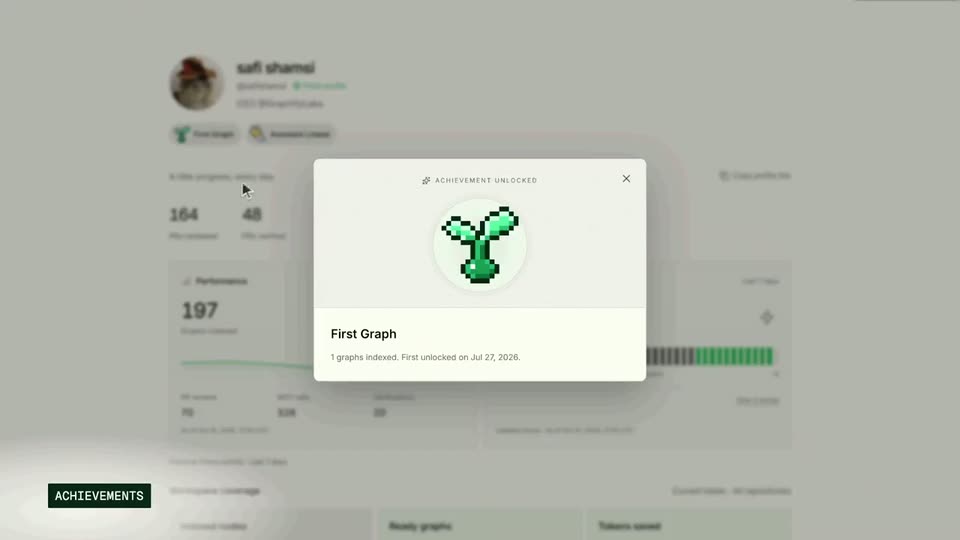
A blurred profile dashboard sits in the background while an achievement modal pops into sharp focus at center, showing a pixel-art green sprout, the title First Graph, and an unlock date. A green ACHIEVEMENTS tag holds the bottom-left corner.
On-screen text: “ACHIEVEMENTS”
Camera: Pan
03 · Feature reveal · 0:05–0:06
A Graphify profile page rests on a green gradient, then blurs as a white achievement card pops into the center. The card shows a pixel-art hand icon with a green spark and the line Assistant Linked ×3 sliding in.
On-screen text: “ACHIEVEMENTS”, “app.graphify.com/u/safishamsi”
Camera: Static
04 · Feature reveal · 0:06–0:07
A white achievement card holds sharp focus over a blurred dashboard, showing a pixel-art gold badge and the title Assistant Linked ×3. The cursor drifts from the card's edge to the close icon. A green ACHIEVEMENTS tag stays fixed in the lower left corner.
On-screen text: “ACHIEVEMENTS”
Techniques: Cursor demo
Camera: Static
05 · Demo · 0:07–0:16
A light profile dashboard: a cursor clicks Copy profile link, a Copied check pops in, then hovers the green line chart to open a data tooltip. The view pans and zooms across the Performance and Power Ranking cards as lower-third captions name each section.
On-screen text: “SHARE YOUR PROFILE LINK”, “PRS REVIEWED · PRS VERIFIED”, “PERFORMANCE · LAST 7 UTC DAYS”, “POWER RANKING · 0-10 · UPDATED HOURLY”
Techniques: Cursor demo, UI zoom
Camera: Pan
06 · Demo · 0:16–0:22
A flat dashboard scrolls vertically past stat cards, a contribution grid and a line chart. A dark caption pill at lower left names each section in turn, and a cursor hovers a green grid dot to pop a date tooltip.
On-screen text: “WORKSPACE COVERAGE · CURRENT TOTALS”, “SUCCESSFUL RUN HISTORY · LAST 365 DAYS”, “WORKSPACE, IN MOTION · LAST 365 DAYS”, “ACTIVITY OVER TIME · LAST 30 DAYS”
Techniques: Cursor demo
Camera: Pan
07 · Demo · 0:22–0:27
A dashboard profile page scrolls downward past green activity charts. A line graph, a stacked bar chart, and a row of stat cards pass by in turn. A black caption box at the lower left names each section as it arrives, while a cursor rests on the right edge.
On-screen text: “ACTIVITY OVER TIME - LAST 30 DAYS”, “WHAT MOVED FORWARD - REVIEWS AND BUILDS”
Techniques: Cursor demo
Camera: Pan
08 · Demo · 0:27–0:28
A light usage dashboard fills the frame, showing a green line chart above four gray stat cards. A mouse cursor hovers at the right edge. A dark green monospace caption reads WORKSPACE USAGE · LAST 30 DAYS at the lower left.
On-screen text: “WORKSPACE USAGE · LAST 30 DAYS”
Camera: Static
09 · CTA · 0:28–0:30
On a plain light background, the Graphify logo lockup sits centered above a bold headline and a small green monospace URL. The frame is locked-off and static, with the background settling from white to light gray.
On-screen text: “Public Profiles are Live”, “graphify.com”
Camera: Static