2:06
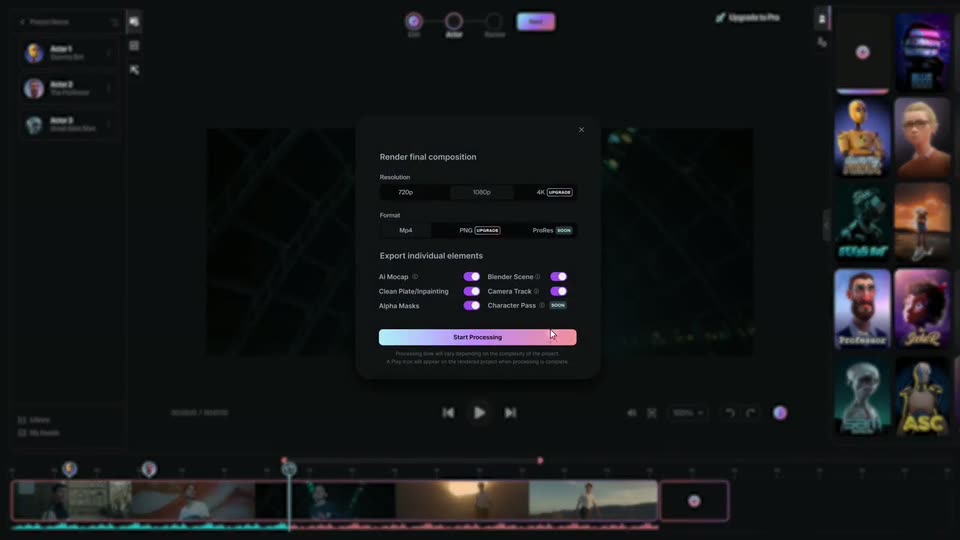

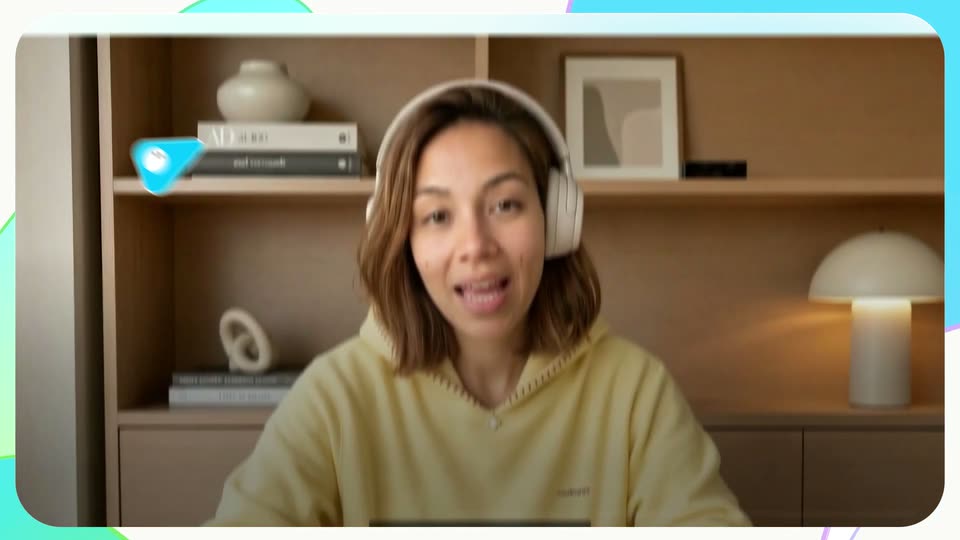
Autodesk Flow Studio - We are proud to introduce Wonder Studio. An AI tool that automatical
Wonder Studio · Mar 2023
Granola’s 1:43 launch film runs 38 scenes, about 2.7 s each. The product shows up at 0:02 and 3 features are revealed. The call to action lands at 1:31 (89% in), over a voiceover. The video cuts between warm live-action host shots and flat single-color UI demos, introducing each feature with a serif title that assembles letter by letter over the footage. A brisk cut rate, a recurring spiral logo, on-screen stat callouts and a consistent cream-and-olive palette tie the host segments and the interface animations together.
Is this your launch? to your site or press kit.
Wonder Studio · Mar 2023
Operon · Industrials
Films whose music sounds like this one, voice left out
Omnara AI · Modern electronic
HeyGen · Modern electronic music with lo-fi and pop influences
A man and a woman sit at a cafe table with a laptop between them, each holding a coffee cup. A white script name and serif title label each side, while a sans caption at the bottom introduces them. A white UI panel with a priorities list slides up from the bottom at the end.
On-screen text: “Hey, I'm Nikola”, “NIKOLA”, “CTO”, “and I'm Xiu Ting.”, “XIU TIN”, “AI Product Manager”
Camera: Static
A collage of Granola interface cards, avatar tiles and colorful images settles onto a light background. A large serif title completes to Granola MCP Updates in the center, with an outlined caption below it.
On-screen text: “Granola MCP Updates”, “It's been a busy week for Granola MCP updates.”
Techniques: Kinetic type
Camera: Static
A dense collage of product UI cards and screenshot tiles fills the frame behind a large black serif title, “Granola MCP Updates.” The camera pans and reframes across the board, bringing a people grid into view while white outlined captions swap in at the bottom to match the voiceover.
On-screen text: “Granola MCP Updates”, “It's been a busy week for Granola MCP updates.”, “And today we're introducing smart search, making your entire meeting history”
Techniques: Parallax, UI zoom
Camera: Pan
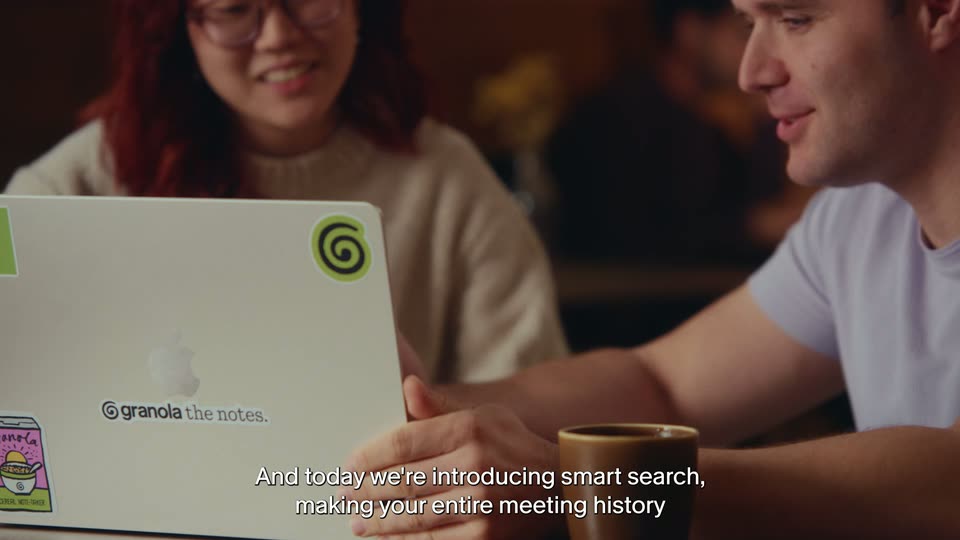
Two people sit at a cafe table around a white laptop covered in stickers, a brown coffee cup in the foreground. The man on the right smiles and talks while the red-haired woman on the left watches. A white caption sits across the bottom.
On-screen text: “And today we're introducing smart search,”, “making your entire meeting history”
Camera: Pull out
A man and a woman sit at a cafe table behind a sticker-covered laptop; the man gestures toward the camera while the woman watches the screen. The white serif headline Smart Search assembles letter by letter across the center, with subtitles running along the bottom.
On-screen text: “Smart Search”, “And today we're introducing smart search, making your entire meeting history”, “truly native to agents such as Claude, ChatGPT, Grok, and Muse.”
Techniques: Kinetic type
Camera: Static
A man in a light shirt speaks to camera in a softly lit room. On the left, a green Granola icon and a plus sign sit beside a white icon tile that cycles through Grok, ChatGPT, and Muse logos while a white caption runs along the bottom.
On-screen text: “truly native to agents such as Claude,”, “ChatGPT, Grok, and Muse.”
Camera: Static
A tight close-up of two people seated at a wooden table, their hands clasped together in the center. A laptop with a black keyboard sits in the left foreground and a brown ceramic mug rests in the soft-focus background. The frame stays locked off while a two-line caption holds at the bottom.
On-screen text: “Our new smart search tools”, “allows your agents to find”
Camera: Static
A woman and a man sit at a cafe table facing a laptop, its lid covered with stickers. The woman gestures toward the screen as she speaks, the man smiles and listens. The shot is locked-off with white subtitles at the bottom.
On-screen text: “Our new smart search tools”, “allows your agents to find”, “exactly what it needs”, “across your meeting”
Camera: Pull out
A man in a white shirt sits at a wooden table with hands clasped beside a sticker-covered laptop, a coffee cup in the foreground. A second person in a beige sweater sits opposite. The locked-off close-up holds steady while white subtitles read at the bottom.
On-screen text: “exactly what it needs”, “across your meeting”
Camera: Static
A woman with red hair and glasses and a man in a pale t-shirt sit at a cafe table with a sticker-covered laptop between them. She gestures while speaking; he holds a coffee cup and watches the screen. The shot stays locked off as subtitles run along the bottom.
On-screen text: “without having to read the transcript in full.”
Camera: Static
A woman with red hair and glasses and a man in a white tee sit at a table with a laptop, she speaks while he listens. A large overlay types in at the top left reading 44% faster, the number in pink, as a white caption runs along the bottom.
On-screen text: “44% faster”, “It is 44% faster and 85% more token efficient,”
Techniques: Kinetic type
Camera: Static
Two people talk across a cafe table with an open, sticker-covered laptop between them. A white serif headline reveals left to right in the top left while a matching caption sits along the bottom. The frame stays locked off.
On-screen text: “85% more token efficient”, “It is 44% faster and 85% more token efficient,”
Techniques: Kinetic type
Camera: Static
A red-haired woman with glasses talks to a man at a cafe table. A white search bar overlay above the laptop types out a query letter by letter while white subtitles run along the bottom.
On-screen text: “while allowing your transcripts to remain the real source of truth.”
Techniques: Kinetic type
Camera: Pull out
A woman and a man talk at a cafe table with a laptop between them. A white search-bar overlay types a pricing question, then cycles green “Searching…” status lines as captions run below. The shot ends masked into a rounded card on a purple field.
On-screen text: “Your agent then can go off and search by company, person,”, “or topic and find the source of truth within the transcript.”
Techniques: Masking
Camera: Static
A white transcript card over a pink sky and red mountains scrolls its message list, then a highlighted quote card slides up in front of it, and a green citation pill with a timestamp and link icon appears beneath the quote.
On-screen text: “or topic and find the source of truth within the transcript.”, “It is always cited back so your agent can go off and dig deeper where it needs to.”
Camera: Static
A stack of translucent transcript cards drifts upward over a pink sky and rust-colored dunes. A highlighted quote from Sam stays centered as the transcript panel behind it scrolls faster, while a white caption holds at the bottom.
On-screen text: “It is always cited back so your agent can go off and dig deeper where it needs to.”
Techniques: Parallax
Camera: Static
A man and a woman sit at a café table with a laptop and coffee. The man speaks and gestures to camera. A large white serif title fades in over the center while small captions run along the bottom.
On-screen text: “Agent Briefs”, “Transcripts often include information your agent”, “doesn't have context to understand.”
Camera: Static
A man in a pale gray t-shirt speaks in a softly lit room with a blurred shelf of colored items behind him, a woman's shoulder at the left edge. The locked-off medium close-up holds on his face as he talks, with white subtitles at the bottom.
On-screen text: “Agent Briefs”, “doesn't have context to understand.”, “Say that your transcript reads something like”
Camera: Pull out
A man in a lavender shirt speaks in a warm, blurred workshop while a woman sits at frame left. A white transcript panel slides in from the left, listing speaker-labeled chat bubbles that end on the Project Atlas line. A white caption sits at the bottom.
On-screen text: “Say that your transcript reads something like”
Camera: Static
A man in a grey tee talks at a table, a woman with a laptop at the left. A frosted transcript panel titled 'Northwind sync' slides in over the left, its chat bubbles scrolling up slowly while a yellow highlight sweeps across the line about Project Atlas. A bottom caption restates his words.
On-screen text: “Sam says Northwind wants to know what's happening with Project Atlas.”
Camera: Static
A man in a light blue shirt sits at a cafe table, talking and gesturing as a translucent transcript panel with chat bubbles scales in on the left, above a small note card.
On-screen text: “Granola context builds a picture of your work from your meetings,”
Camera: Static
A flat 'My agent brief' panel sits on a green patterned backdrop. The frame eases out from a tight crop, two small tags pop into the priority and project lists, then a detail card about Sam Rivera slides in over the People section.
On-screen text: “Granola context builds a picture of your work from your meetings,”, “and keeps it up to date so that your agent knows who Sam is,”
Techniques: UI zoom
Camera: Static
A white agent brief panel sits on a lime-green patterned background. Floating info cards for Project Atlas, Sam Rivera, and Northwind relationship pop in with soft drop shadows, while a white outlined caption sits at the bottom center.
On-screen text: “what is Project Atlas and why the Northwind deal matters.”
Camera: Static
A cream interface opens on a large Connect title and a Connectors/My context toggle, then pulls back to the top-left as the page loads. The toggle flips to My context and the view scrolls past the My meetings stats card into the My agent brief overview.
On-screen text: “You can see and edit that context yourself in the new Connect tab.”
Techniques: UI zoom
Camera: Pull out
A woman with red hair and glasses points at a laptop screen while a man in a light blue shirt watches, seated at a cafe table. Other people work on laptops in the warm, dim background. A white caption sits at the bottom.
On-screen text: “You can see and edit that context yourself in the new Connect tab.”
Camera: Pan
A woman with red hair and glasses speaks to camera at a cafe table, a man beside her glances at her and smiles. A laptop with Granola stickers sits between them, mugs on the table, blurred patrons behind. A white caption holds at the bottom.
On-screen text: “Put your agents to work inside Granola too.”
Camera: Static
A red-haired woman with glasses talks to camera in a softly lit room, a laptop in front of her. The white serif headline Write Tools builds in over her face, word by word, while subtitles run along the bottom.
On-screen text: “The new write capabilities”, “means that you can do things like write”, “Write Tools”
Techniques: Kinetic type
Camera: Static
A woman with red hair and glasses sits at a laptop in a warm-lit room, talking and looking down at the screen. A large white serif title, Write Tools, overlays the center of the frame and fades out, while two lines of white subtitles hold at the bottom.
On-screen text: “Write Tools”, “The new write capabilities”, “means that you can do things like write”
Camera: Static
A note window titled Northwind Sync sits on a lavender paper background beside a calendar. An orange cursor taps the Summary and Add to folder chips, which change to Dev team and Northwind, while the view zooms into the note body. White outlined captions run along the bottom.
On-screen text: “The new write capabilities”, “means that you can do things like write”, “prep notes directly into your Granola,”, “apply templates to a note, as well as file notes into folders.”, “Do this for one meeting or hundreds,”, “all with the Granola MCP.”
Techniques: Cursor demo, UI zoom
Camera: Push in
In a warm cafe, a red-haired woman with glasses talks to a man in a white t-shirt beside a sticker-covered laptop; she speaks, then smiles as he listens. A colored glass block wall fills the background, and white subtitles sit at the bottom of the frame.
On-screen text: “Do this for one meeting or hundreds,”, “all with the Granola MCP.”, “So some big MCP updates today.”
Camera: Pull out
Two people sit at a wooden cafe table, an open laptop lid with stickers facing the camera. The man on the right holds a mug and gestures with his free hand while speaking; the woman beside him smiles. Background patrons are softly out of focus.
On-screen text: “So some big MCP updates today.”
Camera: Static
A woman with red hair and glasses and a man sit at a table with a laptop, talking. Large white serif words appear centered in sequence: Agent Briefs, Smart Search, Write Tools. Small subtitles run along the bottom.
On-screen text: “So some big MCP updates today.”, “Agent Briefs”, “Smart Search”, “Agent briefs, smart search, and write tools are just the beginning.”, “Write Tools”
Camera: Push in
Locked-off close-up of the back of a silver laptop, a green spiral sticker in focus, a person in a white shirt blurred behind. White subtitles sit at the bottom of the frame.
On-screen text: “Agent briefs, smart search,”, “and write tools are just the beginning.”
Camera: Static
A man and a woman sit at a cafe table behind a closed MacBook covered in stickers, warm brick wall and glass blocks behind. The man faces camera, gesturing with his hands while talking, the woman listens; white two-line subtitles caption his speech at the bottom.
On-screen text: “Agent briefs, smart search,”, “and write tools are just the beginning.”, “We're building Granola to be the most efficient”, “and most intelligent way for your agents to interact with your meeting history.”
Camera: Static
A man in a light t-shirt speaks and gestures toward the camera, seated beside a woman holding a laptop with a green spiral sticker. The warm room and shelves stay softly blurred behind them as white subtitles read at the bottom.
On-screen text: “and most intelligent way for your agents”, “to interact with your meeting history.”
Camera: Static
Two people sit at a cafe table with a sticker-covered laptop lid facing the camera. A large white headline builds in over them, word by word, then four small agent icons, then the word today, above a static caption line at the bottom.
On-screen text: “Connect your agent to the Granola MCP in the new Connect tab today.”, “Connect your agents today.”
Techniques: Kinetic type
Camera: Static
In a dim café, a man in a gray t-shirt reaches across a wooden table and shuts a silver laptop while a red-haired woman in a cream sweater looks on. Other patrons work on laptops at tables in the background.
On-screen text: “Connect your agents”, “m today.”
Camera: Static
On a flat olive-green field, a small black mark at center grows into a spiral that resolves into the g of the wordmark granola. The full logo then holds centered and still for the rest of the clip.
On-screen text: “granola”
Techniques: Morph
Camera: Static