0:30
Motionfly - Today we are launching Motionfly MCP, The OPUS 5.5 of launch videos
Motionfly · Nov 2026
Google · Mar 2026 · 1:44 · Code only · AI-annotated
studio What a Story · director Vikas T
Google’s 1:44 launch film runs 25 scenes, about 4.2 s each. The product shows up at 0:27 and 6 features are revealed. The call to action lands at 1:34 (91% in), over a voiceover. The video opens with a question-driven problem montage, resolves into a logo reveal, then walks three numbered features with flat icon animation on a pale field, and closes on a benefit list plus a demo CTA. Signature moves are self-drawing outlines, dashed connector lines, icon morphs and soft pop-ins punctuated by drifting dots.
Is this your launch? to your site or press kit.
Motionfly · Nov 2026
Golf · B2B · May 2025
Films whose music sounds like this one, voice left out
Kos AI · Modern electronic
Mentlio · Modern electronic, cinematic tech
Coworker · Electronic
A green cloud outline fills white as Google app icons and a padlock pop in. The padlock is replaced by a black question mark, the cloud grows and drifts off the top, then a black diagonal line wipes the frame.
On-screen text: “?”
Camera: Pull out
A black diagonal bar snaps into a green document icon on a light gray field. A green shield outline draws itself around it, a blue badge with a white capitol building pops in at its lower left, and concentric rings pulse outward before the shield fades, leaving the document alone.
Camera: Pull out
A white cloud with a green document icon centers on a light gray field, ringed by a green arc. Person avatars pop in around it; dashed lines with blue link icons draw out to two highlighted people, and the cloud duplicates into a pair.
Camera: Pull out
A flat illustration on a pale gray field shows several circular avatar icons linked by dashed gray lines to a white cloud holding a green document icon. Two avatars carry light-blue highlight rings, and small orange squares and dots drift around the edges.
Camera: Static
Flat illustration on a light gray field: a blue user avatar beside a white Gmail card with a blue question-mark shield, linked by a dashed route with blue arrowheads. The group slides left as the card shrinks and a red fedora-wearing avatar with red exclamation marks pops in.
Camera: Pull out
A white Gmail icon sits at the center of thin orbit rings on a pale gray field, with a blue avatar circle to its left. The icon morphs into a blank email card with a green button below it, while small dots and an orange diamond drift along the rings.
Techniques: Morph
Camera: Static
A white document centered in a thin circle links to three colored avatars via dashed arrows. A black cursor hovers the green Share button, then selects a text block that turns blue in a dashed box; the selection clears, a red alert dot pops in, and the scene fades out.
Techniques: Cursor demo
Camera: Pull out
On a pale gray field, a white document icon with a pen and three colored avatar circles inside a dashed loop shrinks to the center and morphs into an infinity-shaped logo mark, its left loop filled with a green gradient.
Techniques: Morph
Camera: Static
A green and black infinity mark scales up at center on a light gray field, then the qanapi wordmark slides in beside it. The lockup moves up as the tagline fades in below with a green underline and a row of small colored dots, and the card fades out.
On-screen text: “Zero-Trust Federal Bundle for Google Workspace”
Techniques: Kinetic type
Camera: Static
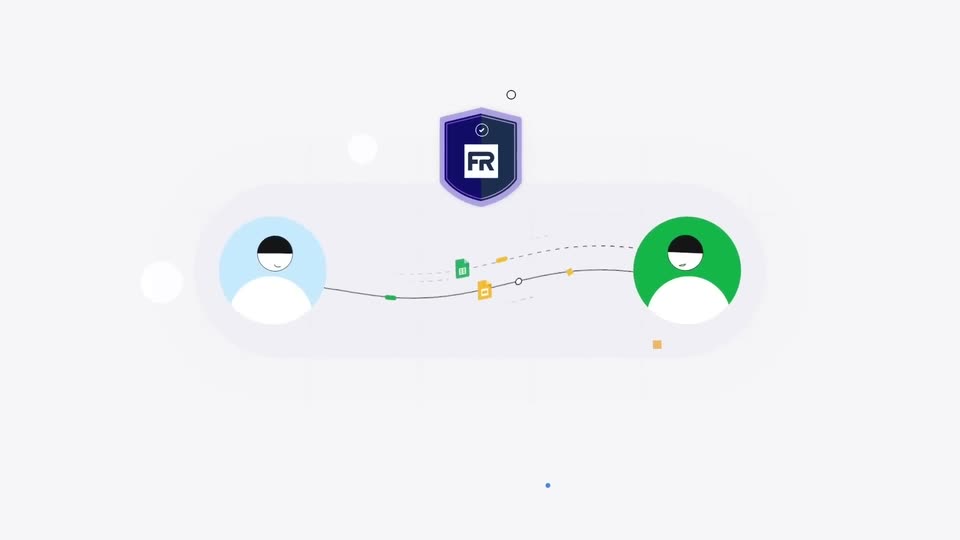
A navy shield badge with a lavender border and white FR square starts large at center, then shrinks and rises as a gray caption fades in below. The caption exits and a rounded pill with two blue and green avatar icons, linked by a dashed line, assembles under the shield.
On-screen text: “FedRAMP High Ready, U.S. based solution”
Camera: Static
Two flat avatars in blue and green circles sit in a soft panel, with a dark blue shield bearing a white FR mark above. Small file icons travel along dashed curves between them, and the shield shrinks and morphs into a small circular logo.
Techniques: Morph
Camera: Pull out
A pill outline on a light background holds two avatar icons joined by dashed lines with file icons. Locks snap to each end, the avatars swap for a row of Google Workspace icons, the pill lifts, and dashed arrows branch down to two avatars in a row of four.
On-screen text: “End-to-End Encryption”
Camera: Pull out
A light gray card holds the centered line 'Here's how it works:' above a thin rule that shifts from dashed to solid with a left arrowhead, while small blue, yellow and white shapes drift slowly across the frame.
On-screen text: “Here's how it works:”
Camera: Static
A light gray card holds the centered black headline above a left-pointing dashed arrow, with small floating squares and dots. The headline fades out as a Google Docs button, a rounded rectangle and a cursor begin to appear.
On-screen text: “Here's how it works:”
Camera: Static
A light gray screen shows the title Key Management Service with a numbered badge above three Google app dropdown buttons. A black cursor clicks the Google Docs button, opening a menu where New encrypted document is highlighted, then the menu closes. Two avatar circles drift downward.
On-screen text: “Key Management Service”
Techniques: Cursor demo
Camera: Static
A Google Docs dropdown opens, the cursor selects the green encrypted-document row, and the menu collapses into a white document that gains a green lock. The document slides into a cloud while an avatar holds the key, next to a blue Client-Side Encryption pill.
On-screen text: “1”, “Key Management Service”, “Client-Side Encryption”
Techniques: Cursor demo, Morph
Camera: Pull out
A white document card with a folded corner scales down from full frame to center on a light gray field, while small colored dots drift around it. A blue comment pill labeled You pops in on the left and fades out, and a green icon with the headline Live Redaction for Google Docs drops in above the card.
On-screen text: “Live Redaction for Google Docs”
Techniques: Masking
Camera: Pull out
A flat document mockup with gray text bars sits on a pale background. A black cursor ticks checkboxes in a tooltip while a cartoon avatar bubble drifts around it. Blue pill captions slide in, then a 'Decrypted text' tooltip and an 'Access denied' card with a 'Request Access' button appear.
On-screen text: “2”, “Live Redaction for Google Docs”, “You can encrypt specific content”, “Precise control over who sees what”
Techniques: Kinetic type, Cursor demo
Camera: Pull out
A Gmail app icon with a red one badge scales down and fades into a white document card carrying a faint Gmail M watermark. Above it the heading 2 Live Redaction for Google Docs sits still while an Access denied tooltip with a Request Access button and a black cursor pops in over the card, then the tooltip fades out.
On-screen text: “2 Live Redaction for Google Docs”
Techniques: Morph, Cursor demo
Camera: Pull out
A flat Gmail email card sits under the headline. A green check and a blue Digital seal pill pop in, the border turns gold, then the body swaps to scrambled text with a Message encryption pill and red hacker icons as the scene fades.
On-screen text: “S/MIME, Email Encryption”, “Digital seal”, “Message encryption”
Camera: Pull out
White pill and oval shapes with soft drop shadows drift across a plain off-white background, shifting positions between frames. The shapes float in place with a paper-cut or clay texture, no text or interface present.
Camera: Static
On a pale gray field, the heading and three white pill cards fade in from soft white blobs. Green circle-slash icons over a download arrow, a puzzle piece and a gear draw in at the right edge of each row.
On-screen text: “Ease of Set-Up and Use”, “NO Downloads”, “NO End-User Plugins”, “NO Engineering”
Camera: Static
Three white pills reading NO Downloads, NO End-User Plugins and NO Engineering sit under the headline Ease of Set-Up and Use on a pale circle over mint, each with a crossed-out green icon. A green disc expands to cover the frame, then contracts to a dot as Deploy in Few Minutes fades in on white.
On-screen text: “Ease of Set-Up and Use”, “NO Downloads”, “NO End-User Plugins”, “NO Engineering”, “Deploy in Few Minutes”
Techniques: Masking
Camera: Pull out
A white circle holds a thin line drawing of a doorway while a green gradient wedge spins around the center. Faint arcs and small colored dots orbit on a pale gray field. The headline sits above. The circle gives way to a green and black logo that draws itself.
On-screen text: “Deploy in Few Minutes”
Techniques: Light sweep, Masking
Camera: Pull out
The qanapi wordmark letters slide in beside the green-and-black logo mark on a light gray field. The tagline slides in below, Secure by Design is appended in green, and a green Request your demo today button appears beneath.
On-screen text: “Easy to Deploy. Effortless to Manage.”, “Secure by Design.”, “Request your demo today”
Techniques: Kinetic type
Camera: Static