0:56


Introducing the new Notion AI
Notion · Productivity · Sep 2024
Figma · Sep 2025 · 2:16 · Full motion · AI-annotated
Figma’s 2:16 launch film runs 15 scenes, about 9.1 s each. The product is on screen from the first frame and 1 feature is revealed. The call to action lands at 0:17 (13% in), over a voiceover. The video is a screen recording of the Figma editor with the presenter's webcam pinned in the lower-left corner, while the canvas swaps between static title cards and full-frame app demos. It opens and closes on the Figma Make wordmark, holds on each card before cutting, and ends with the animated brand logo assembling on black.
Is this your launch? to your site or press kit.
Notion · Productivity · Sep 2024
Wondering · Consumer · Nov 2026
Films whose music sounds like this one, voice left out
Alloovium · Electronic
Novella · Modern corporate electronic
Whitespace · Upbeat electronic
A static Figma editor view shows the canvas headline 'Updates to: Figma for Edu' above a row of eight colorful app icons, with a presenter's headshot in the lower-left sidebar. At the end the canvas clears and the blue Figma logo with 'Figma Make' appears centered.
Camera: Static
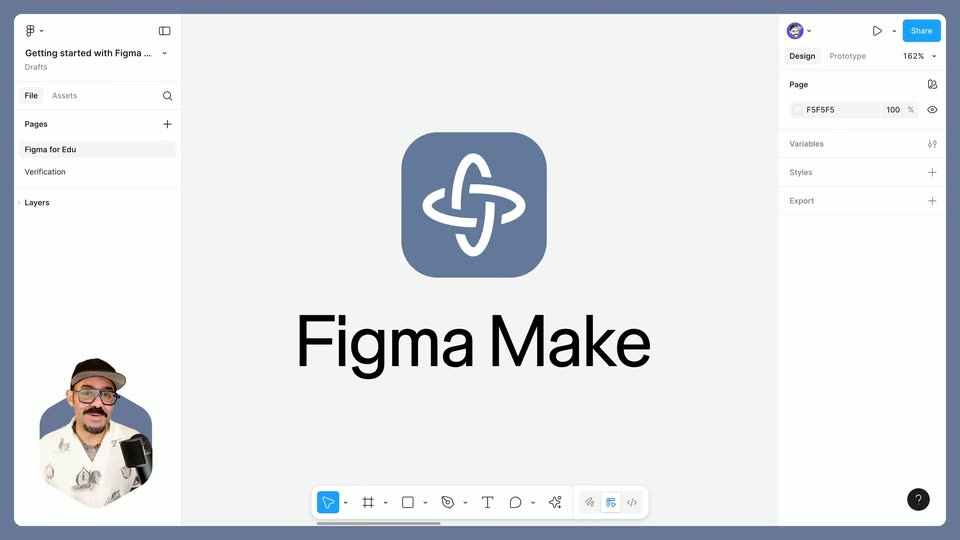
The Figma editor sits open on a light canvas showing the blue Figma mark and the title Figma Make. A small video of a bearded man in a cap and glasses speaks into a microphone in the lower-left corner. The interface stays static throughout.
Camera: Static
A static Figma canvas shows two centered lines of text, a black headline and a violet URL, while a small webcam feed of a man in a cap and glasses talks in the lower-left corner.
On-screen text: “Reverify edu status”, “figma.com/education/apply”
Camera: Static
A static view of the Figma editor shows a video card on the canvas, while a small live-action inset of a man in a cap and glasses talks and gestures in the lower left.
Camera: Static
The Figma editor fills the frame, its canvas showing a blue app icon above the words Figma Make in black. A small circular video of a man with a cap and glasses sits in the lower-left corner, speaking into a microphone. The interface stays static throughout.
Camera: Static
A web app screen shows a prompt panel left and a 3D SVG visualizer right. Colorful extruded flower shapes spin and drift in blue space while a cursor drags sliders below the preview.
Techniques: Split screen, Cursor demo
Camera: Static
A product interface fills the frame: a dark canvas shows a loading spinner over colorful 3D flower shapes, a left panel lists the prompt, and a bottom row of sliders sits below. A cursor drags the Depth slider as a small webcam feed of a man stays in the corner.
Techniques: Cursor demo
Camera: Static
Screen recording of a 3D SVG visualizer app. A webcam feed of a man sits in the left panel while the right canvas spins colorful extruded flower shapes on blue. A cursor drags the Depth slider, then a hand cursor hovers over the canvas.
Techniques: Cursor demo
Camera: Static
A screen recording of an AI design tool shows a chat panel beside a purple analog clock preview. A cursor drags the width handle, the clock scales up and down, then hovers over the dial, a div box and a black Ask for changes toolbar appear.
Techniques: Cursor demo
Camera: Static
A code editor screen with a chat panel on the left. The right pane scrolls down through the clock component code, a text cursor blinks mid-file, then a mouse cursor glides up to the Preview and Code tabs at the top.
Techniques: Cursor demo
Camera: Static
A design tool screen shows a chat panel on the left and a live preview on the right, where a purple analog clock ticks in real time, its hands moving and the digital readout updating below. The cursor drifts across the preview and hovers the Preview toggle.
Techniques: Cursor demo
Camera: Static
Screen recording of a color-generator web app. A cursor drags the lightness and hue sliders, turning the swatch from teal to green, then scrolls to the SVG tool and clicks Remix, cycling the recolored logo through several palettes.
Techniques: Cursor demo
Camera: Static
A Figma editor window fills the frame, its canvas showing the blue Figma logo above the words Figma Make. A small video of a man in a cap and glasses talks into a microphone in the lower left corner. The view holds still, then fades to black.
Camera: Static
On black, four purple squares split apart into a wide bar while a red dot stretches into an orange ellipse. A nested stack of orange, green and pink squares with a green circle pops in below, and a small blue dot lands to the right.
Camera: Static
On a black field, scattered flat shapes (an orange pill, a purple dashed square, a green circle, a blue ring) slide and rotate toward center, merging into the brand logo. The mark holds steady for two beats, then fades to black.
Techniques: Morph
Camera: Static