0:36

Meet Nano Banana Pro: Next-Level AI Image Generation & Editing
Google · AI · Nov 2025
Wondering’s 0:42 launch film runs 11 scenes, about 3.9 s each. The product is on screen from the first frame and 4 features are revealed. The call to action lands at 0:39 (91% in), over a voiceover. A single-take vlog style pitch: one presenter at a desk in a warm home office, with app UI panels sliding in on the left to demo each of three numbered features. Its signature moves are wobbly hand-drawn outline words that pop in sync with speech, blue-outlined captions that roll phrase by phrase, and the recurring black star mascot, all at a brisk ~100 bpm pace.
Is this your launch? to your site or press kit.
Google · AI · Nov 2025
Orior AI · AI · Oct 2026
Context.dev · Developer tools · Oct 2026
Films whose music sounds like this one, voice left out
Google · Upbeat pop
Suno · Product demonstration with an instrumental funk/soul/dance track
A woman in a red sweater speaks to camera at a desk, holding a small microphone. A wobbly white-outlined “real quick” title flashes over her, then a black star-shaped blob with a face pops in and slides from left to right as captions roll along the bottom.
On-screen text: “real quick”, “Here's three ways”, “learning with Wondering”, “is better than ChatGPT”
Techniques: Kinetic type
Camera: Pull out
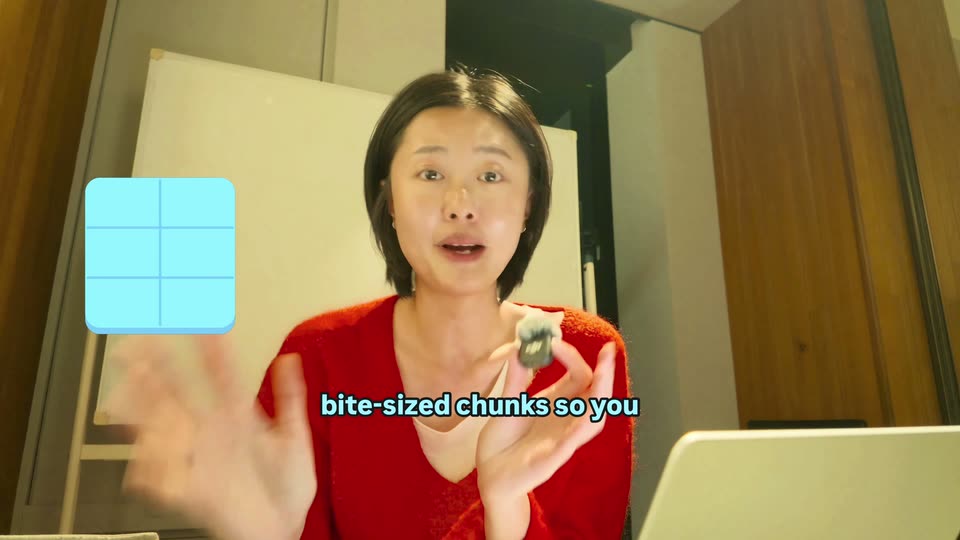
A woman in a red sweater talks to camera, gesturing with one hand and holding a small mic in the other. A blue tile with a text cursor pops in on the left, then splits into a grid of blue cards. Subtitles sit at the bottom.
On-screen text: “First, we break down a”, “huge topic into”, “bite-sized chunks so you”, “is better than ChatGPT”
Techniques: Morph
Camera: Static
A woman in a red sweater holds a small mic with a furry windscreen and talks to camera in a home office. A white app panel listing podcast lessons animates on the left, and blue-outlined captions appear phrase by phrase at the bottom.
On-screen text: “can easily”, “keep track of your”, “progress and learn”, “the go”
Camera: Static
A woman in a red sweater holds a small fluffy object and talks to camera in an office; big hand-drawn outlined words, effective then experience, pop over the frame in sync with her speech, the second glowing teal. Subtitles sit at the bottom.
On-screen text: “And for number two, this”, “is our mission to make”, “effective”, “experience”, “So we added so many”
Techniques: Kinetic type
Camera: Static
Three app screens scroll side by side: a feedback-loop note, numbered decision cards, and a Putting It to Work doc with a flowchart. A bold outlined caption swaps phrases at the bottom. The triptych cuts to a full-screen whiteboard of space notes and diagrams.
On-screen text: “So we added so many”, “to dive deeper when you”
Techniques: Split screen, Kinetic type, Cursor demo
Camera: Pan
A woman in a red sweater talks into a handheld mic in front of a laptop. A flat phone UI panel floats on the left, swapping from a list view to a 'Ready for your live challenge?' screen, with a cursor visible. White outlined captions sit at the bottom.
On-screen text: “And my favorite is this”, “where our AI basically just talks to you and”
Techniques: Cursor demo
Camera: Static
Split frame: a phone UI mockup on the left cycles through live challenge, connecting, and speaking states, while a woman in a red sweater talks on the right. Blue-outlined captions of her voiceover swap along the bottom.
On-screen text: “live challenge feature”, “where our AI basically”, “talks to you and asks”, “different questions”, “to test your”, “understanding”
Techniques: Split screen
Camera: Static
A woman in a red sweater sits at a desk with a laptop, holding a small mic and talking to camera. A phone app panel slides in on the left, scrolling from a podcast lesson list to knowledge cards and a flowchart, while blue-outlined captions roll along the bottom.
On-screen text: “Every time we use this,”, “we're surprised by how”, “much more we're learning”, “critically thinking”, “And third is you're”, “building a library of”, “your own notes and”, “references as”, “you learn with wandering”, “Magic Insights', 'auto creates notes based', 'on your conversations', 'explorations, and you', 'can always manually”
Techniques: Split screen, Cursor demo
Camera: Static
A woman in a red sweater holds a small microphone and talks to camera in a wood-paneled room. A chat app panel overlays the left side, showing a conversation, while a blue arrow points at the bookmark icon. White subtitles roll across the bottom.
On-screen text: “explorations and you can”, “always manually save”, “your discussions, by just”, “clicking the bookmark”
Camera: Static
A woman in a red sweater sits at a laptop, holding a small gray object, speaking to camera. A phone screen inset on the left shows a note titled Your Models Are Hypotheses with a map illustration; its highlighted text shifts from blue to yellow. Subtitles appear at the bottom.
On-screen text: “your discussions, texts,”, “diagrams here too”
Techniques: Cursor demo
Camera: Static
A woman in a red sweater holds a lavalier mic and speaks to camera in a home office with a whiteboard and laptop. Playful hand-drawn outline words pop up around her in sequence, then a large white wondering.app spans the frame above a small caption.
On-screen text: “lets make”, “habit”, “together”, “You can try for free”, “wondering.app”
Techniques: Kinetic type
Camera: Static