0:36
Explore
00:00:00 / 00:34:15
- Length
- 0:34
- Scenes
- 7 · 4.9 s avg
- Product on screen
- 0:00
- Voiceover
- No
- Views
- 12K on X
as of November 21, 2026
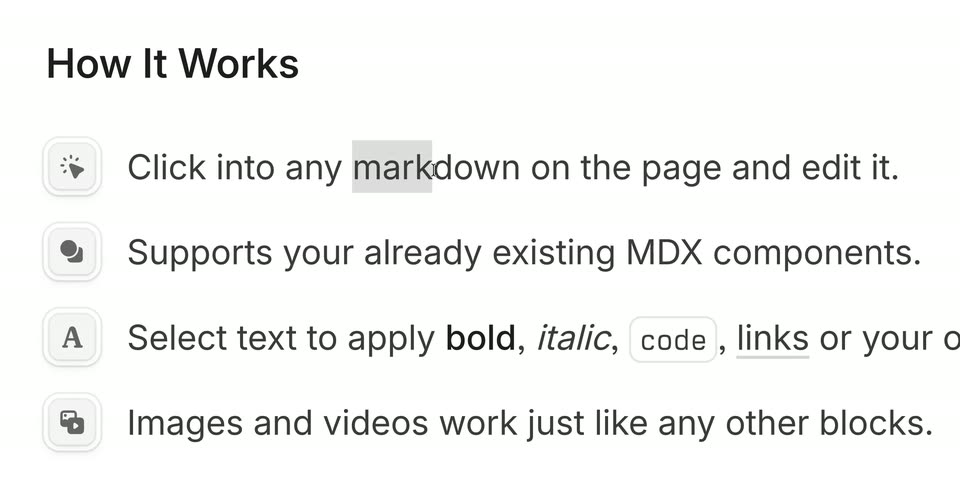
Esqia’s 0:34 launch film runs 7 scenes, about 4.9 s each. The product is on screen from the first frame. There is no explicit call to action. The video is a cursor-driven interface tour: the pixel logo blooms into a pill toolbar, a 'How It Works' panel is edited live through typing, selection, floating menus, and drag reordering, then a pulsing logo card closes the piece. Pacing is slow and deliberate at under two cuts per minute, built on soft shadows, pill geometry, a cyan selection outline, and the recurring pixel logo.
No filming indicatedEstimated needs: 3 capture groups — your screens or recordings · 1 official logo — reused across the film
Is this your launch? to your site or press kit.
More like this


Jakub Krehel - Introducing Esqia An easy way to edit MDX directly on your page. If, scene by scene
· 7 scenes as text
01 · Product intro · 0:00–0:06
A circular button with a dotted grid logo expands rightward into a floating pill toolbar of undo, redo, history, list, and color-dot icons. A hand cursor glides across the controls and taps the dot, which cycles gray, blue, gold, and cyan.
Techniques: Morph, Cursor demo
Camera: Static
02 · Demo · 0:06–0:14
A bulleted list under a 'How It Works' heading fills a light panel. A cursor types 'and edit it' onto the first line, then drags across the word 'markdown' to highlight it. A small floating toolbar pops up and the cursor clicks the italic button, slanting the word.
Techniques: Cursor demo
Camera: Push in
03 · Demo · 0:14–0:20
Cropped close-up of a markdown editor list. The pointer clicks the plus button, a block menu opens, then a new line appears under the first item. The text Add new elements easily! is typed letter by letter into the new block.
Techniques: Cursor demo
Camera: Static
04 · Demo · 0:20–0:24
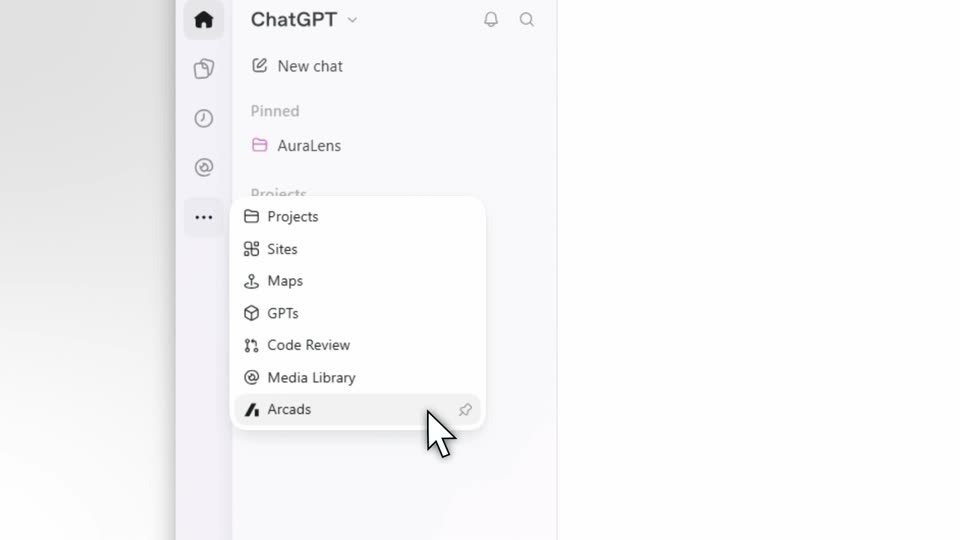
A rounded dropdown of block types (Heading 1, Heading 2, Heading 3, Bulleted list, Numbered list) fades in sharp over faded paragraph text, its highlight sliding from Heading 1 to Heading 2. The scene then cuts to a vertical row of small icons beside a list of feature lines.
Camera: Static
05 · Demo · 0:24–0:30
Close-up of a block list in a page editor. A hand cursor grabs the six-dot drag handle and moves rows; the list reorders, with a blue outline on the active row and a thin blue line marking the drop position.
Techniques: Cursor demo
Camera: Static
06 · Outro · 0:30–0:33
A pixelated mark of black squares sits centered on a white grid background. The central vertical column of squares fades in and out, while the two side clusters stay fixed.
Camera: Static
07 · Outro · 0:33–0:34
A white toolbar strip holds a black pixelated logo at center, flanked by gray undo, redo, history and list icons. The frame stays locked and still.
Camera: Static