0:34
Pulse local reel
Pulse Local · Finance · Nov 2026
Pulse Local · Nov 2026 · 0:34 · AI-annotated
Pulse Local’s 0:34 launch film runs 11 scenes, about 3.1 s each. The product shows up at 0:02 and 4 features are revealed. There is no explicit call to action; a voiceover carries the film. Every beat is one white card centered on a flat pale-gray field, advanced by a black cursor in quick 1-3 second cuts that hold a steady ~123 bpm pace. Signature moves are soft springy card transitions, sliding pill selectors with blur trails, and letter-by-letter typing that lifts into dark chat bubbles.
Is this your launch? to your site or press kit.
Pulse Local · Finance · Nov 2026
Apple · Hardware · Sep 2026
OpenAI · AI · Apr 2026
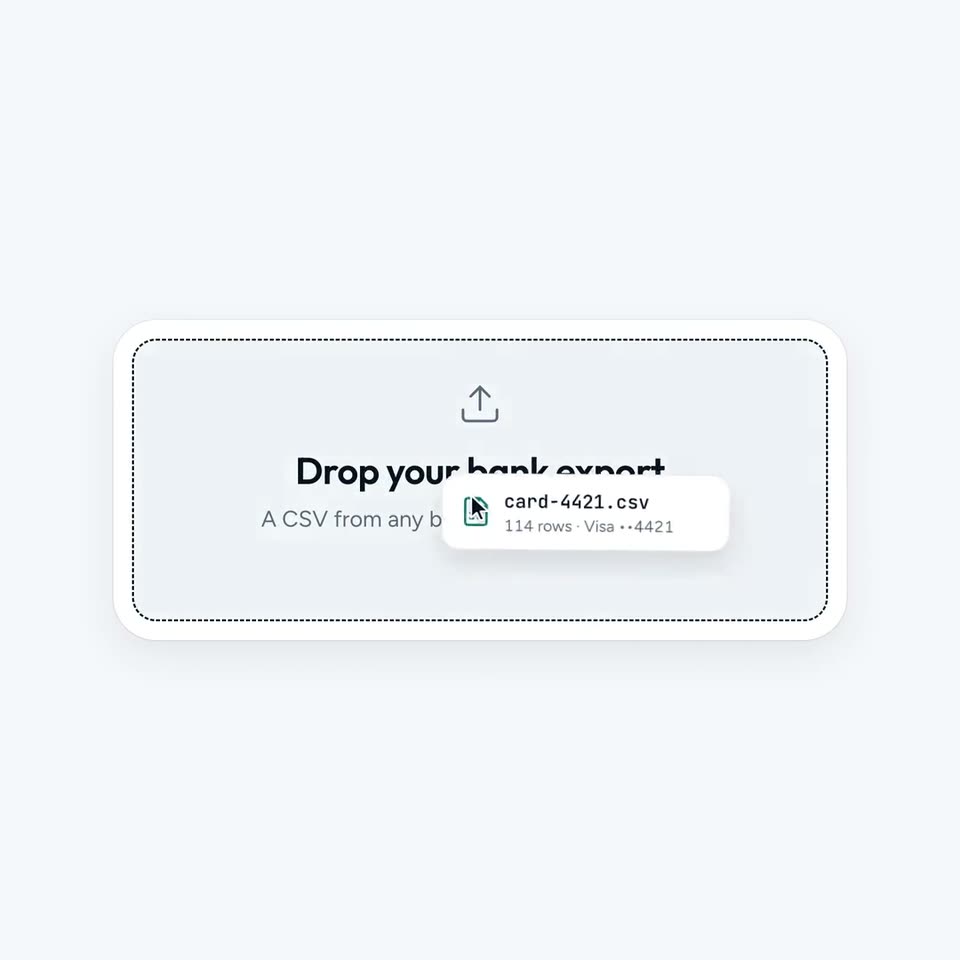
A light gray drop zone with a dashed border and an upload icon sits centered. A file chip labeled card-4421.csv, held by a cursor, slides up from the bottom right into the center of the zone as the zone's text fades from light gray to black.
Techniques: Cursor demo
Camera: Static
On a pale gray field, a central white circle draws a teal leaf, fills solid mint, then resets to a purple car line icon, while four small white circles with green, orange, brown and purple line icons ring it and a black cursor slides right.
Techniques: Cursor demo, Morph
Camera: Static
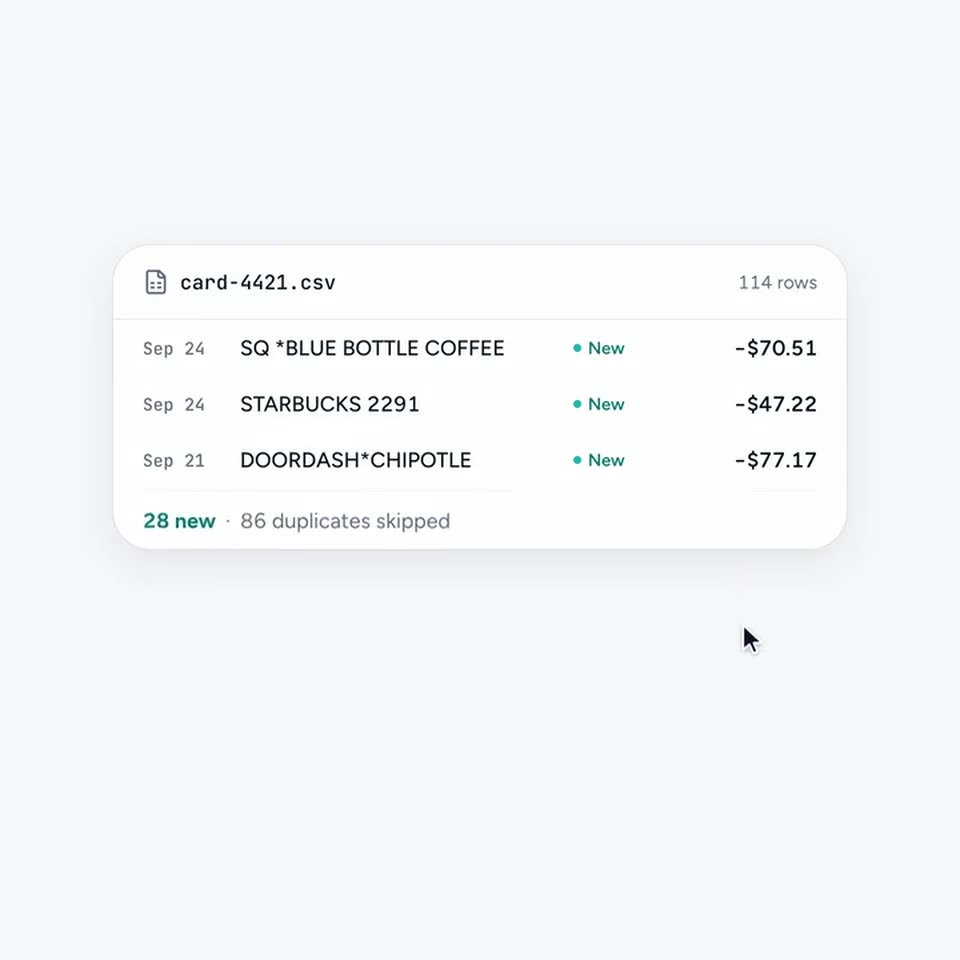
A white transaction card on a pale gray field shows a CSV import. A teal highlight fades out as green New and gray Duplicate tags appear beside each row, then the duplicate rows collapse away and the card shrinks to three lines while the cursor drifts down.
Techniques: Cursor demo
Camera: Static
A white rounded settings card sits centered on a pale gray background, showing an Offline mode label with the subline Nothing leaves this machine and a toggle in the off position. A mouse cursor hovers over the toggle on a locked-off frame.
Techniques: Cursor demo
Camera: Static
A white rounded settings card labeled “Offline mode” with a gray subtitle sits centered on a pale gray field. A cursor clicks the toggle on the right, and the switch flips from light gray to black, the frame held static.
Techniques: Cursor demo
Camera: Static
A white pill-shaped segmented control sits on a light gray field, labeled July, August, September. A dark rounded selector slides from July to August with a short blur trail, while a static arrow cursor hovers at September.
Camera: Static
A cursor rests on the September segment of a three-part month pill selector. The view then cuts to a white money flow card, where an inner income panel slides up to reveal $8,620 beneath a header line.
Techniques: Cursor demo
Camera: Static
A white card on a pale lavender background shows a money-flow chart: colored bands stream right from a black income bar toward category labels and amounts. A cursor hovers over each band, highlighting it and popping a dark tooltip with its value, then the card fades to blank white.
Techniques: Cursor demo
Camera: Static
A rounded prompt bar sits on a pale gray field with the placeholder “Ask about your money”. A query types in letter by letter, the cursor moves to the black send button and clicks, then the typed text lifts into a gray speech bubble above the now-empty bar.
Techniques: Cursor demo, Morph
Camera: Static
A white chat card sits on a pale lavender field. A dark bubble asks about the savings rate; the assistant's reply types out beside a leaf icon. The cursor then types a follow-up question in the input bar and clicks send, and a second reply types out.
Techniques: Cursor demo
Camera: Static
A white rounded card on a gray field shows a teal leaf icon above the bold black lines 'Not your machine, not your data.' The icon and text fade in to full color, then hold. A cursor arrow rests at the lower right; the frame is locked.
On-screen text: “Not your machine,”, “not your data.”
Camera: Static