1:05

Introducing Zapier Tables
Zapier · Productivity · May 2023
ElevenLabs · Dec 2024 · 0:43 · AI-annotated
ElevenLabs’s 0:43 launch film runs 16 scenes, about 2.7 s each. The product shows up at 0:05 and 2 features are revealed. The call to action lands at 0:32 (76% in), over a voiceover. The video alternates clean white UI demos with near-black neon logo beats, cutting at about 5.6 cuts per minute to a 123 bpm pulse. Signature moves are the typewriter code reveal, the counting-down latency gauge, and the gradient wordmark lockups that bookend the piece.
Is this your launch? to your site or press kit.
Zapier · Productivity · May 2023
Insta360 · Jan 2025
Films whose music sounds like this one, voice left out
NVIDIA · Electronic
Neomatter · Modern electronic
Sekoia · Electronic
A dark code editor card pops in at the center of a light gray background. API code types out line by line, then a black Run button pops in at the bottom right. The camera zooms in on the button as a cursor clicks it.
Techniques: UI zoom, Cursor demo
Camera: Push in
Close-up of a dark code panel with green monospace text on a light gray backdrop. A white cursor taps the black Run button, which scales up as the frame tightens on it.
Techniques: Cursor demo, UI zoom
Camera: Static
On a near-black field with a soft red glow at the edges, the orange-to-yellow Flash V2.5 wordmark and outlined version badge fade in and settle at center. A dark-red word Time slides in to the left as the logo shifts to a red-orange gradient.
On-screen text: “Time”
Camera: Static
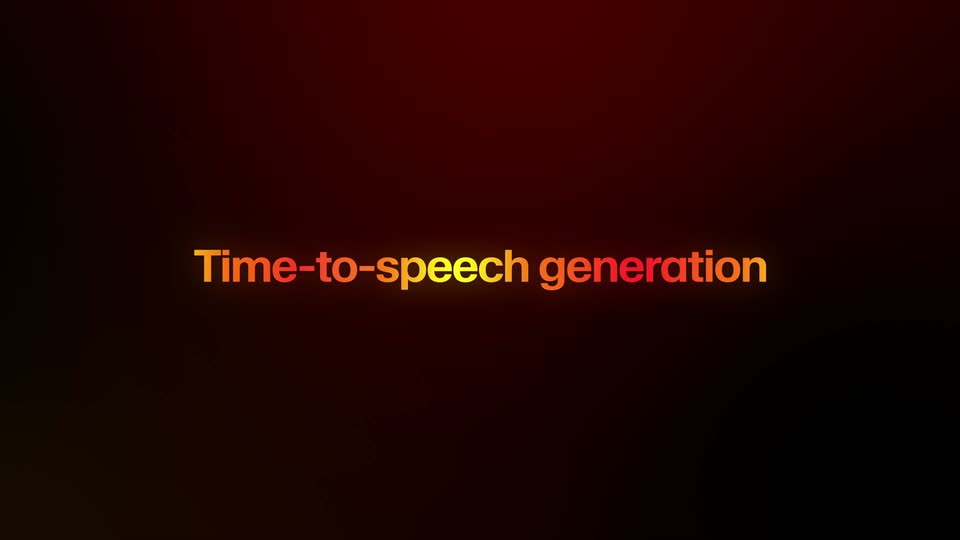
On a near-black background with a soft red glow, the headline in a red-to-yellow gradient starts small on two lines and scales up to a single line spanning the frame width.
On-screen text: “Time-to-speech generation”
Techniques: Kinetic type
Camera: Static
A circular gauge on white counts down from 350ms to 75ms as its green and orange arcs retract to a single green segment, under the label Time-to-speech generation. Above, the headline This is the fastest model of its kind builds word by word, the last word in gray.
On-screen text: “Time-to-speech generation”, “350ms”, “+ network latency”, “75ms”, “This is the fastest model of its kind”
Techniques: Kinetic type
Camera: Static
A bold headline and a 75ms stat sit above a green-and-gray circular gauge on white. The view scrolls down as a gradient-bordered LLM card and the stacked words Build, test, and deploy. slide in.
On-screen text: “This is the fastest model of its kind”, “75ms”, “+ network latency”, “Build, test, and deploy.”
Techniques: Kinetic type
Camera: Pan
A white settings panel shows LLM and Voice cards; a black cursor picks Claude 3.5 Sonnet and Jason from open dropdowns. The Avatar row fills with three hex colors and a pinwheel. The headline Build, test, and deploy. slides off left as the frame pulls back.
On-screen text: “Build, test, and deploy.”
Techniques: Cursor demo, UI zoom
Camera: Static
A light chat screen shows two pinwheel avatars. The left bubble types the customer question, the right bubbles slide in with the bot reply and a green check line, and the thread scrolls down to reveal the arrival time.
Techniques: Kinetic type
Camera: Pan
A 2x2 grid of video tiles (red car, man in orange jacket, older man, cyborg) sits on white. Chat bubbles slide in from the edges, then the top two tiles enlarge while a pill bubble types out Mission Accepted.
Camera: Push in
Four rounded cards showing cyberpunk game stills float and drift apart on a white background. A white speech bubble with a multicolor pinwheel icon and the words Achievement Unlocked hovers beside the largest card, which rises slightly as the layout spreads.
On-screen text: “Achievement Unlocked”
Techniques: Parallax
Camera: Pan
A white card holds the gradient headline “32 languages.” centered while short translated phrases in many scripts fade and scale in and out around the edges. The headline scales up toward the end of the shot.
On-screen text: “32 languages.”, “32 języki.”, “otuz iki fark”, “em trinta e duas línguas diferentes”, “बत्तीस अलग-अलग भाषाओं में”, “ba mươi hai ngôn ngữ khác nhau”, “harminckét különbözó nyelven”
Techniques: Kinetic type
Camera: Push in
A dark code editor window with traffic-light dots sits centered on a light gray field while a Python snippet types out line by line in syntax-colored monospace. A large headline scales in over the locked-off frame.
On-screen text: “Flash v2.5”, “32 languages.”
Techniques: Kinetic type
Camera: Static
A blurred dark bar of faint green code lines sits center on a light gray field, then the Flash v2.5 wordmark scales in over a gray gradient, the version set in a yellow rounded outline box.
On-screen text: “Flash v2.5”
Techniques: Kinetic type
Camera: Static
The wordmark Flash in an orange-to-red gradient sits centered on a near-black background, with V2.5 in yellow inside a glowing rounded rectangle. The whole lockup slowly scales down while a faint red glow lingers in the upper right corner.
On-screen text: “Flash V2.5”
Techniques: Kinetic type
Camera: Static
On a black field, the orange Flash wordmark with a boxed V2.5 flanks a pair of white vertical bars and scales in at center. The wordmark and box drop out, leaving the bars, which are then replaced by the white IIElevenLabs wordmark that holds in the center.
On-screen text: “Flash v2.5”, “IIElevenLabs”
Techniques: Kinetic type
Camera: Static
A plain black frame holds the white ElevenLabs wordmark centered, locked off and motionless for the entire clip.
On-screen text: “IIElevenLabs”
Camera: Static