3:52
Meet Insta360 X5 - New Flagship 8K 360 Action Camera
Insta360 · Apr 2025
ElevenLabs · Jun 2026 · 0:48 · AI-annotated
ElevenLabs’s 0:48 launch film runs 26 scenes, about 1.9 s each. The product is on screen from the first frame and 6 features are revealed. The call to action lands at 0:37 (77% in), over a voiceover. The video names the product on a grainy orange ink field, then follows one continuous build from a typed prompt through model selection, node wiring, variants, voice and dubbing, ending on a CTA and the Eleven Creative wordmark. Its signature moves are the character-by-character typed prompt, the recurring white agent card, and hard cuts synced to a 103 bpm pulse between the ink texture and a flat light-gray UI canvas.
Is this your launch? to your site or press kit.
Insta360 · Apr 2025
Perplexity · AI · Apr 2023
Films whose music sounds like this one, voice left out
Auctor · Modern electronic
Delhivery · Modern electronic
Essential · Electronic
A grainy orange abstract texture fills the frame and slowly shifts to purple at the edges, while the white title reveals left to right at the center.
On-screen text: “Flows Agent”
Techniques: Kinetic type
Camera: Push in
A grainy orange ink background holds a centered white agent card that scales open from a collapsed pill into a chat input. The label reads Flows Agent with a green dot, and a prompt types out character by character in the field.
Camera: Push in
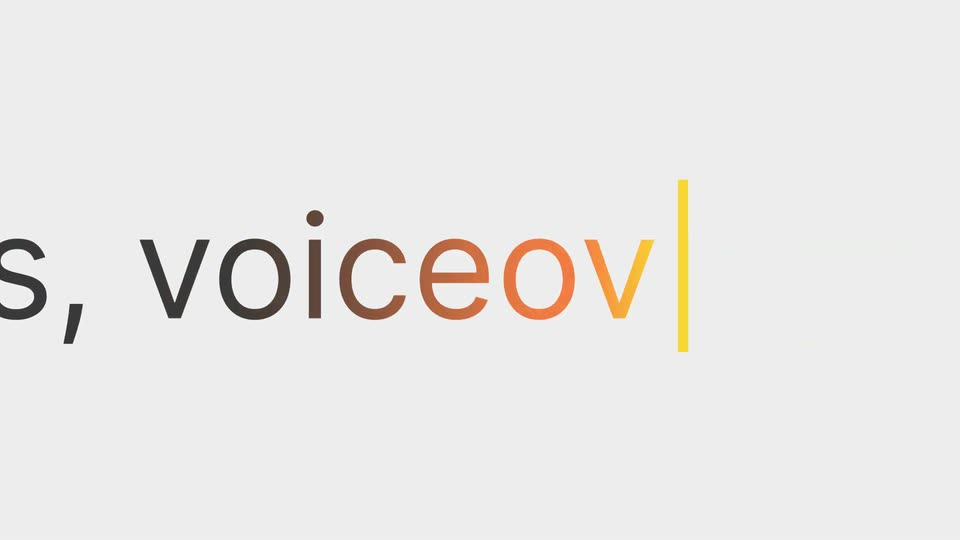
On a light gray background, a line of text types out behind a yellow cursor bar. Letters slide left, shifting from dark gray to orange and yellow, showing fragments like “3 colorway” then “voiceover,” which fade as the next phrase enters.
On-screen text: “Flows Agent”, “10-second product ad for these running shoes.|”, “t 3 colorwayl”, “voiceover”
Techniques: Kinetic type
Camera: Static
A light gray build screen lists steps with colored icons: blue image, purple video, pink audio, green composition. New rows drop in at the top and the list scrolls upward, the active step highlighted in orange, then the whole block fades out leaving only a dim Working line.
Techniques: Kinetic type
Camera: Static
A light gray panel shows a vertical list of model names. A blue circular node icon with an image glyph sits at left, a thin line connects it to the active name, and the selection travels down the list, highlighting each name in turn at a steady pace.
Camera: Pan
A purple circle with a video camera icon sits left of a vertical list of model names on a light gray background. The list scrolls up as a horizontal line and a dark highlight move from Vee to Eleven v3.
Camera: Static
On a light gray field, a flat white phone mockup with a purple waveform logo slides from the left toward center while a vertical list of model names fades in on the right, then fragments and scatters to the right as the phone settles.
On-screen text: “Veo 3”, “Seedance”, “LTX”, “ElevenLabs v3”, “Eleven Multilingual v2”, “Music v1”, “Music v2”
Techniques: Kinetic type
Camera: Static
A light gray interface card with a gradient image block and placeholder lines sits center frame, a dark Run button and model toolbar below; circular tool icons float at its edges and a thin curved line draws from the top-right icon as the card drifts left.
Camera: Static
A node-based flow editor on a light gray canvas shows two nodes joined by a curved line, an image node and a video node holding a runner prompt. The frame reframes onto the video node as its blank placeholder fills with footage of a runner's feet on a forest path.
Techniques: UI zoom
Camera: Pull out
A node-based flow canvas fills the frame, connecting image, text and audio nodes with thin lines. The camera zooms out and pans right, revealing a sneaker render, a forest runner clip, a leg close-up and prompt cards as the graph settles.
Techniques: UI zoom
Camera: Pull out
A pale node graph links several image and video cards, a thin black curve running across. The view zooms into the left card as a prompt field types a description, revealing a ribbed, pink and purple lit image of a runner below it.
Techniques: UI zoom
Camera: Pan
A light gray interface grid of shoe photo cards with thin circular lines behind it. Caption pills type and slide in over each card, then the view zooms into the dusk track-running card, which fills the frame.
Techniques: UI zoom
Camera: Push in
A light-gray chat panel titled Flows Agent scales in over a night photo of a runner on a track. A caret types Update this image using @image02 as a reference into the field above a sneaker thumbnail and send arrow. A white outline glows around the shoe.
Techniques: Cursor demo
Camera: Push in
A white Flows Agent chat card with a typed prompt and a sneaker thumbnail holds on the left, while a large rounded image on the right dissolves from a pale pink overlay into a sharp night-track photo of a runner and an orange shoe.
Camera: Static
A white Flows Agent panel on a light background. The Thinking block resolves from overlapping gray lines into clean text, then a question about aspect ratios fades in below, and a prompt line about updating the image appears at the end.
On-screen text: “Flows Agent”, “Update this image using @image02 as a reference”
Techniques: Masking
Camera: Static
A chat interface on a white background. Faded status lines scroll behind a large dark prompt that swaps from an aspect-ratio question to an export-resolution question, then four ratio chips and a highlighted 720p chip pop in.
Camera: Static
Resolution-choice text and the 720p, 1080p, 4K pills fade out as a right-side Flows Agent panel fades in, listing voiceover options. On the left, a video player card with a Run button settles in at low opacity.
Camera: Static
A light interface shows a white audio card sliding in from the left, its caption text filling in beside a Run button. A right panel titled Flows Agent lists suggested voices with colored avatars and a prompt to pick a voice.
Camera: Pull out
The interface fades in: an audio editor card with waveform, voice picker and body copy sits left of a Flows Agent panel listing voice options. The view scrolls down to reveal a second waveform card and a blurred video preview of a runner.
Camera: Static
A low-angle shot of a runner's feet in orange sneakers splashing on a wet road at dusk, framed in a rounded card that scales up to full screen. White and green pill labels reading Polish, French and Original pop in and swap at the center and bottom.
On-screen text: “Polish”, “French”, “Original”
Camera: Push in
A masonry grid of video panels on a white background shows runners and sneakers: hands tying laces, product shots of orange and green shoes, athletes in motion. The columns drift upward at different speeds while each clip plays.
Techniques: Split screen, Parallax
Camera: Pull out
A white grid of six running clips fills the frame, then the central dusk shot of feet on a wet road scales up while the surrounding panels blur and recede.
Techniques: Split screen
Camera: Static
Cards with sneaker photos and chat bubbles drift across a pale pink canvas. The view then lands on a glowing orange orb surrounded by a ring of small white circular icons.
Camera: Pull out
A grainy orange gradient fills the frame as dozens of small translucent icon circles drift across it. A white rounded card scales up at the center, and the words Flows Agent appear inside beside a small dot.
On-screen text: “Flows Agent”
Techniques: Particles
Camera: Push in
A grainy orange gradient fills the frame with translucent icon chips drifting slowly. A white rounded card sits centered, its prompt line typing out to read the full question, while two thin vertical bars fade in at the card's left and right edges.
Techniques: Kinetic type
Camera: Push in
A white logo mark, a rounded square with vertical bars, sits centered on a grainy orange marbled field. It resolves into the wordmark IIEleven Creative while thin white outline curves of a rounded frame drift and the texture slowly shifts.
On-screen text: “IIEleven Creative”
Techniques: Morph
Camera: Push in