
1:51
Explore
Perplexity - We are excited to launch the next version of Introducing login, threa
Perplexity · Apr 2023 · 1:14 · AI-annotated
- Length
- 1:14
- Scenes
- 27 · 2.8 s avg
- Product on screen
- 0:00
- Features shown
- 5
- Call to action
- 1:10 · 94%
- Voiceover
- No
00:00:00 / 01:14:22
Perplexity’s 1:14 launch film runs 27 scenes, about 2.8 s each. The product is on screen from the first frame and 5 features are revealed. The call to action lands at 1:10 (94% in). The video opens on the Perplexity logo, then alternates black tagline cards with white UI screens that snap between flat and tilted 3D cards on a rippling dot grid. Its signature moves are the chromatic RGB glitch on the logo, the radial and whip blur transitions, and the 3D pull back of the app window, all cut to a brisk beat.
No filming indicatedEstimated needs: 5 capture groups — your screens or recordings · 1 official logo — reused across the film · 3 3D passages — build or supply
Is this your launch? to your site or press kit.
More like this
0:32


Hemut launch film
Hemut · B2B
1:08

Best Motion Graphics Explainer Video for AI Platform | 1Deploy
1Deploy · Sep 2026
Perplexity - We are excited to launch the next version of Introducing login, threa, scene by scene
· 27 scenes as text
01 · Product intro · 0:00–0:02
A black field with a faint wavy dot grid holds the white Perplexity lockup, the square dot icon beside the wordmark, with a centered caption below. The logo and wordmark hold still, then snap into a chromatic glitch with rainbow fringing and horizontal displacement near the end.
On-screen text: “New Version Update”
Camera: Static
02 · Feature reveal · 0:02–0:04
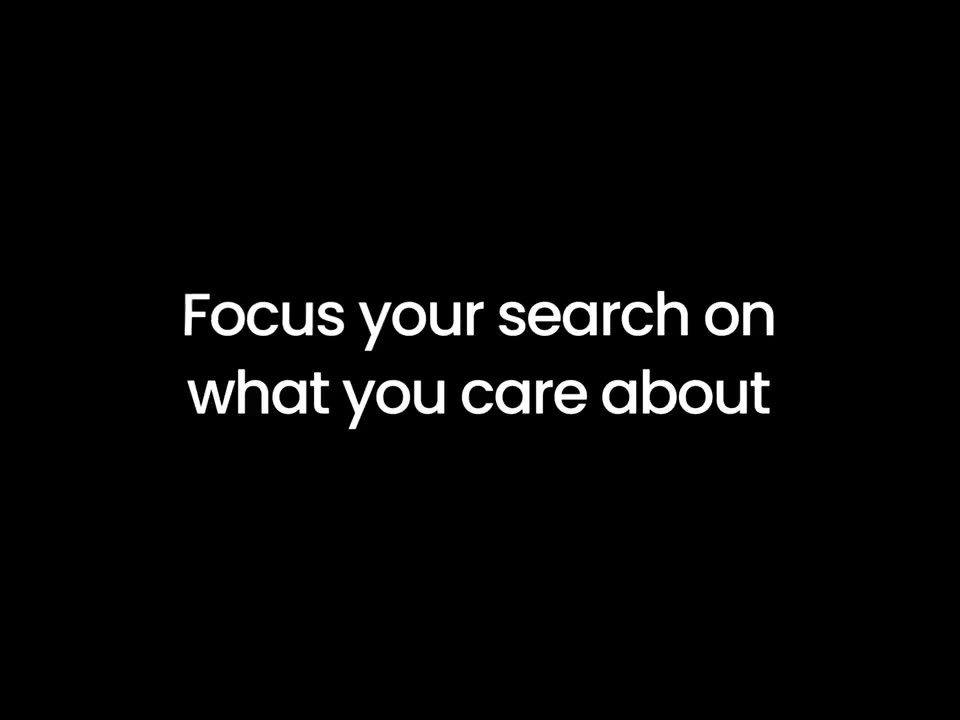
A white two-line headline sits on a black background. The text wipes in from left to right, holds centered, then wipes out again, the first line leading the second.
On-screen text: “Focus your search on”, “what you care about”
Techniques: Masking
Camera: Static
03 · Feature reveal · 0:04–0:07
A white search bar floats over a dimmed feed of past questions. The query types itself left to right while an arrow cursor rests at the lower left. A static headline reads what you care about.
On-screen text: “what you care about”
Camera: Static
04 · Feature reveal · 0:07–0:13
A Perplexity thread answering write code for reading twitter api v2 streams in a numbered list and a dark Python code block, then the flat screen pulls back into a tilted 3D card on a black dotted background as a second card slides in beside it.
Techniques: UI zoom, 3D mockup, Split screen
Camera: Pull out
05 · Feature reveal · 0:13–0:16
A black card holds a centered white headline for two seconds, then a fast vertical wipe slides the card out and reveals a white document-style UI screen with gray text lines and a blue accent, heavy motion blur.
On-screen text: “Experience the magic with code, table rendering, and more!”
Techniques: Masking
Camera: Static
06 · Feature reveal · 0:16–0:21
A white Perplexity web card floats on a black dotted backdrop, easing from a tilted 3D angle into a flat front view. The AI answer to a quadratic equation streams in line by line, then the whole card blurs out with a fast horizontal whip.
On-screen text: “with code, table rendering,”, “and more!”
Techniques: 3D mockup
Camera: Pull out
07 · Feature reveal · 0:21–0:25
A flat Perplexity screen shows a query heading and a comparison table that fills in from gray skeleton lines into populated rows for MacBook Air and Pro. A black cursor hovers over the table while a follow-up input sits below and body text types in at the bottom.
Techniques: Cursor demo
Camera: Static
08 · Feature reveal · 0:25–0:26
A white answer page displays a comparison table contrasting two laptop models, with a black cursor resting on the first column. The view holds briefly, then dissolves into a radial zoom blur that smears every element outward.
Techniques: Cursor demo
Camera: Pull out
09 · Feature reveal · 0:26–0:28
A black screen holds a centered white headline. The first line wipes in from the left with a soft trailing edge, then the second and third lines appear to complete the three-line statement, which holds and then cuts to black.
On-screen text: “Easily create detailed questions and edit your writing”
Techniques: Masking, Kinetic type
Camera: Static
10 · Feature reveal · 0:28–0:30
A white input card floats over a blurred list of search results, holding a prompt about editing a tweet. A hand cursor hovers the blue button at the field's right edge. The frame is locked-off and static throughout.
On-screen text: “your writing”
Techniques: Cursor demo
Camera: Pan
11 · Feature reveal · 0:30–0:34
A tight crop of a Perplexity chat shows a bold prompt and an answer that sharpens from blur, while related questions populate below. The view then pulls back to reveal the full app window on a dark dotted field, and the frame blurs into a transition.
Techniques: UI zoom
Camera: Pull out
12 · Feature reveal · 0:34–0:37
A blurred close-up of a chat answer sharpens and zooms out to reveal the full interface, with a search box, source chips and a related-questions list. A cursor hovers the edit icon, then drifts down the panel.
Techniques: Cursor demo, UI zoom
Camera: Push in
13 · Feature reveal · 0:37–0:45
Close-up on the Perplexity search field reading “Best pizza in New York City”; the cursor highlights the city name, deletes it and types “Brooklyn.” The frame then pulls back to the full app window as the answer streams in with a bulleted list of pizza spots.
Techniques: Cursor demo, UI zoom
Camera: Pull out
14 · Feature reveal · 0:45–0:46
A white two-line headline appears on a black background. The words enter with a brief motion blur, settling into place as the second line fades in, then hold on a locked-off frame.
On-screen text: “Organize and share your”, “knowledge with the world”
Techniques: Kinetic type
Camera: Static
15 · Feature reveal · 0:46–0:48
A Perplexity answer window sits on a black dotted field, opening out of focus and snapping sharp as a cursor drifts toward the top-right corner.
Techniques: Cursor demo
Camera: Static
16 · Feature reveal · 0:48–0:52
A close-up of a white interface on a black dotted background. A cartoon hand cursor moves to a blue Share button and clicks it, opening a dropdown that lists Twitter, WhatsApp, Facebook and Copy Link one by one.
Techniques: UI zoom, Cursor demo
Camera: Static
17 · Feature reveal · 0:52–0:53
A close-up of a product screen shows a blue Share button with an open dropdown of Twitter, WhatsApp, Facebook and Copy Link. A cartoon hand cursor hovers over the list and slides down from Twitter to WhatsApp while the background body text stays still.
Techniques: Cursor demo
Camera: Static
18 · Feature reveal · 0:53–0:58
A flat Perplexity interface sits on a black dotted field. A hand cursor taps 'Your Threads' in the left sidebar; the view then zooms into the thread list, where the cursor clicks a three-dot button to pop open a Delete menu.
Techniques: Cursor demo, UI zoom
Camera: Pull out
19 · Feature reveal · 0:58–0:59
A white Perplexity app window on a starry black background sharpens from a blurred, magnified list into focus. The interface shows a sidebar and a Your Threads list of prompts; a hand cursor glides down the rows.
Techniques: UI zoom, Cursor demo
Camera: Pull out
20 · Feature reveal · 0:59–1:01
On a black background, a two-line white headline snaps in from a fast blur, settles centered as “Build your own perfect knowledge hub,” holds for a beat, then the frame cuts to black.
On-screen text: “Build your own perfect knowledge hub”
Techniques: Kinetic type
Camera: Static
21 · Feature reveal · 1:01–1:02
A tilted 3D code editor window recedes as a flat white answer card with code text and related links comes forward; a hand cursor taps the copy icon while the frame reframes tighter on the explanation.
On-screen text: “perfect knowledge hub”
Techniques: 3D mockup, UI zoom
Camera: Push in
22 · Feature reveal · 1:02–1:05
A flat browser interface shows a sources panel and a dark View Sources button. A large white hand cursor clicks it, then the view zooms to a blue undo control and a Cancel/Done bar.
Techniques: Cursor demo, UI zoom
Camera: Pull out
23 · Feature reveal · 1:05–1:07
A dimmed Perplexity screen sits behind a white modal listing five numbered Figma results. The modal settles into the center as a cursor glides down to rest on the blue Done button.
Techniques: Cursor demo
Camera: Pull out
24 · Feature reveal · 1:07–1:09
A flat Perplexity chat window on a dark dotted field shows a typed Figma-plugin query; the AI answer and a dark syntax-highlighted code block stream in line by line while a hand cursor sits at the bottom right.
Techniques: Kinetic type
Camera: Static
25 · Feature reveal · 1:09–1:10
A tilted 3D mockup of the Perplexity chat window rests on a dotted dark grid, displaying generated Figma plugin code. The camera then pulls through the interface in a fast radial blur, moving toward a sign-up screen.
Techniques: 3D mockup, Speed ramp
Camera: Static
26 · CTA · 1:10–1:12
Centered white tagline on a black field of radiating dots. The line “Sign up and” holds while “try it today!” fades in word by word, and the dot streaks drift outward from the center.
On-screen text: “Sign up and”, “try it today!”
Techniques: Kinetic type, Particles
Camera: Push in
27 · Outro · 1:12–1:14
The Perplexity logo and wordmark sit centered on a black dotted grid. A horizontal RGB glitch streak crosses the mark, then settles into a clean white lockup.
On-screen text: “Perplexity”
Camera: Static