0:15
Sherjil Ozair - Today I'm launching my new company @GeneralAgentsCo and our first pro
GeneralAgentsCo · Apr 2025
Decohere · Feb 2023 · 1:22 · Full motion · AI-annotated
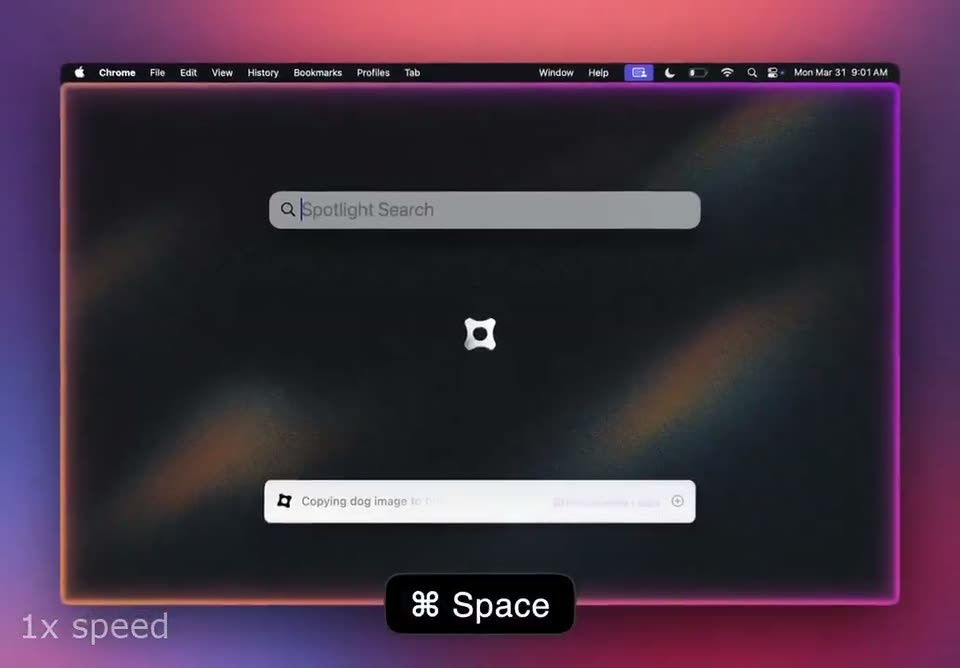
Decohere’s 1:22 launch film runs 14 scenes, about 5.9 s each. The product is on screen from the first frame. There is no explicit call to action. The video is a single continuous screen recording of the Decoherence app, opening on the named home screen and the first 'Hello world' project, then touring the editor's left panel (styles, audio, prompts) before resolving into the generated synthwave clip. Its signature move is a push-in zoom that blurs the background and isolates each control, with the camera reframing and sliding between panels at a steady, unhurried pace over a dark UI framed by a soft color gradient.
Is this your launch? to your site or press kit.
GeneralAgentsCo · Apr 2025
InstaBox · B2B · May 2026
Doe · B2B · Jan 2026
Films whose music sounds like this one, voice left out
Cohere · Synthwave, Eurodance
ernd · Electronic, House, Lo-fi Hip-hop, Chillwave
Rockstar Games · A mix of cinematic orchestral score, indie/alternative rock, and synth-pop/electronic dance music.
A browser window shows the Decoherence home screen over a purple-tinted architectural photo that pans sideways while the title and two project cards stay fixed. A dark plus card and a pink portrait card sit centered, with a cursor resting below them.
Techniques: Parallax
Camera: Static
A macOS window shows the Decoherence home screen with a plus tile and a pink project thumbnail. The view zooms in and blurs as a Create Project dialog with a name field and blue button slides in, the cursor moving down toward it.
Techniques: Cursor demo, UI zoom
Camera: Push in
A dark Create Project dialog floats over a blurred pink app background. A cursor types Hello world into the name field, then the dialog slides to the left edge as the entered text scales up.
Techniques: Cursor demo
Camera: Static
Zoomed on a nebula-in-a-bowl image labeled “Your Creation Here”, the dark editor pulls back to full view. A cursor clicks the “Create Project” button; a “Create a New Project” modal scales in with “Hello world” in the name field, and the cursor moves to “Send to Queue”.
Techniques: UI zoom, Cursor demo
Camera: Pull out
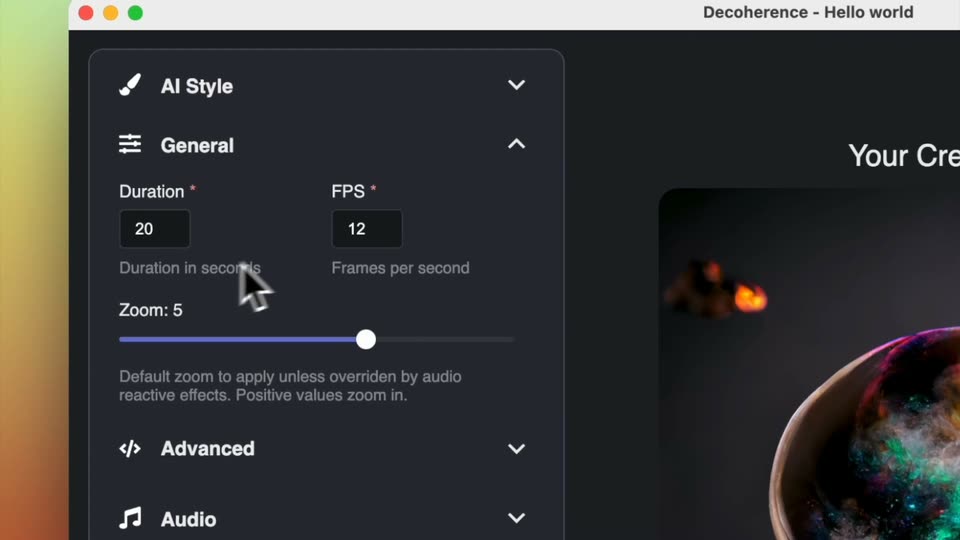
A dark interface shows a left accordion panel beside a canvas with a bowl of galaxy. The cursor expands AI Style to reveal style thumbnails, opens General and sets FPS to 1212, then opens Audio to show an Import Audio button, while the view zooms into the panel and back.
Techniques: UI zoom, Cursor demo
Camera: Static
A macOS file dialog sits over a blurred app window. The cursor moves down the file list, highlights a track, and clicks Open as the view zooms into the list and the dialog closes.
Techniques: UI zoom, Cursor demo
Camera: Push in
A file dialog with Cancel and Open buttons closes over the dark interface, revealing a 3D shell filled with a glowing teal and orange nebula on the preview stage. The left control panel with Audio, Bass and Other tabs stays in frame as a cursor hovers over the object.
On-screen text: “W”
Techniques: Cursor demo, Kinetic type
Camera: Pan
A dark app interface fills the frame, reframing onto each control as a cursor works the Audio panel. It opens the Creations menu, expands Audio Reactive Effects, picks Drums Channel and Z Translation, and drags two sliders. A bowl with a swirling nebula sits in the preview.
Techniques: Cursor demo, UI zoom
Camera: Push in
A dark prompts panel on the left, beside a blurred preview, shows a cursor typing a prompt, adding a second one, and editing its frame number. The view zooms and scrolls down to a creation name field and a Send to Queue button.
Techniques: Cursor demo, UI zoom
Camera: Pan
The cursor types “Hello synthwave” into the creation name field of a dark editor panel and clicks Send to Queue. The view widens to the full interface, then zooms in on the preview: a ceramic bowl filled with a glowing cosmic substance, with a ~12 minutes estimate below.
Techniques: Cursor demo, UI zoom
Camera: Pull out
A dark app window shows a 3D bowl of swirling colored smoke under the title Hello synthwave. The cursor clicks the Creations button, opening a dropdown that reads Rendering Hello synthwave, then a left sidebar with prompt rows slides in.
Techniques: Cursor demo, UI zoom
Camera: Pull out
A dark app screen shows a left sidebar with an expanded Prompts panel and a right preview where a synthwave portrait of a woman regenerates, her face and color palette shifting frame by frame while a progress bar reads about 12 minutes.
Techniques: Morph
Camera: Static
A dim product interface, showing a synthwave portrait beside a prompts sidebar, fades out to solid black over half a second.
Camera: Static
A dark app window lists two prompts, 'Portrait of a woman' at frame 0 and 'Portrait of a car' at frame 120, beside a player titled 'Hello synthwave.' The neon portrait of a person morphs through synthwave scenes into a car on a grid road.
Techniques: Morph
Camera: Push in