0:42
Explore
Cohere - We are excited to be introducing Prompt Tuner in beta today. It is a
Cohere · Jul 2024 · 1:10 · AI-annotated
- Length
- 1:10
- Scenes
- 15 · 4.7 s avg
- Product on screen
- 0:00
- Features shown
- 3
- Voiceover
- No
00:00:00 / 01:10:25
Cohere’s 1:10 launch film runs 15 scenes, about 4.7 s each. The product is on screen from the first frame and 3 features are revealed. There is no explicit call to action. A three-step product tutorial where each step opens with a typewriter headline over drifting glossy 3D blobs, then the white Prompt Tuner card slides in and the form auto-types itself in close-up. Pacing is slow and even at about 2.5 cuts per minute, with the interface gliding in and out of the pastel frame and zooms into form fields as the signature move.
No filming indicatedEstimated needs: 3 capture groups — your screens or recordings · 1 official logo — reused across the film · 4 graphic passages — draw or supply · 1 3D passage — build or supply
Is this your launch? to your site or press kit.
More like this
0:29

0:19
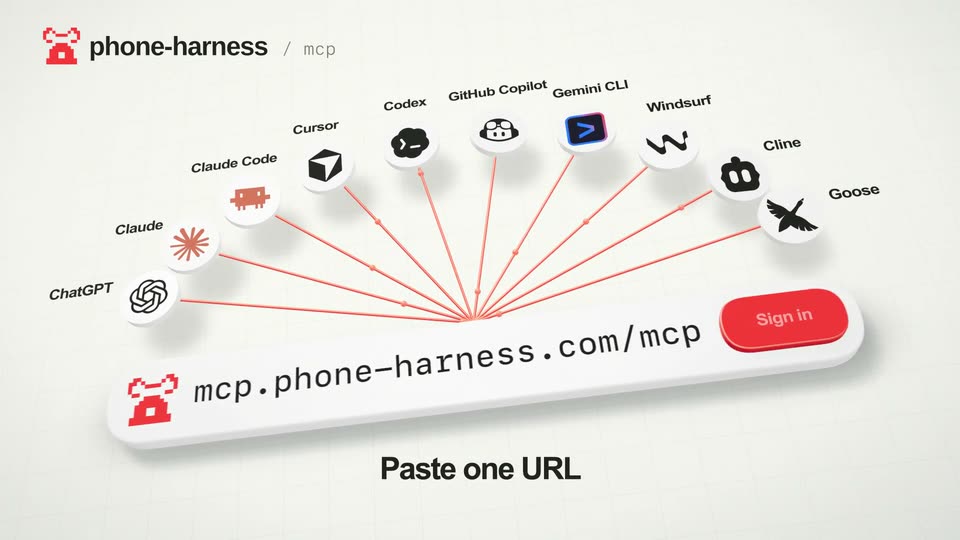

shawn - Introducing: Phone Harness MCP 🔌 Any agent that supports MCP can now
Phone Harness · B2B · Nov 2026
Cohere - We are excited to be introducing Prompt Tuner in beta today. It is a, scene by scene
· 15 scenes as text
01 · Product intro · 0:00–0:05
On a pale pink background, three glossy 3D blobs in red, blue, and purple rotate and morph on the right, while a typewriter headline types “Get better responses from better prompts”, then “with Cohere’s new Prompt Tuner”, then “Step 1: Get your pro_”. The Cohere logo sits bottom left.
On-screen text: “Get better responses from better prompts”, “with Cohere’s new Prompt Tuner”, “Step 1: Get your pro_”
Techniques: Kinetic type, Morph
Camera: Static
02 · Feature reveal · 0:05–0:08
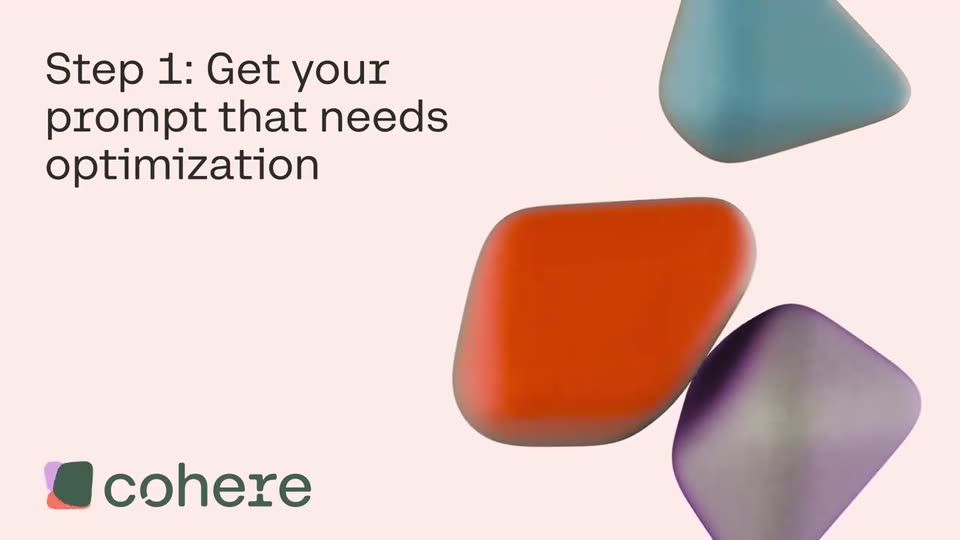
A pale pink card holds the left-aligned headline while three glossy 3D blobs in red, teal and purple rotate and drift across the right side. The cohere logo with its multicolor mark sits in the lower left corner.
On-screen text: “Step 1: Get your prompt that needs optimization”
Camera: Static
03 · Feature reveal · 0:08–0:12
A white Prompt Tuner panel slides into place on a pale pink background with rounded teal and purple shapes, then a prompt types out letter by letter in the input field while a text caret blinks.
Camera: Pan
04 · Feature reveal · 0:12–0:12
A flat prompt-creation panel slides out to the left, revealing a pale pink card where the headline types itself out behind a cursor. Three glossy 3D blobs in orange, teal, and purple drift on the right, and the cohere logo sits in the lower left corner.
On-screen text: “Step 2: Define your success criteria”, “cohere”
Techniques: Kinetic type
Camera: Static
05 · Feature reveal · 0:12–0:15
A black two-line title, Step 2: Define your success criteria, sits on a pale pink field with a blinking caret, beside three soft 3D blobs in red, blue and purple. The frame cuts to a Prompt Tuner interface card with tabs, example chips and a prompt field.
On-screen text: “Step 2: Define your success criteria”
Camera: Static
06 · Feature reveal · 0:15–0:16
A white Prompt Tuner panel sits on a pale pink background beside a curved 3D ribbon. The view zooms into the form as a cursor hovers over the variables and model fields, then pulls back to reveal the full card and the brand logo at the bottom.
Techniques: UI zoom, Cursor demo
Camera: Push in
07 · Feature reveal · 0:16–0:39
A close-up of a prompt-builder form auto-types three topic values into numbered fields, then the panel scrolls to the criteria section where more text fills the descriptive boxes and a word-count range is set. The frame zooms out to reveal the full window on a pastel background.
Techniques: Cursor demo, UI zoom
Camera: Pull out
08 · Feature reveal · 0:39–0:40
A flat product UI panel fades out on the left, leaving the black headline top-left beside three glossy 3D blobs (orange, teal, purple) on a pale pink background. The cohere logo fades in at the bottom left.
On-screen text: “Step 3: Get your”, “optimized prompt”, “cohere”
Camera: Static
09 · Feature reveal · 0:40–0:42
A pale pink background holds the left-aligned headline “Step 3: Get your optimized prompt” while three rounded 3D shapes in orange, teal and purple drift and rotate on the right. The cohere logo rests in the bottom-left corner.
On-screen text: “Step 3: Get your optimized prompt”
Camera: Static
10 · Feature reveal · 0:42–0:42
A pink title card with the headline 'Step 3: Get your optimized prompt' and three soft 3D blobs slides left as a Prompt Optimizer interface panel slides in from the right, showing a model field and an empty results box.
On-screen text: “Step 3: Get your optimized prompt”
Camera: Pan
11 · Feature reveal · 0:42–0:53
A flat product screen dissolves from a configuration view into a prompt tuner: a progress bar runs through ten iterations, a black results box fills with the optimized prompt, then the view scrolls down to a criteria-scores table. The cohere wordmark sits bottom-left.
On-screen text: “cohere”
Camera: Pan
12 · Feature reveal · 0:53–0:54
A tight close-up of a stacked diff text block with a row of score numbers at the bottom. The view pulls back to reveal the full results panel, showing an optimized prompt card and a completions section with a numbered article.
Techniques: UI zoom
Camera: Pan
13 · Feature reveal · 0:54–0:56
A close-up of a light results screen, with a diff view of an optimized prompt: deleted lines in dark red, added lines in teal. A hand cursor hovers over the Show diff toggle, then drifts right. Blurred teal and purple 3D shapes fill the backdrop.
Techniques: Cursor demo
Camera: Static
14 · Feature reveal · 0:56–1:07
A light Results panel sits on a soft pink gradient. A cursor clicks the Iteration dropdown, a list of nine iterations opens, the cursor picks Iteration # 1 and the prompt and completion text swap, then it reopens the menu and returns to Iteration # 9 (best).
Techniques: Cursor demo
Camera: Pan
15 · Outro · 1:07–1:10
Three glossy rounded triangles in orange, blue, and purple drift slowly on the right of a pale pink frame while the headline types out top left and the cohere logo holds bottom left.
On-screen text: “Happy Prompting!”
Techniques: Kinetic type
Camera: Static