0:33

Airtable - Stop talking to a wall of predictive text and start doing real resear
Airtable · Productivity · Jan 2026
GeneralAgentsCo · Apr 2025 · 0:15 · AI-annotated
GeneralAgentsCo’s 0:15 launch film runs 7 scenes, about 2.2 s each. The product is on screen from the first frame. There is no explicit call to action. A single 1x-speed screen-recording demo cut at roughly 8 cuts per minute, each jump landing on the next app step with a flat, front-on framing. Signature moves are letter-by-letter typing, popping black keycap badges, the glowing magenta window frame, and a persistent status pill that carries the command from input to Request completed.
Is this your launch? to your site or press kit.
Airtable · Productivity · Jan 2026
Google Gemma · Apr 2026
A white command palette floats over a dark blurred desktop. A command is typed letter by letter into the input field while three suggestion rows stay below. The palette then collapses into a thin bar with a small sparkle icon above it.
On-screen text: “1x speed”
Techniques: Kinetic type, Morph
Camera: Pull out
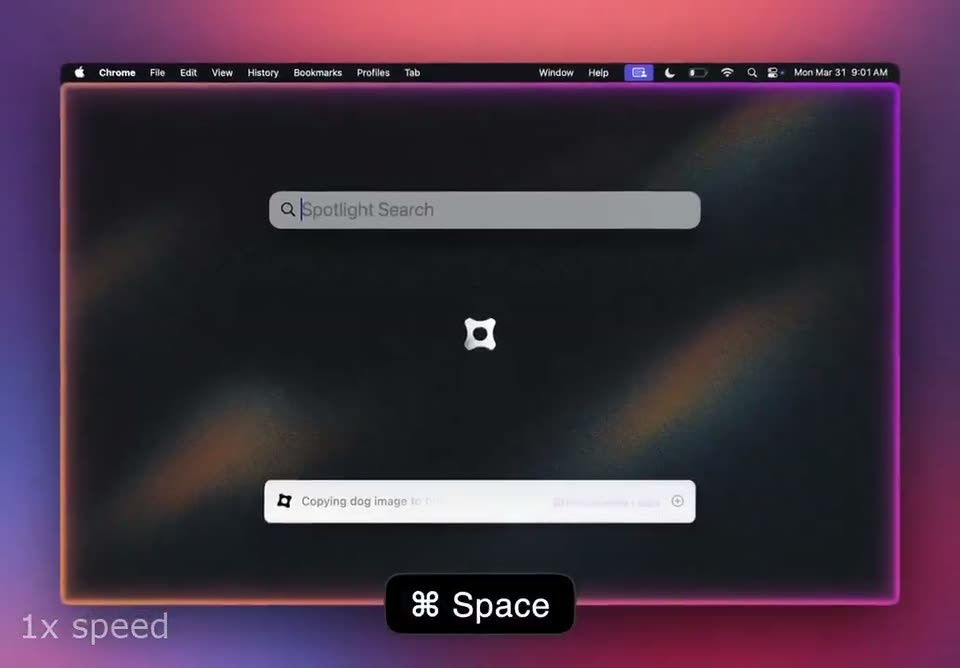
A flat macOS desktop with a glowing pink border. A centered Spotlight Search field types out from empty to chrome. A notification pill below reads Copying dog image to boss. A black Space key hint and a 1x speed tag anchor the bottom.
On-screen text: “1x speed”, “Space”
Camera: Pull out
A flat Chrome window with a magenta border sits on a purple-pink gradient. Inside, the page switches from a search field reading 'chrome' to the Google new tab. A black keycap pill '⌘ Space' sits at the bottom and fades out, while a '1x speed' caption holds lower left.
On-screen text: “1x speed”, “⌘ Space”
Camera: Static
A flat Chrome window glows on a purple gradient while the address bar types out a search query and a suggestion row appears. A Space keycap pops in at the bottom, then a caption pill swaps its key hint.
On-screen text: “1x speed”, “Space”, “Copying dog image to boss.”, “Press return”, “Type 'cute dog images'”
Camera: Static
A Chrome window with a glowing gradient border floats on a purple gradient. A cursor hovers a puppy photo, clicks it to open a Pinterest preview, then right-clicks and picks Copy Image from the context menu. A Spotlight bar opens and a shortcut badge pops in.
On-screen text: “1x speed”, “⌘ Space”
Techniques: Cursor demo
Camera: Static
A Chrome window floats at a slight angle on a purple gradient, showing a Google image search for cute dogs; a Spotlight bar types the word messages while toasts read Image copied and Copying dog image to boss. A ⌘ Space keycap badge sits below.
On-screen text: “1x speed”, “⌘ Space”
Camera: Static
A macOS Messages window sits over a Google Images tab. A command bar reads 'Copying dog image to boss' while a black Cmd+V badge pops in at the bottom. A puppy photo scales into the chat thread and the bar switches to 'Request completed'.
On-screen text: “1x speed”, “⌘ V”
Techniques: Cursor demo
Camera: Static