1:17

Mercury - The next evolution of Mercury is here. Introducing new software that
Mercury · Finance · May 2024
Decoda Health · Dec 2025 · 0:57 · Full motion · AI-annotated
Decoda Health’s 0:57 launch film runs 27 scenes, about 2.1 s each. The product shows up at 0:07 and 4 features are revealed, with social proof. The call to action lands at 0:49 (87% in), over a voiceover. The video alternates full-screen kinetic-type captions with 3D-tilted UI mockups, each caption introducing the next screen so the cut lands on the new element. Signature moves are the typewriter text with an underscore cursor, the two-tone split that flips words across a moving divider, and the recurring blue-to-purple hexagon logo that glows, links a network diagram, and finally draws itself as a thin cyan outline.
Is this your launch? to your site or press kit.
Mercury · Finance · May 2024
Moonshot AI · Sep 2026
Mantic · Oct 2026
Films whose music sounds like this one, voice left out
CentralComs · Upbeat funk and pop
Google · Pop/dance
Volcano · Upbeat corporate electronic
On a pale blue background, the gray words “Managing a clinic” hold center frame, then give way to “is overwhelming,” which types out letter by letter with an underscore cursor and grows larger before the frame clears.
On-screen text: “Managing a clinic”, “is overwhelming”
Techniques: Kinetic type
Camera: Static
On a black background, white sans-serif text animates at center. The word “Juggling” forms, “phones” slides in beside it, then swaps to “schedules”, and the line clears to show the single word “across”.
On-screen text: “Juggling phones”, “Juggling schedules”, “across”
Techniques: Kinetic type
Camera: Static
The word “across” in bold black lowercase sits centered on a pale off-white field, holding perfectly still and locked off for the short beat.
On-screen text: “across”
Camera: Static
A vertical two-tone background, light left and dark right. The word across holds on the light side while the word on the dark side flips through half, the, whole, landing on tools. The dividing line then slides left so tools straddles both halves, its letters switching from white to black as they cross, and across exits left.
On-screen text: “across half”, “across the”, “across whole”, “across tools”, “tools”
Techniques: Kinetic type
Camera: Static
A dark charcoal field holds a centered white headline on a locked-off frame. The line 'just to keep up.' eases in, with 'keep up.' brightening from dim gray to full white over the first second.
On-screen text: “tools”, “just to keep up.”
Techniques: Kinetic type
Camera: Static
A white website mockup rotates in 3D from a tilted side angle to a flat front view. The hero shows a dark oval with a purple mark, flanking icons, and a Try it yourself block with audio waveforms and two buttons.
On-screen text: “just to keep up.”
Techniques: 3D mockup
Camera: Pan
A Decoda Health website mockup sits on a white field under the headline 'Decoda Health / Handles It All.' The mockup zooms in toward its hexagon logo, which gains a blue glow ring, while the headline slides down and overlaps the page top.
On-screen text: “Decoda Health”, “Handles It All.”
Techniques: Kinetic type, UI zoom
Camera: Static
A glowing logo sits at the center of a dark network diagram, thin lines linking it to circular patient photos and phone icons that pop in around it. The whole diagram dims as a white headline slides in to the right of the logo.
On-screen text: “AI designed for your practice”, “Handles It All.”
Techniques: Kinetic type
Camera: Pull out
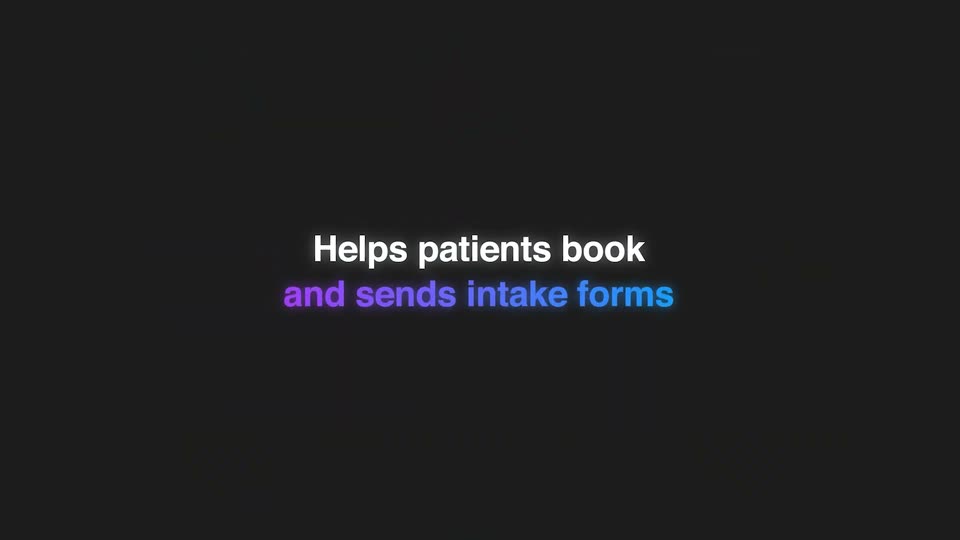
Two centered lines of text scale up on a dark charcoal background, the top line in white and the bottom in a purple-to-blue gradient, then blur and fade out.
On-screen text: “Helps patients book”, “and sends intake forms”
Techniques: Kinetic type
Camera: Static
On a dark background, a purple rounded pill holds a bell and a chat icon, each topped by a red badge. The widget opens blurred and snaps into focus while the badge numbers roll upward rapidly. The word Automatically fades in above it in white.
On-screen text: “Automatically”
Camera: Static
On a white background, the sentence builds word by word in the center, with “patient” in dark blue and “arrives” in light blue. A light gray rounded panel then slides in from the right, covering the text and filling the frame.
On-screen text: “Automatically”, “When a patient arrives”
Techniques: Kinetic type
Camera: Static
A dark profile card, tilted in 3D perspective, rotates flat toward the camera. It shows a patient name, an appointment tile and a membership tile. A hand cursor rests on the blue Generate Summary button.
Techniques: 3D mockup, Cursor demo
Camera: Static
A dark UI panel shows a patient header, an Appointment card and a Membership Gold Plan card beside a blue Generate Summary button. A white cursor hovers the button, then a Last visit notes panel with three bullets and a Go to scribe link stays in view.
Techniques: Cursor demo
Camera: Static
A patient chart screen shows a left sidebar and a demographics panel. A dropdown menu closes, the view zooms into the demographics section, and a cursor glides to the Start Recording Note button at the top.
Techniques: UI zoom, Cursor demo
Camera: Push in
A patient record screen shows a floating toolbar across the top. The recording timer ticks from 00:00 to 00:01, the audio waveform pulses, and the Generate Note button keeps a blue outline. Patient details remain static below.
Camera: Static
On a plain pale background, centered dark sans-serif text builds word by word, reading “and generates the clinical note”. It cuts to a larger line, “in real time.”, which holds centered. The frame stays locked off.
On-screen text: “and generates the clinical note”, “in real time.”
Techniques: Kinetic type
Camera: Static
On a plain dark background, white centered text builds up word by word, reading “AI uses the note.” The frame stays locked off while each new word fades in to the right of the previous one.
On-screen text: “AI uses the note”
Techniques: Kinetic type
Camera: Static
A white Draft Carts panel overlays a dimmed order list on a dark background. The view zooms into the panel's item rows, then a cursor glides onto the first Check Out button. A caption reads 'AI uses the note'.
On-screen text: “AI uses the note”
Techniques: UI zoom, Cursor demo
Camera: Push in
A dark payment receipt card on a pale background starts out of focus and sharpens into clarity. A purple check badge sits above the white headline Payment succesful, with a total, a blue PAID pill, and rows for past visits, payment method and receipt email below.
Camera: Static
A light-themed inventory screen fades in and zooms into the Semaglutide 3.0 mg stock card, then the Stock Timeline scrolls down, revealing successive drawdown entries with patient names, doses and dates.
Techniques: UI zoom
Camera: Push in
A phone iMessage screen with a pink C avatar labeled Clinic. A gray bubble asks about feeling better, then two blue reply bubbles pop in, YES! and a follow-up question, the status flipping from Delivered to Read.
Camera: Static
On a near-black background, the white line “Clinics using Decoda” locks in after a horizontal blur. Below it, glowing purple-to-blue lines cycle in and out: “recover missed revenue”, “increase provider capacity”, “and cut admin costs.” A large “$46,757+” then glows in with small “Delivering 6-figure ROI every year” beneath.
On-screen text: “Clinics using Decoda”, “recover missed revenue”, “increase provider capacity”, “and cut admin costs.”, “$46,757+”, “Delivering 6-figure ROI every year”
Techniques: Kinetic type
Camera: Static
A large blue glowing dollar figure counts up rapidly on a dark background, ticking through rising values. A small white caption stays fixed beneath it.
On-screen text: “Delivering 6-figure ROI every year”
Techniques: Kinetic type
Camera: Static
On a white background, the line “Book a demo at” types on letter by letter, the final “o” in blue, then the URL dakotahealth.com appears beneath it. A small tagline “Delivering 6-figure ROI every year” sits below, and the brand logo marks the sign-off.
On-screen text: “Book a demo at”, “dakotahealth.com”, “Delivering 6-figure ROI every year”
Techniques: Kinetic type
Camera: Static
A tilted search bar with a magnifying glass icon sits on a white field as the URL types out letter by letter until it reads decodahealth.com. The bar stays locked in place while a soft pink glow pulses along its outline.
On-screen text: “Book a demo at”, “decodahealth.com”
Camera: Static
A tilted white search bar with a soft pink glow shows the URL decodahealth.com, then the frame cuts to a thin cyan hexagonal line drawing centered on white.
On-screen text: “decodahealth.com”
Techniques: 3D mockup
Camera: Static
A thin cyan hexagon outline at center fills with a blue-to-purple gradient, then the black wordmark Decoda Health appears beneath it and locks into place on a plain white background.
On-screen text: “Decoda Health”
Camera: Static