1:27
jun - Today, we're launching Aside, the AI browser you’ve waited for. ⋅ Cr
Aside · Consumer · Jun 2026
Aside · 1:27 · Full motion · AI-annotated
Aside’s 1:27 launch film runs 49 scenes, about 1.8 s each. The product shows up at 0:18 and 3 features are revealed, with social proof. The call to action lands at 1:22 (95% in). The video is built as a takedown to demo arc: a dark trash-bin opening against rival AI apps, a logo reveal, then one long subscription-cancellation task played as a continuous interface walkthrough, capped by a benchmark bar chart and a privacy pitch. Signature moves are locked-off frames where text types or slides in word by word, a recurring blue progress line, and hard cuts between near-black and white fields at a steady mid-tempo.
Is this your launch? to your site or press kit.
Aside · Consumer · Jun 2026
A dark rounded search bar sits centered on a near-black background, with placeholder text on the left and two buttons, Search and Ask AI, on the right. A thin text caret appears beneath the field. The frame stays locked and the text remains static.
Camera: Static
A dark search field shows “Search for...” as the large white text “We killed” slides across it, then fills with three app icons: a white tile with a blue-orange dome, a dark blue tile with a cloud and paper airplane, and an orange tile with a white asterisk.
On-screen text: “We killed”
Techniques: Kinetic type
Camera: Pull out
Three app icons sit in a row on a dark horizontal band: a white tile with a gradient dome, a blue tile with a cloud and paper plane, and an orange tile with a white starburst. The icons scale up slightly as the clip runs.
Camera: Static
On a black background, three glossy app icons tumble down into a dark glass trash bin while a white and blue caption builds line by line above them. The bin then dissolves into a faint circular ripple as the text fades out.
On-screen text: “They”, “promised us to do”, “the work”
Techniques: 3D mockup, Kinetic type
Camera: Static
On a dark gray background, the headline “Instead, they bury you in” builds word by word above a row of app icons. The icons tilt into a receding 3D stack, blur, and give way to a “Connect App +” button that a white hand cursor taps as the stack fades.
On-screen text: “Instead, they”, “bury you in”, “Connect App +”
Techniques: Kinetic type, 3D mockup, Cursor demo
Camera: Static
A dark void fills with rows of Connect App buttons, each topped by a white hand-pointer icon. The buttons drift diagonally in 3D depth, sharp and large up front, blurred and small behind.
Techniques: Parallax, 3D mockup
Camera: Pan
White type reads “buttons...” on a dark field, then “Then, they stop when it gets real” slides in with “gets” in purple. A dark rounded input panel with an “Ask” placeholder and small plus and send buttons settles behind, then the type exits, leaving the panel.
On-screen text: “buttons...”, “Then, they stop when it gets real”
Techniques: Kinetic type
Camera: Static
On a dark screen, an Ask AI bar sits at the bottom while refusal chat bubbles stack up above it. A dock of app icons slides in; a hand cursor drags the colorful star icon and the tilted bubbles into the trash, then the word Introducing appears centered.
On-screen text: “Introducing”
Techniques: Cursor demo
Camera: Pan
A dark funnel-shaped mask opens to reveal a blue pleated gradient, and the white text “Asi” fades in at the center of the frame.
On-screen text: “Asi”
Techniques: Masking
Camera: Static
The Aside logo in light white type scales up from a small centered mark to a large centered word, set against a vertical pleated blue gradient that fades from light at the top to dark navy at the bottom.
On-screen text: “Aside”
Techniques: Kinetic type
Camera: Static
The brand name Aside in pale translucent sans-serif sits centered on a blue pleated gradient. The word scales as the background brightens to white, fading the text out.
On-screen text: “Aside”
Techniques: Kinetic type
Camera: Static
A gray circular logo sits left of large light-gray sans text on an off-white background. The text reads A browser, then that gets, while a thin vertical line with two blue dots remains at the left edge.
On-screen text: “A browser”, “that gets”
Camera: Static
A white interface mockup with a left sidebar and a circular star logo fades in. Beside it, a large dark gray headline appears. A small blue dot slides rightward along the thin line at the top edge.
On-screen text: “A browser that gets complex work done”
Camera: Static
A flat browser window mockup assembles on the left, its sidebar filling with menu items, while a thin line with a blue dot extends at the top right. In the center, the words across, websites, accounts and history appear one by one, each paired with a small line icon.
On-screen text: “across”, “websites”, “accounts”, “history”
Techniques: Kinetic type
Camera: Static
A light browser window with a bookmarks sidebar and a central AI prompt bar; the frame zooms in on the prompt field and three ongoing-task cards below it.
Techniques: UI zoom
Camera: Push in
A command bar on a white background types a task phrase at a steady pace, a caret trailing the words, then the bar fades as a gray result panel slides in above with the same phrase as a heading. A faint circular logo hovers centered above the bar.
Techniques: Cursor demo
Camera: Static
A light chat screen shows a gray message bubble on the right and a reply line on the left. Both fade out over the clip, leaving a blank background.
Camera: Static
A dark gray sans-serif line with a clock icon eases into place on a white background, settling centered. The text reads “searching browsing history for”.
On-screen text: “searching browsing history for”
Techniques: Kinetic type
Camera: Static
A gray text label and a chevron icon sit centered on a plain white background. The text scales up while the chevron rotates from pointing down to pointing up.
Techniques: Kinetic type
Camera: Static
A light gray interface header reads “Credit card” above a list of entries for a Chase card, a memory note, and a passkey. The list scrolls upward while a small blue dot travels down a thin vertical line on the left edge.
Camera: Static
A password-manager list scrolls up as the Credit card header scales, then a Chase.com webpage mockup unfolds downward from the Open Chase.com row, filling the lower frame with a blue promo banner.
Techniques: UI zoom, Masking
Camera: Pan
A floating browser window of the Chase site sits center frame with side labels and a vertical progress line. The page scrolls down past the sign-in dialog to the category icons while a dot travels down the line, then the window exits upward.
On-screen text: “Jun's Chase Passkey”, “Open Chase.com”, “Passwords”
Camera: Pan
A vertical layout scrolls upward. A Chase app screen with a row of category icons sits at the top, while a left timeline of dots and icons tracks step captions below. As the view pans up, a new line of text types in at the bottom edge.
On-screen text: “Sign in to Chase with Jun's Chase Passkey”, “Open last month's credit card statement”, “You paid for Netflix, Amazon”
Techniques: Kinetic type
Camera: Pan
A light interface with a row of category icons at top scrolls up and pans left across a task list: a key icon, a cursor icon, and a paragraph naming Netflix, Amazon Prime, and LinkedIn Premium.
Camera: Pan
On a white field, two gray interface cards bearing Savings, Home loans and a usage line slide upward out of frame. A thin horizontal line with a blue node at its right end remains, sitting at the left of center.
Camera: Static
A light-gray headline, Spawning subagents in parallel, scrolls left across a white field between two thin lines. A vertical line then draws down with a blue dot, and a center node fades in: a robot icon, the label Spawned subagent, and a bold LinkedIn check line.
On-screen text: “Spawning subagents in parallel”, “Spawned subagent”, “Checking LinkedIn Premium usage”
Techniques: Kinetic type
Camera: Static
On a pale background, a four-row list of spawned subagents with LinkedIn, Netflix and Amazon icons is shown. The view zooms in on the top row until the LinkedIn check fills the frame, the other rows sliding out of view.
Techniques: UI zoom
Camera: Push in
A gray cloud icon with three vertical bars and the blue LinkedIn logo sit side by side, centered on a pale off-white field. Both scale up gently from a smaller size to rest in a locked-off frame.
Camera: Static
On white, gray sans lines slide in down a thin vertical line, each with a small outline icon, and the list scrolls up as new lines appear. It cuts to a chat layout: a gray rounded bubble on the right and a left line ending in blue.
On-screen text: “You didn't use LinkedIn for the last 3 months; I'll ask for a refund.”, “Starting a chat with the support”, “Asking for a refund”, “Your $120 refund will be processed within this week!”, “Dammm, how did you just do that?”, “Because I'm a frontier”
Techniques: Kinetic type
Camera: Pan
A chat exchange on a white background: a gray bubble on the right holds a user question, while the agent's reply types out word by word on the left, ending with a small cursor.
Techniques: Kinetic type
Camera: Static
On a dark background, a glowing blue bar grows from the left edge, then fills with the label Aside GPT and the count 9. Below it, a second row Browser with 9 fades in over faint skeleton rows.
Camera: Static
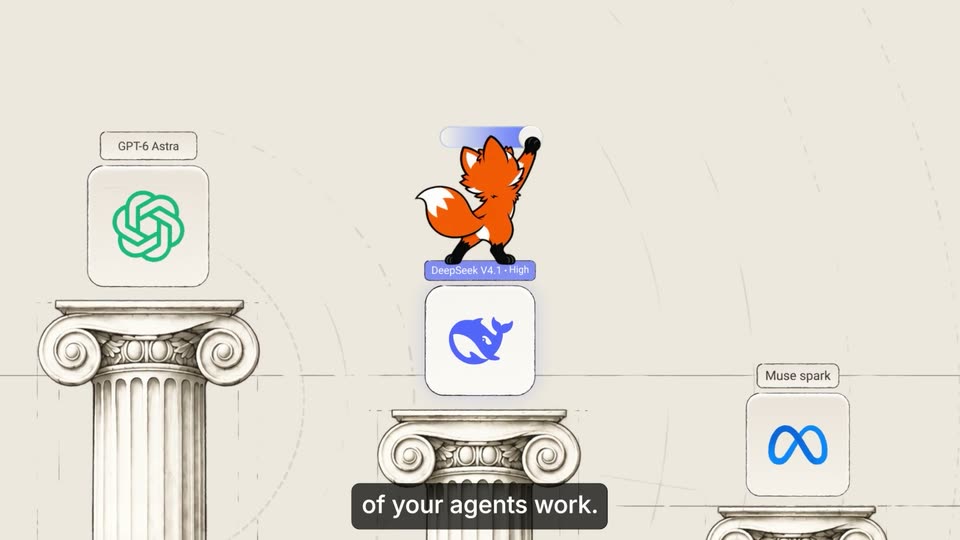
A horizontal bar chart on a dark background ranks five AI agents on a browsing benchmark. The top bar, Aside GPT 5.5 at 99%, glows cyan; the rest are gray. The chart crossfades from short labels with rounded numbers to full labels with exact percentages.
On-screen text: “Browsing Agent Benchmark”, “Online-Mind2Web - 300 tasks - Including impossible tasks”, “Aside GPT 5.5”, “99%”, “Browser use”, “97%”, “GPT 5.4 | Computer use”, “92%”, “Claude Opus 4.7”, “86%”
Techniques: Morph
Camera: Pull out
On a dark charcoal background, the headline builds line by line in light gray, then “browser” slides in in white beneath it and a small white globe icon pops in to its left.
On-screen text: “Anything”, “you can do”, “in a”, “browser”
Techniques: Kinetic type
Camera: Static
A white globe icon and the lowercase wordmark browser sit centered on a dark gray background. The lockup slides and settles as the globe icon fills from outline to solid, holding on a locked-off frame.
On-screen text: “browser”
Techniques: Kinetic type, Morph
Camera: Static
The Aside logo and wordmark hold centered on a dark gray field, then shrink and rise as the tagline “can do it for you” builds and clears word by word below them.
On-screen text: “can do it for you”
Techniques: Kinetic type
Camera: Static
On a dark gray field, white text reads can do with a line icon between it and a changing word. A gray stack of messaging, company, internal tools, payments slides down and out, the middle icon swaps from chat bubble to person to presentation screen, and the right word changes from sign in to presentations.
On-screen text: “can do”, “sign in”, “messaging”, “company”, “internal tools”, “payments”, “presentations”
Techniques: Kinetic type, Morph
Camera: Static
A white icon of a presentation board with a person silhouette scales up from a small centered mark to a large glyph on a dark field. A static caption reads “can do presentations” beside the locked-off frame.
On-screen text: “can do presentations”
Camera: Static
A plain white background holds centered black text that builds from the fragment 'eve' into the full line 'everything is private', then collapses to the single bold word 'private'.
On-screen text: “everything is private”, “private”
Techniques: Kinetic type
Camera: Static
On a white background, a black lock icon and the word private sit centered as the word is exits left. The line then splits into two and under your control resolves beneath, settling into a locked two-line headline.
On-screen text: “is private”, “under your control”
Techniques: Kinetic type
Camera: Static
A white card shows dark sans-serif text reading 'Data private under your control' with a lock icon; the words swap to 'Data never leaves your device' while a flat browser window mockup slides up from the bottom edge, revealing a sidebar and search bar.
On-screen text: “Data private under your control”, “Data never leaves your device”
Techniques: Kinetic type
Camera: Static
A black laptop mockup scales up from the bottom on a white background, its screen showing a task app with a left sidebar and three ongoing task cards. A large dark gray headline sits centered over the device, static throughout.
On-screen text: “Data never leaves”, “your device”
Techniques: 3D mockup
Camera: Pull out
A dark space gray MacBook back panel, centered on white, tilts open in 3D. The lid rotates upward, the Apple logo sliding toward the top edge as the base settles below.
Techniques: 3D mockup
Camera: Static
Black sans-serif text on a white background: “Everything” sits above “runs locally,” as the words slide in, the line then swaps and scales to “locally, encrypted” beside a small chip icon, and “Aside won’t let AI” fills the frame.
On-screen text: “Everything”, “runs locally,”, “locally, encrypted”, “Aside won’t let AI”
Techniques: Kinetic type
Camera: Static
A black sans-serif line of text, “Aside won’t let AI,” sits centered on a plain white background, static and locked-off for the full shot.
On-screen text: “Aside won’t let AI”
Camera: Static
A black “AI” label and a white rounded password field slide left across a plain white background. The field’s gray text masks into asterisks as a crossed-out eye icon appears, then the group exits left.
On-screen text: “AI”
Techniques: Kinetic type
Camera: Static
A thin white line-drawn eye crossed by a diagonal slash sits centered on a dark gray field. The icon rotates a few degrees over the shot while the frame stays locked off.
Camera: Static
On a dark gray background, the line “Bring your own” slides in at center, then “subscription” with a small key icon slides in beneath it. The frame stays locked off throughout.
On-screen text: “Bring your own”, “subscription”
Techniques: Kinetic type
Camera: Static
A dark rounded app icon with a metallic emblem holds center-left on a dark gray field as a horizontal strip of small white and blue icons scrolls leftward past it.
Camera: Static
A white circular logo mark fades in at the center of a dark gray field, then “Aside a browser” appears beside it. The line cycles through “that does your” and “your work”, each sliding or scaling in, and settles on “aside.com”.
On-screen text: “Aside a browser”, “that does your”, “your work”, “aside.com”
Techniques: Kinetic type
Camera: Static