
2:05
Explore
jun - Today, we're launching Aside, the AI browser you’ve waited for. ⋅ Cr
Aside · Jun 2026 · 1:27 · AI-annotated
- Length
- 1:27
- Scenes
- 47 · 1.9 s avg
- Product on screen
- 0:17
- Features shown
- 2
- Call to action
- 1:22 · 95%
- Voiceover
- No
00:00:00 / 01:27:17
Aside’s 1:27 launch film runs 47 scenes, about 1.9 s each. The product shows up at 0:17 and 2 features are revealed, with social proof. The call to action lands at 1:22 (95% in). The video is built as a short argument: a provocative hook, a problem montage, the product intro, one long end-to-end demo, a benchmark, then three compact feature cards, closing on the URL. It cuts at about 6 per minute on a 117 bpm pulse, and every claim is delivered as centered text that scales in, reflows between two lines, or slides as a marquee, while objects like app icons, the trash bin, and a laptop drop, fling, or open in 3D.
No filming indicatedEstimated needs: 5 capture groups — your screens or recordings · 1 official logo — reused across the film · 8 graphic passages — draw or supply · 3 3D passages — build or supply
Is this your launch? to your site or press kit.
More like this
jun - Today, we're launching Aside, the AI browser you’ve waited for. ⋅ Cr, scene by scene
· 47 scenes as text
01 · Hook · 0:00–0:02
A dark search bar sits centered with an I-beam cursor below. The frame zooms into the field as a letter is typed, then reframes to a wide band pairing the headline 'We killed' with a white gradient-dome icon and a dark blue cloud icon on the right.
On-screen text: “We killed”
Techniques: UI zoom, Kinetic type
Camera: Pan
02 · Hook · 0:02–0:03
A dark menu bar strip scrolls left, carrying the white words “We killed” out of frame and revealing app icons: a white tile with a blue-to-red gradient dome, a navy tile with a blue cloud and paper plane, and a red tile with a white starburst.
On-screen text: “We killed”
Camera: Static
03 · Hook · 0:03–0:04
Three rounded app icons sit in a row on a dark band: a white tile with a gradient dome, a navy tile with a blue cloud and white paper plane, a red tile with a white starburst. The row drifts down and right in a locked-off frame.
Camera: Static
04 · Problem · 0:04–0:06
A white, a navy and an orange app icon drop into a dark trash bin on a charcoal background. The line “They promised us to do the work” scales in phrase by phrase, then is replaced by “Instead, work” as the bin settles into a rounded square outline.
On-screen text: “They”, “promised us to do”, “the work”, “Instead,”, “work”
Techniques: Kinetic type
Camera: Static
05 · Problem · 0:06–0:07
On a dark gray field, a 3D Mac dock holds Safari, Mail, a multicolor sparkle and a trash bin. A white hand cursor slides from Mail to the sparkle. Above it, white text reads 'Instead, they bury you in' as the prior line scales out.
On-screen text: “promised us to do”, “the work”, “Instead, they”, “bury you in”
Techniques: Kinetic type, Cursor demo
Camera: Static
06 · Problem · 0:07–0:08
A light gray headline reads over a single Connect App button with a pointing-hand cursor. The headline cuts away as the button multiplies into a field of overlapping buttons drifting in depth, some blurred, as the view moves through them.
On-screen text: “Instead, they bury you in”
Techniques: Parallax
Camera: Pan
07 · Problem · 0:08–0:13
A close-up of two Connect App buttons with a cursor over the right one gives way to the caption buttons... on a dark field. A rounded prompt card slides up from the bottom as the line Then, they stop when it gets real fades in and reflows around it.
On-screen text: “buttons...”, “Then, they stop when it gets real”
Techniques: Cursor demo, Kinetic type
Camera: Static
08 · Problem · 0:13–0:17
Dark chat view: “Why did you stop?” fades in right while four refusal bubbles stack up above the “Ask AI…” field. The field is replaced by a dock of app icons; a hand cursor lifts the rainbow-star icon and flings it, trailing the bubbles, into the trash.
On-screen text: “gets real”
Techniques: Cursor demo
Camera: Pan
09 · Product intro · 0:17–0:19
A dark gray frame holds the white headline, which grows from a partial word to the full title while a macOS dock sits below. A hand cursor rests on the icons, then the first blue icon lifts and scales up, its rounded corner curving across the upper left as its gradient fills the frame.
On-screen text: “Introducing”
Techniques: Kinetic type, Cursor demo, Masking
Camera: Static
10 · Product intro · 0:19–0:20
A blue gradient of vertical folded panels fills the frame. The word Aside scales up from a small size at center to a large size, while the background holds still and the frame stays locked off.
On-screen text: “Aside”
Techniques: Kinetic type
Camera: Static
11 · Product intro · 0:20–0:21
A dark blue pleated backdrop holds the white wordmark Aside centered, then the background brightens to white as the wordmark shrinks to a small size on the left.
On-screen text: “Aside”
Techniques: Kinetic type
Camera: Static
12 · Product intro · 0:21–0:22
A plain off-white frame. The circular Arc orbit logo pops in light blue at center, then shifts left and turns gray as the headline builds line by line beside it, accent words in light blue. A thin vertical line with two blue dots marks the left edge.
On-screen text: “A browser that gets complex”
Techniques: Kinetic type
Camera: Static
13 · Product intro · 0:22–0:25
A light UI panel shows a gray headline and a circular star logo, then the headline fades as bold black words 'across', 'websites', 'accounts', 'history' slide in with small icons. The panel fills with a browser window layout.
On-screen text: “A browser that gets complex work done”, “across”, “websites”, “accounts”, “history”
Techniques: Kinetic type
Camera: Static
14 · Demo · 0:25–0:26
A flat browser window mockup fills the frame, showing a sidebar of bookmarks and tabs beside an AI prompt bar and three task cards. The view zooms in, centering on the prompt input field as the window edges crop out.
Techniques: UI zoom
Camera: Push in
15 · Demo · 0:26–0:29
A flat white command bar sits below a faint circular logo. A text cursor slides into the field and the query 'cancel all unused subscriptions and request refunds' types out letter by letter, replacing the gray placeholder. The bar's buttons and dropdowns stay static.
Techniques: Cursor demo
Camera: Static
16 · Demo · 0:29–0:31
A pale gray chat view holds a right-aligned user bubble reading Cancel all unused subscriptions and request refunds. The left-aligned reply line completes beneath it, the user bubble fades out, and a thin clock icon fades in above the reply.
Camera: Static
17 · Demo · 0:31–0:33
A small circular clock-history icon and the line searching browsing history for sit centered on a pale off-white background. The lockup fades in over the first tenth of a second, then holds still for the rest of the clip.
On-screen text: “searching browsing history for”
Camera: Static
18 · Demo · 0:33–0:34
A plain white frame holds a dropdown control. The gray label scales up and slides left while a blue down chevron sits beside it, then a gray up chevron fades in at the right edge.
On-screen text: “searching browsing history for”
Techniques: Kinetic type
Camera: Static
19 · Demo · 0:34–0:35
A white list view with a large “Credit card” heading scrolls upward, revealing rows for Card Overview Chase, a MEMORY.md note, Jun's Chase Passkey, and Open Chase.com. A small blue dot travels down the left edge as the rows pass.
Camera: Static
20 · Demo · 0:35–0:36
A light list of saved entries under a bold 'Credit card' title scrolls upward, a small blue dot sliding down a vertical line at the left. The motion reveals an embedded Chase.com page with a blue banner and account cards.
Camera: Pan
21 · Demo · 0:36–0:37
A rounded browser window shows the Chase.com homepage with its blue hero banner and a sign-in form on the right. Gray labels, Jun's Chase Passkey, Open Chase.com and Passwords, fade in around the window as it settles into place.
On-screen text: “Jun's Chase Passkey”, “Open Chase.com”, “Passwords”
Camera: Static
22 · Demo · 0:37–0:38
A flat browser window mockup of the Chase.com homepage sits on a white field, captioned “Open Chase.com” at the top left. The page shows a blue hero banner with a sign-in panel and a row of category icons. The whole mockup drifts slightly upward.
On-screen text: “Open Chase.com”
Camera: Pan
23 · Demo · 0:38–0:39
A Chase webpage scrolls downward, revealing a checking-account card and a passwordless sign-in panel at the top. A dotted vertical line on the left marks progress. Below, a key icon and a paper-plane icon lead two action lines, then a sentence about last month's payments.
Camera: Pan
24 · Demo · 0:39–0:41
A white interface shows a vertical task timeline with two steps, 'Sign in to Chase with Jun's Chase Passkey' and 'Open last month's credit card statement', above a paragraph of assistant text ending in a blinking caret. A card of category icons scrolls left across the top.
Camera: Pan
25 · Demo · 0:41–0:43
A white UI card with a Travel, Savings, Home loans menu and a Premium note slides out to the left, leaving a plain white field where a large pale gray caption fades in at center, holds, and fades out.
On-screen text: “Spawning subaccounts”
Techniques: Kinetic type
Camera: Static
26 · Demo · 0:43–0:46
A light-blue-and-gray headline in a rounded box slides left across a white background. A node tree of three spawned subagents, each paired with a LinkedIn, Netflix or Amazon logo, fades in, then the frame zooms into the top two rows.
On-screen text: “Spawning subagents in parallel”, “Spawned subagent”, “Checking LinkedIn Premium usage”, “Checking Netflix usage”, “Checking Amazon Prime usage”
Techniques: Kinetic type
Camera: Push in
27 · Demo · 0:46–0:47
A close-up of an agent activity list on an off-white field: a gray ghost outline and a blue LinkedIn tile sit side by side and scale up steadily beside their status labels, while a thin gray arc widens at the left edge.
Camera: Static
28 · Demo · 0:47–0:51
A white agent panel opens on a status line with a ghost icon and the LinkedIn logo. The view scrolls up through a vertical timeline of step labels with line icons, the last sentence types in word by word, and a gray chat bubble slides in from the right.
Techniques: Kinetic type
Camera: Pan
29 · Demo · 0:51–0:53
A white chat screen holds a gray user bubble on the right while the agent's reply types out on the left, the word “Have” in blue, and a gray circular avatar fades in beside the text.
Techniques: Kinetic type
Camera: Static
30 · Social proof · 0:53–0:57
A horizontal bar chart builds on a dark background. Five rounded bars extend left to right; the top glows cyan at 99 percent, the others gray with lower scores, and the title Browsing Agent Benchmark with a subtitle fades in above.
On-screen text: “Browsing Agent Benchmark”, “Online-Mind2Web - 300 tasks - Including impossible tasks”, “Aside GPT 5.5 99%”, “Browseruse 97%”, “GPT 5.4 | Computer use 92%”, “Claude Opus 4.7 86%”, “ChatGPT Atlas 70%”
Camera: Pull out
31 · Other · 0:57–0:59
On a dark background, white text assembles line by line into “Anything you can do in a browser,” a globe icon sitting between “a” and “browser.” The first two lines then fade out, leaving the globe and the word “browser” centered.
On-screen text: “Anything you can do in a browser”, “browser”
Techniques: Kinetic type
Camera: Static
32 · Other · 0:59–1:00
On a flat dark gray background, a white globe icon and the lowercase word browser slide out as the Arc wordmark with its circular logo slides in, the frame locked off.
On-screen text: “browser”, “Arc”
Techniques: Kinetic type
Camera: Static
33 · Other · 1:00–1:03
A white Aside wordmark with a circular icon sits centered on a dark charcoal field. The line 'can do it for you' appears below it, then the words 'it for you' slide out and 'browser' slides in beside 'can do'.
On-screen text: “Aside”, “can do it for you”, “browser”
Techniques: Kinetic type
Camera: Static
34 · Other · 1:03–1:05
On a flat dark background, a white “can do” prefix with a small line icon sits left of center while a vertical list of capability words scrolls past it on the right. The icon switches from an export arrow to a document, and the word aligned with the prefix cycles through company, internal tools, payments, video play, spreadsheets, presentations and messaging.
On-screen text: “can do”, “company”, “internal tools”, “payments”, “video play”, “spreadsheets”, “presentations”, “messaging”
Techniques: Kinetic type
Camera: Static
35 · Other · 1:05–1:06
On a dark gray field, the white logo lockup (a rounded square with a person silhouette and the wordmark) sits small at center. The wordmark slides out as the icon scales up and recenters, leaving the emblem alone.
On-screen text: “can do presentations”
Techniques: Morph
Camera: Static
36 · Feature reveal · 1:06–1:09
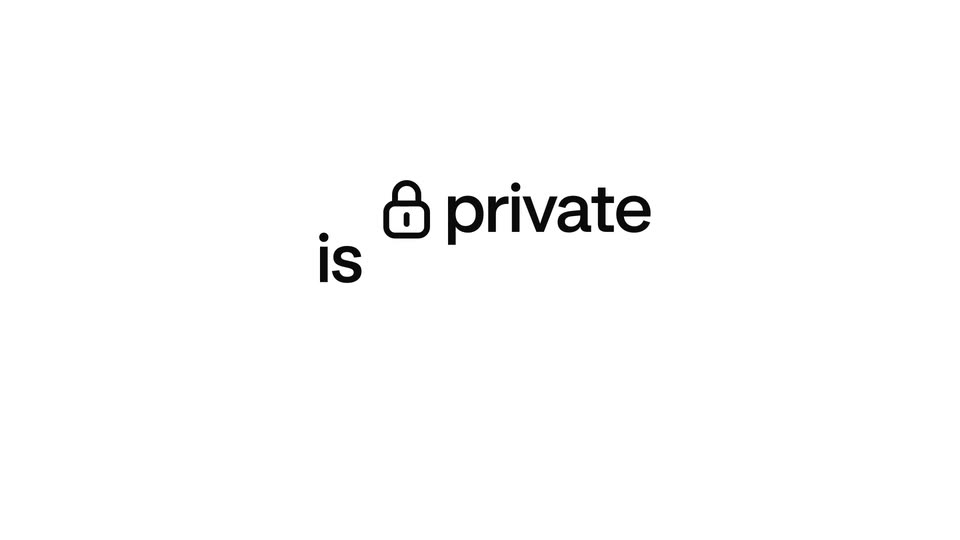
On a white field, the phrase “everything is private” assembles in black bold sans, then the first two words drop away as “private” scales up beneath a padlock icon and “under your control” settles in gray below.
On-screen text: “everything is private”, “under your control”
Techniques: Kinetic type
Camera: Static
37 · Feature reveal · 1:09–1:10
Black sans-serif headline on a white field assembles word by word into “Data never leaves your device,” the last line sliding in, while a laptop mockup with a folder sidebar and search bar rises from the bottom edge.
On-screen text: “is private”, “under your control”, “Data never leaves”, “your device”
Techniques: Kinetic type
Camera: Static
38 · Feature reveal · 1:10–1:11
A close-up of a task app interface on a laptop screen pulls back to reveal the full laptop centered on a white background. The screen shows a sidebar and an Ongoing tasks board with three cards. A tagline reads Data never leaves your device, the second line sliding in.
On-screen text: “Data never leaves”, “your device”
Techniques: UI zoom, 3D mockup
Camera: Pull out
39 · Feature reveal · 1:11–1:12
A black laptop lid with the Apple logo centered slides up and exits the top of a white frame. As it leaves, a gray two-line headline with a small chip icon between the words fades in at the center.
On-screen text: “Everything runs locally,”
Techniques: Kinetic type
Camera: Static
40 · Feature reveal · 1:12–1:14
A two-line sentence in dark gray sans-serif sits centered on a plain white background and slides left as a continuous marquee, words reflowing between the lines. The line begins with a small rounded-rectangle icon with two dots, then reads “Everything runs locally, encrypted,” and ends on “Aside won’t let AI” as the clip cuts.
On-screen text: “Everything runs locally, encrypted,”, “Aside won't let AI”
Techniques: Kinetic type
Camera: Static
41 · Feature reveal · 1:14–1:15
A black sans-serif headline reading 'Aside won't let AI' is centered on a plain white background. The text remains static on a locked-off frame.
On-screen text: “Aside won't let AI”
Camera: Static
42 · Feature reveal · 1:15–1:19
A black word AI and a white password field slide in on a plain background, the field holding gray read_your_passwords text and an eye icon. The text scales into asterisks as the eye gains a slash, then the frame cuts to a dark background with the white eye-off logo centered.
On-screen text: “Aside won't let Al”, “AI”, “read_your_passwords”, “* * * * * * * * *”
Techniques: Kinetic type
Camera: Static
43 · Feature reveal · 1:19–1:20
A white line-art eye icon with a diagonal slash morphs into an open eye on a dark gray field, then the icon clears and the headline Bring your own slides in centered.
On-screen text: “Bring your own”
Techniques: Morph, Kinetic type
Camera: Static
44 · Feature reveal · 1:20–1:21
On a dark charcoal field, the white headline “Bring your own subscription” slides out of frame, and three small marks pop in on the right: a white asterisk burst, a white circle with a diagonal slash, and a blue four-pointed star.
On-screen text: “Bring your own”, “subscription”
Techniques: Kinetic type
Camera: Static
45 · Feature reveal · 1:21–1:22
On a dark background, a dark rounded-square app icon with a silver star-in-circle mark holds the left. To its right, five small icons, a white asterisk, a slashed circle, a blue sparkle, a white robot face and a white knot, scale and slide in to form a row.
Camera: Static
46 · CTA · 1:22–1:25
A small white circular logo mark appears at the center of a dark gray background. The bold white headline “Aside a browser” appears beside it, then the words slide and cycle through the center, ending on “your work”.
On-screen text: “Aside a browser”, “that does your”, “your work”
Techniques: Kinetic type
Camera: Static
47 · CTA · 1:25–1:27
On a dark background, the gray words your and work flank a white wordmark that grows from aside to aside.com. The side words then fade out, leaving the centered URL alone as the sign-off.
On-screen text: “that does your”, “aside.com”, “work”
Techniques: Kinetic type
Camera: Static