1:04
The new way to tell your story | Wix Harmony
Wix Harmony · Jul 2026
Craft · Jan 2025 · 1:38 · Full motion · AI-annotated
Craft’s 1:38 launch film runs 28 scenes, about 3.5 s each. The product shows up at 0:03 and 1 feature is revealed. There is no explicit call to action. The video alternates pale watercolor title cards with floating, tilted app windows over a blurred forest, zooming in and out to follow the cursor through a vacation planning workflow. Its signature moves are the dry-brush stroke transitions, the 3D window reveals, and the zoom cuts between the full window and close-up annotations.
Is this your launch? to your site or press kit.
Wix Harmony · Jul 2026
EliseAI · Sep 2026
Films whose music sounds like this one, voice left out
Maritime · Latin jazz, transitioning to swing jazz
Trelium · Funk
Bucket Robotics · Lo-fi hip-hop, jazz
A plain off-white background as two light blue dry-brush marks fade in, one angled at the lower left and one at the mid right.
Camera: Static
Blue brush strokes expand and overlap across a white field, forming abstract diagonal shapes. Small white text “Your New” sits centered and stays still as the strokes fill the frame.
On-screen text: “Your New”
Camera: Static
A locked-off blue whiteboard canvas with a faint dot grid holds the centered white headline “Your New WHITE BOARD” above a floating tool palette. A cut reveals a pale canvas where the dark line “Sketch your” sits centered.
On-screen text: “Your New”, “WHITE”, “BOARD”, “Sketch your”
Camera: Static
An olive-gold headline builds line by line on a pale background: 'Sketch your', then 'dream vacation', then a smaller 'with Craft whiteboards'. A faint, blurred light-gray image shifts behind the text and fades toward white.
On-screen text: “Sketch your”, “dream vacation”, “with Craft whiteboards”
Techniques: Kinetic type
Camera: Static
A tilted 3D window of a notes app floats over a blurred forest photo. A soft white blur wipes off the left edge, revealing the sidebar list, while the cursor rests in the empty folder pane.
Techniques: 3D mockup, Masking
Camera: Push in
A tilted app window over a forest photo. A cursor clicks Document, then types the title Summer in Italy 2025. The view zooms out to the full window and a style gallery panel slides in on the left.
Techniques: 3D mockup, Cursor demo, UI zoom
Camera: Pull out
A document app window shows a Style Gallery of thumbnail cards on the left and a Style settings sidebar on the right. A cursor glides down from the Winterlight card toward the Road Trip card. The interface stays static in a flat front-on view.
Techniques: Cursor demo
Camera: Static
A macOS app window floats over a blurred forest wallpaper. The cursor types a slash command that inserts a collection table, renames it to a travel checklist, then fills three rows with flight, accommodation and itinerary. The view zooms in and out between the full window and the table.
Techniques: Cursor demo, UI zoom
Camera: Pull out
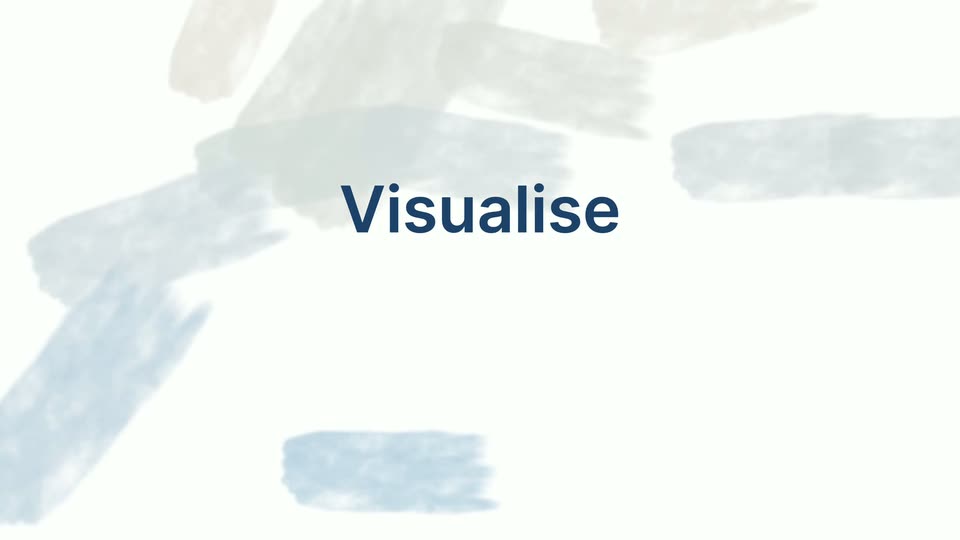
Faint watercolor strokes in blue and cream fade in on a white field as “Visualise” scales up from pale to deep blue. A second line, “your travel ideas”, then fades in beneath it.
On-screen text: “Visualise”, “your travel ideas”
Techniques: Kinetic type
Camera: Static
Dark blue headline reads Visualise your travel ideas over a soft, drifting cloud texture. The word Visualise scales in, then a smaller line without switching tools fades in beneath.
On-screen text: “Visualise”, “your travel ideas”, “without switching tools”
Techniques: Kinetic type
Camera: Static
A notes-app page titled Summer in Italy 2025 sits in a locked-off frame; a cursor types Itinerary into a travel checklist table while a style panel stays open on the right. A serif headline overlay reads Visualise your travel ideas without switching tools, its first word scaling in.
On-screen text: “Visualise”, “your travel ideas”, “without switching tools”
Techniques: Kinetic type, Cursor demo
Camera: Static
A Notion-style document titled Itinerary fills the screen. The cursor slides to the right sidebar, switches to the Insert panel, and clicks the Whiteboard Page block; a large blank white canvas then expands into the page body.
Techniques: Cursor demo
Camera: Pan
A close-up of a document page titled Itinerary beside an insert panel of block icons; the frame zooms out to show the full window with a left sidebar, as a cursor moves from the Whiteboard icon into the blank page.
Techniques: Cursor demo, UI zoom
Camera: Pull out
A white browser window with three colored dots in the top-left corner floats over a misty forest backdrop, a black cursor resting at its center.
Camera: Static
A whiteboard window with a dotted grid floats over a misty forest backdrop. The view zooms into the top-right corner as the cursor moves to the settings icon and clicks it, sliding open a side panel listing background and grid options.
Techniques: UI zoom, Cursor demo
Camera: Static
A whiteboard screen shows a settings panel; the cursor taps Legal Pad then Squared, swapping the canvas to cream with a square grid. The panel fades, a blue rectangle is drawn, and the view pulls back to reveal the whole window in 3D over a misty forest.
Techniques: Cursor demo, 3D mockup
Camera: Pull out
A macOS-style window showing a map of Italy with numbered orange city markers sits over a blurred aerial forest background. The camera zooms steadily into the map, ending on a close-up of marker 10 near Rome, with a cursor arrow hovering beside it.
Techniques: UI zoom
Camera: Push in
A map of Italy with numbered orange pins fills the frame. A cursor opens a color picker, selects red, then draws freehand red loops around two pins. The view zooms out to reveal the whiteboard's top breadcrumb bar.
Techniques: Cursor demo, UI zoom
Camera: Pull out
A close crop of a hand-annotated Italy map with numbered pins and red circles pulls back to reveal the full whiteboard window, complete with macOS traffic lights and a bottom pen toolbar, on a forest desktop.
Techniques: UI zoom
Camera: Pull out
A whiteboard window showing a map of Italy floats over a blurred forest. The viewport zooms in, centering on Rome, as a bottom toolbar stays fixed. Two red circles mark cities on the cream grid map.
Techniques: UI zoom
Camera: Push in
A flat map of Italy with orange numbered pins and red hand-drawn circles on Rome and Venice. A cursor selects the pen, opens a color picker, draws a blue arrow over the Tyrrhenian Sea, adds a rectangle, then types the word Vale on the left.
Techniques: Cursor demo
Camera: Pull out
A whiteboard window over a blurred forest shows an Italy map with numbered pins and red circles around Venice and Rome. The view zooms in as the cursor picks Script from the font menu, turning the blue note “vatican city tour” cursive, then pulls back to the full window.
Techniques: UI zoom, Cursor demo
Camera: Push in
A map of Italy with red circles and a blue label fades out to reveal the text 'Keep your plans' on a white background.
On-screen text: “Keep your plans”
Camera: Pan
A title card on a near-white background. The dark blue line 'Keep your plans' sits centered, then 'and sketches' fades in below it in lighter blue, then a smaller gray line 'together, in one place' appears. Faint blue watercolor brush strokes drift in the background.
On-screen text: “Keep your plans”, “and sketches”, “together, in one place”
Techniques: Kinetic type
Camera: Static
A whiteboard window with an Italy map, red circles and handwritten notes sits locked off over a misty forest backdrop. The view zooms steadily into the map, reframing from the whole peninsula to the Venice area and its gondola ride annotation.
On-screen text: “Keep your plans”, “and sketches”, “together, in one place”
Techniques: UI zoom
Camera: Push in
A note app window shows an Itinerary page; a map of Italy with pins and hand-drawn arrows appears in a white block. The cursor moves to the breadcrumb and clicks it, switching to a parent page with a travel checklist table.
Techniques: Cursor demo
Camera: Pan
A close-up of a folder view titled Vacation Planning holds a single document card, then the frame zooms out to reveal the full app window and its left sidebar of folders and spaces.
Techniques: UI zoom
Camera: Pull out
A solid black screen holds for the full duration with no visible content, text, or motion.
Camera: Static