2:03

Ian Wong - I co-founded Opendoor ($10B+ rev). Today, I’m launching Summation. W
Summation · Sep 2026
Covu · Apr 2026 · 1:16 · Full motion · AI-annotated
Covu’s 1:16 launch film runs 32 scenes, about 2.4 s each. The product shows up at 0:03 and 4 features are revealed, with social proof. The call to action lands at 1:10 (91% in), over a voiceover. tone: confident, premium, declarative; background: warm amber to gold gradients over pale off-white, with dark navy fields for the proof and closing beats; fonts: high-contrast Didone-style serif for the value-prop headlines, a rounded bold geometric sans for the COVUOS wordmark, and a neutral sans for the UI; music_mood: steady, upbeat, confident modern pulse at about 110 bpm; summary: The video opens with a serif type-on hook over amber gradients, names the product, then runs a continuous UI t
Is this your launch? to your site or press kit.
Summation · Sep 2026
Superhuman · Productivity · Oct 2025
Scend Ai · Aug 2026
Films whose music sounds like this one, voice left out
Microsoft · Upbeat electronic
Amplitude · Modern electronic, mid-tempo
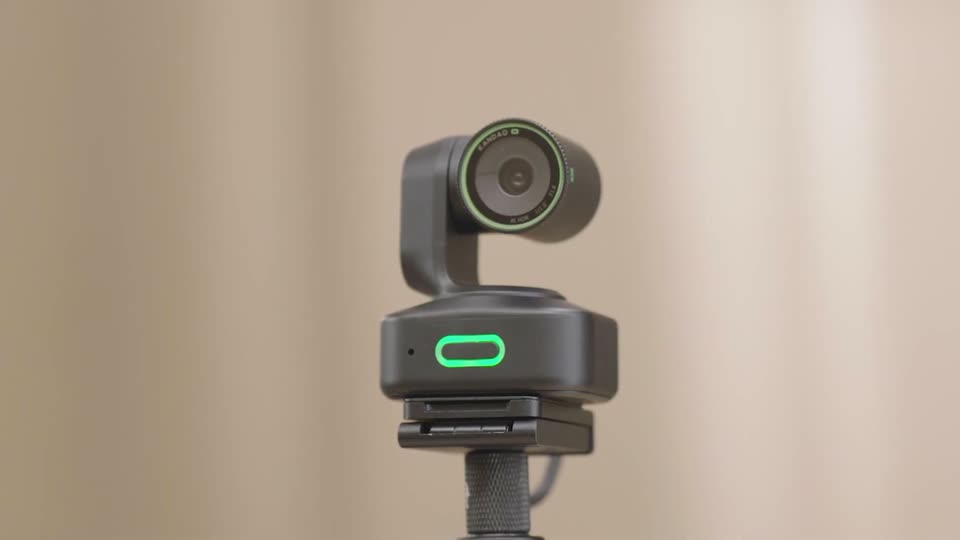
Kandao · Upbeat electronic
On a blurred blue-to-amber gradient, the words Today, We are, and Launching appear in sequence, centered in gold serif type. The last word scales into place before the frame fades to black.
On-screen text: “Today”, “We are”, “Launching”
Techniques: Kinetic type
Camera: Static
Over a yellow-to-dark gradient with faint dashboard panels in the corners, the word Launching scales in, then the brand name COVUOS builds letter by letter in cream, the OS in gold.
On-screen text: “Launching”, “COVUOS”
Techniques: Kinetic type
Camera: Pull out
The wordmark COVUOS in white rounded type scales up at the center over a yellow-to-black gradient. Dimmed dashboard and spreadsheet panels sit parked at the corners behind it.
On-screen text: “COVUOS”
Techniques: Kinetic type
Camera: Static
The wordmark COVUOS in white and amber scales up at center over an amber-to-dark gradient, while blurred interface cards drift in the corners.
On-screen text: “COVUOS”
Techniques: Kinetic type, Parallax
Camera: Static
A centered three-line serif headline on a pale off-white background, with a thin vertical line behind it. The lines slide into place, the phrase AI-native operating stack in yellow; then the first two lines fade to light gray while the last line stays dark.
On-screen text: “COVUOS”, “The core operating layer”, “of our new AI-native operating stack”, “for insurance distribution.”
Techniques: Kinetic type
Camera: Static
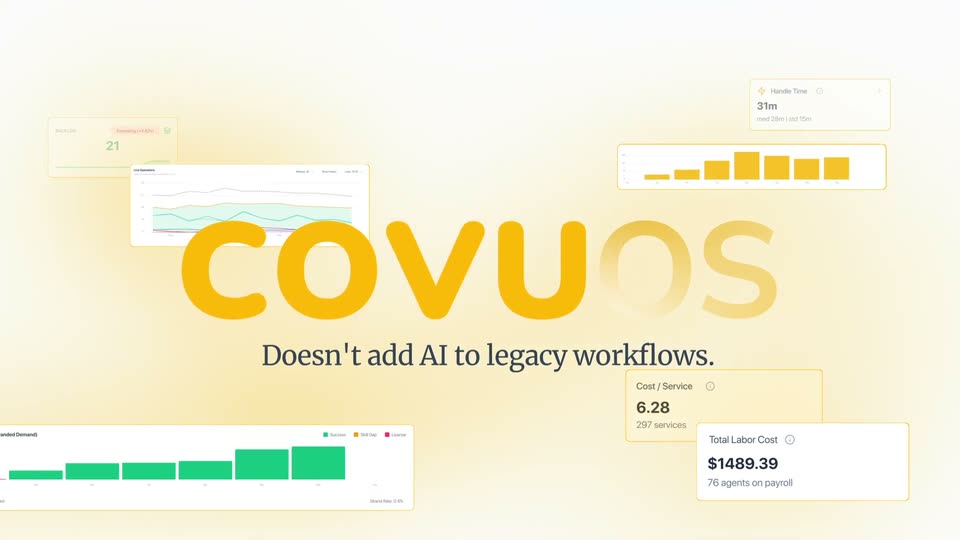
On a warm cream gradient, the orange rounded KOVU OS wordmark holds center, framed by flat dashboard cards (line and bar charts, KPI tiles) tilted in 3D perspective. Below it a charcoal serif line types out letter by letter with a blinking cursor.
On-screen text: “Doesn't add AI to legacy workflows.”
Techniques: Masking, Kinetic type
Camera: Pull out
A glowing rounded card holds the orange COVUOS wordmark over a soft-blurred product UI with green bars and a price. The UI and the black tagline fade out as the card scales down and the trailing OS letters dim to a pale amber.
On-screen text: “Doesn't add AI to legacy workflows.”
Camera: Static
A glowing COVUOS card anchors a white diagram; six source labels, voicemail, SMS, mail, inboxes, portals, forms, connect via dashed lines that light up orange. A stem drops to a task card: Rewrite Playbook, 15 tasks, In Progress.
On-screen text: “COVUOS”, “Voicemail/Phone Logs”, “Direct SMS/WhatsApp”, “Physical Mail”, “Shared Inboxes”, “Carrier Portals”, “Web Lead Forms”, “Rewrite Playbook”, “Tasks: 15”, “Status: In Progress”
Camera: Pull out
A vertical flow diagram on the left reveals its nodes one by one, ending on a highlighted Right execution layer card, while the COVU OS interface on the right scrolls down to expose more task cards in its workflow canvas.
On-screen text: “Rewrite Playbook”, “Tasks: 15”, “Status: In Progress”, “Rewrite Playbook”, “Enriched with context”, “Right execution layer”
Techniques: Split screen
Camera: Static
A light mind-map view shows white task cards stacked on the left, each linked by a thin gray line to a yellow pill label on the right. The lines draw across the canvas while the pills slide in from the right edge and settle into a vertical column.
Camera: Static
A white agent profile card with a photo, name, status pill and two task stat boxes slides right and scales up over a soft gradient background. A glowing orange Licensed Agent badge stays pinned to the card's top-right corner throughout the move.
Techniques: UI zoom
Camera: Pan
A row of white agent profile cards scrolls left across a warm yellow gradient, each card showing an avatar, name and detail fields. The card passing through the center gains an orange border under a soft white glow.
Camera: Pan
Two columns of task cards scroll upward at different speeds while a cursor hovers over them. On the left, a serif headline builds word by word, two words in yellow.
On-screen text: “Every Insurance Playbook Broken Down into Tasks”
Techniques: Kinetic type, Parallax, Cursor demo
Camera: Static
A black cursor hovers over a highlighted “Renewal” card in a two-column grid of task lists, then drags it from the left column to the right column. A headline on the left reads “Every Insurance Playbook Broken Down into Tasks”.
On-screen text: “Every Insurance Playbook Broken Down into Tasks”
Techniques: Cursor demo
Camera: Static
A white dashboard with an orange border scales up from the right to fill the frame, its stat tiles and table filling in. A serif headline 'Becomes the unit of work', the last three words in orange italic, sits at left and is cropped out as the interface grows.
On-screen text: “Becomes the unit of work”
Techniques: UI zoom
Camera: Pull out
A COVO OS dashboard floats tilted in 3D perspective, rotating from a steep side angle toward a near-frontal view as its stat cards and service table settle. The line Operations become visible appears at the lower right, the word visible in yellow.
On-screen text: “Operations become visible”
Techniques: 3D mockup
Camera: Static
A light sidebar menu with line icons scrolls up as a large pointer cursor slides down the list. The cursor turns dark and a yellow rounded pill highlights the Insights row.
Techniques: Cursor demo
Camera: Static
A white split layout holds a large serif headline on the left while a product dashboard occupies the right. The view zooms into the dashboard, reframing onto a yellow bar chart and an orange area chart above a row of metric cards, as the headline stays fixed.
On-screen text: “Continuously Optimizable”
Techniques: UI zoom
Camera: Pan
A vertical list of white metric cards scrolls upward on the right, a yellow corner-bracket frame tracking the active card, while large gold serif labels on the left cross-fade in sync: Handle Time, Total Labor Cost, Cost per task, Resolution time.
On-screen text: “Handle Time”, “Total Labor Cost”, “Cost per task”, “Resolution time”, “Handle Time”
Techniques: Kinetic type
Camera: Pan
A flat dashboard UI with a top tab bar and a Live Operations line chart card. The view zooms into the card while a Thread panel slides in on the right, reframing onto the chart and its legend.
Techniques: UI zoom
Camera: Pan
Two rounded interface cards slide in over a cream gradient: a line chart dashboard on the left and a Slack-style thread on the right. The left card eases in from the left edge while the right card settles, revealing a conversation with task-assigned badges.
Techniques: Split screen
Camera: Pan
A light data table with an orange Services (28) header scrolls upward. A black cursor glides down the rows and pauses on one, which lights up with an orange outline as the list settles.
Techniques: Cursor demo
Camera: Static
A task detail screen with a workflow progress sidebar, task brief and service health panel is shown with a cursor. The interface then dims while large serif text fades in over it, white with gold keywords, held static.
On-screen text: “That changes both Economics”, “and Outcomes.”
Techniques: Kinetic type
Camera: Pan
A two-line serif headline sits on a dark navy field, with Outcomes set in gold. The block drifts upward and fades as the background shifts to dark green and a large faint question mark emerges.
On-screen text: “That changes both Economics”, “and Outcomes.”
Techniques: Kinetic type
Camera: Static
A large white 2X graphic with visible 3D depth sits on a gradient that fades from dark blue to gold. A white serif headline types out word by word with a blinking cursor in the center.
On-screen text: “EBITDA Improvement”, “on acquired books”
Techniques: Kinetic type
Camera: Static
A dark navy chart on a faint grid. A yellow line draws itself left to right, climbing past a 2X mark and a dashed vertical divider, then steepening to a white dot under 3X. The title and axis labels sit static.
On-screen text: “EBITDA Improvement”, “2X”, “3X”, “Before COVU”, “COVU Immediate Partnership”, “COVU After a few months”
Camera: Static
A diagonal stack of tilted COVU OS dashboard panels recedes into depth on a dark blue field, drifting slowly toward the viewer. A yellow serif headline types out letter by letter in the lower left corner.
On-screen text: “COVU OS is Live”
Techniques: 3D mockup, Kinetic type
Camera: Pan
A yellow node with a white stacked-layers mark anchors a pale gray field. Blue lines radiate from it and connect to yellow and navy dots that pop in and drift outward, forming an expanding network graph while the center node shrinks.
On-screen text: “COVU OS is Live”
Camera: Pull out
A radial network of orange and navy nodes links to a central orange logo badge. A circular mask closes in from the edges, shrinking the white field and scaling the network down.
Techniques: Masking
Camera: Pull out
A flat amber field holds the rounded white wordmark COVUOS centered, the last two letters fading in with a soft gold gradient. A small white caption below reads Visit www.covu.com to learn more. The clip closes as the background darkens and the type turns gray.
On-screen text: “Visit www.covu.com to learn more”
Techniques: Kinetic type
Camera: Static
The COVUOS wordmark in muted slate blue holds center on a dark olive field, a small gray caption beneath it. The locked-off frame fades to near-black, the letters dimming and the caption vanishing.
On-screen text: “COVUOS”, “Visit www.covu.com to learn more”
Camera: Static
A flat dark navy field fills the entire frame. The color holds completely still with no text, graphics, or motion for the full length of the clip.
Camera: Static