2:26
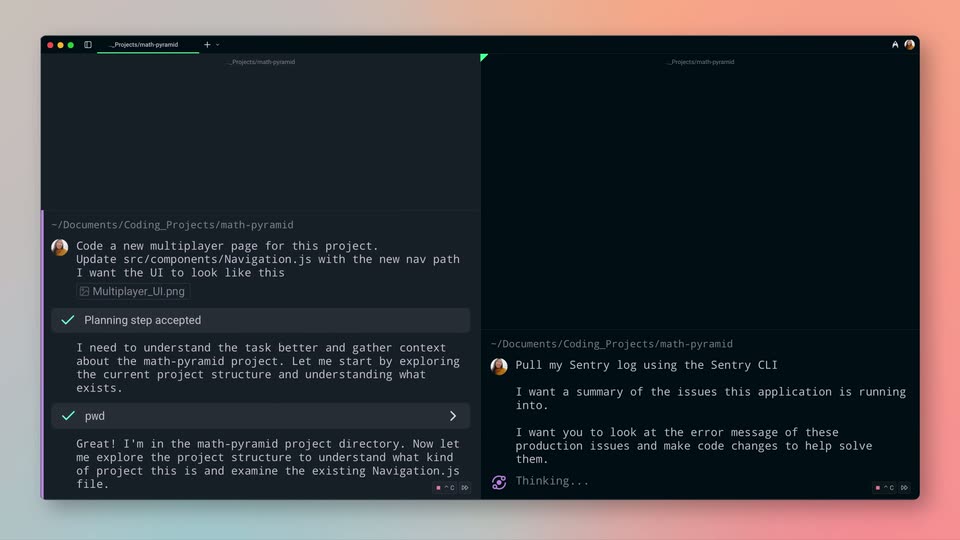

Introducing Warp 2.0: The Agentic Development Environment
Warp · Developer tools · Jun 2025
The video alternates full-bleed serif statement cards on navy or amber gradients with flat and 3D-tilted UI mockups, each claim typed out first and then proven by interface motion. Pacing is quick, around 16 cuts per minute, with signature moves of letter-by-letter typing with a caret, wordmarks scaling through soft gradient fades, and dashed connectors drawing between source labels and the center mark.
Warp · Developer tools · Jun 2025
1Deploy · Sep 2026
A plain black screen holds a small logo lockup in the top-left corner, a purple circle icon beside white lettering. The frame stays static throughout the short clip.
Camera: Static
On a dark blue to olive gradient, large serif words swap in the center one at a time: Today, then We are, then Launching, each replacing the previous. A small ObiN Studio mark holds the top-left corner.
On-screen text: “Today”, “We are”, “Launching”
Techniques: Kinetic type
Camera: Static
A warm amber gradient with a dark top-right vignette and faint spreadsheet panels holds the frame. The headline COVUOS scales up from a faint partial form to a solid cream word with a gold S, while the word Launching scales in. The ObiN STUDIO logo sits top-left.
On-screen text: “Launching”, “COVUOS”
Techniques: Kinetic type
Camera: Pull out
A large white COVUOS wordmark sits centered on a yellow-to-black gradient and scales slightly. The frame stays locked off while blurred spreadsheet panels remain in the corners.
On-screen text: “COVUOS”
Techniques: Kinetic type
Camera: Static
The wordmark COVUOS in white and gold sits centered on a yellow-to-black gradient, with flat dashboard and spreadsheet panels floating in the corners. The wordmark scales up and drifts toward the top edge as the corner panels shift outward, the Obin STUDIO logo pinned top-left.
On-screen text: “COVUOS”
Techniques: Kinetic type, Parallax
Camera: Static
A pale gray card with the ObiN STUDIO mark top left. Three centered serif lines type in with a thin cursor, the middle line in gold; the first line then fades to gray as the large COVUOS wordmark scales in.
On-screen text: “The core operating layer”, “of our new AI-native operating stack”, “for insurance distribution.”, “COVUOS”
Techniques: Kinetic type
Camera: Static
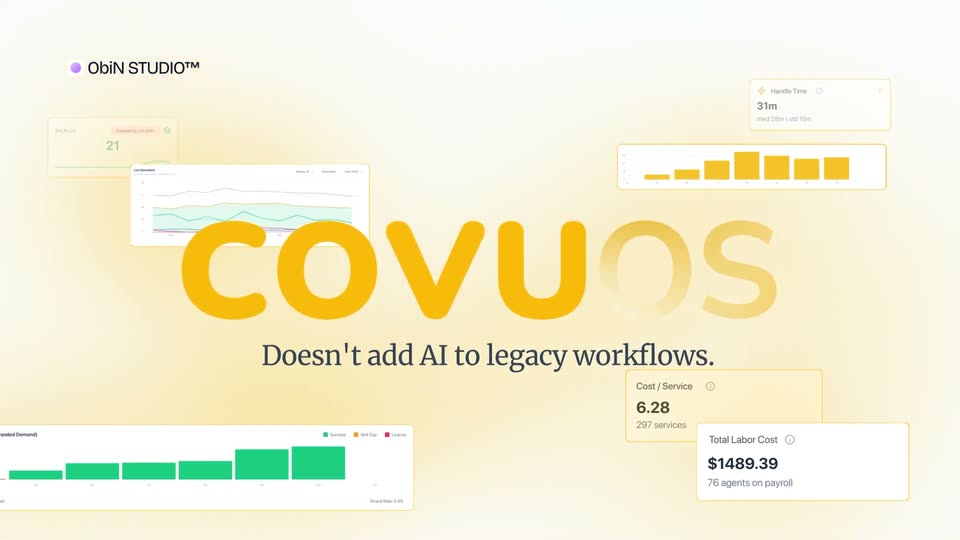
A cream field of floating dashboard cards holds the large orange COVUOS wordmark, its last two letters fading in through a soft gradient. Beneath it, a dark serif line types out letter by letter with a caret, then the type clears.
On-screen text: “COVUOS”, “Doesn't add AI to legacy workflows.”
Techniques: Masking, Kinetic type
Camera: Pull out
The orange COVUOS wordmark settles into a white card as a faint form fades, captioned “Doesn't add AI to legacy workflows.” Six gray source labels slide in at the edges, dashed connectors draw to the center, and a line drops to a task card.
On-screen text: “Doesn't add AI to legacy workflows.”
Techniques: Kinetic type
Camera: Pull out
On the right, a tilted 3D mockup of the COVU OS screen shows a task flowchart gaining green check nodes. On the left, annotation cards stack: Rewrite Playbook with Tasks 15 and Status In Progress, then checkmarks pop in and a Right execution layer card drops in.
On-screen text: “Rewrite Playbook”, “Tasks: 15”, “Status: In Progress”, “Enriched with context”, “Right execution layer”
Techniques: 3D mockup
Camera: Static
A light cream workflow diagram shows white task cards on the left linked by thin dark lines to orange pill labels that slide in from the right one after another: Artificial Intelligence, Automation, Offshore, Licensed Agent. The ObiIn STUDIO logo sits top-left.
Camera: Static
A flat agent profile card for Maria Santos, COVU Agent, with completed and assigned task counts, drifts slowly to the right. An orange “Licensed Agent” pill with a soft glow slides in at the top right corner.
On-screen text: “Licensed Agent”
Camera: Pan
A row of white agent profile cards slides left across a yellow gradient background, each showing an avatar, name, online badge and a details grid of tasks, license, pay and hours. The ObiIn Studio logo sits in the top-left corner.
On-screen text: “ObiIn STUDIO™”
Camera: Pan
Two columns of playbook cards scroll upward on the right while a serif headline types out on the left, with key words in yellow. A cursor hovers over a card near the end.
On-screen text: “Every Insurance Playbook Broken Down into Tasks”
Techniques: Kinetic type
Camera: Static
A grid of playbook cards fills the right; the highlighted Renewal card lifts and slides right with a drop shadow as a cursor moves past it, while a serif headline sits on the left.
On-screen text: “Every Insurance Playbook Broken Down into Tasks”
Techniques: Cursor demo
Camera: Static
A flat COVU OS dashboard sits on the right while a serif headline 'Becomes the unit of work' holds the left. A cursor picks 'Live' from the open menu, the stat cards and service list load, then the whole interface zooms in and crops the headline.
On-screen text: “Becomes the unit of work”
Techniques: Cursor demo, UI zoom
Camera: Pull out
A dashboard mockup tilts in 3D perspective, then rotates to face the camera flat. A headline appears at right as the interface settles, with the Obin STUDIO logo top left.
On-screen text: “Operations become visible”
Techniques: 3D mockup
Camera: Pull out
A white panel lists feature rows with line icons, Live, Control, Insights, Agencies, Agents, scrolling upward while a large cursor arrow travels down and hovers on Insights, which fills with an orange pill and white text. The ObiN STUDIO wordmark sits in the top left corner.
Techniques: Cursor demo
Camera: Static
The COVU DS dashboard fills the right half in flat front view, its sidebar and yellow-bordered charts static. On the left, the ObiN Studio logo and a large serif headline sit on white. A sidebar item slides in and another scales as the histogram bars build.
On-screen text: “Continuously Optimizable”
Camera: Pan
A vertical list of white metric cards scrolls upward on the right, a yellow corner-bracket frame highlights the centered card, while large amber serif labels fade in one by one on the left naming each metric.
On-screen text: “Handle Time”, “Total Labour Cost”, “Cost per task”, “Resolution time”, “Handle Time”
Techniques: Kinetic type
Camera: Pull out
A flat white analytics dashboard fills the frame, with a top navigation bar and a Live Operations line-chart card. The view pans right, sliding the chart left and revealing a Thread panel with a reply box on the right, while a row of utilization stats runs along the bottom.
Camera: Pan
A light dashboard splits into two flat panels: a line chart with two drawn series on the left, a Slack-style thread on the right. Chat messages and task badges populate the thread one by one while the chart lines extend across the grid.
Techniques: Split screen
Camera: Static
A white table of insurance policy rows updates and scrolls as a black cursor glides down the list. An orange-outlined Services (28) button sits above the rows, with the ObiIn STUDIO logo in the top-left corner.
Techniques: Cursor demo
Camera: Static
A light service table lists rows of dates, IDs and company names under an orange header. A black cursor hovers the highlighted SVC-000005 row, which widens into a detail card as the cursor slides right.
Techniques: Cursor demo, UI zoom
Camera: Static
The ObiN Studio task detail panel is shown, then dims under a yellow-tinted overlay as a large serif headline appears over it in two lines, the final word set in cream italic.
On-screen text: “That changes both Economics”, “and Outcomes.”
Techniques: Kinetic type
Camera: Pan
A dark navy gradient fills the frame. A serif headline reads “That changes both Economics and Outcomes,” with “Outcomes.” in gold, fading in at center-left and holding on a locked-off frame. A small ObiN STUDIO logo sits in the top left corner.
On-screen text: “That changes both Economics and Outcomes.”
Camera: Static
A 3D extruded '2X' in cream and translucent grey turns slowly on a blue-to-gold gradient as a cream serif caption types itself out letter by letter.
On-screen text: “EBITDA Improvement”, “on acquired books”
Techniques: 3D mockup, Kinetic type
Camera: Pull out
A dark navy card holds a line chart titled in white serif. A yellow line draws itself left to right, climbing past a dashed marker to a white dot under the 3X label, while the 3X and bottom axis captions fade in.
On-screen text: “EBITDA Improvement”, “2X”, “3X”, “Before COVU”, “COVU Immediate Partnership”, “COVU After a few months”
Techniques: Masking
Camera: Static
Tilted product interface panels, including dashboards and task tables, cascade diagonally in 3D perspective over a dark navy background. A gold serif headline types out at the lower left while the ObiN Studio logo sits top left.
On-screen text: “COVU OS is Live”
Techniques: 3D mockup, Kinetic type
Camera: Pan
White field. A central orange disc with a white stacked-layers glyph sits at the hub of thin blue spokes. The view pulls back, shrinking the hub and revealing orange and dark navy nodes at the spoke ends into a network. A static headline reads COVU OS is Live.
On-screen text: “COVU OS is Live”
Camera: Pull out
A radial network of yellow and navy dots linked by thin blue lines surrounds a central yellow disc bearing a white stacked-layers icon. A white circular mask closes around the network as a yellow field floods the frame edges.
On-screen text: “ObiN STUDIO™”
Techniques: Masking
Camera: Pull out
On a flat yellow field, the white rounded wordmark COVUOS holds center as its final S fades in and a thin tagline types out below. A small studio mark sits top left, then the whole card darkens and fades to black.
On-screen text: “COVUOS”, “Visit www.covu.com to learn more”
Techniques: Kinetic type
Camera: Static
A plain dark navy background holds a small ObiN STUDIO logo lockup with a purple circle icon in the top-left corner. The mark stays static for the full duration, with no other elements or motion.
On-screen text: “ObiN STUDIO™”
Camera: Static