0:43
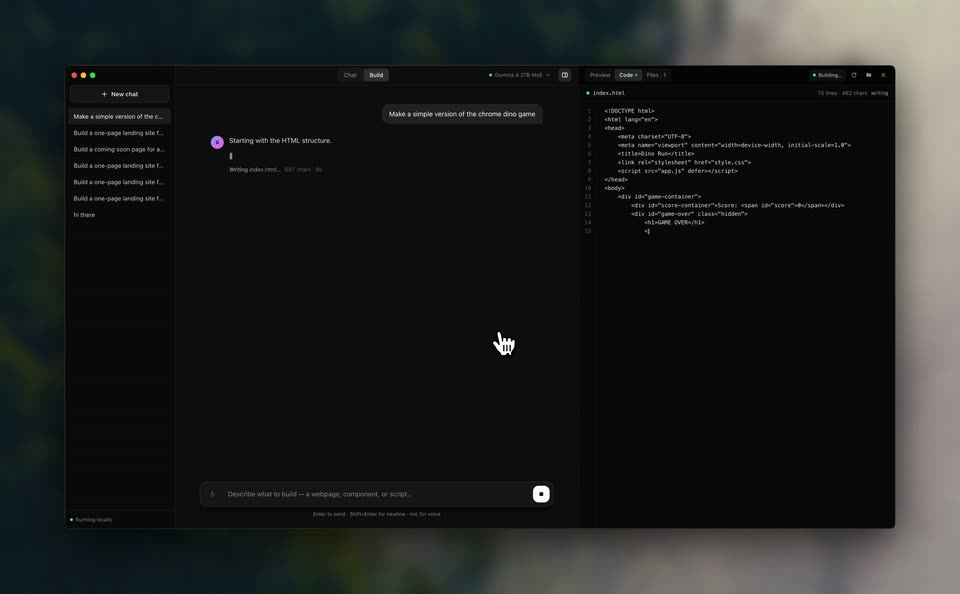

Google Gemma - Offline vibe coding with Gemma 4. This open-source Electron app runs
Google · AI · Apr 2026
Compyle · Oct 2025 · 2:19 · Full motion · AI-annotated
Compyle’s 2:19 launch film runs 7 scenes, about 20 s each. The product is on screen from the first frame. There is no explicit call to action; a voiceover carries the film. The video opens on a static settings screen with the founder's facecam, then runs as one continuous screen recording of the Compyle interface, moving between panels with slow zooms and blur transitions. Its signature moves are the persistent rounded presenter tile in the corner and the bright orange-to-blue gradient that keeps the white UI lively.
Is this your launch? to your site or press kit.
Google · AI · Apr 2026
Docura Health · Healthcare · Jul 2025
A static screen recording of the Compyle project settings page on a colorful abstract background. A repository checklist with two selected repos fills the main panel; a rounded webcam tile in the lower right shows the speaker talking as the cursor drifts across the list.
Techniques: Cursor demo
Camera: Push in
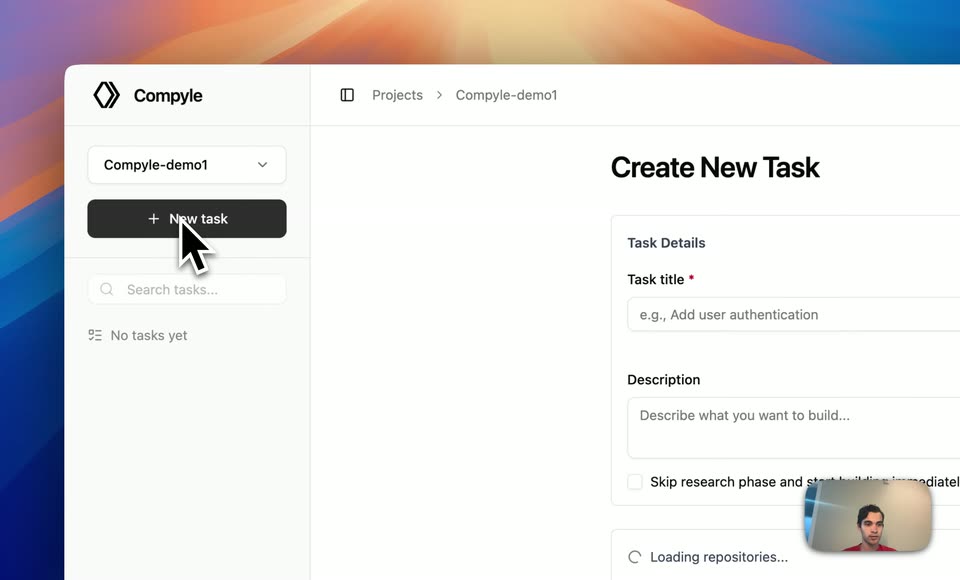
A light Compyle app window sits on a colorful abstract desktop. A cursor clicks the dark “New task” button in the left sidebar, and the right panel switches from a project settings view to a “Create New Task” form. A small rounded webcam tile of a man in a red shirt stays in the bottom-right corner.
Techniques: Cursor demo
Camera: Push in
A glowing cursor types into the description and title fields of a Create New Task form, a blue check pops in, then the view scrolls down with a blur to a dark Creating Task button that a standard cursor clicks. A small presenter webcam sits in the corner.
Techniques: Cursor demo, UI zoom
Camera: Pan
Close-up of a task form zooms out to the full Compyle window on a gradient, a presenter's webcam in a rounded corner at bottom right. The right panel flips to 'Agent is working on the plan...' while two branch rows slide in; the window then blurs and shrinks.
Techniques: Cursor demo, UI zoom
Camera: Pull out
The clip opens zoomed into a question card, then pulls back to the full Compyle window on a colorful gradient desktop. A cursor clicks answer options as the chat scrolls, and a planning document fills the right panel. A small webcam video sits in the bottom right corner.
Techniques: UI zoom, Cursor demo
Camera: Pull out
A product interface displays a document titled Profile Page Implementation Plan with a centered modal dialog reading Edit planning document. A cursor glides across the screen and rests on the Cancel button, while a small presenter video sits in the lower right corner.
Techniques: Cursor demo
Camera: Static
A static screen capture of the Compile interface. The cursor selects the Yes option on a question card and clicks Confirm, then the task feed scrolls up as new agent messages and rows appear. A small webcam bubble of the presenter overlays the bottom right.
Techniques: Cursor demo
Camera: Static