
1:07
Explore
Claude - Claude for Word is now in beta. Draft, edit, and revise documents di
Claude · Apr 2026 · 0:57 · Full motion · AI-annotated
- Length
- 0:57
- Scenes
- 15 · 3.8 s avg
- Product on screen
- 0:00
- Voiceover
- No
- Views
- 13M on X
as of November 15, 2026
00:00:00 / 00:57:07
- Length
- 0:57
- Scenes
- 15 · 3.8 s avg
- Product on screen
- 0:00
- Voiceover
- No
- Views
- 13M on X
as of November 15, 2026
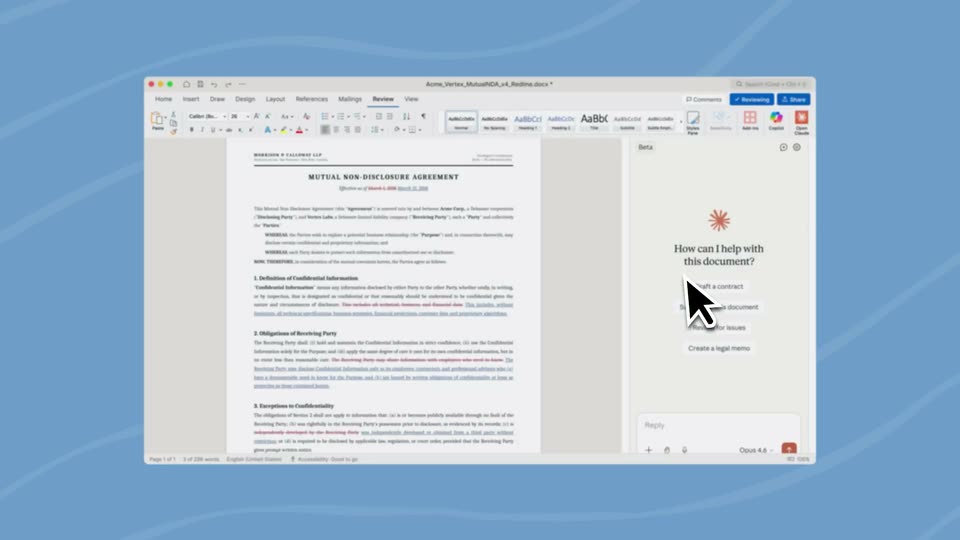
Claude’s 0:57 launch film runs 15 scenes, about 3.8 s each. The product is on screen from the first frame. There is no explicit call to action. The video is built as a single continuous screen-recorded workflow of Claude reviewing an NDA, opened by a settings-toggle reveal into a serif headline and closed by an availability line and the logo, with full-screen serif caption cards inserted between demo beats. Its signature moves are the letter-by-letter typing of prompts, the zoom-in and zoom-out camera on the chat panel, the 3D detach-and-drift of the clause tags, and the Apply buttons flipping to an Applied state, all at a moderate, unh
No filming indicatedEstimated needs: 2 capture groups — your screens or recordings · 1 official logo — reused across the film · 1 graphic passage — draw or supply
Is this your launch? to your site or press kit.
More like this

Claude - Claude for Word is now in beta. Draft, edit, and revise documents di, scene by scene
· 15 scenes as text
01 · Product intro · 0:00–0:04
A settings list of app rows with colored icons and toggle switches scrolls up on a cream background, settling on the Microsoft Word row. Its gray toggle flips blue, then the row fades out as a centered serif headline fades in.
On-screen text: “Claude now works alongside you in Word”
Techniques: UI zoom
Camera: Pan
02 · Product intro · 0:04–0:05
A centered two-line headline sits on a plain cream background. The final word, Word, fades from a faint gray outline to solid black, completing the sentence.
On-screen text: “Claude now works”, “alongside you in Word”
Techniques: Kinetic type
Camera: Static
03 · Product intro · 0:05–0:08
A static two-line headline sits over a macOS desktop with a blue wavy wallpaper. A cursor moves to a Word document at top right, clicks it to select it, and the Word icon in the dock bounces.
On-screen text: “Claude now works”, “alongside you in Word”
Techniques: Cursor demo
Camera: Static
04 · Demo · 0:08–0:08
A locked-off screen shows a Word document with a Claude sidebar on the right. A cursor moves down the suggestion list, passing Draft a contract and settling near Review for issues.
Techniques: Cursor demo
Camera: Static
05 · Demo · 0:08–0:15
A close-up of a Claude reply box inside a Word window. A cursor types a prompt, then the view pulls back to the full document as the AI streams a thinking indicator and a summary table of contract edits.
Techniques: Cursor demo, UI zoom
Camera: Pull out
06 · Demo · 0:15–0:16
The Word document and Ciatide panel go out of focus, then six white section-label pills detach and float in 3D space over the blurred page, drifting apart at different depths.
Techniques: Parallax
Camera: Pan
07 · Demo · 0:16–0:18
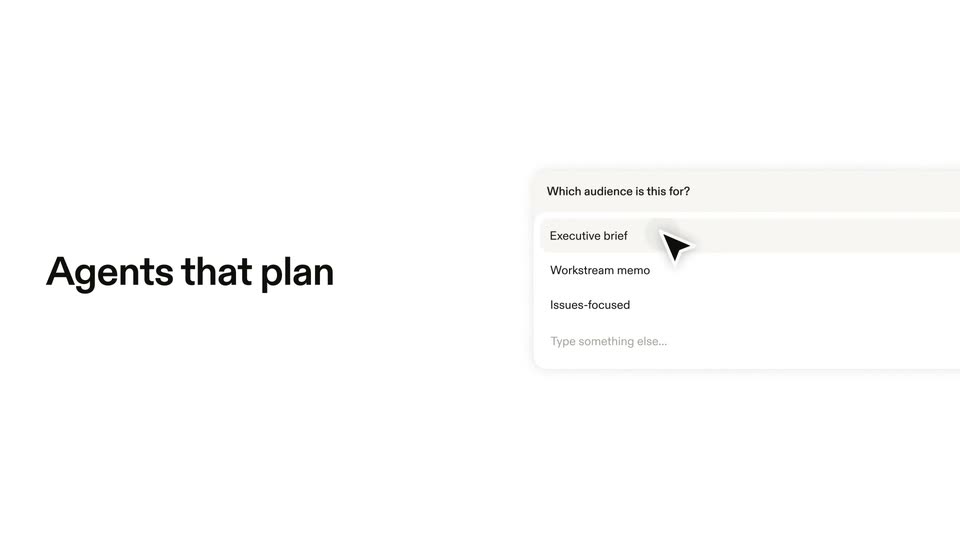
A black serif headline sits centered on a cream field while six blue monospace pill tags drift to new positions around it, then four of the tags fade out.
On-screen text: “2 dealbreakers, 1 negotiable, 3 cosmetic”, “§5 - Liability”, “§2 - Obligations”, “§1 - Definition”, “Preamble”, “§4 - Terms”, “§3(c) - Exceptions”
Camera: Push in
08 · Demo · 0:18–0:29
A Word redline document sits beside the Claude chat panel. The view zooms into the chat as a hand cursor clicks, a reply types out letter by letter, the AI answers, then the camera pulls back to reveal tracked changes and Claude comment boxes in the document.
Techniques: Cursor demo, UI zoom, Kinetic type
Camera: Pull out
09 · Demo · 0:29–0:29
A Word document with the Claude sidebar fills the frame, its text ghosting mid-transition. The view pulls back to reveal the full window on a blue backdrop as the sidebar settles into a redline card with Dismiss and Apply buttons.
Techniques: UI zoom
Camera: Pull out
10 · Demo · 0:29–0:33
A Word document with a Claude side panel on a blue wavy background. A white hand cursor clicks Apply on the first suggestion card, then the second, each flipping to an Applied state. The view then reframes onto the panel, showing both suggestions applied.
Techniques: Cursor demo, UI zoom
Camera: Pan
11 · Demo · 0:33–0:36
A two-line black serif headline fades in at the center of a plain off-white background, then holds still on a locked-off frame.
On-screen text: “Claude takes on your edits,”, “you sign off on them”
Camera: Static
12 · Demo · 0:36–0:50
A Word window shows an NDA with the Claude sidebar. The user types a QA request, two tracked-change cards appear, and a hand cursor clicks Apply on each. A confirmation message follows, then the frame zooms to the toolbar's Open Claude button.
On-screen text: “Claude takes on your edits,”, “you sign off on them”
Techniques: Cursor demo, UI zoom
Camera: Push in
13 · Other · 0:50–0:51
On a cream background, the centered serif title Claude for Word is replaced by the line Now in beta for Team and Enterprise plans. The frame stays locked and the text holds still.
On-screen text: “Claude for Word”, “Now in beta for Team and Enterprise plans”
Camera: Static
14 · Other · 0:51–0:53
Two lines of black serif type sit centered on a plain off-white background, reading 'Now in beta for' above 'Team and Enterprise plans'. The frame is locked off and the text holds static for the full duration.
On-screen text: “Now in beta for”, “Team and Enterprise plans”
Camera: Static
15 · Outro · 0:53–0:57
A small terracotta starburst sits right of center on a cream field, then grows and shifts left as the black serif word Claude fades in beside it. The two settle into a centered lockup that holds for the rest of the clip.
On-screen text: “Claude”
Camera: Static