1:20
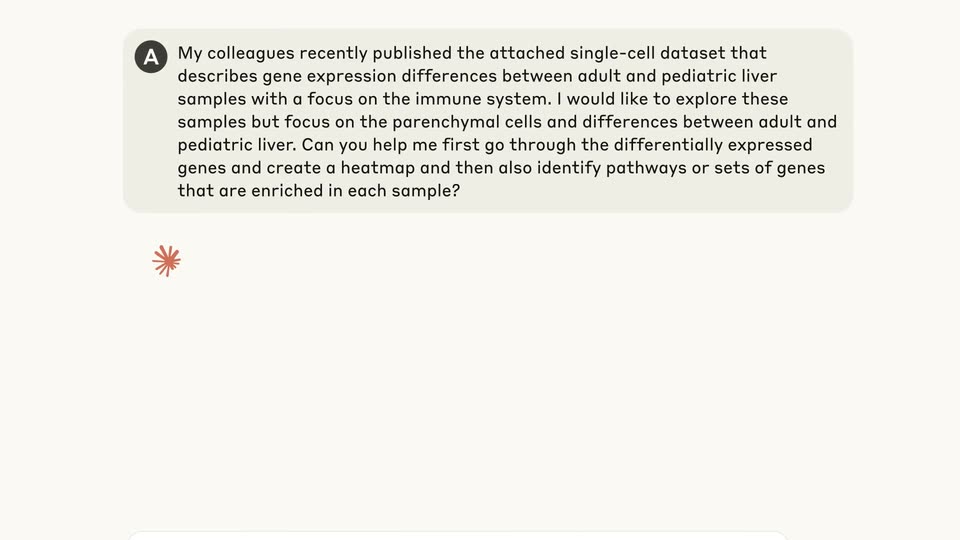

Anthropic - We’re building tools to support research in the life sciences, from e
Anthropic · AI · Oct 2025
Augment Code · Sep 2026 · 1:04 · Full motion · AI-annotated
Augment Code’s 1:04 launch film runs 19 scenes, about 3.4 s each. The product is on screen from the first frame. There is no explicit call to action. The video is built as a flat, step-by-step workflow: a logo tagline, a two-card setup, a long PRD collaboration demo between two hand-drawn personas, and a closing brand card. Its style pairs cream backgrounds with black sans-serif type and green italic accents, using slow zoom-ins on dark UI panels to keep the motion minimal.
Is this your launch? to your site or press kit.
Anthropic · AI · Oct 2025
Notion · Productivity · Jul 2026
On a flat beige background, the black Cosmos Files logo sits top-left with a brief horizontal blur as it settles. Below it, a black sans headline and a green italic line fade in, left-aligned and held static.
On-screen text: “Your agent works in files.”, “So your team can too.”
Camera: Static
On a plain cream background, a small green label reads In this demo at the top left. The Cosmos Files wordmark with a striped icon fades in above a two-line headline, the first line in dark gray and the second in green italic, all locked in place.
On-screen text: “In this demo”, “Cosmos Files”, “Your agent works in files.”, “So your team can too.”
Camera: Static
Cream background. A green 'In this demo' label holds top left as a black two-line headline fades in from gray. Two simple line-drawn faces, Maya and Tom, fade in beneath with small gray role tags.
On-screen text: “In this demo”, “Product and engineering work on one PRD together — with their agents, in the same files.”, “Maya”, “PRODUCT”, “Tom”, “ENGINEERING”
Techniques: Kinetic type
Camera: Static
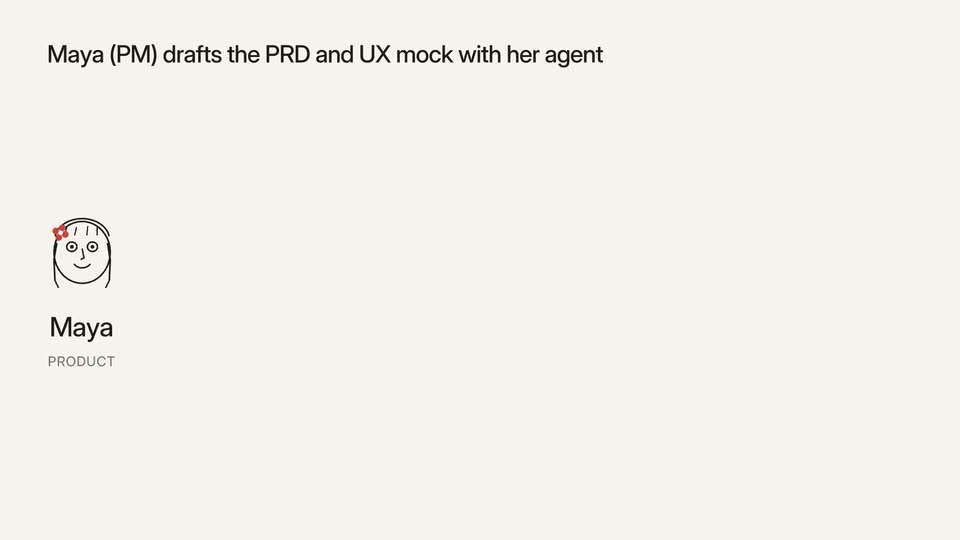
A cream stage holds a top caption and a left column with a doodled face labeled Maya, PRODUCT. A rounded gray chat panel fades in at center, greeting Good to see you, Maya above an empty input bar with model controls.
On-screen text: “Maya (PM) drafts the PRD and UX mock with her agent”, “Maya”, “PRODUCT”
Camera: Static
A cream slide frames a dark chat panel on the right reading 'Good to see you, Maya', its prompt box typing a sentence letter by letter, while a line-art avatar tagged Maya sits left under a black headline; the send button presses at the end.
On-screen text: “Maya (PM) drafts the PRD and UX mock with her agent”, “Maya”, “PRODUCT”
Techniques: Kinetic type
Camera: Static
A dark document viewer window shows a PRD titled Team Invites. The camera zooms into the page as the window fades to a white light theme, and a cursor moves to a prototype link. A black headline sits top-left; a Maya character label sits at left.
On-screen text: “Maya (PM) drafts the PRD and UX mock with her agent”, “Maya”, “PRODUCT”
Techniques: UI zoom, Cursor demo
Camera: Push in
A darkened browser window of the Team members page brightens and zooms in on the interface, while a cursor hovers the Invite people button and then the Edit row. A line-drawn avatar labeled Maya, PRODUCT, sits left under the scene headline.
On-screen text: “Maya (PM) drafts the PRD and UX mock with her agent”, “Maya”, “PRODUCT”
Techniques: UI zoom, Cursor demo
Camera: Pull out
A cream background holds a top caption and a line-drawn avatar labeled Maya on the left. A Share file dialog fades in at center, showing an input field, an owner row, and Cancel and Save buttons.
On-screen text: “Maya (PM) shares the PRD with Tom (eng) for feedback”, “Maya”, “PRODUCT”
Camera: Static
A dark share dialog sits on a black panel beside a line-drawn persona labeled Maya, Product. The input field types tom, then clears as Tom, [email protected], drops into the access list with a Can edit tag. A top caption states the action.
On-screen text: “Maya (PM) shares the PRD with Tom (eng) for feedback”, “Maya”, “PRODUCT”
Camera: Static
A cream background holds a black caption line at the top and a line-drawn avatar with a green cap on the left, labeled Tom and ENGINEERING. A large light gray rounded panel fades in on the right as the whole scene rises from low to full opacity.
On-screen text: “Tom (eng) reviews with his agent and leaves a comment”
Camera: Static
A cream slide pairs a line-drawn avatar labeled Tom, ENGINEERING on the left with a dark app window on the right that fades in a file-sharing notification, then shows a greeting and a chat box typing a review prompt.
On-screen text: “Tom (eng) reviews with his agent and leaves a comment”, “Tom”, “ENGINEERING”
Camera: Static
A dark document editor window sits on a cream background beside a line-drawn avatar labeled Tom. The cursor scrolls the PRD, the view zooms into the success metrics line, second member gets selected, a comment box opens, the question is typed, and a comment card posts on the right.
On-screen text: “Tom (eng) reviews with his agent and leaves a comment”, “Tom”, “ENGINEERING”
Techniques: UI zoom, Cursor demo
Camera: Pull out
A cream title card holds a dark sans headline across the top. A line-drawn avatar with a red flower, labeled Maya and PRODUCT, fades in at the left, while a large light-gray rounded panel fades in to fill the right side of the frame.
On-screen text: “Maya (PM) works with her agent to address the comment and update the PRD”, “Maya”, “PRODUCT”
Camera: Static
A cream slide holds a headline at the top; a line-drawn face labeled Maya sits left of a dark panel, where a Tom replied notification card fades from dim to full brightness.
On-screen text: “Maya (PM) works with her agent to address the comment and update the PRD”, “Maya”, “PRODUCT”
Camera: Static
A dark agent panel on a cream background greets Maya; a reply card from Tom fades out, then a blinking caret types a prompt into the input box. A sketched avatar with a red flower and the name Maya sit in the left margin.
On-screen text: “Maya (PM) works with her agent to address the comment and update the PRD”, “Maya”, “PRODUCT”
Techniques: Cursor demo
Camera: Static
A dark PRD editor with a comment thread sits under a headline. The view zooms into the reply panel as the document fades to black, a resolved badge appears on the agent's comment, and a cursor drifts to a plus button in the corner.
On-screen text: “Maya (PM) works with her agent to address the comment and update the PRD”, “Maya PRODUCT”
Techniques: UI zoom, Cursor demo
Camera: Static
A cream background holds a dark interface panel showing a comment row with a Resolved badge, the name Tom and 1 reply. A hand-drawn avatar card labeled Maya PRODUCT sits left under a black caption line. A cursor hovers the Resolved badge, then drifts down and right.
On-screen text: “Maya (PM) works with her agent to address the comment and update the PRD”
Techniques: Cursor demo
Camera: Static
A dark PRD editor window sits on a light background beside the Maya logo. A large semi-transparent quote from the document fades out over the page, leaving the phrase second member highlighted in amber.
On-screen text: “Maya (PM) works with her agent to address the comment and update the PRD”, “Pending, expired, revoked and failed invitations do not count.”
Techniques: Kinetic type
Camera: Static
On a plain off-white background, the dark line 'Same filesystem.' holds at upper left with 'Everyone in it.' in green italic beneath it. A small two-shape Cosmos logo and the words 'augment code' fade in at the bottom left. The frame stays locked and static.
On-screen text: “Same filesystem.”, “Everyone in it.”, “Cosmos | augment code”
Camera: Static