0:54

Launch YC: Runtime
Runtime.si · Industrials · Nov 2026
Claude · Apr 2026 · 0:33 · Full motion · AI-annotated
Claude’s 0:33 launch film runs 16 scenes, about 2.1 s each. The product is on screen from the first frame and 1 feature is revealed. There is no explicit call to action. The video is built as four slow beats on a flat cream field: a 3D float of UI panels under a serif headline, a team-admin feature shown as drifting cards and a centered modal, a continuous overview that runs one prompt into a 2x2 department grid and then into an analytics card, and a static logo close. Pacing is unhurried with no hard cuts, and the signature moves are text resolving from a horizontal blur, headlines typing or scaling in, panels drifting in perspective, the quadrant grid, and met
Is this your launch? to your site or press kit.
Runtime.si · Industrials · Nov 2026
Samsung · Nov 2026
Tilted interface panels of the Claude Cowork app float in 3D perspective on a cream background, drifting slowly. A serif headline fades in at center, completing the line 'Claude Cowork is now generally available'.
On-screen text: “Claude Cowork is now generally available”
Techniques: 3D mockup, Kinetic type
Camera: Static
On a beige canvas, five product windows float at the edges while a serif headline resolves from a soft horizontal blur into sharp focus at the center. A cursor hovers over the sprint list in the top-left card.
On-screen text: “Claude Cowork is now generally available”
Techniques: Kinetic type, Cursor demo
Camera: Pan
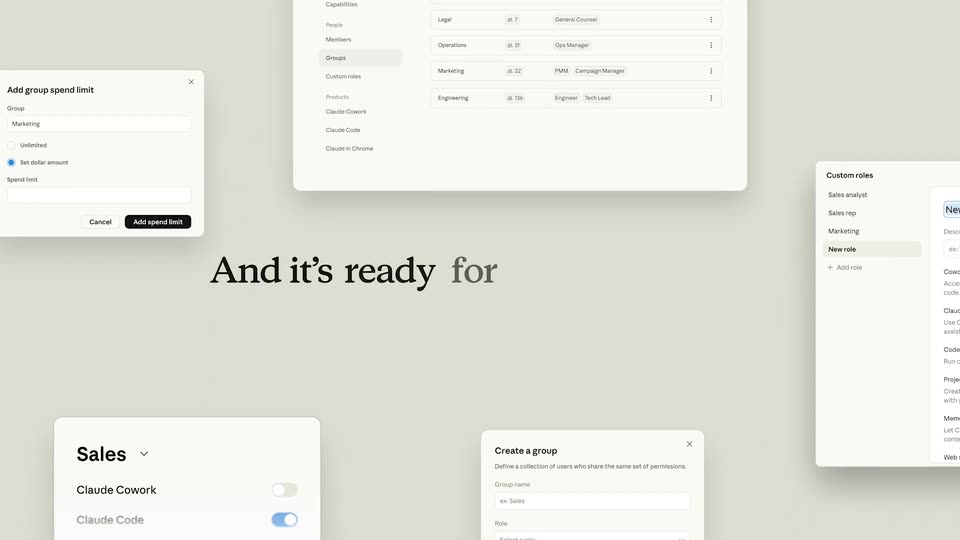
A collage of overlapping admin panels on a beige background settles into place, showing modals for spend limits, groups and custom roles. A large serif headline types in word by word across the lower center.
On-screen text: “And it's ready for your whole”
Techniques: Kinetic type
Camera: Pan
Floating product panels (spend limit, groups list, custom roles, Sales toggles, create-group form) drift upward on a beige field while a black serif headline, “And it’s ready for your whole team”, slides across the center, its last word trailing a motion blur.
On-screen text: “And it’s ready for your whole team”
Techniques: Kinetic type
Camera: Pan
A white settings card titled Sales lists feature toggles on a beige background. A duplicate card overlaps it, then slides down and left out of frame, revealing the full list from Claude Cowork to Web search. A hand cursor hovers on the Claude Cowork toggle as the text scales.
Techniques: Cursor demo
Camera: Static
Layered white settings panels with soft shadows sit on a beige backdrop. The top panel's header slides from Finance to Legal to Operations, and a hand cursor hovers over the Claude Cowork toggle above a column of blue switches.
Techniques: Cursor demo
Camera: Pan
A cream settings card titled Operations sits on a beige backdrop, its lower rows softly blurred as a hand cursor hovers the Claude Cowork toggle. The frame then cuts to a group spend limit modal, a cursor arrow resting on the Sales field.
Techniques: Cursor demo
Camera: Pull out
A white modal dialog titled Add group spend limit sits centered on a beige background. A hand cursor clicks the Set dollar amount radio, which fills blue, and a Spend limit per member field reveals with $150 typed, while two cursors hover over the Cancel and Add spend limit buttons.
Techniques: Cursor demo
Camera: Pull out
A white modal titled Add group spend limit sits over a beige screen, a hand cursor resting on its dark button. The modal scales up and fades out, revealing a chat input bar and a partial Let's heading.
Techniques: Cursor demo
Camera: Static
A serif headline fades in above a white prompt box on a cream background, with a green Sales tag at the top. A prompt types itself into the field, then a hand cursor clicks the terracotta send button and the box clears.
On-screen text: “Let’s knock something off your list”, “Sales”
Techniques: Cursor demo
Camera: Static
A chat screen under a green Sales header shows a user message bubble above a response message that types out line by line. A small pink asterisk spinner rotates below the text and a cursor arrow rests at the lower right.
Techniques: Kinetic type
Camera: Static
A 2x2 grid of Sales, Finance, Legal, and Operations panels fills the frame, each running its own AI task. Context and Progress cards slide in, chat text types out, a cursor clicks through options. The quadrants resolve into deliverables: a slide deck, a spreadsheet, a PDF, a dashboard.
On-screen text: “Sales”, “Finance”, “Legal”, “Operations”
Techniques: Split screen, Cursor demo
Camera: Pan
A four-quadrant split screen pairs four product interfaces with serif labels: a dark sales dashboard, a finance spreadsheet, a legal contract, and an operations status board. Cursors move within each window while the sales view switches from a title card to a deals table.
On-screen text: “Sales”, “Finance”, “Legal”, “Operations”
Techniques: Split screen, Cursor demo
Camera: Static
A 2x2 grid shows four app screens under serif labels: Sales, Finance, Legal, Operations. Cursors hover over each interface. The top-left panel crossfades into an Analytics view with a Cowork metrics card while the others hold.
On-screen text: “Sales”, “Finance”, “Legal”, “Operations”, “Analytics”
Techniques: Split screen
Camera: Static
A beige frame holds a centered serif headline above a flat analytics dashboard card. The sessions-per-day and percentage figures count up while the blue daily-active-users line chart draws itself left to right.
On-screen text: “Claude Cowork, ready for any size org”
Camera: Pan
A coral starburst mark and the black serif wordmark Claude Cowork hold centered on a flat beige field, completely static with no motion.
On-screen text: “Claude Cowork”
Camera: Static