1:09
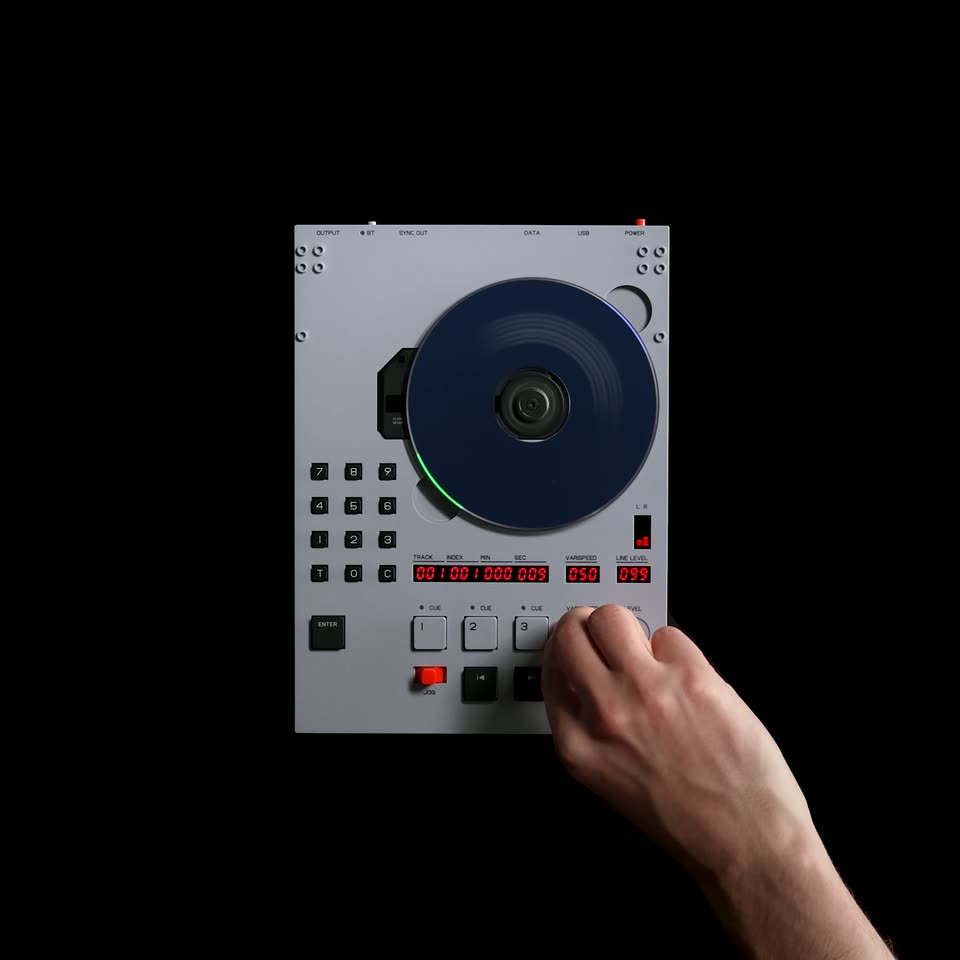

introducing EP/BC–1 professional CD player
Teenage Engineering · Hardware · Nov 2026
Capitol AI · Sep 2024 · 0:53 · AI-annotated
Capitol AI’s 0:53 launch film runs 25 scenes, about 2.1 s each. The product shows up at 0:05 and 5 features are revealed. There is no explicit call to action. The video is built as a typed-headline-plus-document pattern: after a live-action factory shot that flattens into the app, each feature block pairs a word-by-word headline on the left with a scrolling, morphing or 3D-rotating document on the right. Signature moves are the 3D document cards snapping flat, the gray-to-black headline color snap, and the asterisk mark that reappears as the closing logo.
Is this your launch? to your site or press kit.
Teenage Engineering · Hardware · Nov 2026
Moonshot AI · Oct 2026
Replit · Developer tools · Apr 2026
Films whose music sounds like this one, voice left out
Microsoft · Electronic, Lo-fi Hip-hop, Chillwave
Polylane · Electronic dance music
Slashy · Modern electronic dance music
A worker in a white cleanroom suit stands in a factory holding a laptop while a command bar types a prompt above him. The bar shrinks to the left as a 3D app window rotates in from the right, then flattens into a full-screen interface.
Techniques: 3D mockup
Camera: Push in
A product screen shows a content prompt list beside two article settings panels; the whole layout slides left, cutting off the list and revealing a gray area with the heading Capitol A on the right.
On-screen text: “Create Powerful Content”, “Capitol A”
Camera: Push in
A white settings panel labeled Article scrolls down through its sections on the left as a large black headline sits on the right. The panel then slides out left to reveal a document page with a bold title and body text fading in.
On-screen text: “Capitol AI Turns Your Ideas Into Polished, Ready-To-Use Rich Documents”
Camera: Pan
A white card on a light gray field holds a bold black headline and gray body text. The content scrolls up, bringing a blue isometric factory-and-battery illustration into view at the card's base.
On-screen text: “The Charge is On: Mapping the Asia-Pacific Battery Supply Landscape”, “Overview of the Asia-Pacific Battery Trade Supply Chains”
Camera: Push in
A white report panel on a gray background pans upward, revealing white body copy, a blue isometric grid of battery cells, and a dark serif pull-quote with an attribution line beneath it.
Camera: Push in
A report page scrolls upward at a steady pace. A large serif pull quote and its byline drift off the top edge while a three-column comparison table, with rows for Local Sourcing, Global Sourcing and Vertical Integration, rises into the lower half of the frame.
Camera: Push in
A white report page scrolls upward at high speed, its text blurred by the motion. The view passes a two-row table, a bold section heading, and a stat row pairing a document icon with 80% and a building icon with $150bn.
Camera: Pan
A colored supply chain flowchart with upstream, midstream and downstream boxes fades in, then a block of gray body text and a heading fade in over it as the diagram recedes to a faint background watermark.
On-screen text: “Source: Clean Energy Associates”, “Asia-Pacific: The Battery Market's New Powerhouse”, “Lithium and Cobalt: The Heart of the Battery Revolution”, “Impact of Geopolitical Factors on the Asia-Pacific Battery Trade Supply Chains”
Camera: Pan
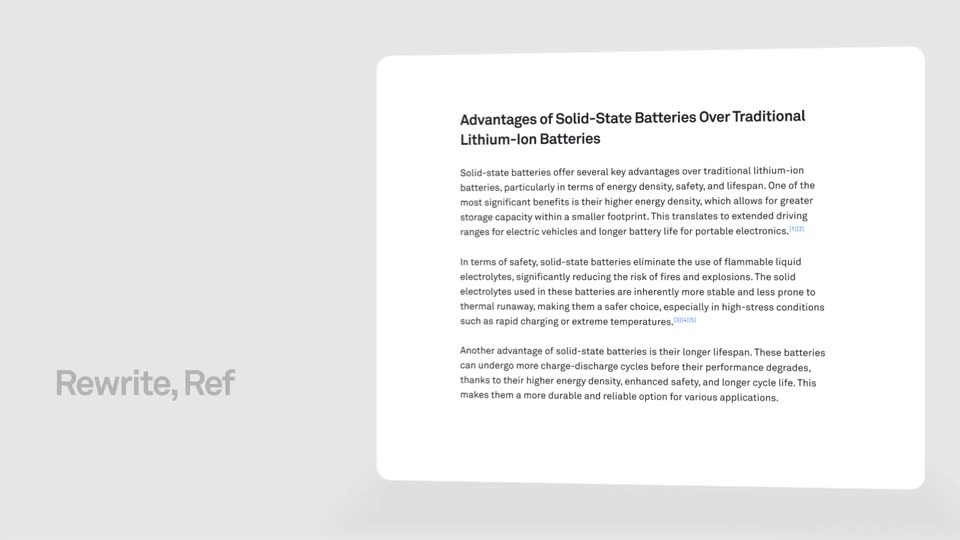
A white document card with a bold heading and body text sits on a pale background, sliding right as its text blurs into a ghosted transition. On the left, a large gray headline types out line by line, reading Rewrite, Refine, Rewrite.
On-screen text: “Rewrite, Refine, Rewrite,”
Techniques: Kinetic type
Camera: Pan
A bold black headline fades and slides in on the left while a white content card on the right morphs through three layouts: an article, a serif quote with two stat blocks, and a market forecast chart, closed by a green light sweep.
On-screen text: “Rewrite, Refine, Reformat, or Transform Your Content with One Click”
Techniques: Kinetic type, Morph, Light sweep
Camera: Static
A white document card floats in 3D on the right, tilted and slowly rotating flatter, holding a green battery illustration with a caption. Bold black headline text sits static on the left against a light gray background.
On-screen text: “Rewrite, Refine, Reformat, or Transform Your Content with One Click”
Techniques: 3D mockup
Camera: Static
A white document card, tilted in 3D perspective on the right, rotates to face the camera and sharpens from blur into a readable table. A bold black headline stays fixed on the left plain background throughout.
On-screen text: “Rewrite, Refine, Reformat, or Transform Your Content with One Click”
Techniques: 3D mockup
Camera: Static
A horizontal slide transition: a black headline and a white battery-supply document card scroll left off frame, a blue line-art phone with a scissors icon slides in on the left, and a filmed man at a desk with a laptop reveals on the right under a white title.
On-screen text: “Rewrite, Refine, Reformat, or Transform Your Content with One Click”, “Content F”
Camera: Static
Split screen: left, a light panel where an animated document icon on a blue line cycles through code, list and node symbols; right, a man in a striped shirt types at an office desk in a blue grade. A white headline reveals word by word over the footage.
On-screen text: “Unlock Content From”, “Any Source, Including”, “Your Own Data”
Techniques: Split screen, Kinetic type, Particles
Camera: Push in
A single gray headline, Turn Informational Deep Dives, slides in word by word on a plain light gray background. The line then snaps from gray to solid black and holds centered.
On-screen text: “Turn Informational Deep Dives”
Techniques: Kinetic type
Camera: Static
A centered black headline on a light gray field slides up and out, then a vertical stack of white X post cards scrolls up from the bottom, each new card sliding in below the last.
On-screen text: “Turn Informational Deep Dives Into Viral Tweet Storms”
Techniques: Kinetic type
Camera: Push in
A single tweet card sits centered on a flat light gray field, then dissolves: the avatar, body text and action icons lose opacity until the frame is bare background.
Camera: Static
A light gray frame holds a black headline on the left that types out line by line while a flat EnergyReview dashboard fades from blurred to sharp on the right.
On-screen text: “Embed Capitol AI Into Your Enterprise Tools for a Robust, Personalized Experience For You And Your Clients”
Techniques: Kinetic type
Camera: Static
A flat EnergyReview dashboard occupies the right, sidebar, shortcut cards and report list in place, beside a bold black headline on the left; both ease into frame with a slow, even push-in.
On-screen text: “Embed Capitol AI Into Your Enterprise Tools for a Robust, Personalized Experience For You And Your Clients”
Camera: Static
Split screen: an orange robotic arm loads battery packs on the left while a document on battery chemistry scrolls on the right. The white headline types out as Create Impact over the factory shot.
On-screen text: “Create Impact”
Techniques: Split screen, Kinetic type
Camera: Pan
Split screen: an orange robotic arm assembles a battery pack on a factory line at left, while a long research document scrolls upward at right. A white headline types out across the center, Create Impactful Content From Data.
On-screen text: “Create Impactful Content From Data”
Techniques: Split screen, Kinetic type
Camera: Push in
A pale lavender field holds a white extruded asterisk that assembles from two bent strokes, rotates in 3D with a soft drop shadow, then a blue line draws through its center.
Techniques: Morph
Camera: Static
A blue six-point star slides left from the center of a light gray field as the wordmark Capitol AI fades in from pale gray to black beside it, then the lockup holds still.
On-screen text: “Capitol AI”
Camera: Static
A blue six-point star mark and the black “Capitol AI” wordmark sit centered on a plain light gray background, held static for the duration of the clip.
Camera: Static
The Capitol AI logo, a blue six-point asterisk beside a gray wordmark, sits centered on a light gray field and then fades to a fainter tone.
Camera: Static