1:14
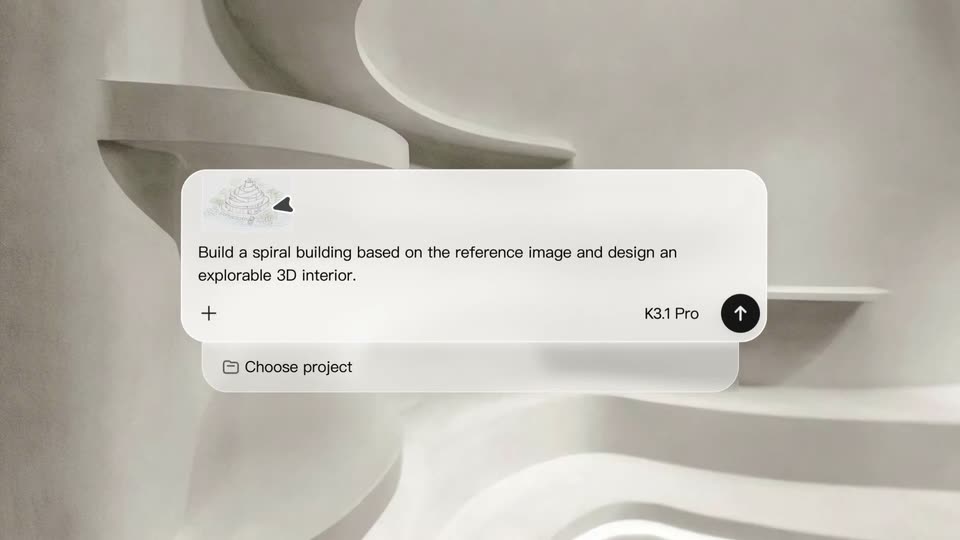
Kimi.ai - Introducing 3D Make in Kimi. Kimi connects to tools like Blender and
Moonshot AI · Oct 2026
Replit · Apr 2026 · 1:20 · AI-annotated
Replit’s 1:20 launch film runs 46 scenes, about 1.8 s each. The product shows up at 0:06 and 4 features are revealed. There is no explicit call to action. The video opens with a rapid montage of finished slide designs, names the product, then presents each capability as a short title-card-plus-demo beat on a flat cream stage, and closes on the logo. Signature moves are 3D tilts of flat cards, typewriter text reveals, and morphing red blobs, held together by a consistent cream-and-red palette.
Is this your launch? to your site or press kit.
Moonshot AI · Oct 2026
Perplexity · AI · Jul 2025
Executor · B2B · Nov 2026
A dark RAMP data card, with a skater photo and large stat numbers, slides in flat then rotates into 3D perspective. As it tilts, a white annual report page with a serif headline and a revenue line chart is revealed behind it on the right.
Techniques: 3D mockup, Parallax
Camera: Pan
A cream report page, headlined A year of compound growth. with a line chart, red donut and a stats row, slides right off frame, revealing a second page, AXIS / INTERIORS, with a green room photo, a dark green swatch and a bookshelf image.
Camera: Pan
A flat layout card tilts in 3D space, showing a serif headline on the left and phone mockups fanned in perspective on the right. As the card rotates, a third phone slides into view and the colored background circles drift.
On-screen text: “Grove FIELD COMPANION”, “ISSUE 05 MOBILE SPRING EDITION”, “ON THE TRAIL”, “The wild, on hand.”, “GROVE - FIELD COMPANION”, “available everywhere good walks begin”
Techniques: 3D mockup
Camera: Pan
A cream rounded panel wipes in from the right, covering the editorial card and three fanned phone mockups, which slide out to the left. The blank panel fills the frame, clearing the stage for the next beat.
On-screen text: “The wild, on hand.”, “available everywhere good walks begin”
Techniques: 3D mockup, Masking
Camera: Pan
A cream rounded card holds the centered headline 'The biggest leap yet', which starts large and red, then scales down and darkens to brown. Product interface panels with a route list and a weather table sit behind the card on the left, revealed as the view pulls back.
On-screen text: “The biggest leap yet”
Techniques: Kinetic type
Camera: Static
Centered dark gray sans-serif text on a cream background reads “in Al-powered”, the letters overlapping as they slide into place, then the word “slides” in red completes the line.
On-screen text: “in Al-powered”, “slides”
Techniques: Kinetic type
Camera: Static
A giant red-to-orange gradient word, Introducing, fills the frame and scales down to a small dark gray caption centered on a cream background.
On-screen text: “Introducing”, “in AI-powered”
Techniques: Kinetic type
Camera: Pan
On a cream field, a red blob morphs into the Replit mark as the wordmark Replit Slides slides in beside it, then a thin rounded rectangle draws itself around the tagline Turn your ideas into pixels.
On-screen text: “Introducing”, “Replit Slides”, “Turn your ideas into pixels”
Techniques: Morph, Kinetic type
Camera: Static
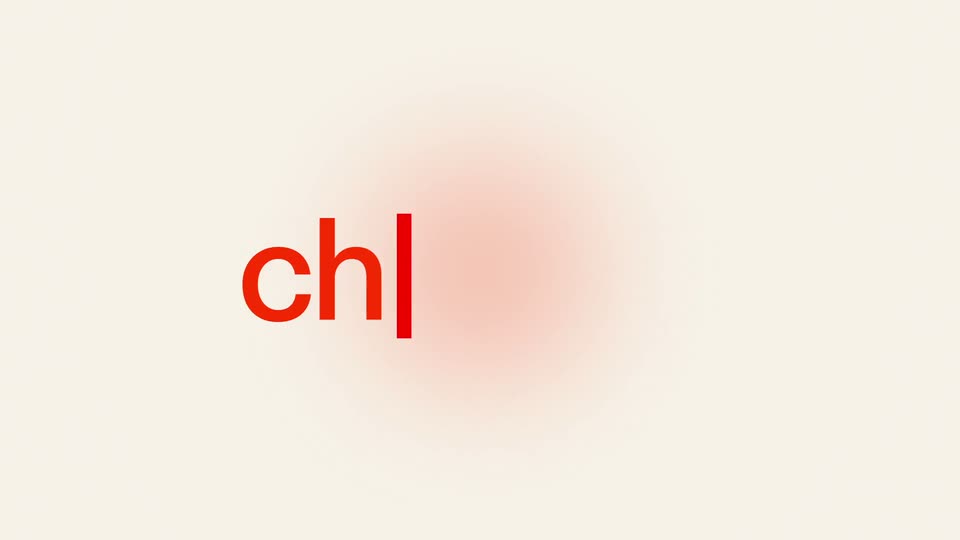
A rounded prompt box floats on a cream field. A soft pink glow blooms in from the left edge, a thin text caret sits at the top left, and a small up-arrow button marks the bottom right while the centered headline holds still.
On-screen text: “Turn your ideas into pixel perfect slides”
Camera: Static
A white prompt bar on a cream background types out a query about world finance. A cursor slides to the up-arrow button and clicks it, the button turns blue with a soft bloom and tiny dots, and the frame zooms into that corner.
On-screen text: “Turn your ideas into pixel”, “perfect slides”
Techniques: Cursor demo, UI zoom, Particles
Camera: Static
A flat rounded card on a cream background holds a blue gradient and a grid of dots that fades to green, with an up-arrow button and a cursor. The card clears, then a dark teal dashboard titled World Finance Report fills in with three colored panels and a stats bar.
Camera: Push in
A dark green report card sits on a cream background, opening in a glitched double-exposure with a red tint over the photos and offset text, then snapping into a clean layout: title and body copy left, three labeled photo cards right, a stats row along the bottom.
Camera: Pull out
A cluster of dashboard cards in 3D space slowly drifts apart on a cream background. A dark green report card with photos angles toward the camera while green and teal stat panels, including a yellow Global Outlook circle, separate at different depths.
Techniques: 3D mockup, Parallax
Camera: Pull out
A soft-edged orange and red radial gradient circle sits centered on a cream field. The blob then expands and loses saturation, the yellow core fading out as the red spreads into a diffuse pink glow.
Camera: Pull out
On a cream background, the words “choose from” type in in black behind a red cursor, then “pre-designed templates” scales in in red on a second line as a small dark website template preview grows between the words.
On-screen text: “choose from”, “pre-designed templates”
Techniques: Kinetic type
Camera: Static
A horizontal carousel of dashboard template cards sits on a cream background. The center card is enlarged and bright while the side cards are dimmed and smaller. The row slides left so the next card scales up into the center, with style captions above and below each card.
On-screen text: “choose from”, “pre-designed”, “templates”
Techniques: Kinetic type, Parallax
Camera: Push in
A row of design template cards slides left across a cream background. The centered Architecture card holds a dark real-estate dashboard with property tiles, while partial cards peek in from each side. A small pagination pill with one red dot sits below the row.
Camera: Pan
A three-card carousel of website mockups sits on a cream field, the center card titled 'Welcoming and playful' in focus while two neighbors peek in at the edges. The cards dissolve out over the short clip, leaving only the red-and-pink pagination dots centered on the plain background.
On-screen text: “Welcoming and playful”, “Subtle gradient with fun typography”
Camera: Static
A white rounded pill on a cream background scales in with a brief overshoot, then eases to a smaller resting size. It holds two centered lines, the upper in dark type and the lower in red.
On-screen text: “Or use your own brand template”, “and match your style”
Techniques: Kinetic type
Camera: Static
A hand pointer drags a tilted Brand template.pptx file card into a white prompt box on a cream background, where it lands as an attached chip. A red caret then types a prompt word by word, and a PRD doc chip slides in at the end.
On-screen text: “Or use your own brand template”, “and match your style”
Techniques: Cursor demo
Camera: Static
A white prompt card on a cream background slides up, its line about a PRD doc exiting the top; a hand cursor taps the up-arrow send button, which turns blue.
Techniques: Cursor demo
Camera: Static
Scattered purple dots drift into a 3x3 grid, then the grid morphs into a connected-node logo mark. The headline “Turn your ideas” scales in above and “into pixel perfect slides” fades in below on a white background.
On-screen text: “Turn your ideas”, “into pixel perfect slides”
Techniques: Kinetic type, Morph
Camera: Pull out
A cream background holds a centered dark-gray headline 'Turn your ideas into pixel perfect slides' over a rounded purple app icon. The text swaps to 'Analyzing reference...' as the icon shrinks and a flat slide card slides up from the bottom, showing a serif title and an architecture photo.
On-screen text: “Turn your ideas”, “into pixel perfect slides”, “Analyzing reference...”
Techniques: Kinetic type
Camera: Pan
A purple node icon hovers above a tilted brand book card that slides up into frame. The card shows an AXIS architecture page with a large Pluribus unum. headline over a studio interior photo, covered by a grid of white dots. Analyzing reference... sits still at the top.
On-screen text: “Analyzing reference...”
Techniques: 3D mockup
Camera: Pull out
A cream stage holds a purple app icon above a brand guide page that tilts in 3D, then flattens to face the camera. A status caption reads at the top and a purple pill slides in from the right edge.
On-screen text: “Analyzing reference...”, “Extracting brand...”
Techniques: 3D mockup
Camera: Pan
A white rounded card expands on a cream field as a soft purple gradient panel slides across its left side, settling into a brand book cover layout with small gray labels on the right. The gradient keeps drifting right, dimming the cover text as the scene ends.
On-screen text: “Brand Guide.”, “Burgundy ·Stéel•”
Techniques: Masking, Kinetic type
Camera: Static
A flat brand-book cover mockup for Axis Architecture fades in from a translucent lavender tint to full color on a cream background, then the whole composition slides down as the headline Applied your style fades in above it.
On-screen text: “Applied your style”
Techniques: Kinetic type
Camera: Pan
Two flat web page mockups sit side by side on a cream background. The left, labeled Reference style, shows a Pluribus unum interior layout. The right, labeled Generated slide in orange, shows an Axis architecture layout. The two labels slide down into place while the frame holds.
On-screen text: “Reference style”, “Generated slide”
Techniques: Split screen
Camera: Static
A tilted, ghosted Studio Report slide settles flat and centered on a cream stage, then a coral headline slides in across the top. The slide holds a stat grid, a studio photo and a bar chart.
On-screen text: “Internal presentations”
Techniques: Kinetic type
Camera: Pan
On a cream field, a 3D-tilted mockup of a Studio Report document sits below a dark headline reading “Internal presentations”, flanked by thin red bars. The mockup eases gently downward while the headline holds still.
On-screen text: “Internal presentations”
Techniques: 3D mockup
Camera: Static
A flat pitch-deck page mockup rests on a cream background, its grid of headline, bar chart and team photo fully laid out. A maroon title 'Pitch decks' flanked by thin vertical bars reveals at the top as the page slides down to make room.
On-screen text: “Pitch decks”
Techniques: Masking
Camera: Pan
A dark gray headline flanked by two red vertical bars sits above a 3D-tilted pitch deck slide showing a large dollar figure, a percentage list and a team photo. The whole composition slides downward off the cream background.
On-screen text: “Pitch decks”
Techniques: 3D mockup
Camera: Pan
A white portfolio card for AXIS Architecture sits on a cream field, showing three property listings with photos and specs. A large light-gray headline 'Our Properties:' drifts upward over the card's top edge while the card rises more slowly.
On-screen text: “Our Properties:”
Techniques: Kinetic type, Parallax
Camera: Static
The headline “Portfolios” reveals between two thin orange vertical bars at the top of a cream background. Below it, a white interface panel slides down into place, showing an “Our Properties” grid with three property cards, photos and prices.
On-screen text: “Portfolios”
Techniques: Masking
Camera: Static
Thin side rules frame a cream field where “Whatever you need” types out inside a rounded outline, “need” in red. The line is replaced by “Finetune” in a white pill scaling in, then “your” and a red “Slides” pill with a circular arrow slide in.
On-screen text: “Whatever you need”, “Finetune”, “your”, “Slides”
Techniques: Kinetic type
Camera: Static
On a cream field, a red rounded square carrying white lowercase text slides left while a red circle holding a white cursor arrow scales up and drifts left to overlap it. Smaller headline text reads and animates alongside the moving shapes.
On-screen text: “Finetune”, “your”, “Slides”, “es”
Techniques: Kinetic type, Masking
Camera: Pan
A white rounded pill carrying the word Markup, a layout icon and the word Edit slides left across a cream background, revealing the static phrase with AI on the right. A red pointer hovers over Edit at the start.
On-screen text: “with AI”
Techniques: Cursor demo
Camera: Static
A flat travel-planning card sits on a cream dotted background, its dark green header reading Experience Yourself above Mountain Hike, Tropical and Forest tiles. Two red collaborator cursors tagged Paul hover over the first two tiles, then the card scales up and the Mountain Hike image gains a red selection border with an img badge as one cursor rests below it.
On-screen text: “Edit”, “with Al”
Techniques: Cursor demo
Camera: Static
A white prompt card on a cream field types the words Change to hiking scenario, then the frame zooms onto the black send button as a red cursor arrow points at it and a red Paul speech bubble pops in at the bottom.
On-screen text: “Paul”
Techniques: UI zoom, Cursor demo
Camera: Static
A red cursor hovers over a black rounded button with a white up arrow at the lower corner of a white card. The button switches to a blue square with a white zigzag line while the red “Paul” name tag slides slightly right.
On-screen text: “Change to hiking scenariol”
Techniques: Cursor demo
Camera: Static
A collaborative editor grid displays photo cards for Mountain Hike and Tropical on a cream dotted background. A dark green header types headlines while a red cursor named Paul and a green cursor named Maria move across the fields, then the view zooms out to reveal a Forest card.
Techniques: Masking, Cursor demo, UI zoom
Camera: Pull out
A close-up of a slide deck with the headline “Export your slides anywhere” fading in above it. The view then pulls back to reveal the full editor, with the top toolbar showing Export and Present, and a left sidebar of slide thumbnails.
On-screen text: “Export your slides anywhere”
Techniques: UI zoom
Camera: Pull out
The Canvas editor shows a webpage design with a green header and three photo cards. The view zooms into the design, then a red cursor labeled Paul moves to the Export button. The screen cuts to a cream background with the words directly to.
On-screen text: “directly to”
Techniques: UI zoom, Cursor demo
Camera: Push in
On a cream background, the dark gray phrase “directly to” slides in from the left while three file-format chips (PPT, PDF, Google slides) shift horizontally from an overlapping cluster into a tidy row on the right. Quick pace, locked-off frame.
On-screen text: “directly to”, “PPT”, “PDF”, “Google slides”
Techniques: Kinetic type
Camera: Static
On a cream background, the words directly to sit beside three circular file icons tagged PPT, PDF and Google slides. The cluster slides out and a two-line headline, Making stunning slides in dark gray over was never this easy in coral, slides in.
On-screen text: “directly to”, “PPT”, “PDF”, “Google slides”, “Making stunning slides”, “was never this easy”
Techniques: Kinetic type
Camera: Static
On a cream field, the orange Replit mark contracts and shifts left as the word Slides slides in beside Replit, the pair settling into a centered Replit Slides lockup. The measured tagline Making stunning slides was never this easy is not visible in the sampled frames.
On-screen text: “Making stunning slides”, “was never this easy”, “Replit Slides”
Camera: Static