0:26

Nothing ear (1) - Pure Love 🐞
Nothing · Hardware · Jul 2021
Teenage Engineering · Nov 2026 · 1:09 · AI-annotated
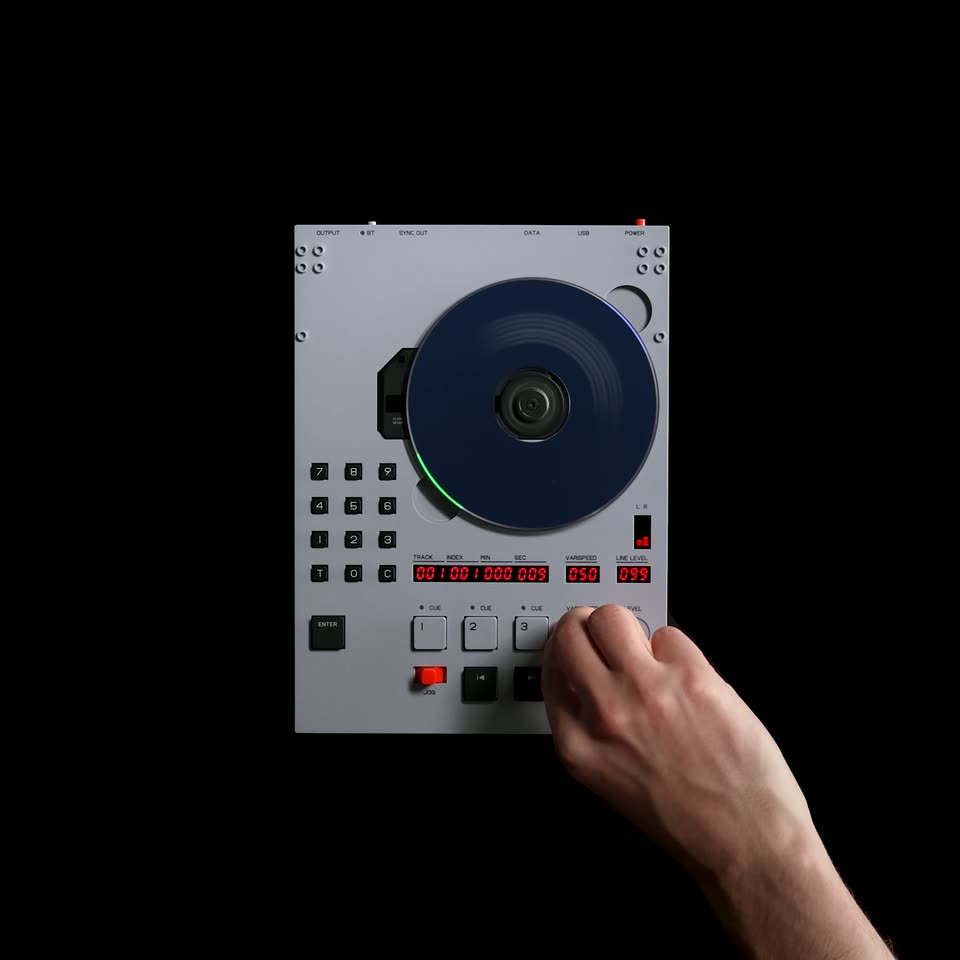
Teenage Engineering’s 1:09 launch film runs 21 scenes, about 3.3 s each. The product shows up at 0:02 and 6 features are revealed. There is no explicit call to action; a voiceover carries the film. A clinical product film built on a black void: top-down and macro shots of the silver player, cut to a steady beat, with a deadpan voiceover listing features as a single hand operates each control. The look is industrial and precise, defined by flat lighting, red seven-segment numerals, thin white callout lines, and a slow orbit into the brand logo at the end.
Is this your launch? to your site or press kit.
Nothing · Hardware · Jul 2021
Teenage Engineering · Hardware · Nov 2026
Joby Aviation · Feb 2026
Films whose music sounds like this one, voice left out
Quippy · Narrative-driven electronic pop
Mave · Modern electronic
reMarkable · Cinematic electronic
A silver audio interface with a blue disc sits centered on a black background. A hand enters from the right and reaches toward the top right corner of the device.
Techniques: 3D mockup
Camera: Static
A tight close-up on the top edge of a gray audio device. A fingertip presses the small orange button beside the POWER label, then lifts off. The dark disc tray with a green rim sits at the lower left against a black background.
Camera: Static
A silver professional CD player sits centered on a black void, a dark blue disc with a thin green arc on its rim. A hand enters from the lower right and presses the PLAY button, the disc spins up and the red display counts from loading to track numbers. A white text block fades in at the lower left corner.
On-screen text: “EP/BC”, “BROADCAST”, “SERIES”, “PROFESSIONAL”, “CD PLAYER”, “コンパクトディスク”, “44.1 KHZ USB-C 2.0”
Techniques: Kinetic type
Camera: Static
Macro close-up of a dark navy CD inside a player on a light gray surface, shallow focus, rainbow sheen along the disc edge. Locked-off frame; faint grooves appear on the disc. White text block at bottom-left, BROADCAST and SERIES scaling in.
On-screen text: “EP/BC”, “BROADCAST”, “SERIES™”, “PROFESSIONAL”, “CD PLAYER”, “コンパクトディスク”, “44.1KHZ USB-C 2.0”
Camera: Static
A silver broadcast turntable with a dark blue record sits centered on a black background. A hand enters from the right, turns the varspeed knob, and taps the cue buttons while the red timecode counts up.
On-screen text: “EP/BC”, “PROFESSIONAL”, “BROADCAST”, “SERIES”
Camera: Static
Extreme close-up of a silver turntable control panel with red LED readouts. A hand enters from the right and turns the varispeed knob, the display changing from 088 to 100 as the cue buttons and level knob hold steady in frame.
Camera: Static
A gray turntable-style controller sits on black, a blue disc centered above a numeric keypad and red LED readouts. A hand's index finger presses an orange button at the bottom edge, and the VAR SPEED readout flips from 20 to 80.
Camera: Static
Close-up of a silver turntable control panel. A finger taps the numeric keypad, pressing T, 1 and 2, while the red LED display shifts from 00 1 00 1 00 to 04 00 00. A blue platter sits at the top right. The camera holds still.
Camera: Static
Static close-up of a silver turntable panel. A black LED window shows red digits under the TRACK, INDEX, MIN and SEC labels, and the time code updates between frames. Three square cue buttons marked 1, 2, 3 sit below small CUE dots.
Camera: Static
Top-down view of a silver DJ deck with a blue platter and red LED readout on a black background. A hand enters from the bottom, presses the ENTER button with the index finger, then withdraws, leaving the device static.
Camera: Static
A 3D turntable deck spins its dark blue platter against a black background. A finger taps the orange jog button and a cue key, lighting a red cue LED and driving the level meter, while the red time-code display ticks.
Techniques: 3D mockup
Camera: Static
Top-down flat lay of a silver time-code controller on black. A hand enters from the right, the index finger taps the dark blue platter, then retracts as the platter spins with circular motion blur. Red LED readouts stay lit.
Camera: Static
A static close-up of a silver transport's red LED display. The digits under TRACK, INDEX, MIN, SEC flip from 04 00 02 55 to 005 000 000 000. Three square cue buttons sit below the display.
Camera: Static
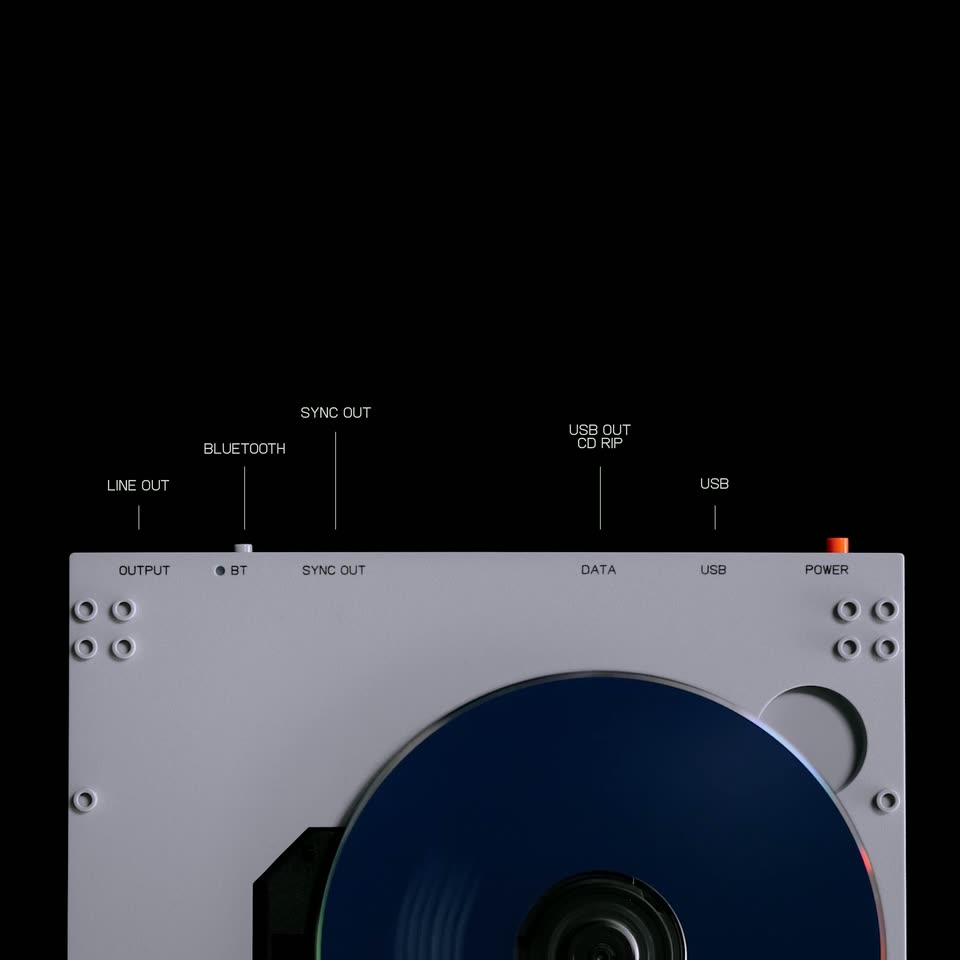
A top-down close-up of a silver turntable deck on black, its blue disc spinning slowly. White callout labels with thin leader lines fade in above the edge, naming LINE OUT, BLUETOOTH, SYNC OUT, USB OUT CD RIP and USB.
On-screen text: “LINE OUT”, “BLUETOOTH”, “SYNC OUT”, “USB OUT CD RIP”, “USB”
Camera: Static
Top-down view of a silver turntable with a dark blue platter on a black background. A hand presses the ENTER and cue buttons while the red LED display updates, and a USB DRIVE label with a leader line points to a tab at the top.
On-screen text: “USB DRIVE”
Camera: Static
A gray K.O II sampler sits centered on black in a locked-off front view, platter left, lit display right. A hand slides in from the bottom right and presses the play key, after which a play icon appears on the screen.
Camera: Static
Two black speaker cabinets with silver tops and orange knobs stand on either side of a white CD player holding a blue disc, all isolated on a black background. The locked-off frame holds the trio in a symmetrical product hero shot.
Techniques: 3D mockup
Camera: Static
Top-down locked-off shot of a DJ rig on black. A blue vinyl spins on the left deck while two hands work the center mixer, turning orange and gray knobs and pushing faders. The red LED counter ticks.
Camera: Static
A grid of nine gray cube speakers fades up from black on a glossy floor, their perforated grilles catching the light. A small white CD player sits in front. A white caption fades in at the bottom edge.
On-screen text: “CONNECT TO ANY BLUETOOTH-COMPATIBLE SOUND SYSTEM”
Techniques: 3D mockup
Camera: Static
A silver CD player with a blue disc and red LED display sits on a glossy black floor, slowly orbiting in 3D. On the right, white caption lines stack up one by one, then a CD wordmark fades in.
On-screen text: “PORTABLE”, “BATTERY POWERED”, “RECHARGEABLE”, “WIRELESS”, “CD”, “COMPACT”, “DISC”, “DIGITAL PRO”, “コンパクトディスク”
Techniques: 3D mockup, Kinetic type
Camera: Pan
On a black field, the white Teenage Engineering nut-and-bolt pictogram assembles in the center: a tilted bolt, a hexagon that opens into concentric rings, and a disc that fills from gray to white. A small trademark line sits at the bottom.
On-screen text: “TEENAGE ENGINEERING AND THE NUT AND BOLT PICTOGRAM ARE REGISTERED TRADEMARKS.”, “©2026 TEENAGE ENGINEERING ALL RIGHTS RESERVED.”
Techniques: Morph
Camera: Static